Trip.com booking stack
English booking layer
For independent travel in China, Trip.com is the English-friendly face of a much larger China travel ecosystem: domestic flights, hotels, trains, attraction tickets, and tours can sit in one account.
Boundary: This guide shows the taps, but the rule stays simple: you complete every booking and payment yourself. It does not provide booking, payment, cancellation, refund, or payment-dispute handling.
For rail-only detail, use our China train tickets: 12306 & Trip.com app guide. This page is for the broader Trip.com app workflow.
Trip.com vs Ctrip: Fast Answer
English-friendly default
Start with Trip.com if you want English, international-card support, familiar customer service, and one place to manage China flights, hotels, tickets, and some rail bookings.
It is a good default for many foreign visitors, not a guarantee of the lowest price or final inventory. For expensive, peak-date, or rule-heavy bookings, compare the airline, hotel, 12306, or official attraction channel before paying.
Ctrip (携程)
Ctrip (携程) is the China-market sister brand, with a Chinese-first interface, local payment habits, and China-market promotions or workflows. It is useful if you read Chinese or have local help, but the interface, support path, and payment habits are less forgiving for first-time visitors.
Checkout rules still win
Trip.com makes the flow calmer; it does not remove China-specific rules. Passport names, hotel registration, attraction time slots, payment availability, supplier inventory, and cancellation terms still matter.
If you remember one rule, remember this: Trip.com is a booking tool, not a magic shield. Read the final checkout screen, screenshot confirmations, and keep your passport name consistent across every booking.
Live Trip.com shortcuts
Set Up Trip.com Before You Fly
Before pressure
Install only the official Trip.com app from the App Store, Google Play, or Trip.com's own download page. Set language, account, email verification, and payment before you need to book under pressure.
Account access
Use the same email or phone number you can access during the trip.
Verification
Complete email verification if prompted before adding cards or making a high-value booking.
Passport fields
Keep your passport nearby; flight, hotel, train, and attraction-ticket screens can ask for exact document details.
Live checkout
Do not assume every card or wallet appears on every product. The live checkout page decides.
First, switch the app to English. Before relying on live vouchers or customer support in China, set up mobile data (eSIM or local SIM) ahead of arrival, then decide whether your route needs the VPN travel guide.

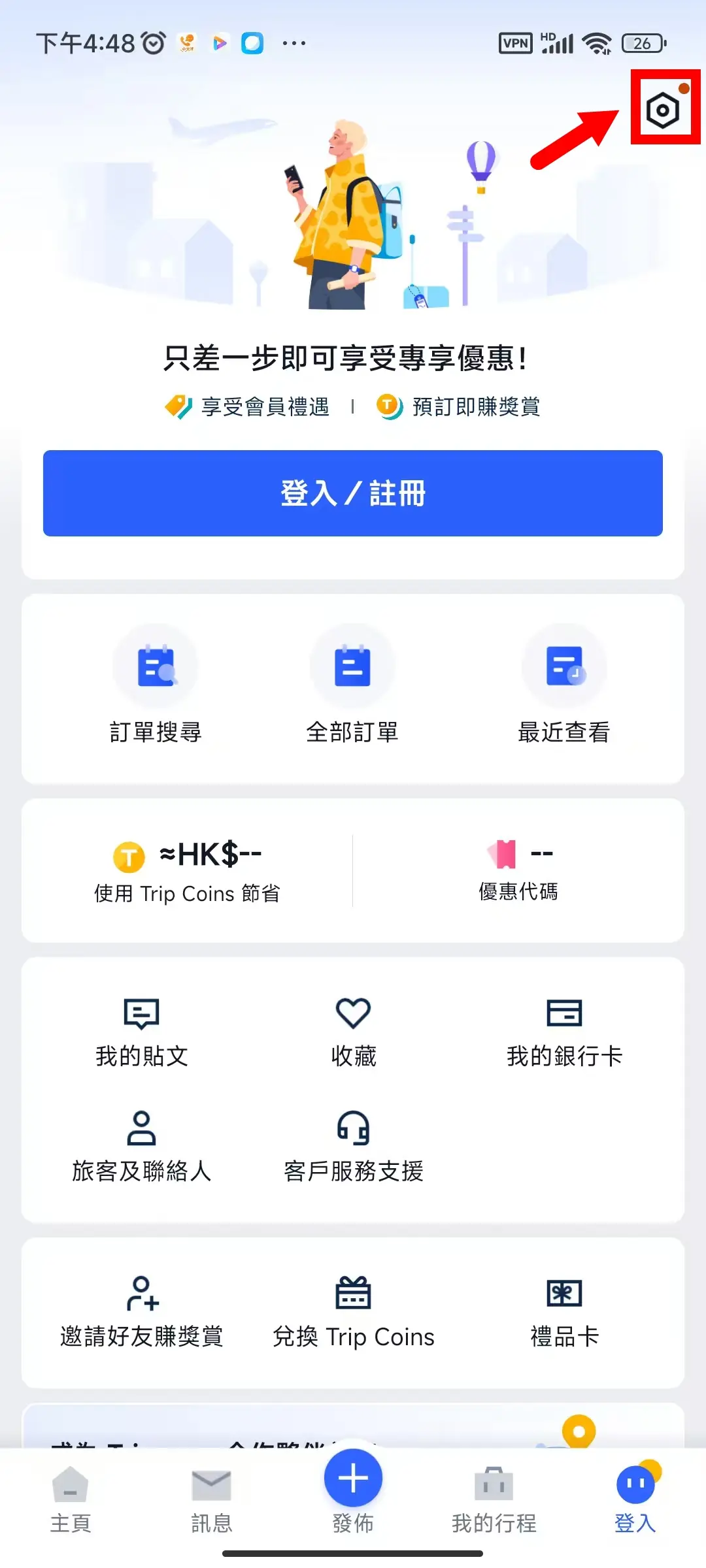
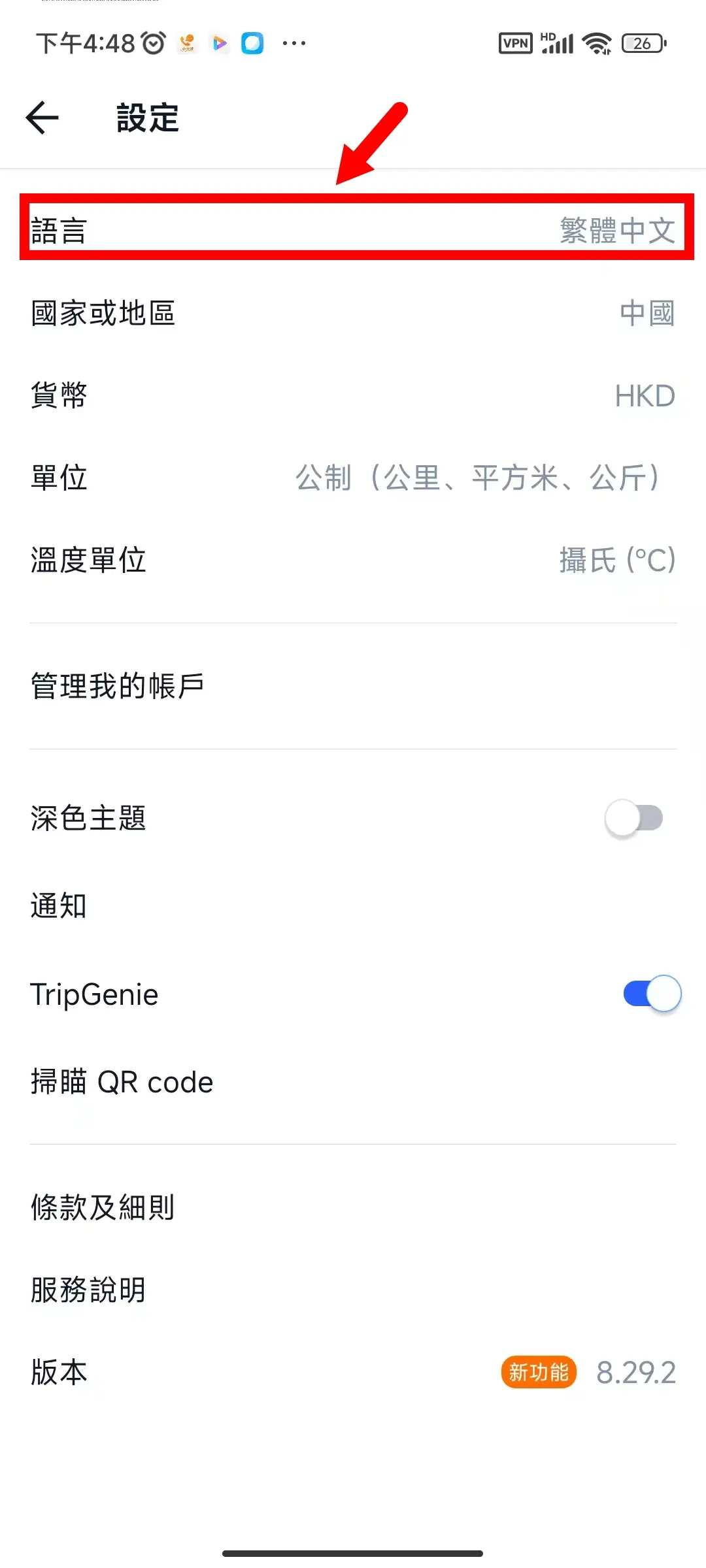
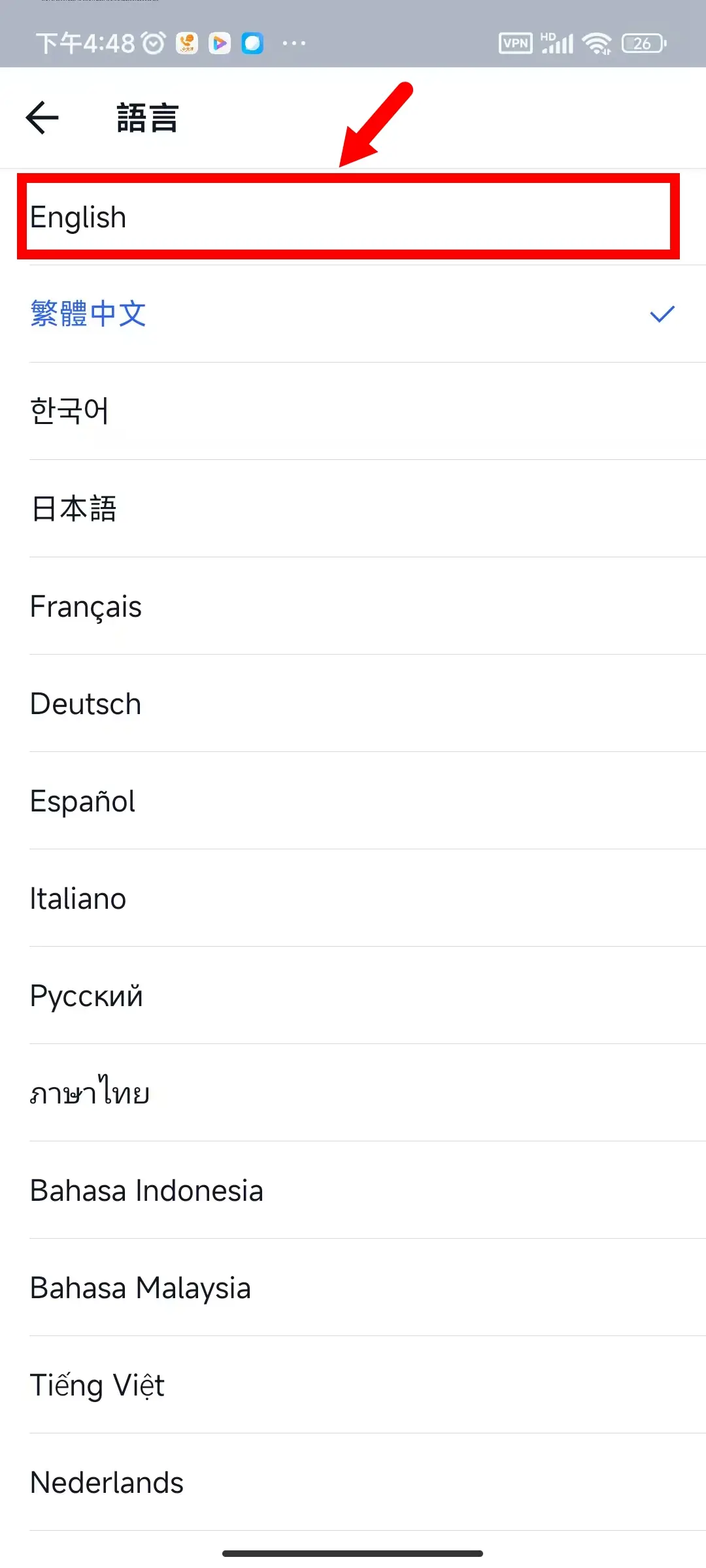
Then sign in or register. Email, mobile number, Apple, Google, Facebook, and WeChat options appear according to your device and region.


Finally, add a card if you want smoother checkout. Trip.com commonly supports major cards and other payment methods, but product, country, device, and fraud checks can change what you see.
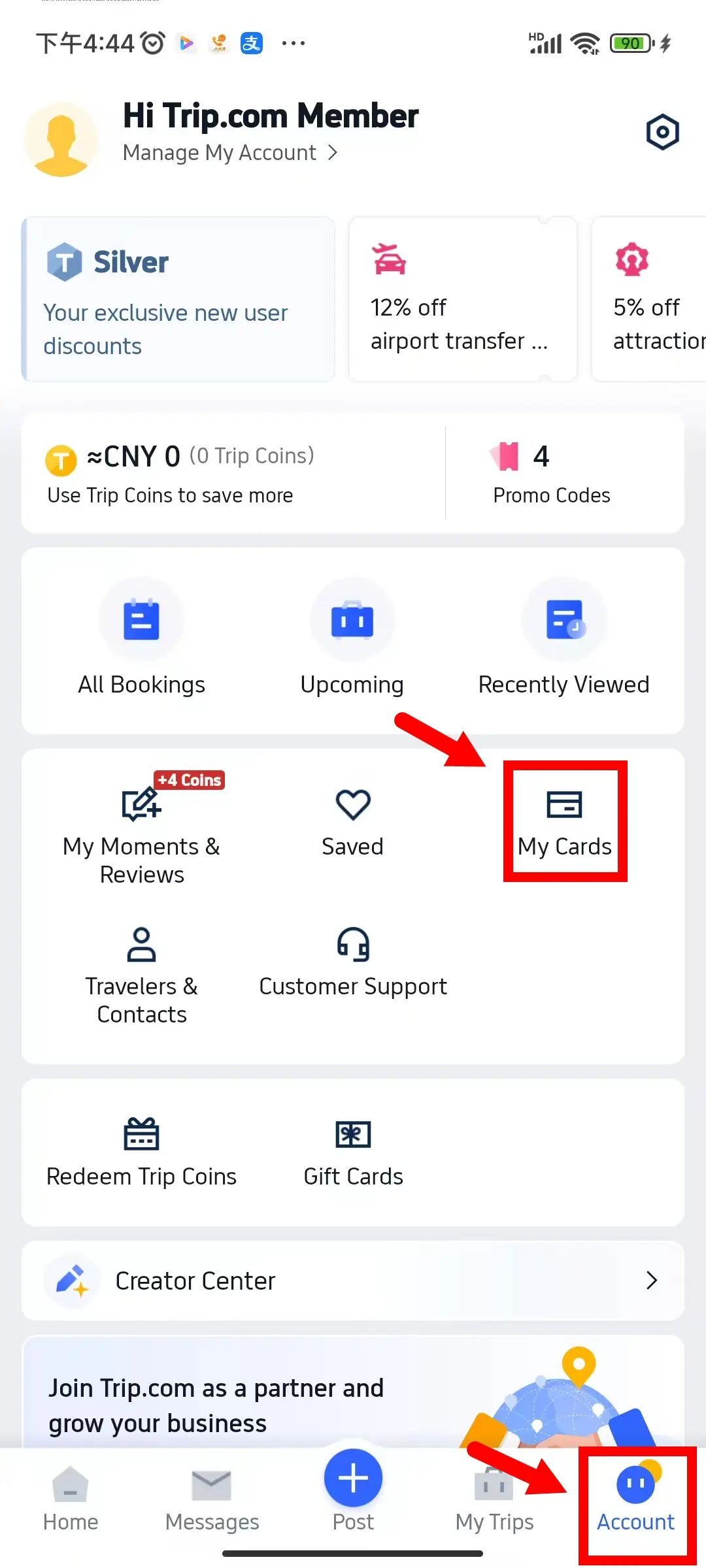
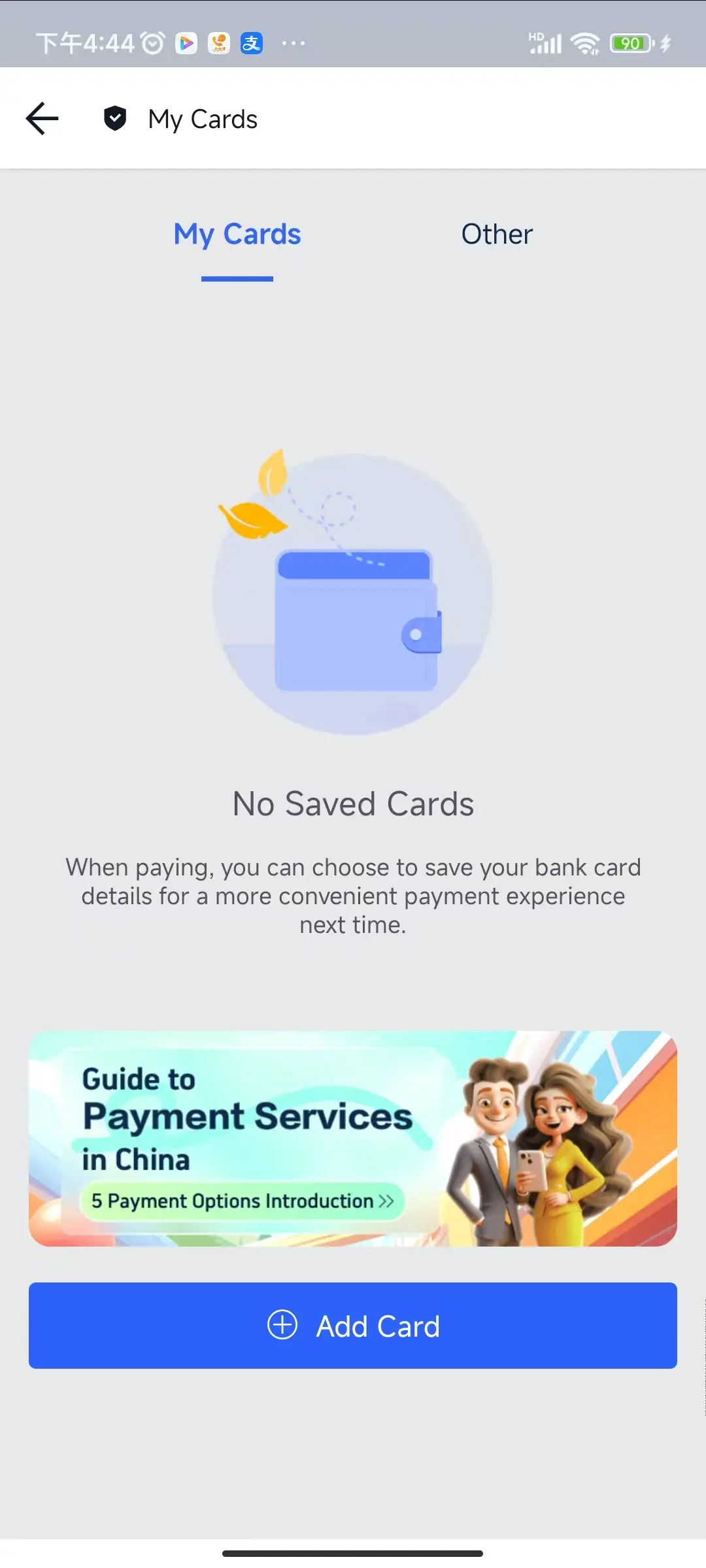
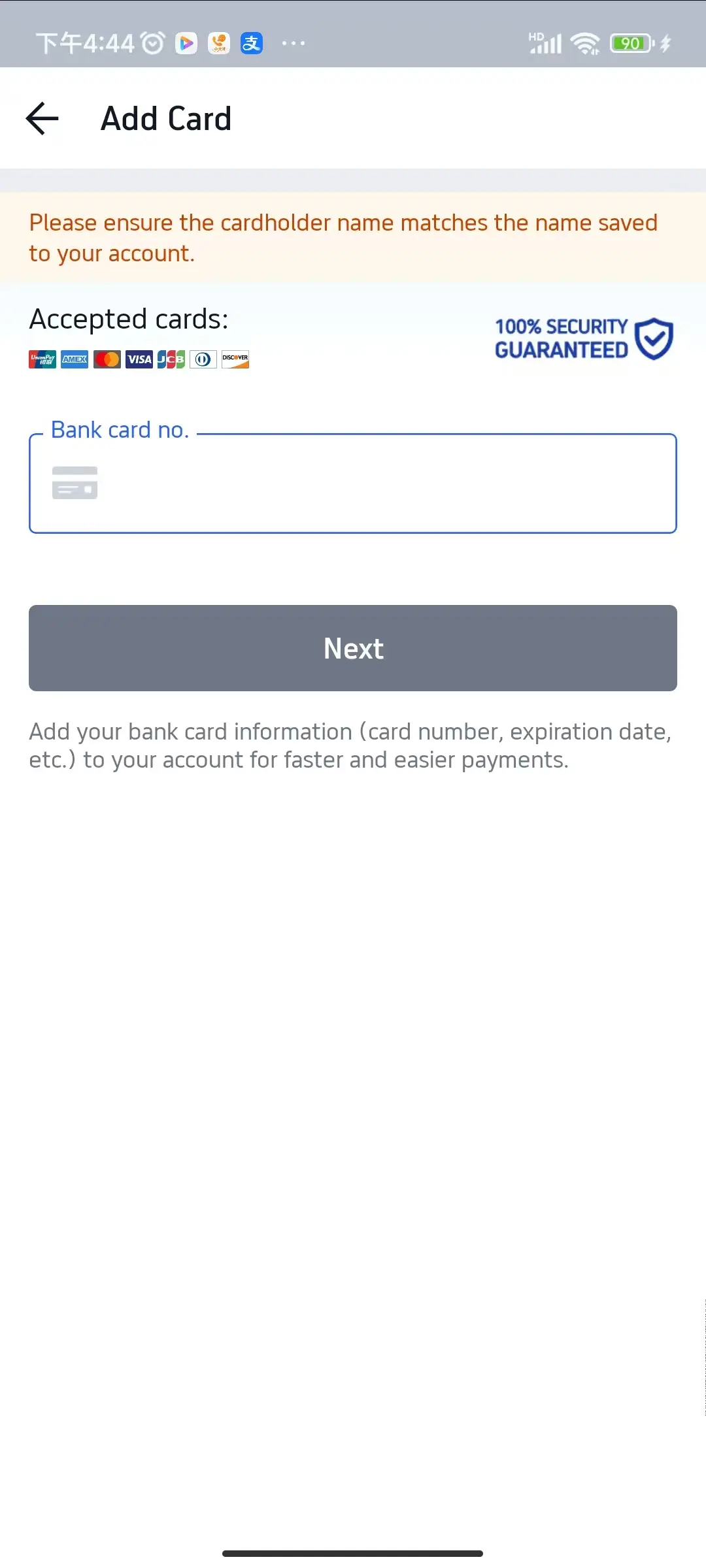
At checkout you can also see Alipay (支付宝), WeChat Pay (微信支付), PayPal, Apple Pay, Google Pay, or other local methods. Treat those as live checkout options, not guarantees. Cards and PayPal are common for international users; Alipay and WeChat Pay depend on your region, account setup, linked wallet, and the exact product.
Book Flights in Trip.com
Why Trip.com helps
Trip.com is useful for domestic China flights because city names, airport codes, baggage rules, and support sit in one English flow.
Main risk
The main risk is not search; it is entering passenger identity and fare rules too casually.
First taps
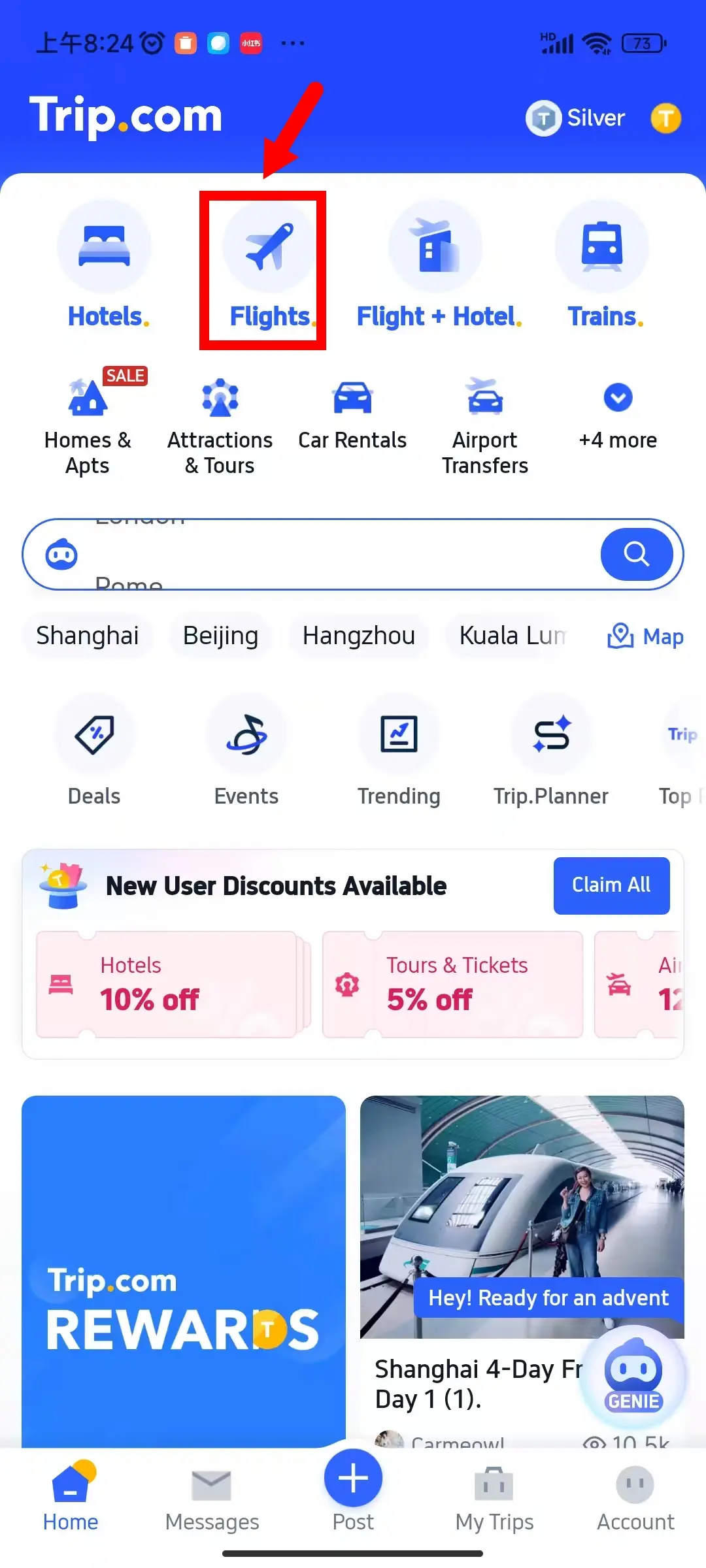
Start from the home screen, then enter the route and dates in one flow.
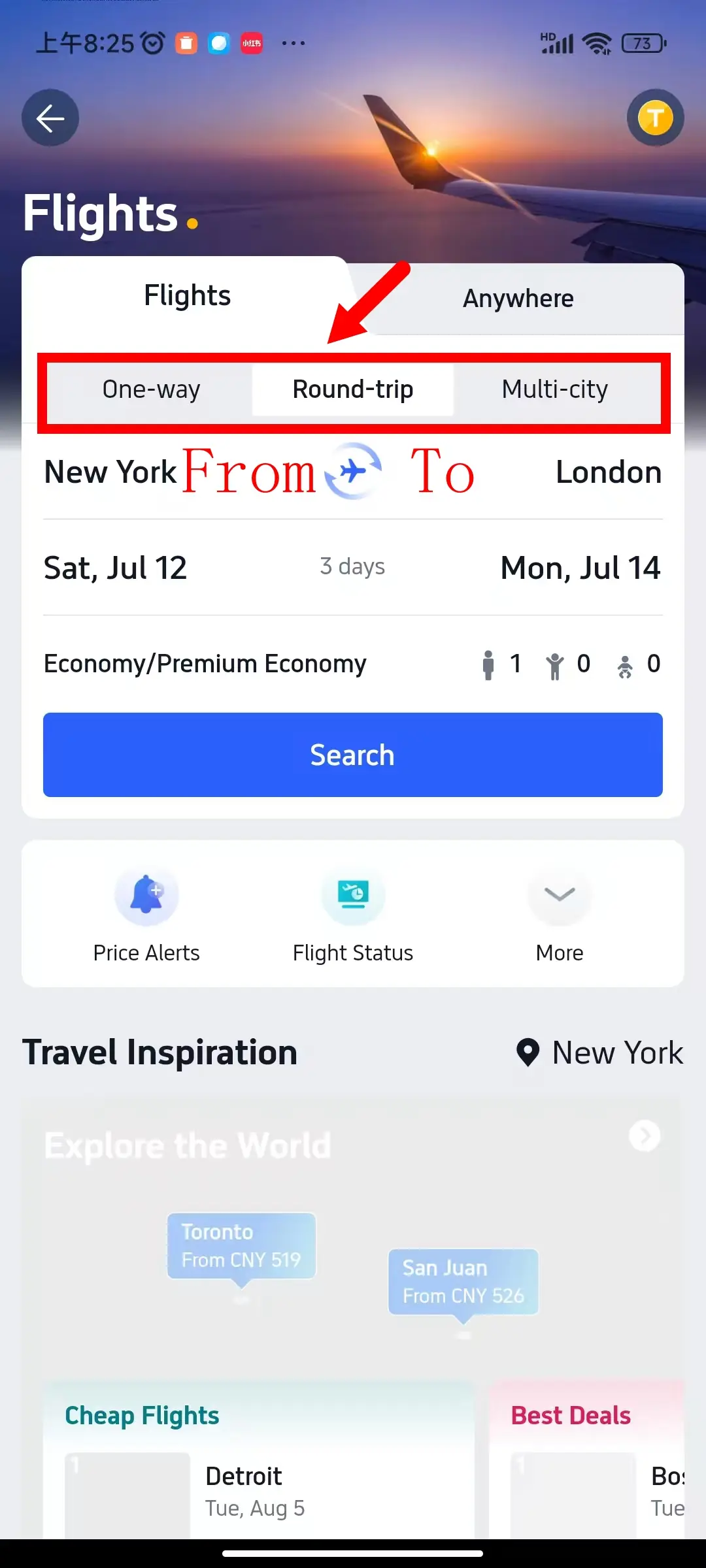
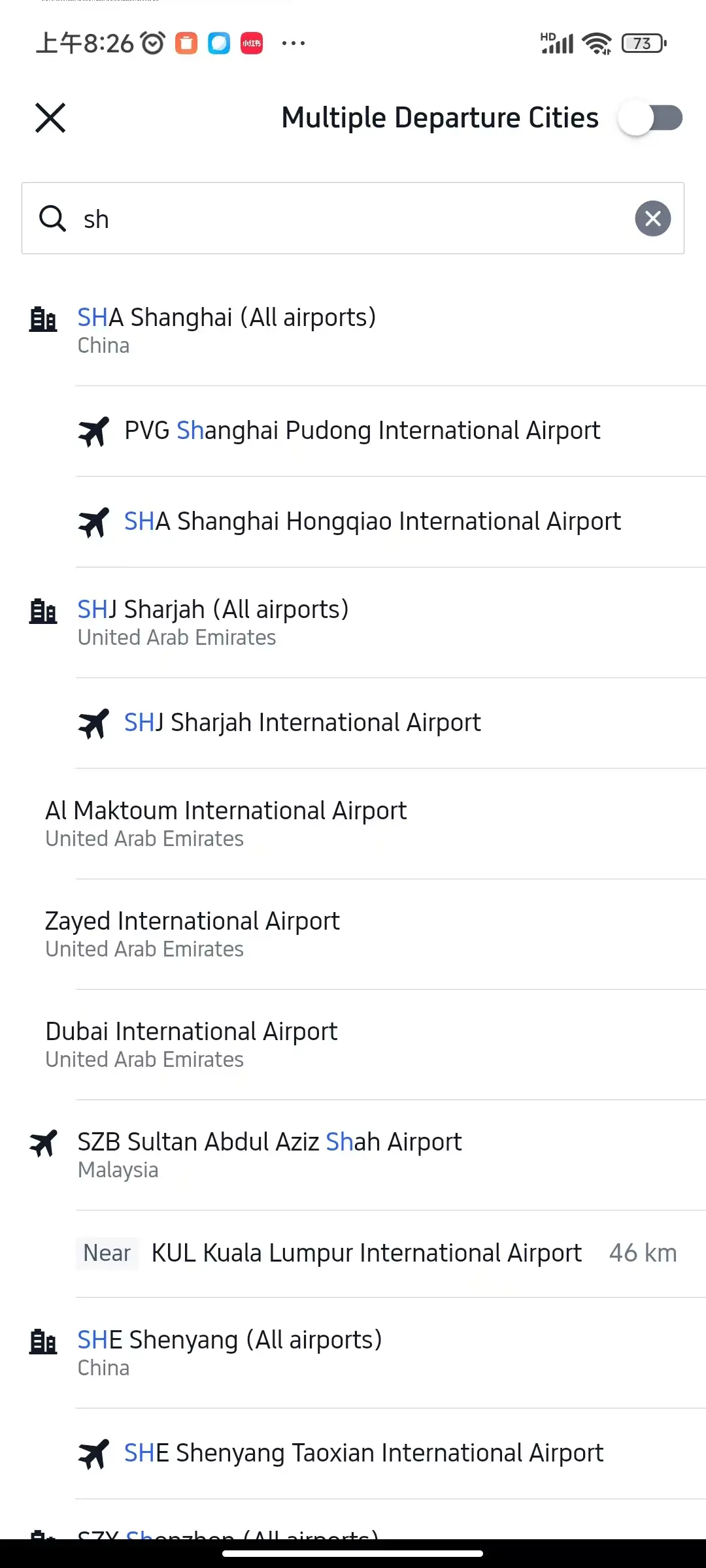
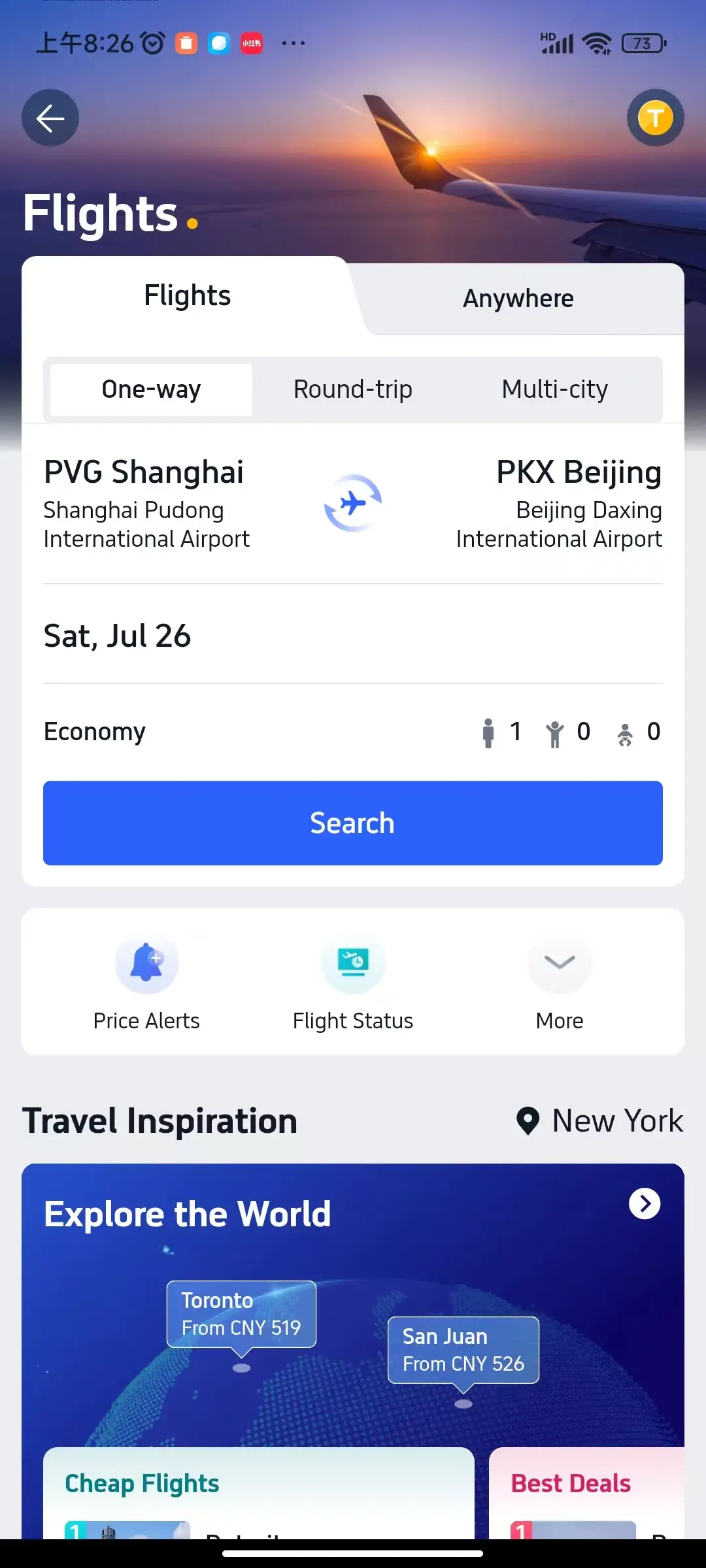
Before paying, open the fare details and enter the passport information carefully.
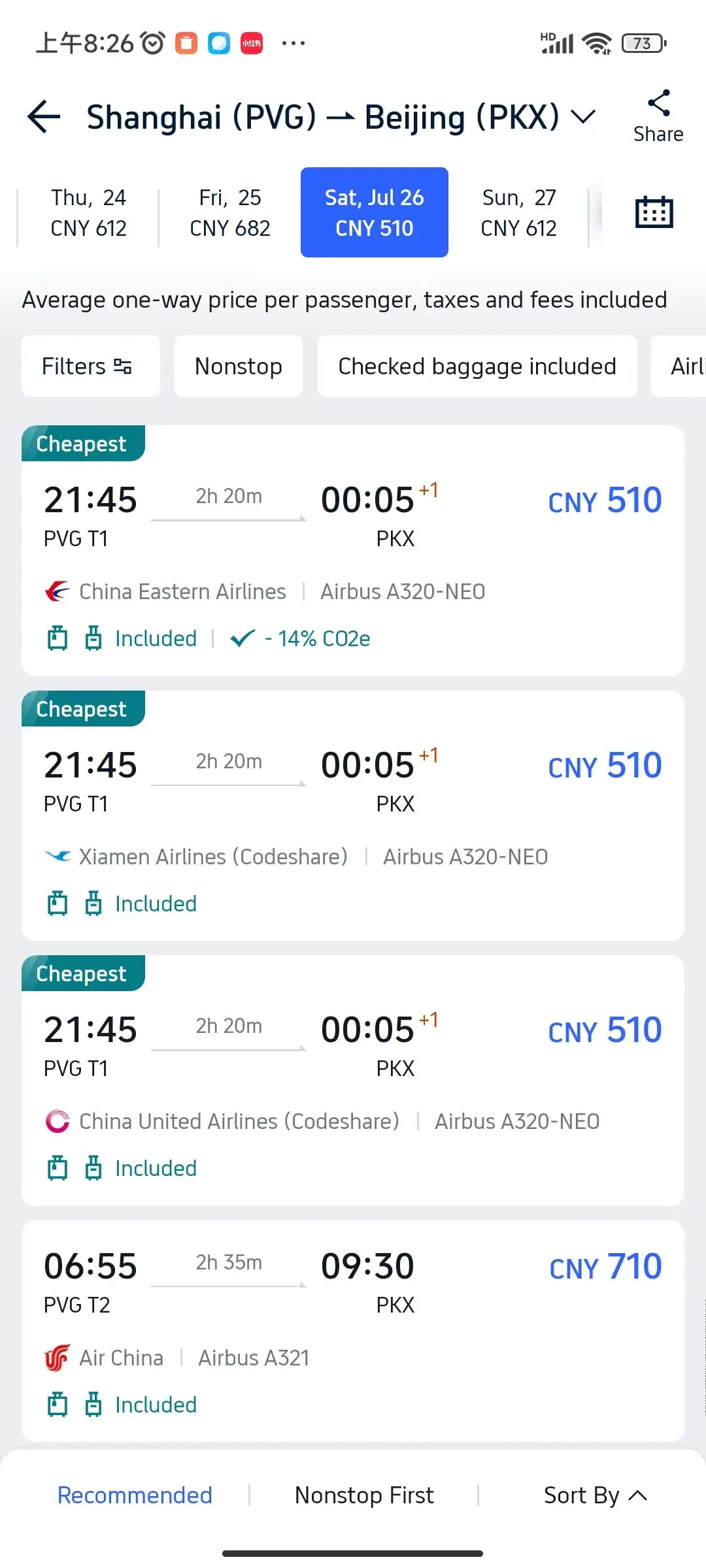
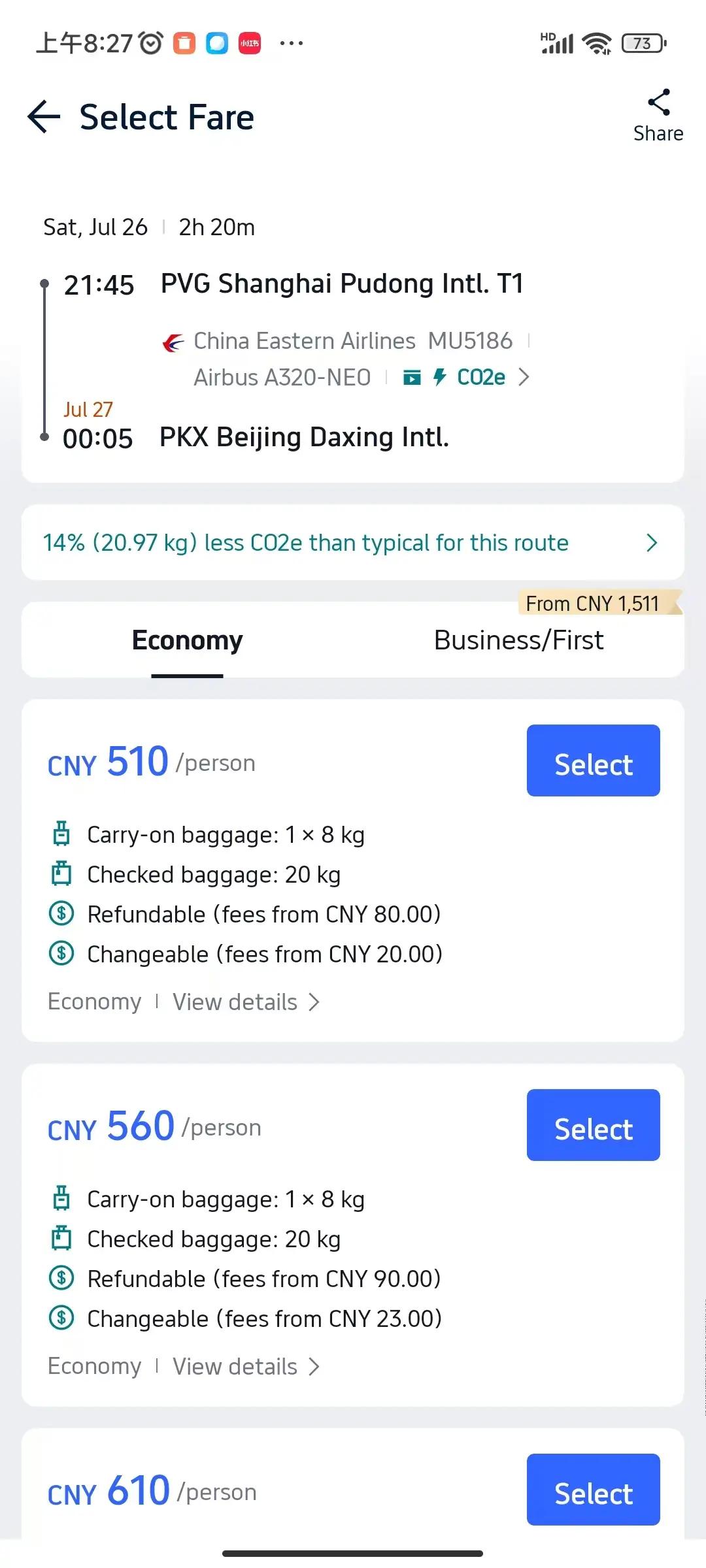
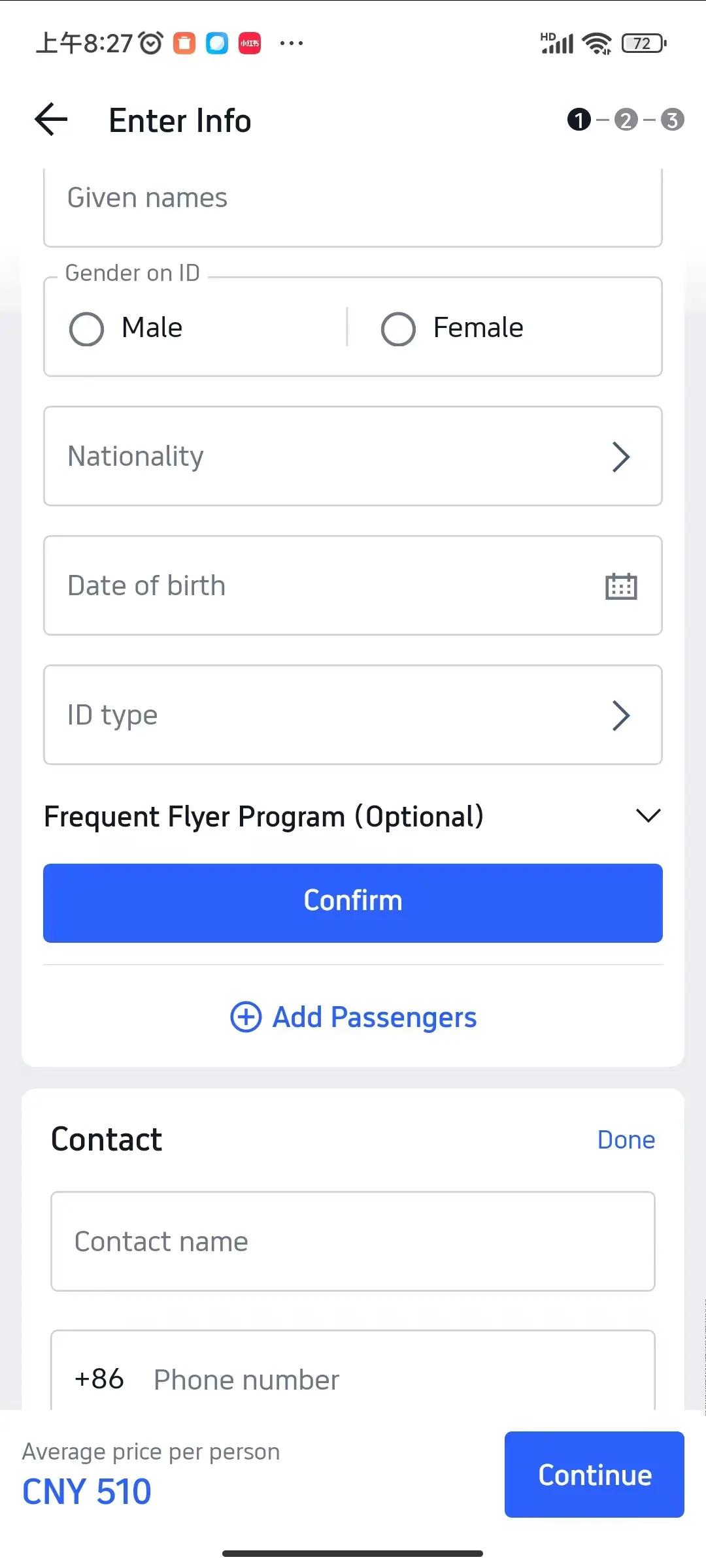
On the payment screen, use the method shown for that exact booking; cards or PayPal are common, while Alipay or WeChat depend on your account and product.
After payment, keep the in-app confirmation and email. At the airport, check in with your passport and follow the airline's baggage and ID rules.
For route timing, airport buffers, baggage, delays, and flight-vs-train decisions, use the full China domestic flights guide.
Book Hotels Without Check-In Drama
Policy context
China hotels register foreign guests' accommodation information, and national guidance now says platforms and accommodation operators should not restrict foreign guests based on "qualification" claims.
Real check-in friction
In practice, small county-town or low-budget properties sometimes need help entering foreign-passport details, especially late at night or outside major tourist areas.
How to use Trip.com here
Use Trip.com as a filter, but still read the listing, recent reviews, and check-in policy. If the stay is in a smaller city, late at night, or a low-budget property, message support or the hotel before arrival.
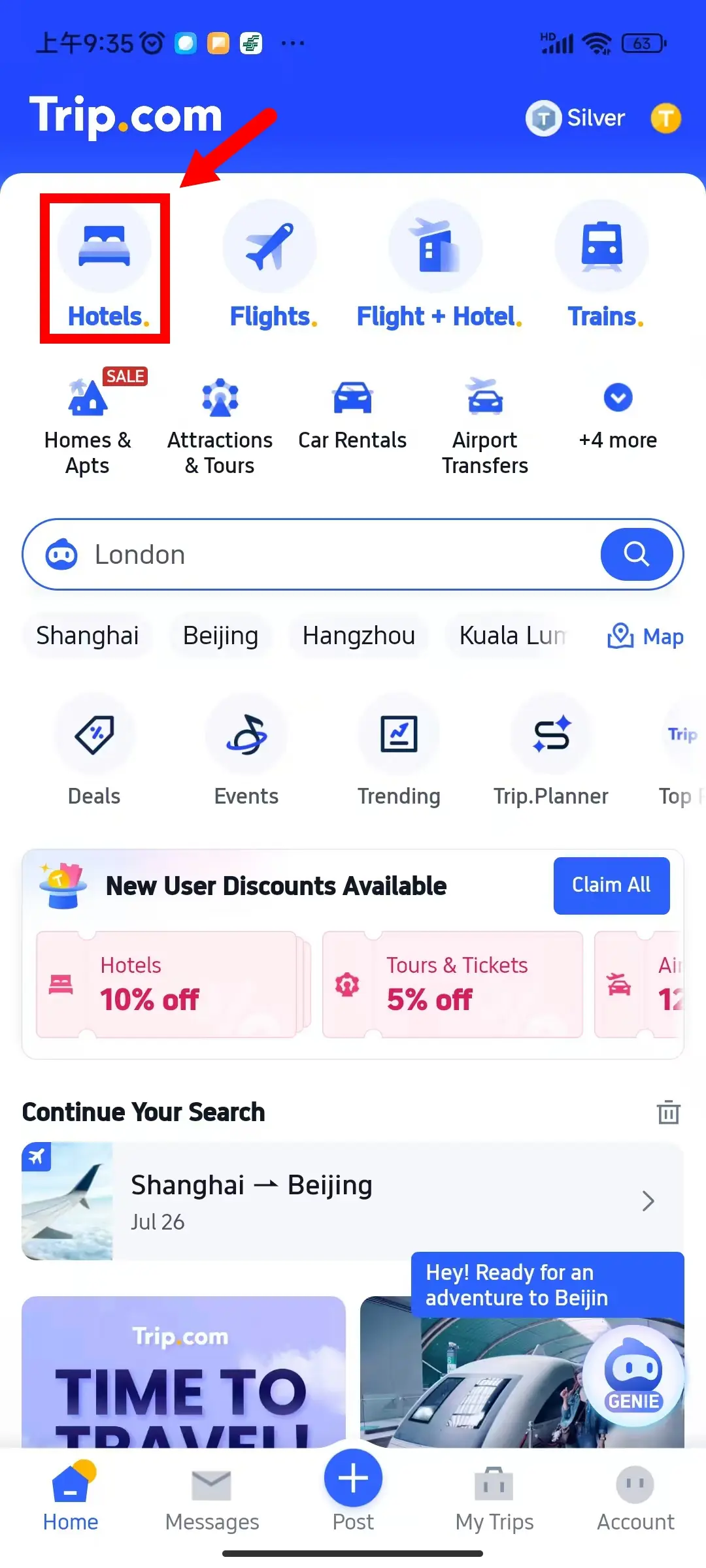
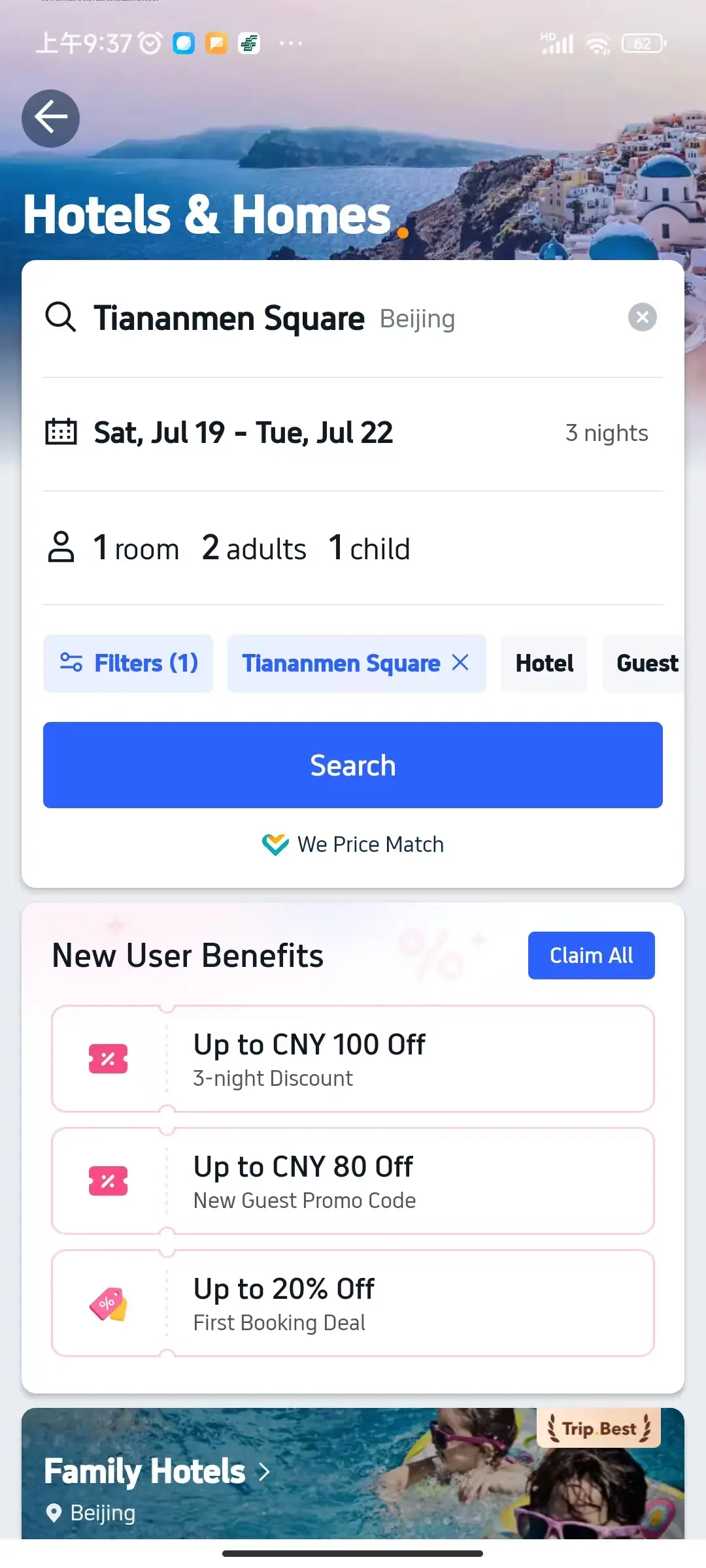
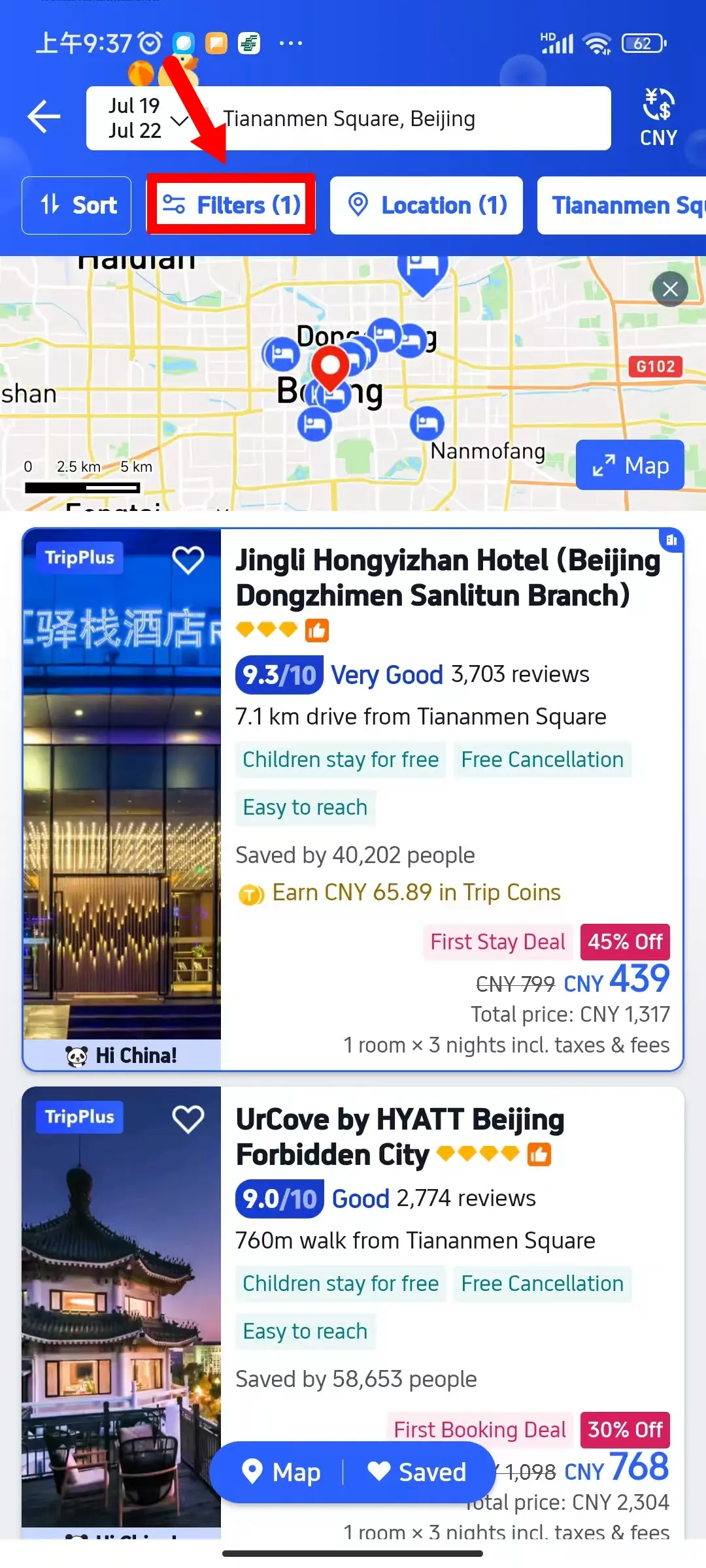
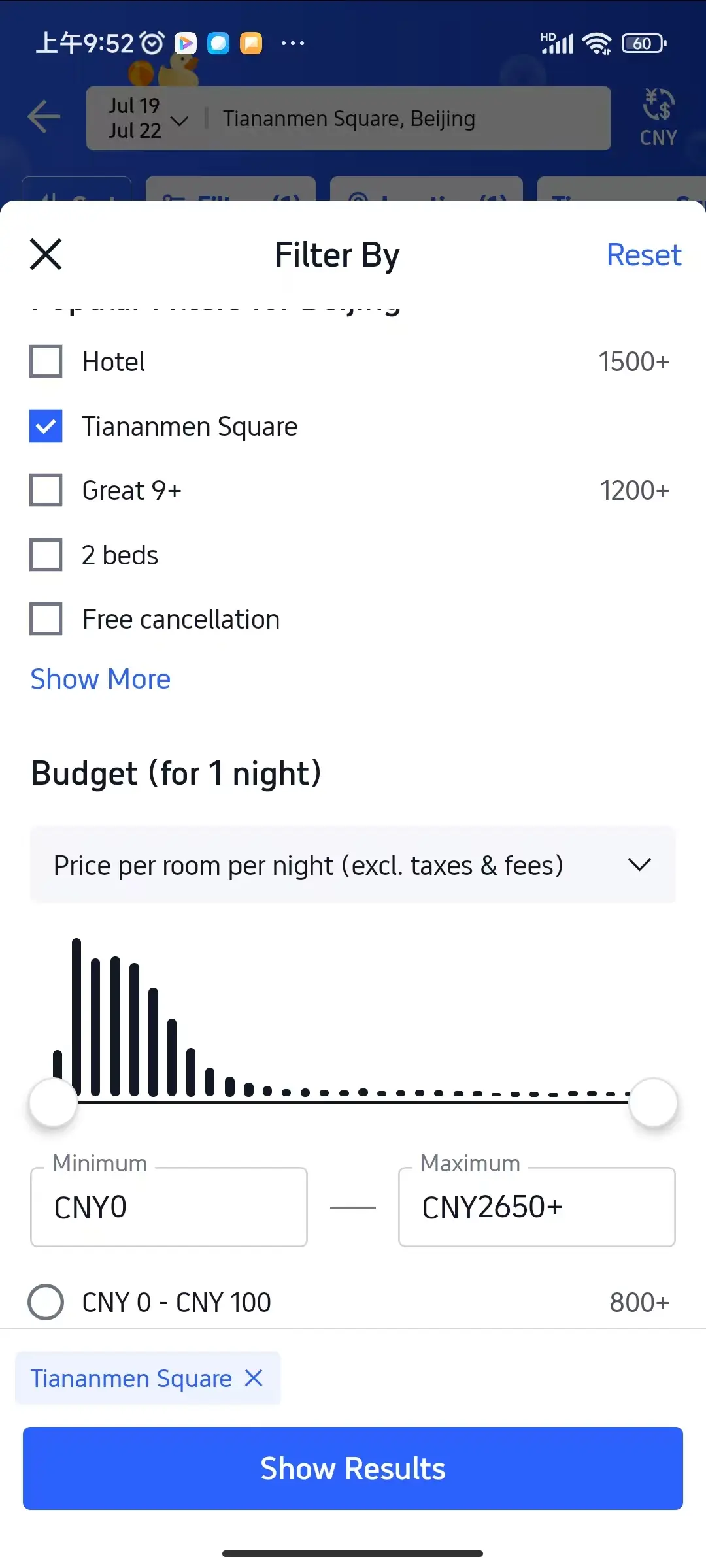
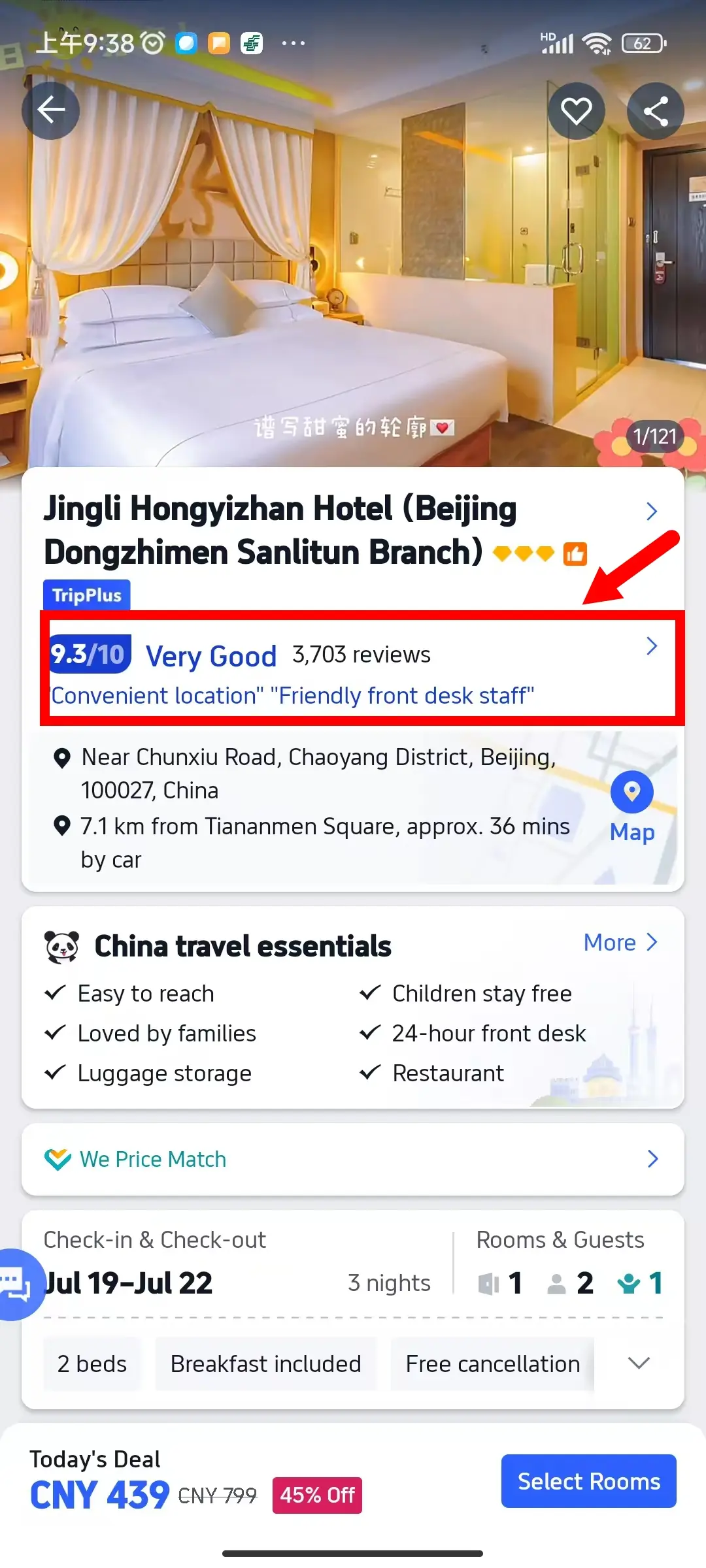
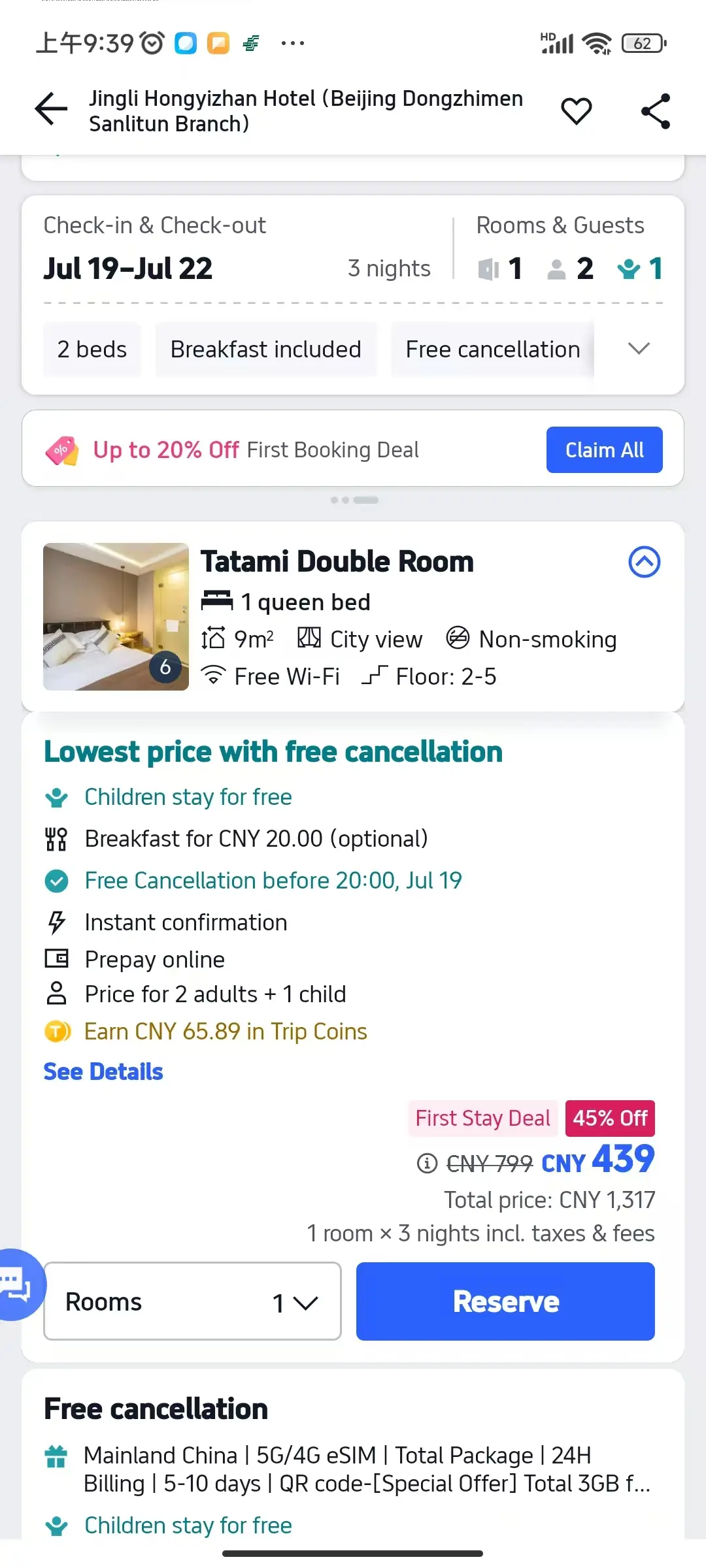
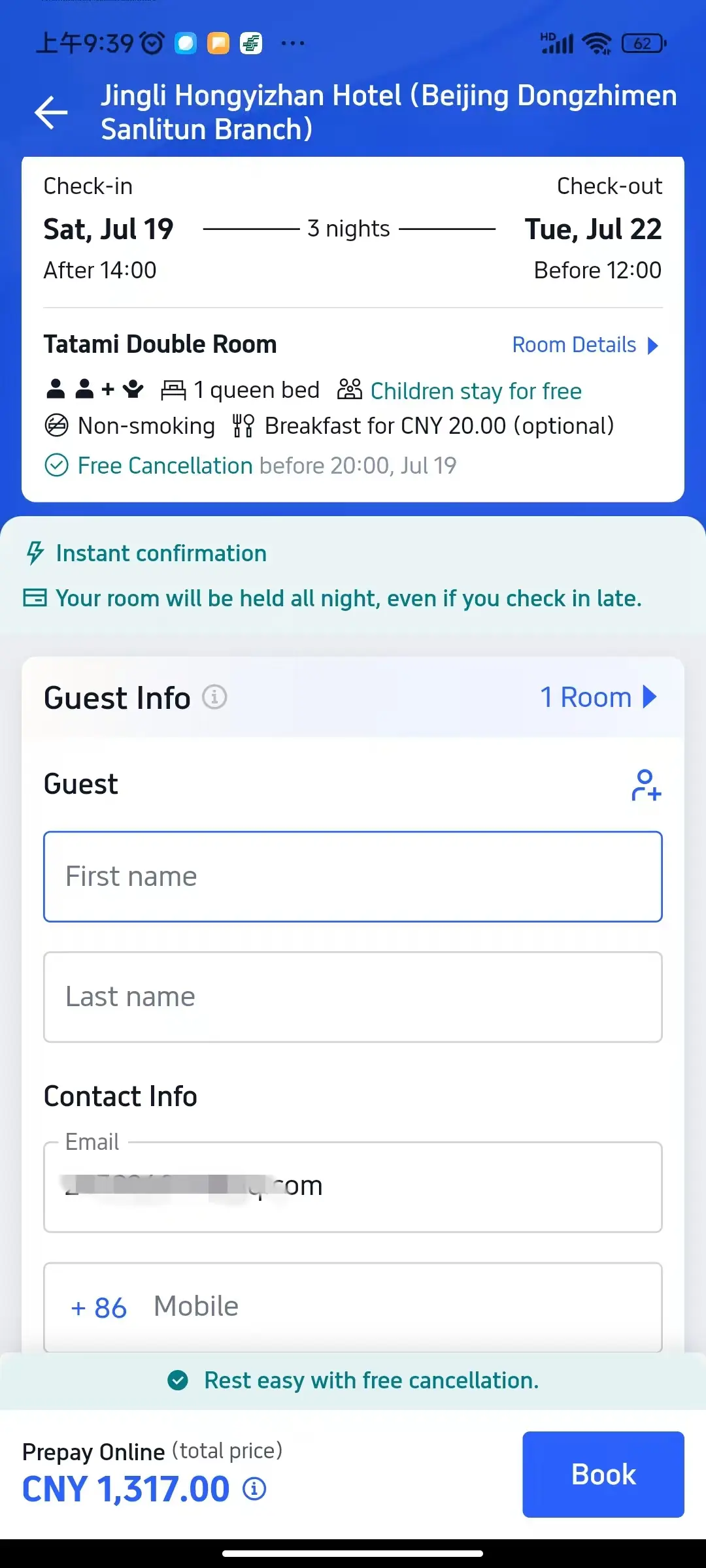
At check-in, show your passport and Trip.com confirmation. Save the hotel's Chinese name and address for taxi drivers, front-desk communication, Trip.com support, and emergency calls. The detailed lobby flow is in our Chinese hotel check-in guide, while platform choice is covered in the China hotel booking platforms guide.
Best first-night rule
For your arrival night, choose a well-reviewed mid-range or international-chain hotel near your arrival hub. It reduces the chance that a tired first check-in becomes your first China problem.
Book Attraction Tickets and Tours
What Trip.com can simplify
Trip.com can help with English-language attraction tickets, day tours, and time-slot products, but China sightseeing rules are still site-specific.
What still changes by site
Major sights such as the Forbidden City and Terracotta Warriors often involve real-name booking, passport entry, timed sessions, official channels, or travel-agency products with strict package terms.
Forbidden City rule: for ordinary self-guided admission, use the official Palace Museum mini-program or official ticket channel as the safest default. Trip.com also lists guided-tour or ticket-plus-guide products; before paying, confirm whether admission is included, whose reservation channel is used, the passport fields required, the entry date and window, the meeting point, and the cancellation terms.
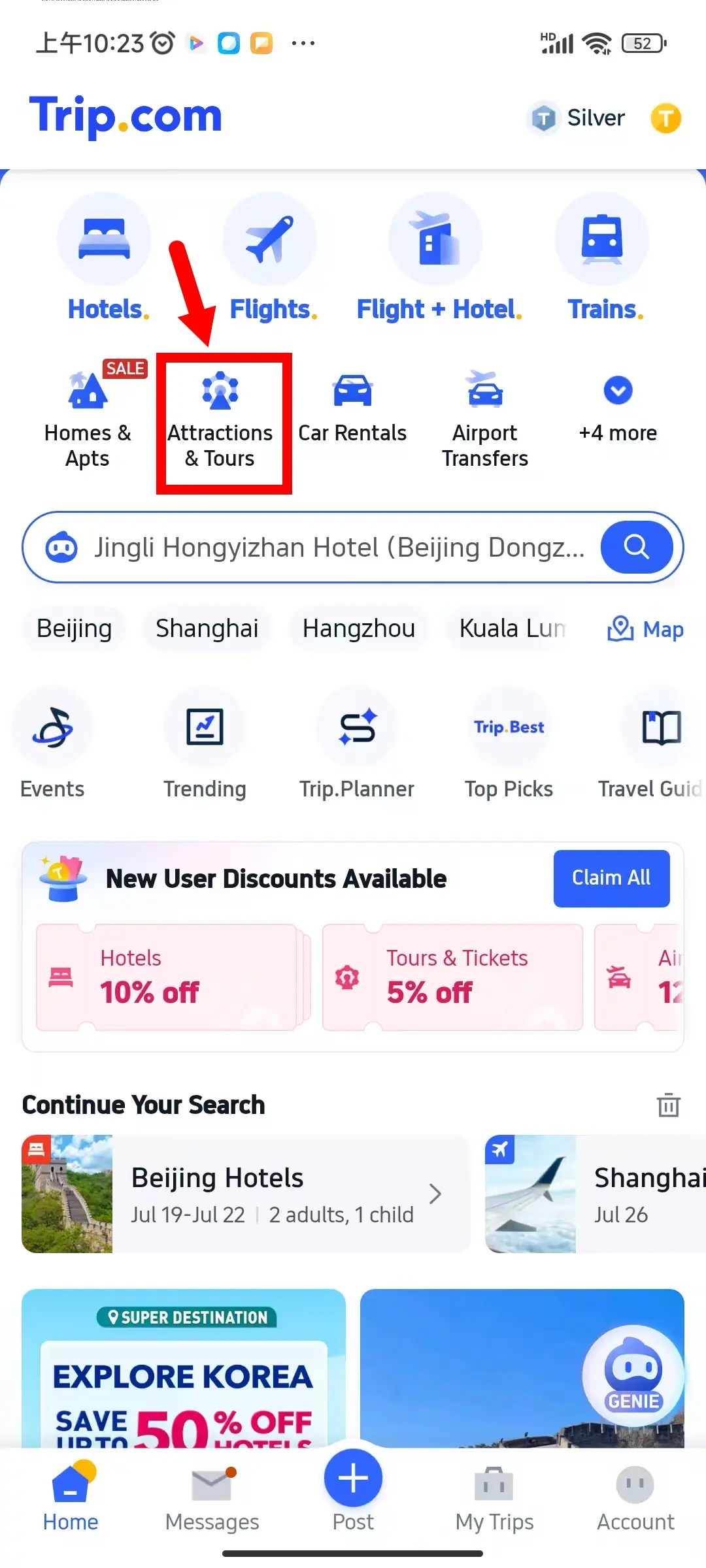
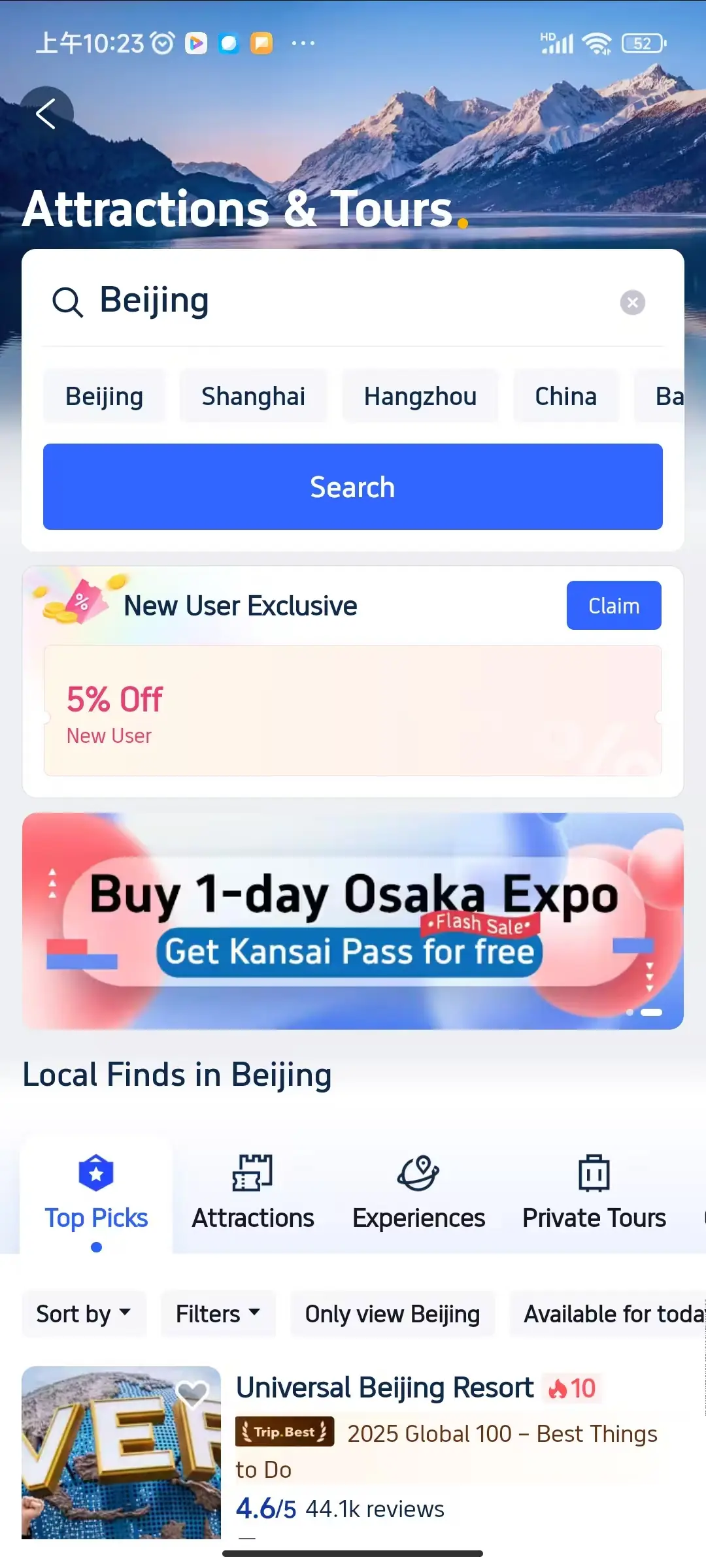
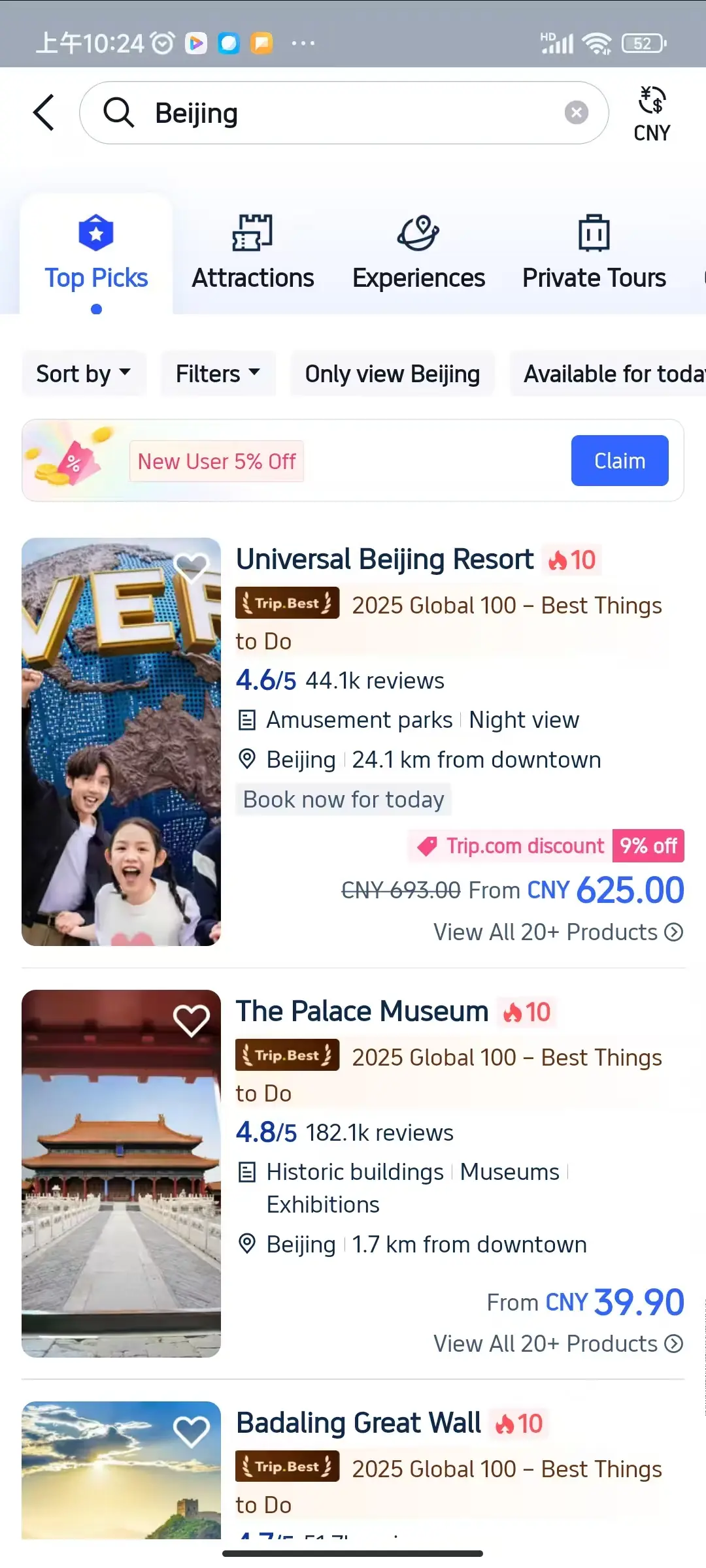
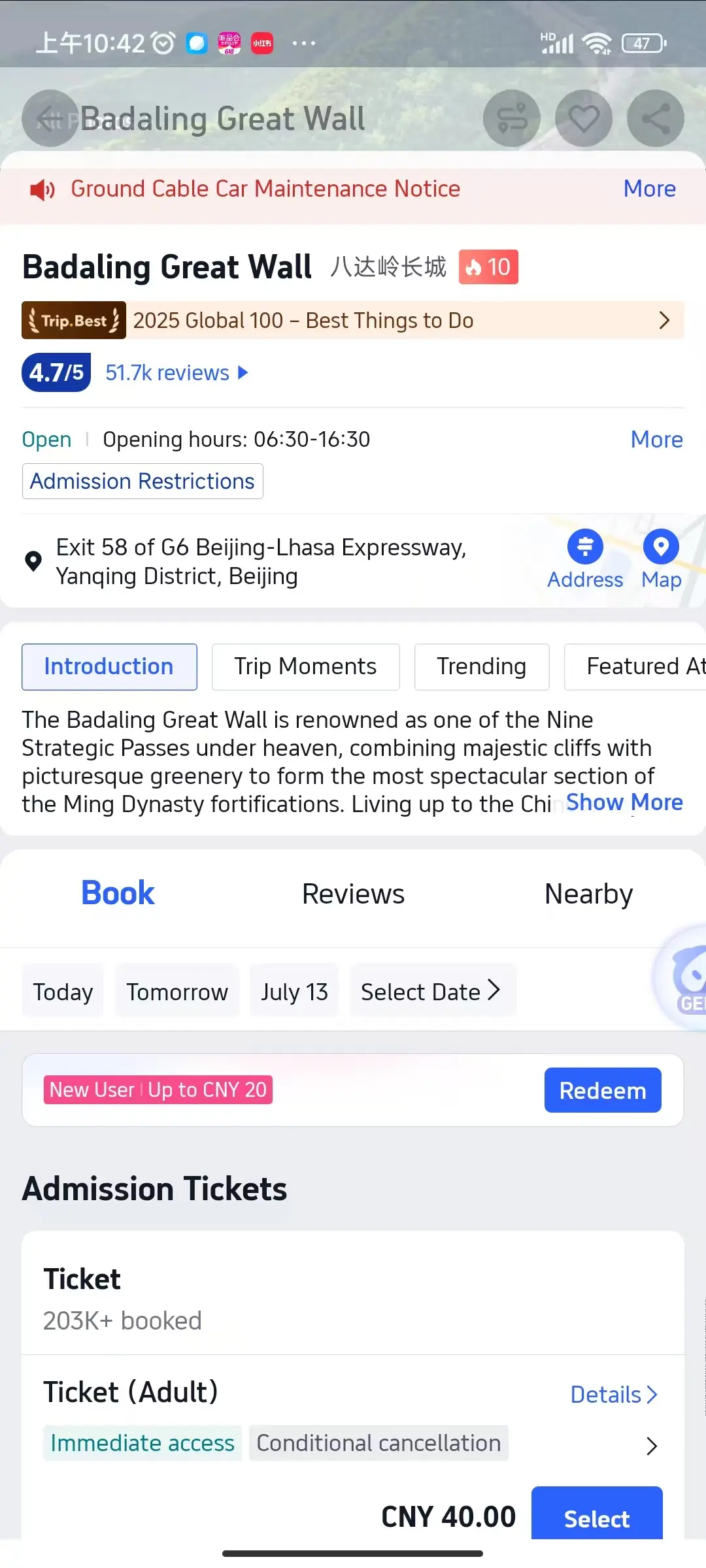
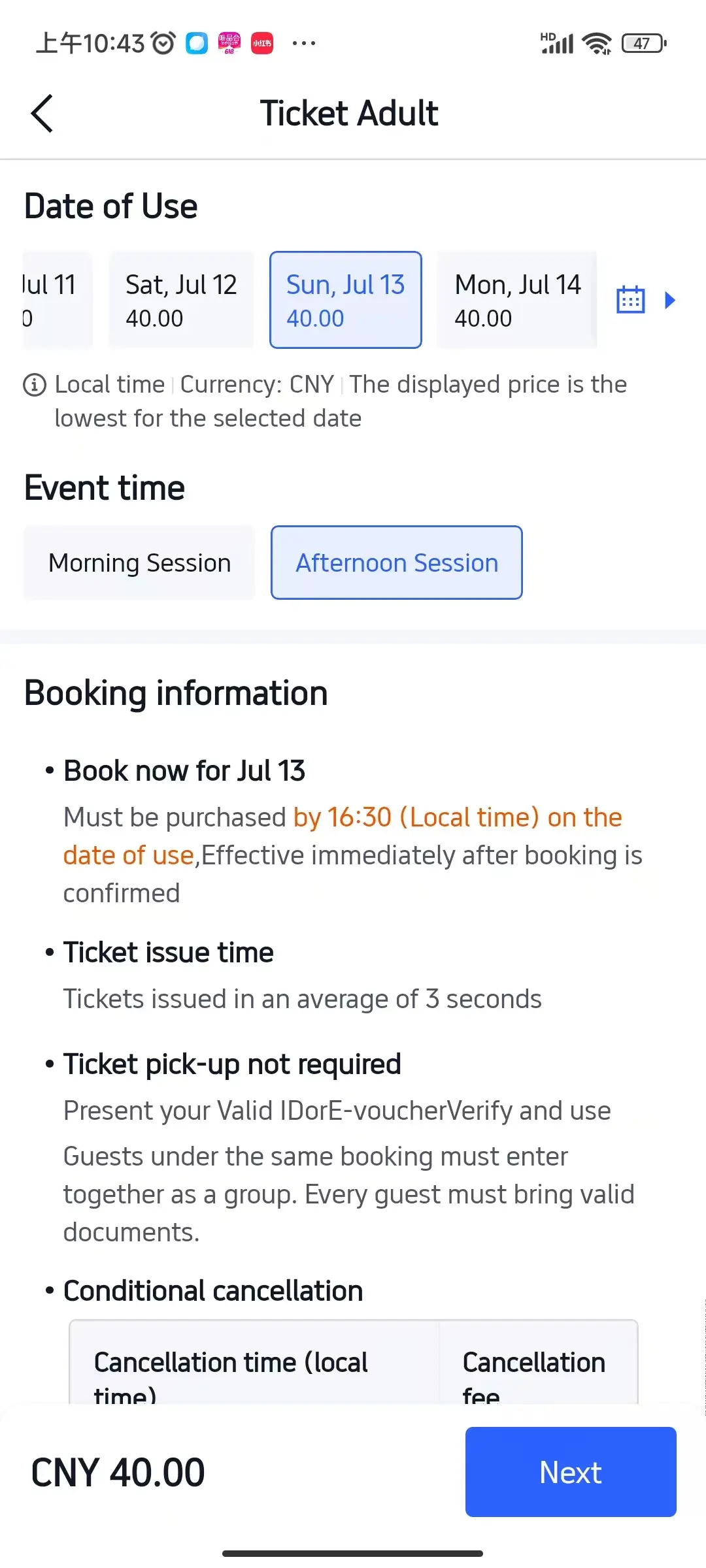
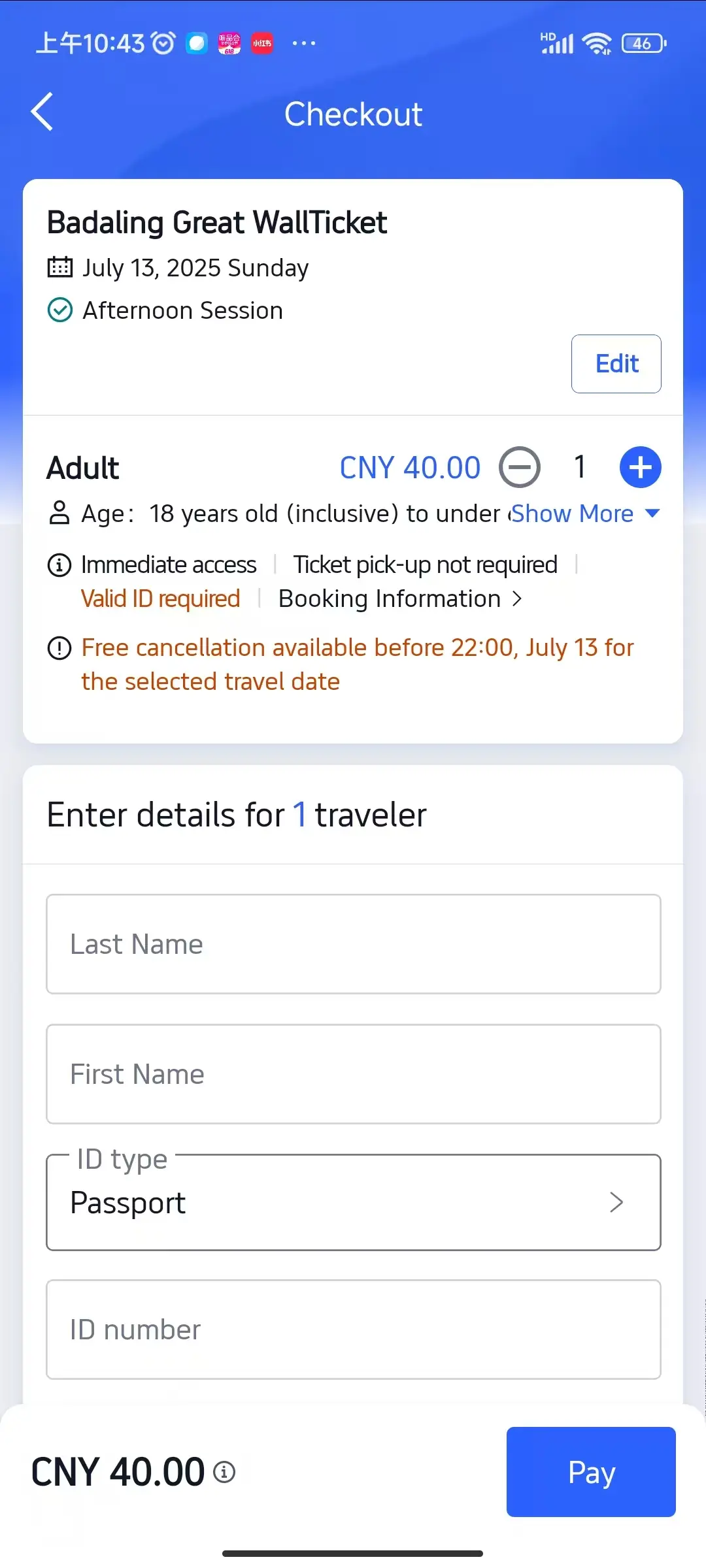
For high-demand sights, cross-check the official attraction page or our dedicated guide before assuming Trip.com inventory equals final availability. For the Palace Museum, pair this with our Forbidden City guide.
Trains: Trip.com or 12306?
Trip.com rail
You can book China rail inside Trip.com. Trip.com can be easier in English.
12306 anchor
The official Railway 12306 channel remains the pricing and rule anchor. 12306 is better for full rail-specific control, and Trip.com orders should be managed through Trip.com support.
- Better starting point
- Trip.com
- Why
- Familiar interface, overseas cards where available, simpler support flow
- Better starting point
- 12306
- Why
- Official railway channel and rule source
- Better starting point
- Both
- Why
- Compare availability and understand the release window before tickets open
- Better starting point
- Dedicated train guide
- Why
- Use our 12306 & Trip.com train guide for the full flow
Passport rule: The passport rule is the same either way: names must match exactly, and each passenger needs correct document details.
If you book a train ticket on Trip.com, use Trip.com for order changes, refunds, and customer-service problems. 12306 is the official rule source, but the railway side does not normally solve ticketing problems created on other websites. Before booking a rail-heavy route, also check China train types and station names so you do not pick the wrong station.
Manage Bookings and Support
Trip.com works best when you keep every confirmation inside the app and know where support lives before something breaks.
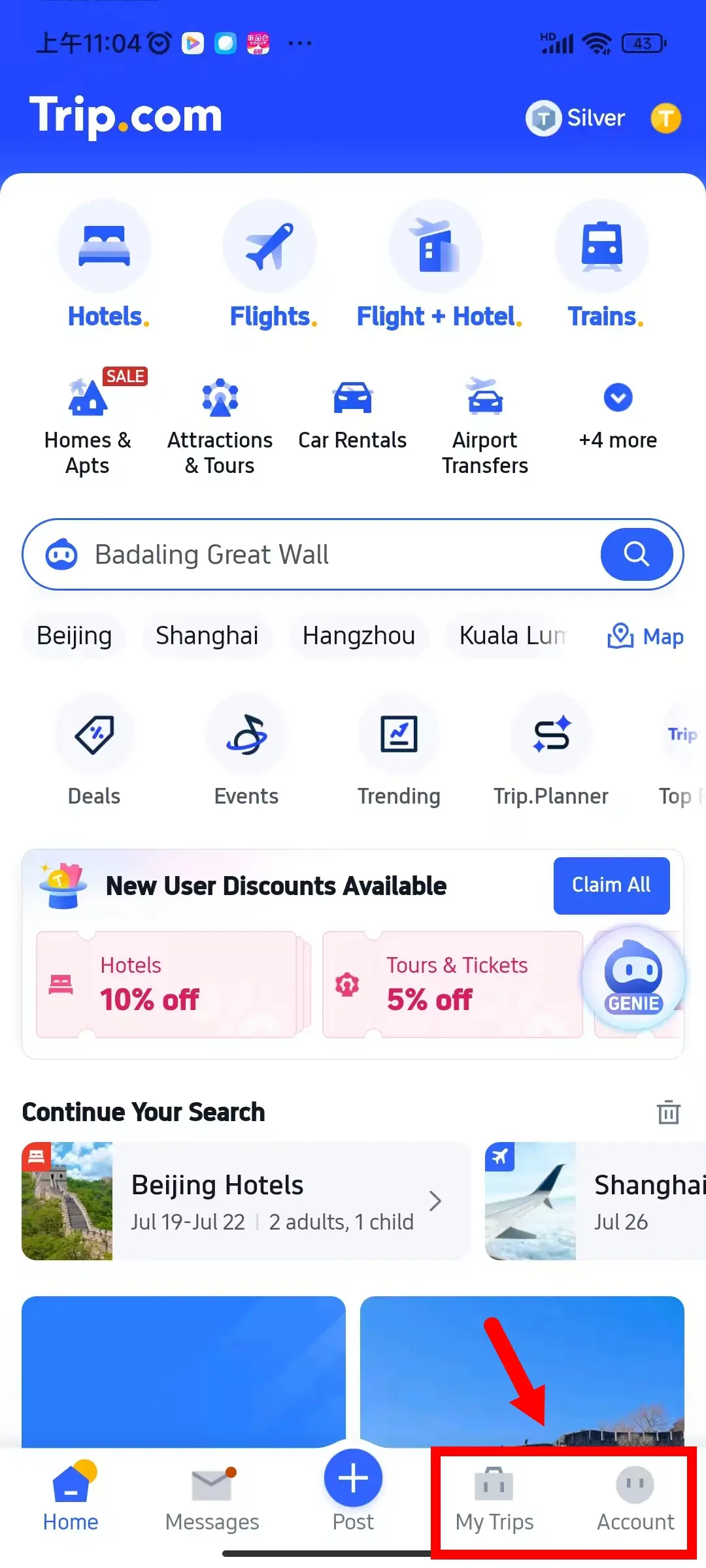
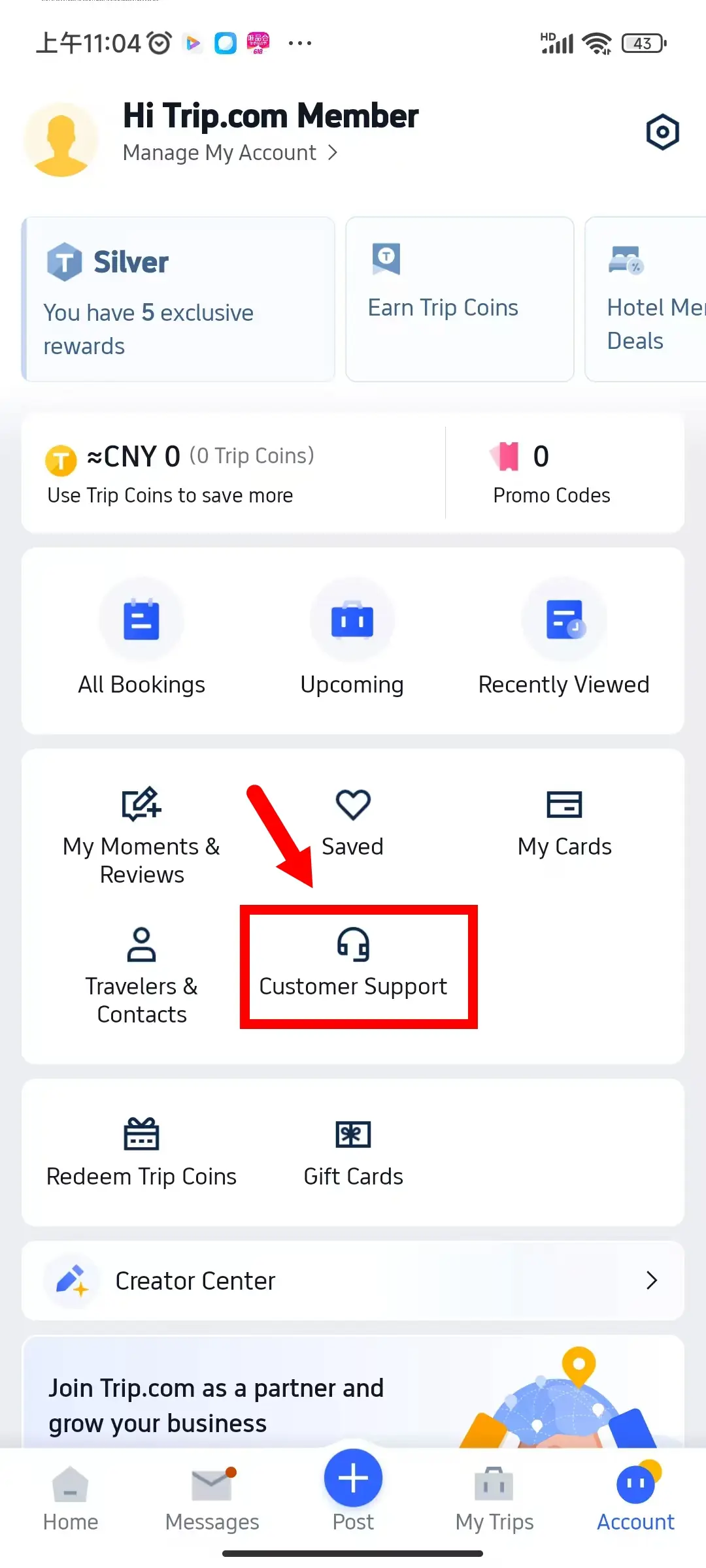
Screenshot the confirmation page, booking number, hotel Chinese address, ticket QR code, and cancellation terms. If a hotel or gate staff member cannot find your booking, those screenshots buy you time while support checks the record. Support can help you locate the order and contact suppliers, but fare rules, hotel rate policies, attraction slots, and supplier cancellation terms still control what can be changed or refunded.
Trip.com Booking Pitfalls
Most Trip.com problems in China come from five predictable places: wrong identity data, holiday sellouts, hotel passport confusion, cancellation terms, and assuming one payment method always works.
🛂Passport names
Use the same given-name and surname order across flights, hotels, trains, and tickets. If your passport has middle names, copy the app's document fields carefully instead of guessing.
📅Peak calendars
National Day, Spring Festival, May Day, summer holidays, and major exhibition weeks can sell out trains, lift flight prices, and shrink hotel inventory. Book earlier than you would for an ordinary weekday.
🏨Hotel check-in
Read reviews from recent foreign guests, confirm late arrivals, and save the Chinese address. Smaller hotels sometimes need help entering a foreign passport even when the booking is valid.
💳Payment fallback
Have at least two layers ready: one international card, Alipay or WeChat Pay if set up, and enough RMB cash for first-day emergencies. Payment options vary by booking type.
- Read refund and change terms before paying, especially for flights, prepaid hotels, tours, and timed-entry tickets.
- Open vouchers while you still have mobile data; some gates need QR codes, some use passport lookup.
- Do not book a tight flight-to-train-to-hotel chain unless you understand the cancellation rules for every leg.
- For hotels and tours, recent reviews from international travelers are often more useful than the star rating.
Trip.com App FAQ
They are sister brands under Trip.com Group. Trip.com is the international-facing service with multilingual support, global currencies, and a more familiar overseas-user flow; Ctrip is the China-market brand, usually more Chinese-first in interface, support path, local payments, and promotions.
Sources checked for this guide
- Trip.com Group brand page checked to distinguish Trip.com as the international service from Ctrip as the China-market brand.: Trip.com Group brands: Trip.com and Ctrip
- Trip.com official terms checked for third-party supplier rules, availability, payment, refund, and booking responsibility boundaries.: Trip.com terms and conditions
- Trip.com official support page checked for booking management and support categories across hotels, flights, trains, attractions, tours, and app support.: Trip.com customer support
- Trip.com official payment-method guide checked for cards, PayPal, mobile wallets, Alipay, WeChat Pay, and product-dependent checkout availability.: Trip.com payment methods guide
- Palace Museum official ticket page checked for ordinary self-guided admission through official channels and its third-party ticket-agency warning.: Palace Museum official ticket page
- Trip.com Forbidden City product page checked to separate guided-tour or ticket-plus-guide products from the ordinary official self-guided ticket channel.: Trip.com Forbidden City ticket product example
- State Council/Xinhua accommodation guidance checked for the 2024 rule that platforms and accommodation operators should not restrict foreign guests based on qualification requirements.: China accommodation guidance for foreign travelers
- National Immigration Administration accommodation-registration page checked for the rule that hotels register foreign guests and submit accommodation information to local public security organs.: NIA accommodation registration for foreigners
- China Railway 12306 FAQ checked for official ticket channels and the warning that railway departments do not handle ticketing problems from other websites.: China Railway 12306 FAQ
Beyond This Guide
Trip.com is one useful layer in a larger China travel stack. Before you pay, make sure your payment apps, train plan, hotel strategy, and attraction timing all fit the same route.
Also read:
- Best hotel booking platforms in China
- Checking into Chinese hotels
- China accommodation guide
- China mobile payments: Alipay & WeChat Pay
- Alipay vs WeChat Pay
- China train tickets: 12306 & Trip.com
- China train types and station names
- Domestic flights in China
- China city transport: subway, taxi and Didi
- China public holidays travel calendar
- Internet in China: SIM, eSIM and pocket Wi-Fi
- China eSIM comparison
- VPN in China travel guide
- Essential China travel apps toolkit
- Flying to China: international flights guide
© gochinafreely.com — Original guide by Go China Freely.