

Core app stack
Toolkit map
Traveling China independently runs on your phone.
QR payments, ride-hailing, metro gates, and camera translation all live behind the same glass.
Search noise
Search “China apps” and the store floods you with names: some demand a mainland number, some break outside the Google ecosystem, and many overlap with Alipay (支付宝) or WeChat (微信).
Use this page
Treat it as a map, not a duplicate of our screenshot tutorials: what to install, in what order, which deep guide to open next, and what you can leave inside mini programs instead of cluttering your home screen.
Live caveat
Policies and UIs change, so pair this hub with the dated walkthroughs below.
China Travel Apps: Setup Logic
Daily life on the mainland is mobile-first: stalls display merchant codes, many metro gates read transit QRs, and restaurant tables carry order QR stickers. If you do not read Chinese, the goal is not to install every China app in the store. It is to build a small stack that handles four repeated tasks: pay, move, talk, and book.
Pay
Alipay · WeChat
Move
Amap · Didi
Talk
Translate stack
Book
12306 · Trip
✅Build the stack before landing
Line up payments, maps, translation, and ticket apps on home Wi-Fi. Registration, identity checks, card binding, and offline downloads are easier before jet lag and hotel Wi-Fi get involved.
🧭Use China-local tools first
Google’s consumer stack is not reliable for everyday routing and services here. A working data connection does not guarantee access to Google, WhatsApp, Instagram, ChatGPT, Gmail, Google Workspace, or other overseas services. Prioritize apps that open on local networks, then keep offline maps, screenshots, RMB cash, and phrase cards as your calm Plan B.
Chinese travel apps may work normally while overseas apps fail on the same network. For that access layer, keep the VPN guide, public Wi-Fi guide, internet troubleshooting checklist, and SIM/eSIM setup guide beside this toolkit.
We already publish deep dives on Alipay, WeChat, Railway 12306, Trip.com, navigation, and translation. This article explains how the pieces fit; follow the linked guides for every tap.
Install Order for China Apps
Install and reading order
- 1
7–10 days before departure
Home Wi-FiPayments (Alipay and/or WeChat), maps, and translation. Finish registration, real-name steps, and card binding—or at least reach a working payment code screen. Keep a card guide open for issuer quirks.
- 2
After you lock transport
Trains or flightsIf you ride rail, study 12306 and Trip.com before you need a seat. For domestic flights, hotels, or attraction tickets, add Trip.com or your usual OTA, then confirm passport acceptance on the checkout screen.
- 3
Landing day
On the groundRefresh offline map packs if you downloaded any, confirm data or roaming, and pin ride-hailing plus local transit QR mini programs to the top of Alipay or WeChat.
Open these deep guides in roughly this order
Payments: Alipay, WeChat, Cash
Treat payments as a resilience system, not a brand loyalty choice. Many travelers get through China with one wallet, but two wallets plus modest RMB cash reduce the chance that one failed QR code derails lunch, a taxi, or a metro gate.
💙Alipay (支付宝)
Best first wallet for many visitors. It covers a huge share of in-store QR habits, and mini programs can surface ride-hailing, restaurant ordering, and city transit QR flows without more standalone installs. Each service still keeps its own phone, address, payment, identity, language, and risk-control prompts. Details live in Alipay for foreigners in China.
💚WeChat (微信)
Not just chat: it is the default social, payment, and mini-program stack. Group chats, driver coordination, hotel links, travel info, and some attraction flows often assume you are reachable here. Walk through WeChat in China for foreigners.
💴RMB cash backup
Keep ¥200–¥500 in small notes, and more in remote areas, for dead zones, risk controls, or cash-only windows. See RMB, exchange, and ATMs.
How tourists usually pay
Visitors typically register with a passport, bind international cards such as Visa, Mastercard, and others when the app prompts allow, then pay by scanning merchant codes or showing your code at cafés and shops.
Linked foreign cards work best for normal merchant consumption. Do not assume personal transfers, Collect/Receive, red packets, deposit QR codes, every mini program, or every merchant category will accept your foreign-issued card; watch fee and limit prompts, then switch wallet, card, or cash if one rail fails.
For a side-by-side decision frame, see Alipay vs WeChat Pay for tourists.
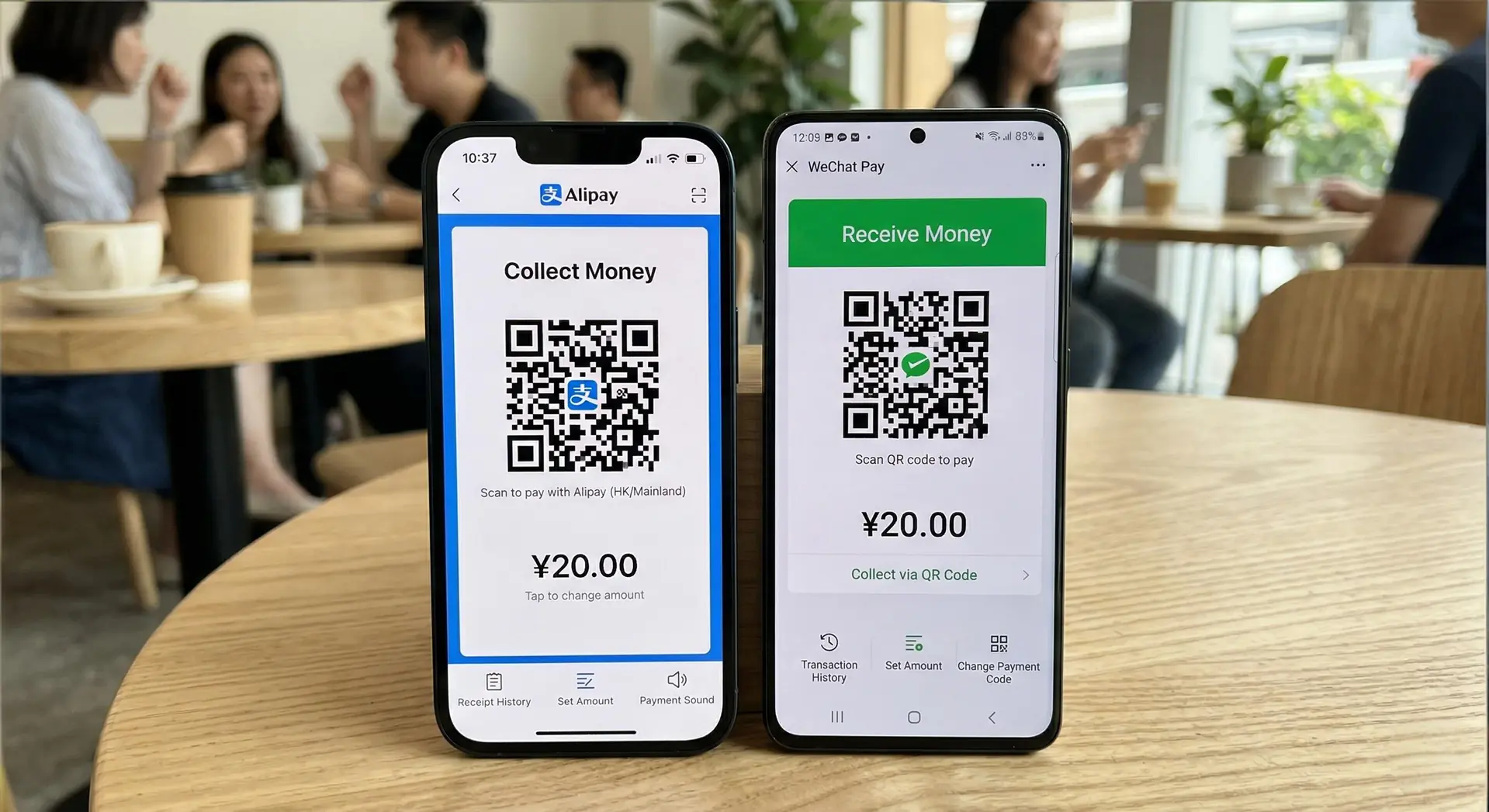
Keep both shortcuts visible
Pin both wallets where your thumb can reach them. On a busy city day you will bounce between scan, show code, and mini programs constantly.
Do not memorize fee sentences here
Test early: finish identity verification, card binding, and payment-code checks on home Wi-Fi, not at midnight in a hotel lobby.
Read large charges: on larger foreign-card payments, read the confirmation line every time because fee wording shifts.
Work the backup stack: if a payment fails, try the other wallet, a different linked card, or cash before assuming the merchant is the problem.
Maps, Transit QR, and Didi
Navigation in China splits into three jobs: route planning, gate access, and ride-hailing. Set them up separately so one app problem does not block every movement.
🗺️Amap (高德地图)
The default navigation app for roads and public transport routing in most city guides. It includes real-time traffic, nearby POI suggestions, and increasingly English or bilingual UI, though promos and niche labels may still sit in Chinese. Pair it with our China navigation apps article for offline backups.
🚕Didi (滴滴出行)
Use it inside Alipay or WeChat mini programs, or install the standalone app. The full app usually offers English under Me → Settings → Language (wording shifts by build). Foreign numbers often miss driver calls; use in-app messaging or ask hotel staff to read the plate.
🚇Transit QR codes
These are per city. Activate the correct metro or bus program inside Alipay or WeChat after wallet verification, then read that city’s rules for passport users and prepaid balances before you queue at a gate. QR is only one gate path: many cities still have ticket machines, staffed counters, transport cards, cash/card options, and in places such as Beijing and Shanghai, supported overseas-card tap-to-ride can be simpler than setting up a ride code. Each rider still needs their own usable card, ticket, or QR code; do not plan to tap one card twice for two people.
📍Offline and iPhone backup
Maps.me offline packs help when signal drops. Apple Maps works in major hubs like Beijing and Shanghai, but bus detail and fresh construction may lag, so cross-check critical legs on Amap.

Gate reality
What worked in Shanghai may not appear in Xi’an because transit mini programs differ by city. For the full fallback ladder, use the China city transport guide.
Open the right wallet
Start inside Alipay or WeChat, then search the city name plus ride code (乘车码).
Finish prompts early
Complete any passport prompts before you reach the metro or bus gate line.
Keep movement modular
Route planning, gate access, and ride-hailing are separate jobs, so one app problem should not block every movement.
Translation Apps for Menus
Local translation stack
Baidu Translate (百度翻译) and Youdao (网易有道) are the China-local stack for camera menus, short voice exchanges, and offline tools where offered, without leaning on Google infrastructure.
Use the dedicated walkthrough: China translation apps: Baidu, Youdao & Google.
Google backup rule
Google Translate is different: online access is not reliable on ordinary mainland networks. Treat it as a backup, not your only menu or conversation tool.
If you rely on Google as a backup, download Chinese ↔ English offline packs before departure and run an airplane-mode test. Do not assume you can fetch packs after landing in mainland China.

Dinner muscle memory
Photo translate is the feature you will open at dinner most often. Practice once at home so muscle memory kicks in when the dining room is loud.
Three-layer workflow
Hunt for Translate or English toggles inside Chinese UIs. If none exist, screenshot and OCR inside your translation app. For all-Chinese QR order flows, combine browser translate, photo translate, or a quick “point at the photo” ask to staff.
Booking Apps: 12306 and Trip.com
🚄12306 for trains
12306 is China Railway’s official channel for schedules, real-name tickets, refunds, and changes. Payment options shown in the live app/site may include UnionPay, Alipay, WeChat Pay, and sometimes Chinese or foreign bank cards; the live checkout screen decides. Our 12306 + Trip.com guide carries the passport-specific screenshots.
🧾Trip.com for smoother checkout
Trip.com often gives visitors an English-first checkout, familiar account screens, international-card options, and currency display when shown for that product. Service fees, platform fees, and payment methods vary, so compare totals and read the live checkout breakdown.
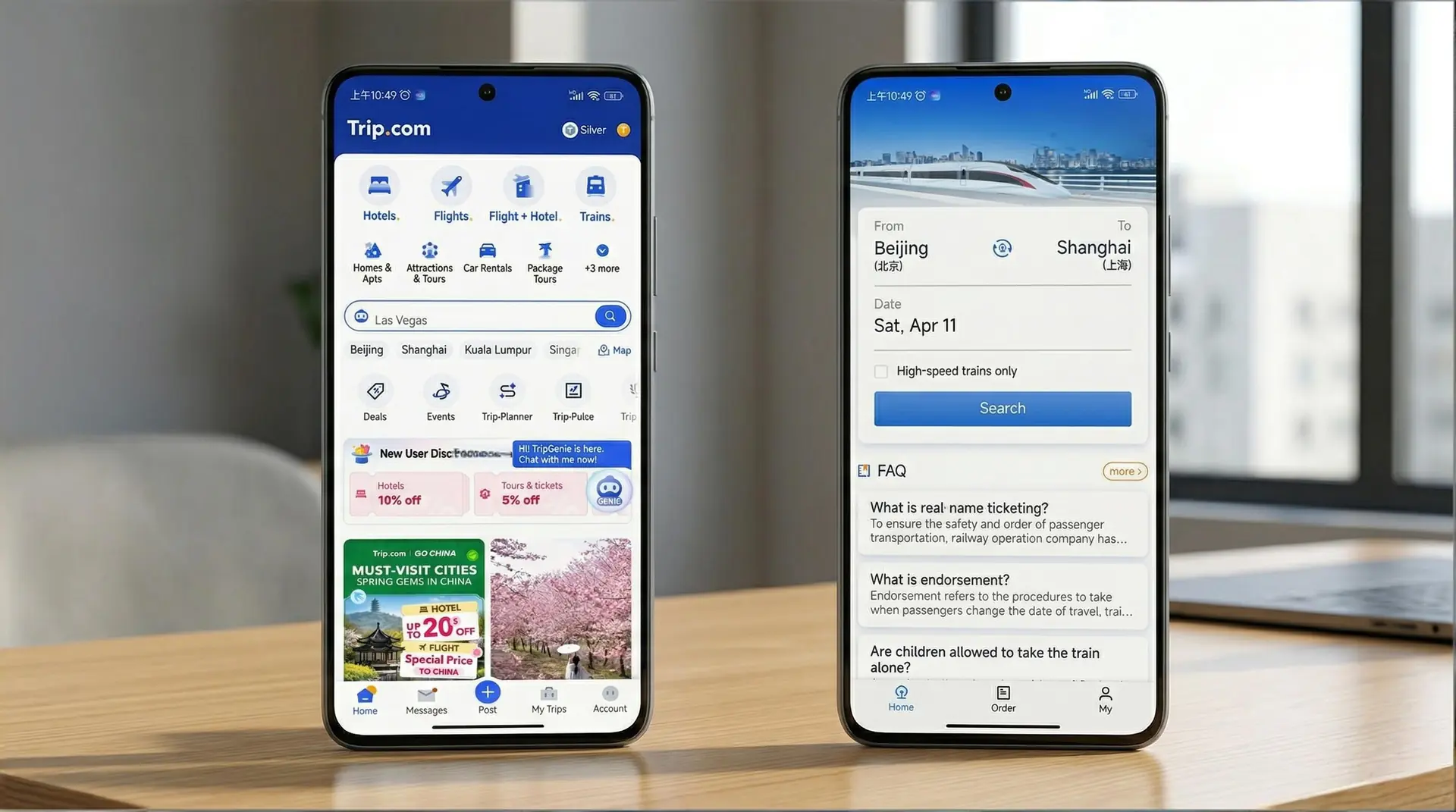
Open both before tickets matter
Open both apps once at home so you recognize the icons when tickets go on sale.
Passport-name rule
Names must match your passport exactly across train, flight, hotel, and attraction-ticket checkouts.
Pricing vs comfort
12306 stays the pricing anchor; Trip.com trades a fee for calmer English and familiar card flows.
One-login option
Follow Trip.com app for China travel if you want one login for multiple products.
Mini Programs vs Standalone Apps
What they are
Mini programs live inside WeChat or Alipay, with low install friction and silent updates.
Where they appear
You will hit them for restaurant QR ordering, attraction reservations, transit, bike share, and ride-hailing, but each one can have city or brand-specific identity, deposit, parking-zone, and foreign-card prompts. For bike-share setup, use the China shared bikes guide.
What gets annoying
Downsides include deep menus and occasional freezes that clear only after force-closing the super app.
Best short-trip strategy
Search inside the wallet you already trust instead of downloading a new city-specific app for a one-week trip, unless you stay months.
When a mini program hangs
Close it completely, reopen Alipay or WeChat from the home screen, and search the service again—on flaky Wi-Fi, switching to cellular data often clears stuck splash screens.
Pre-Trip App Checklist
- Download from official stores; keep a clear passport photo ready for verification bursts.
- Stage Alipay and/or WeChat early; complete identity/card binding and reach the payment-code screen before departure. If you already have access to an eligible merchant, run a small real test; otherwise make the first small test after landing before your first taxi, train station, or meal rush.
- Prefetch translation offline packs where offered, then test text, camera/photo, and voice modes separately in airplane mode.
- Star hotel and airport locations inside your map app; screenshot Chinese addresses to show drivers.
- If you depend on Google, WhatsApp, Instagram, ChatGPT, Gmail, or work apps, set up your network backup plan before departure and keep China-local alternatives ready—this article does not provide VPN tutorials.
Phrase cards and taxi language live in essential Chinese phrases for travelers.
China Travel Apps FAQ
Yes for many payment-only days, but WeChat is still useful for restaurant QR ordering, hotel or driver messages, attraction updates, small-stall payment habits, and mini programs that locals expect. Registering both costs little compared with being stuck at a single-code stall.
Sources checked for this guide
- Official payment guidance for overseas visitors, including mobile payments, bank cards, cash, QR code use, and visitor payment limits: Payment service guide for overseas visitors to China
- Official living and travel service guide covering foreign-card wallet binding, metro QR codes, railway 12306, domestic flights, Beijing overseas-card tap-to-ride, and Didi-Greater China registration: Guide to Working and Living in China 2025
- Tencent official note on overseas users setting up Weixin Pay with passports and international cards: Weixin Pay for overseas users
- Ant Group official context on Alipay+ and international bank-card binding for travelers in the Chinese mainland: Alipay+ cross-border payment expansion
- China Railway official English ticketing portal referenced for 12306 train purchases: China Railway 12306 English website
- Amap official English page checked for navigation, ride-hailing, real-time bus, shared bike, and download context: Amap official features and download page
Beyond This Guide
We recommend how to stack apps, cash, and phrase cards for your route—we do not book tickets, hotels, or rides on your behalf.
Connectivity: VPN planning · Public Wi-Fi in China · Internet troubleshooting · SIM, eSIM & pocket Wi-Fi
Payments and movement: China mobile payments: Alipay & WeChat Pay · Alipay vs WeChat Pay · China navigation apps · China city transport · Shared bikes
Booking and language: China train tickets: 12306 & Trip.com · Trip.com app guide · China translation apps · Essential Chinese phrases
© gochinafreely.com — Original guide by Go China Freely.