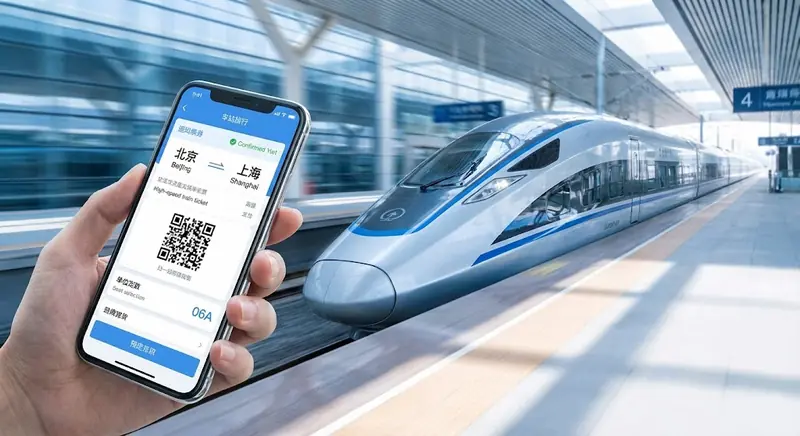
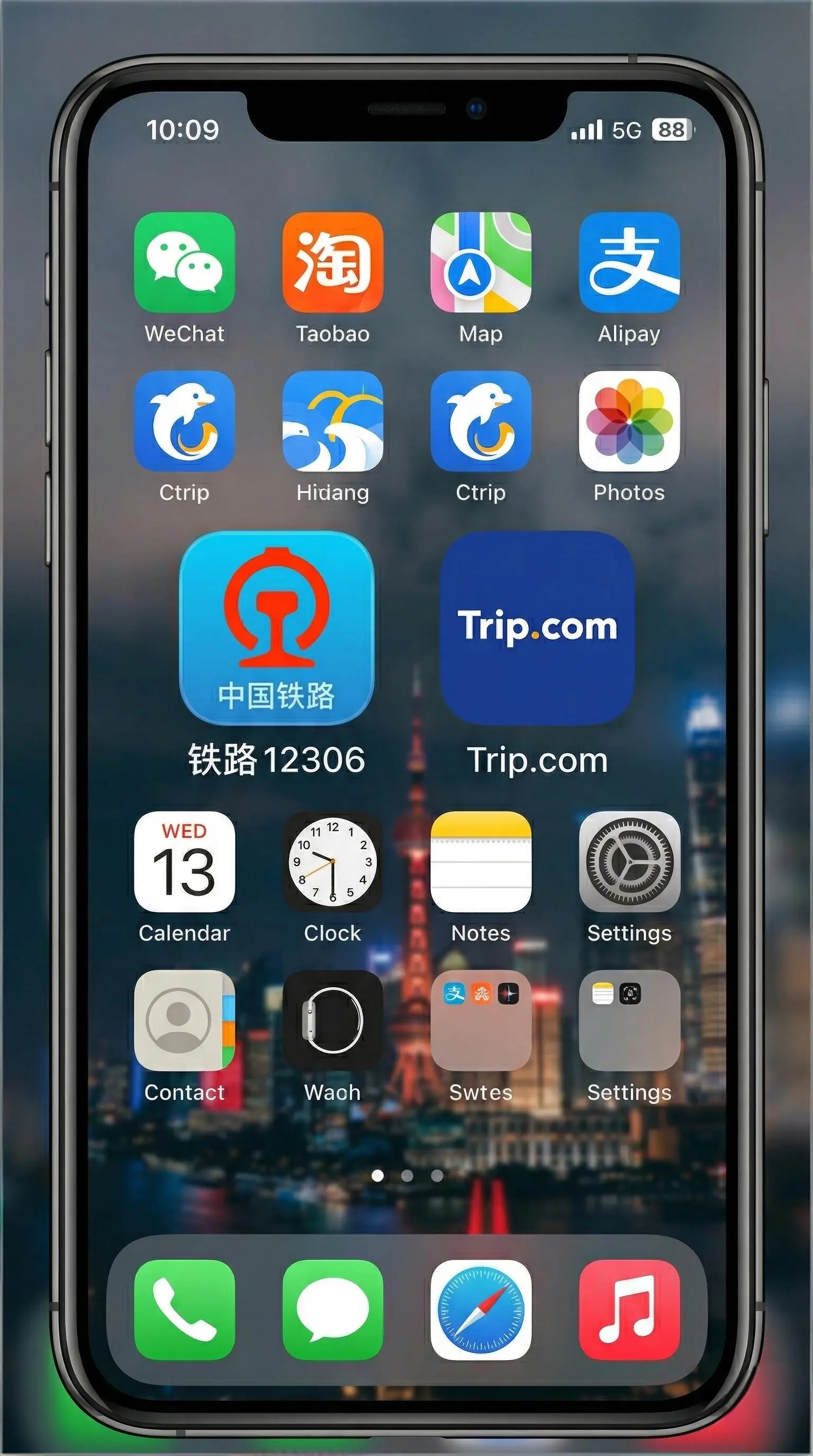
Booking stack
What this guide solves
Booking China train tickets is not just a price search: every seat is tied to a real-name ID, and the passport number on the app must match the traveler at the station gate. This guide walks through the official Railway 12306 app and Trip.com trains flow, from English mode and passport verification to child tickets, refunds, changes, and Hong Kong cross-border notes.
Identity rule
The booking ID and the passport at the station must match.
App path
Use 12306 for official rules, or Trip.com for a calmer English checkout.
Service line
You complete every purchase and payment yourself; we do not book or pay on your behalf.
China Train Tickets: Fast Booking Choice
Fast booking choice
For most visitors, the practical split is simple: use 12306 when you want the official channel, face-value ticket rules, and direct refund/change handling; use Trip.com when you want a calmer English checkout, familiar international card flow, and support in one travel app.
Either way, the ticket is still a real-name China Railway e-ticket tied to the ID used at booking.
Use 12306 first
Best when you already have a working wallet, can complete passport verification, and want official pricing plus direct access to refund and change rules.
Use Trip.com first
Best when you want English-first station search, international card checkout, currency display, and a booking record inside a familiar travel app.
Carry the same ID
The passport used for booking is the passport you bring to the station. If a gate cannot read it, use the staffed manual channel and keep extra time.
Presale timing
Presales usually open 15 days before departure, but release times differ by train and station. Trust the live 12306 calendar and sale reminder, then use the station-name guide to avoid booking the wrong terminal.
15 days
Typical presale window
Passport
Gate and booking ID
12306
Official rule source

Read the screenshots in this order
Rule anchor: start with 12306 so the official booking, refund, change, and child-ticket logic is clear.
Interface choice: decide whether 12306 or Trip.com is the better screen for your trip.
Tap order: set up 12306, book a train, then use Trip.com as the English-first alternative.
12306 vs Trip.com
Railway 12306 is the official online railway channel. Trip.com is a third-party OTA that can help submit and issue real-name China Railway tickets, but final issuance still depends on railway availability. Trip.com fees, status messages, refunds, and customer support stay inside Trip.com; 12306 will not handle Trip.com platform problems.
| Topic | Railway 12306 (official) | Trip.com (third-party OTA) |
|---|---|---|
| Fare and inventory | Direct China Railway channel; ticket face value and official rules | Can help issue real-name China Railway tickets, but final status and service fees belong to Trip.com |
| Language | English mode available; some alerts and edge cases may stay Chinese | English-first trains flow, currency display, and familiar account screens |
| Signup | Foreign-passport path, email activation, and real-name verification | Trip.com account plus passenger passport profiles for each traveler |
| Payment | Alipay, WeChat Pay, UnionPay, and cards only when the app accepts your account/card combination | International cards and device-wallet options when shown at checkout |
| Best use case | Repeat visitors, official refunds/changes, hot dates where timing matters | First-timers, familiar English flow, mixed train/hotel/flight planning |
- Use 12306 as the source of truth for presale timing, refund tiers, change rules, and child ticket rules.
- Use Trip.com when the official app stalls, your card works better there, or you prefer English support.
- Do not assume a Trip.com “reserved” request is the same as an issued ticket. Watch for the final carriage and seat confirmation.
Prefer Trip.com's booking flow? Search China trains and compare ticket prices on Trip.com(affiliate link · may earn commission, no extra cost). Enter your route and date, check the exact stations, and review service fees and the final ticket status before treating the journey as confirmed. Choose Railway 12306 instead if you want to book through the official channel; the setup steps follow below.
Beijing-time service hours
12306 information queries and refund services are available around the clock, but ticket sales and ticket changes have service-hour limits; 12306 lists ticket sales and endorsement from 05:00 to 01:00 the next day, with a shorter Tuesday window. Trip.com also has platform issuing, change, and refund windows, so check the live app before relying on a late-night booking or change.
Set Up Railway 12306
This setup section is front-loaded because a failed account or passport review is more stressful than a sold-out train. Do it before your first high-speed rail day, ideally while you still have calm Wi-Fi and time to fix a photo or email activation issue.
Do it before departure
Passport review and email activation are easier to fix before a sold-out route matters.
Use the official publisher
Install the China Railway Customer Service Center app, or use the English website.
Keep Trip.com ready
If registration stalls, use Trip.com for the first urgent train and revisit 12306 later.
Download and switch to English
Android: Google Play → search 12306 → install the app published by China Railway Customer Service Center. iPhone: App Store → same search and publisher. Avoid copycats.
Prefer a desktop browser? The 12306 English website uses the same railway backend and can be easier for first registration on a laptop.

If the app opens in Chinese, switch language first: My → Settings (gear) → Version switch → English Version.
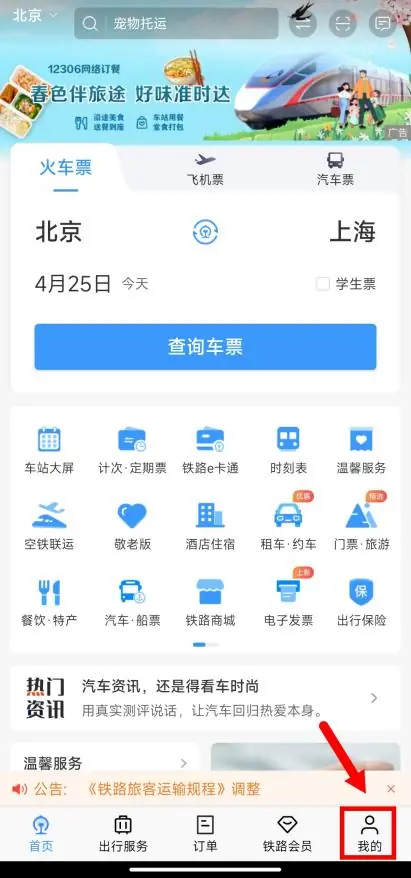

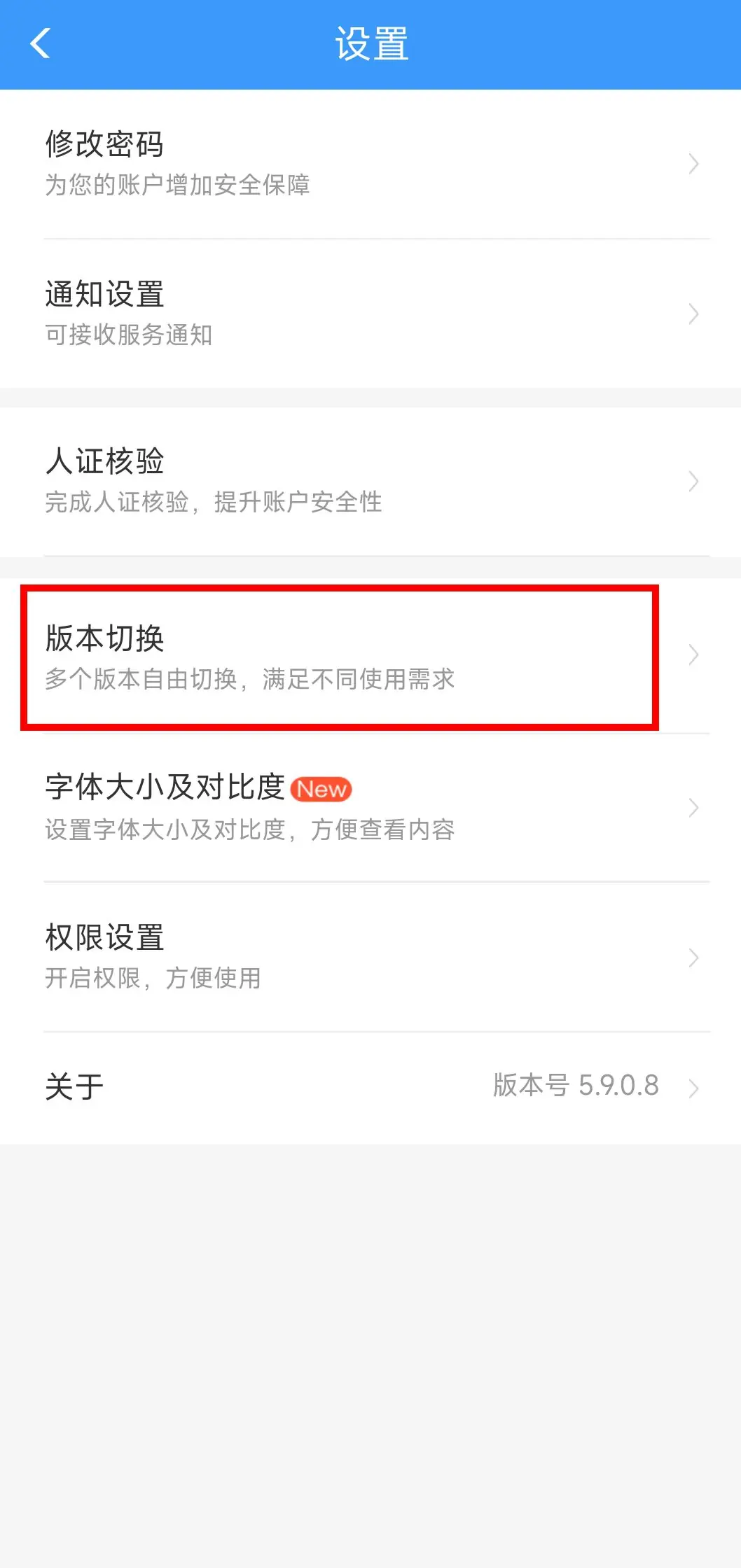
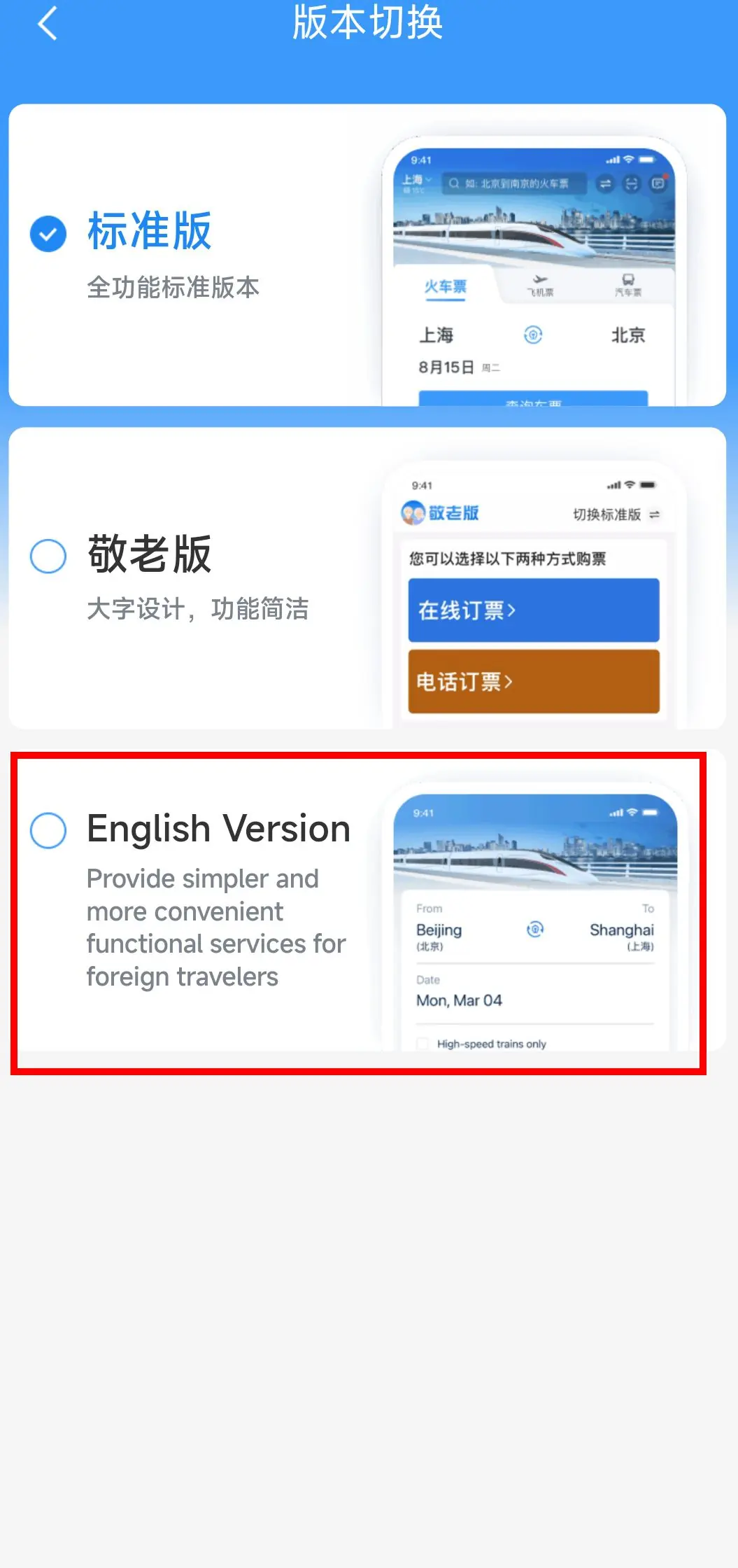
Register with a passport
Open My → Register. If the English flow says it only supports foreign-passport registration, continue with your passport. Use Scan/upload ID when offered, then complete any remaining fields exactly as they appear on the passport.


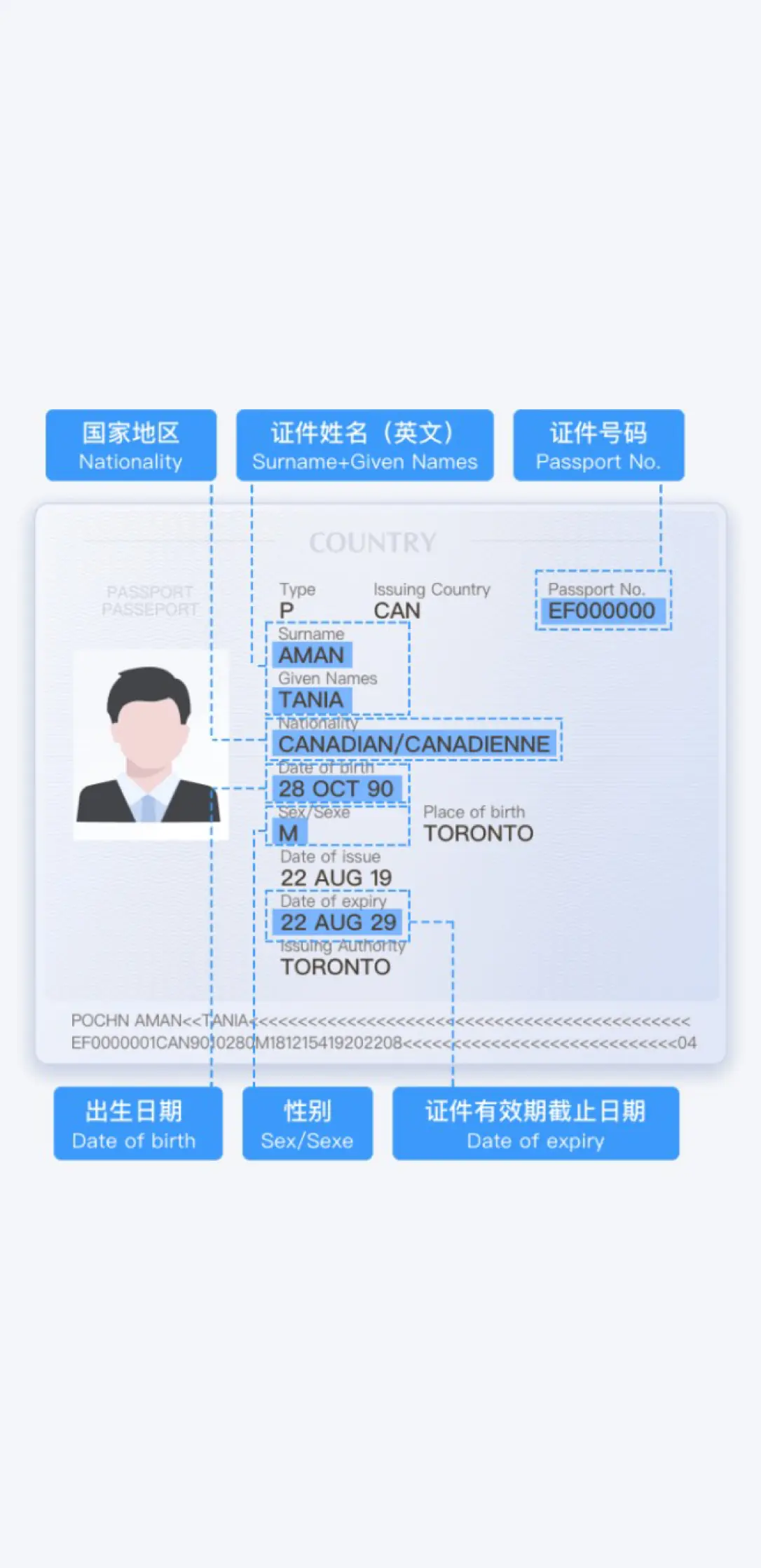
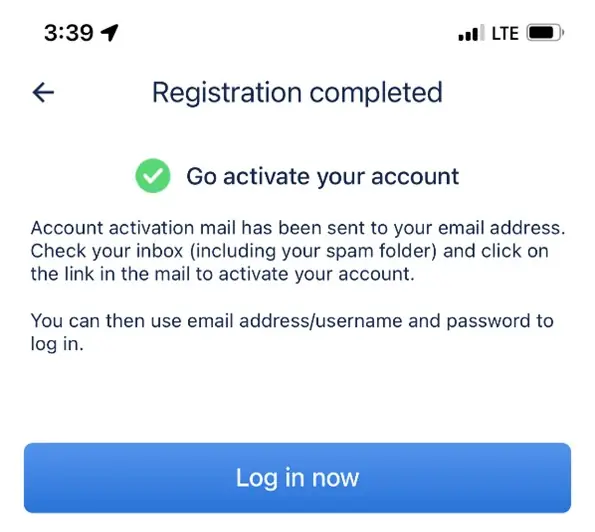
After the registration screen, open your email and tap the CHINA RAILWAY activation link. If it does not arrive, check spam before re-registering.
Mobile number tips
Start with email activation and passport verification. If the app blocks you at SMS, phone binding, or payment, use Trip.com for the urgent train first, then revisit 12306 after your China data setup and wallets are stable.
Real-name verification
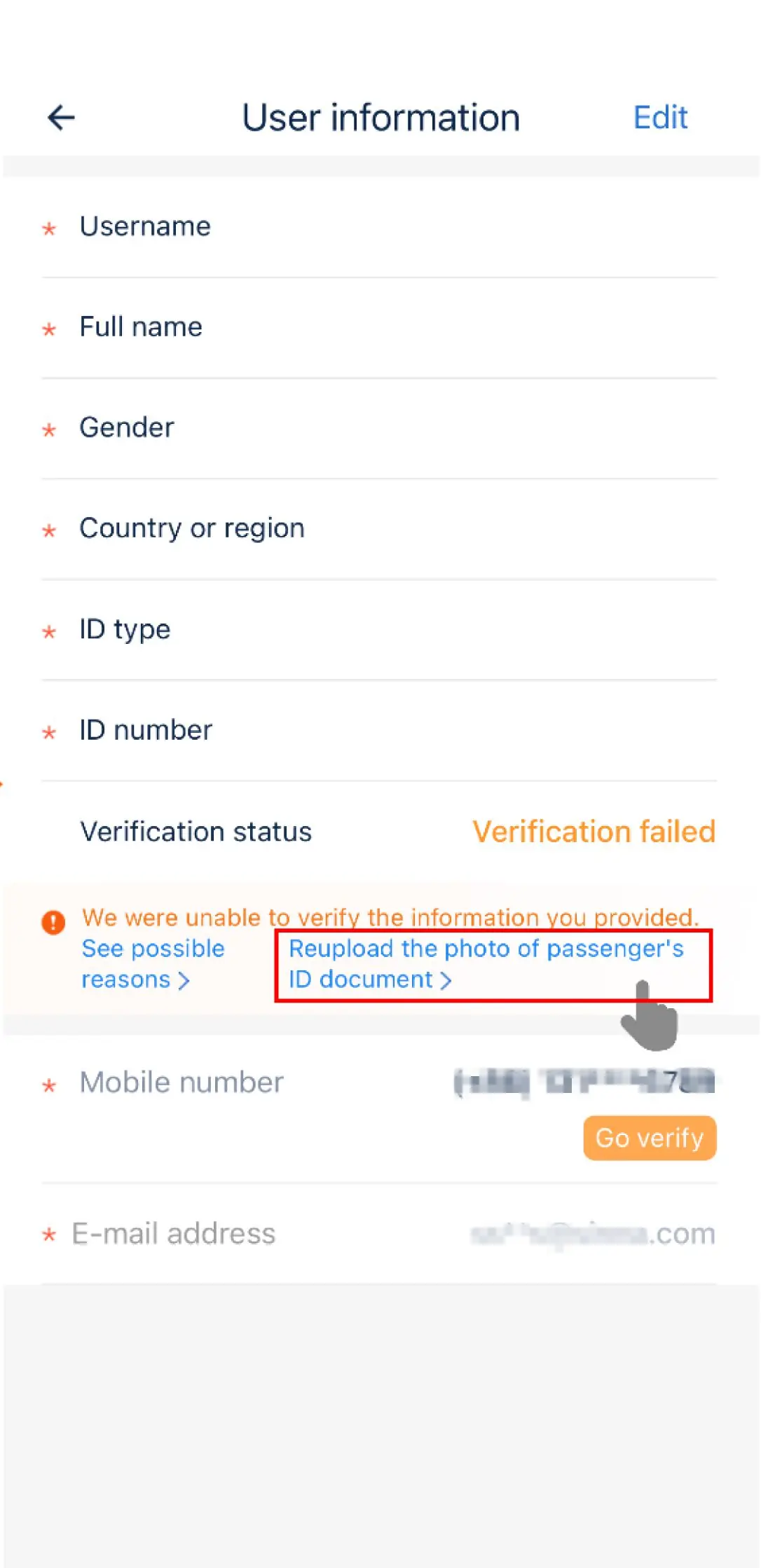
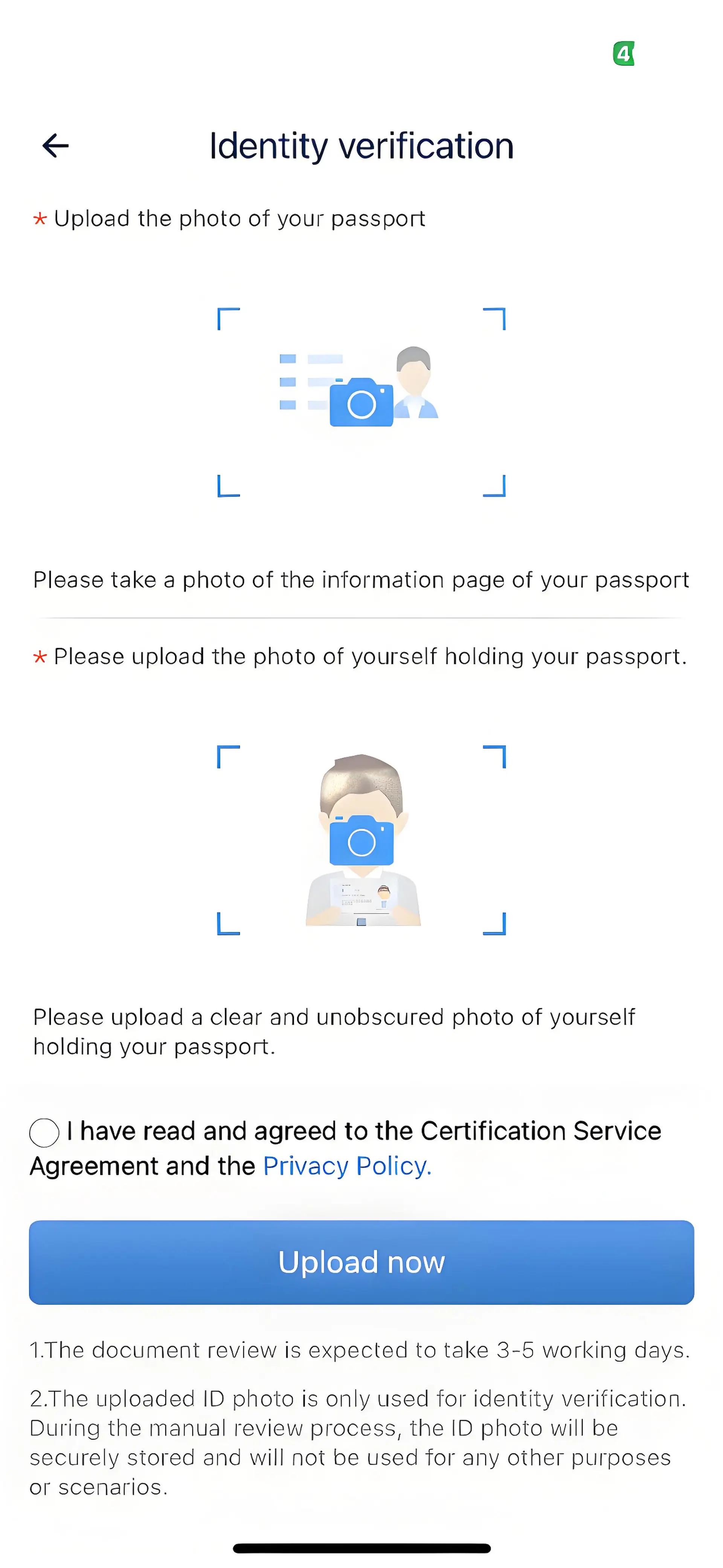
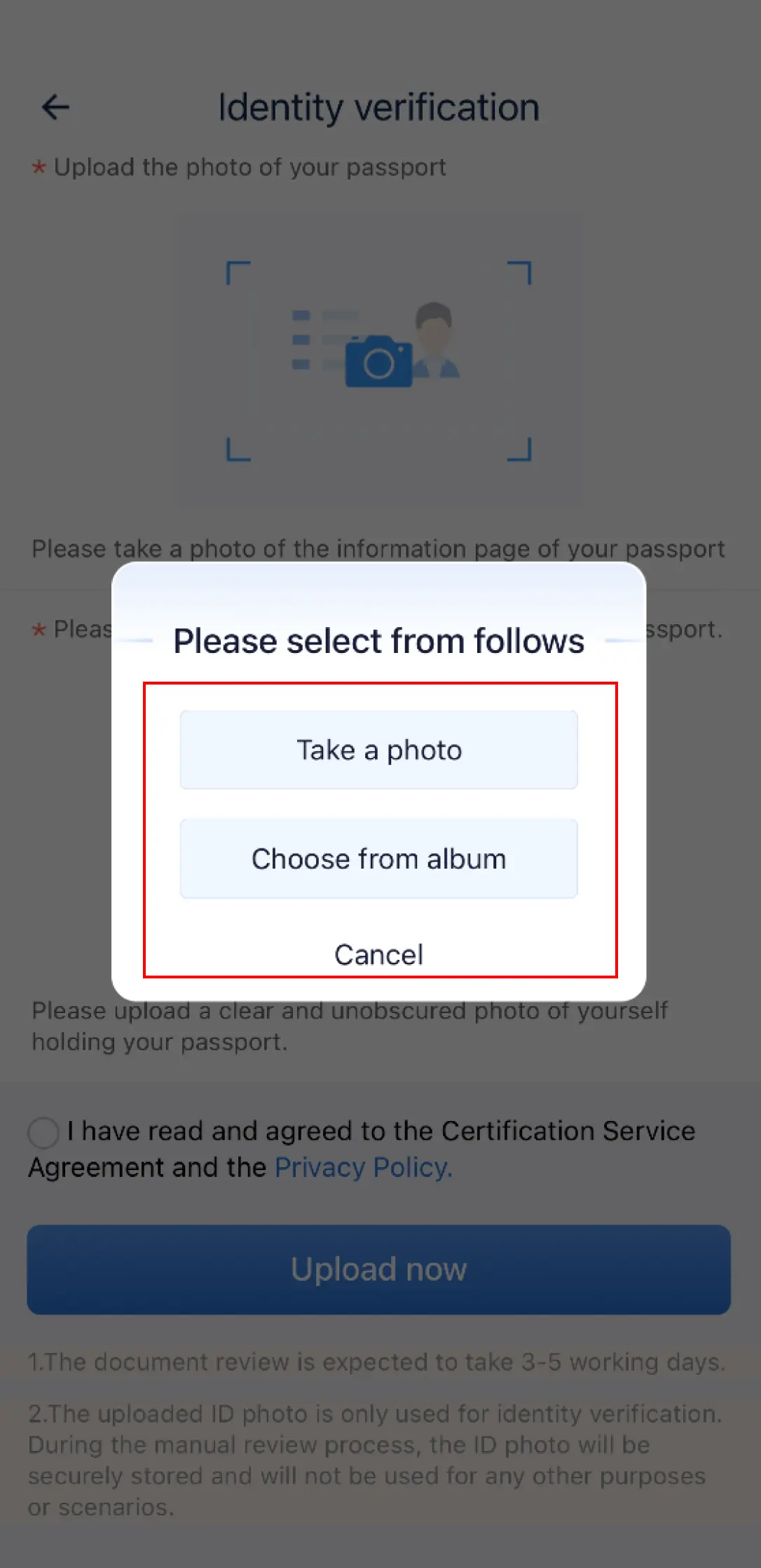
After login, go to My → your profile / avatar → Real-name verification. Upload a clear passport data page and a photo of you holding that page. The app may quote about 3 working days for review; many travelers see faster results, but start early and use Reupload if glare or cropping causes failure. Major station counters can also help with original passports.
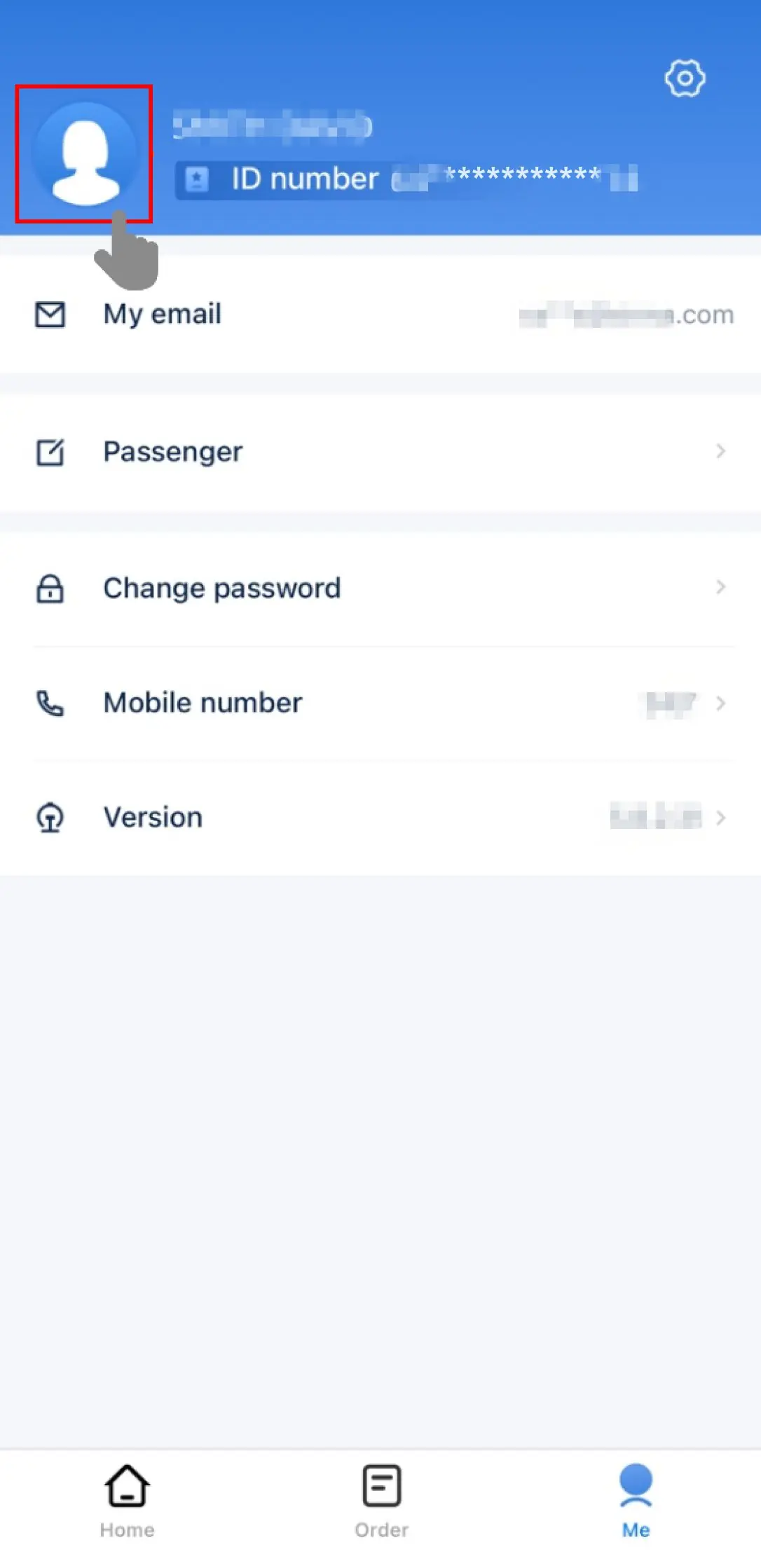
Book on 12306
Once your account is ready, the booking flow is short: add passengers, search the exact stations, select a train and seat class, then pay before the hold expires. The risky parts are not the buttons; they are passport spelling, wrong station names, and payment timeouts. If you are unsure what G, D, C, Z, T, or K means, compare this with the train-type and station-name guide before you pay.
Passport spelling
Names and document numbers must match the passport exactly.
Exact station
Large cities have several stations, so confirm the full station name before payment.
Payment countdown
Pay before the hold expires, and switch channel if repeated payment attempts fail.
Add passengers
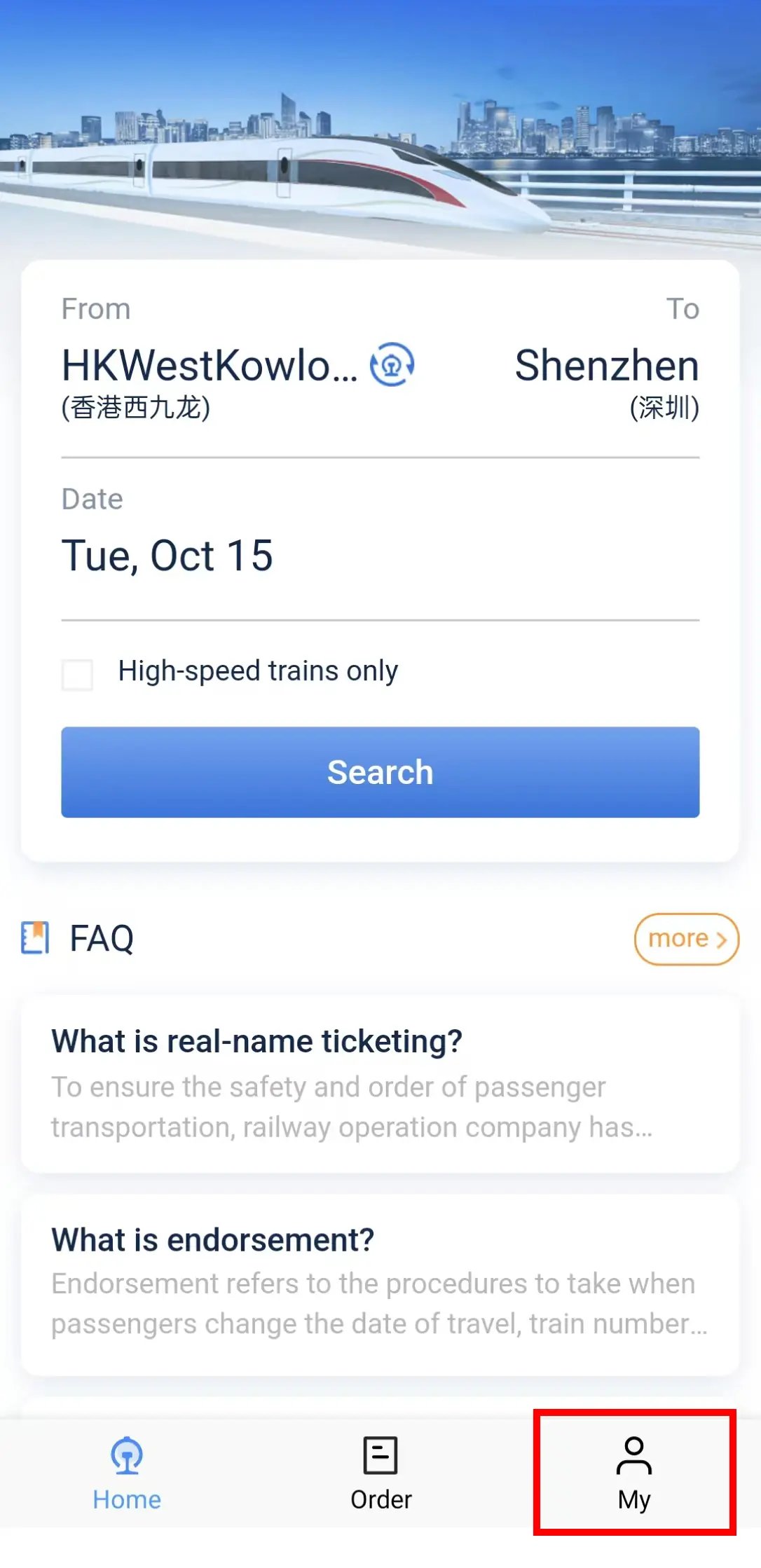
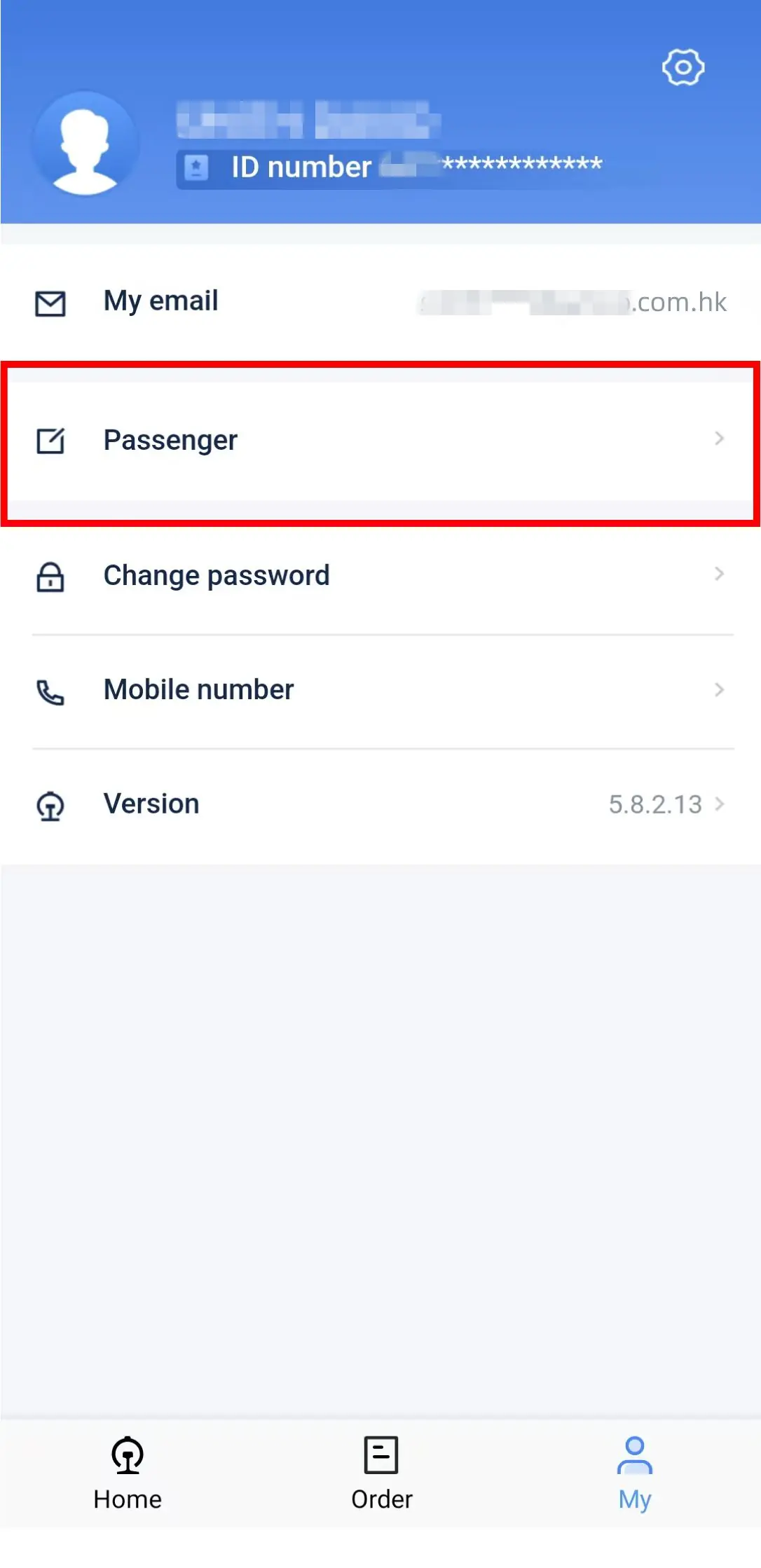
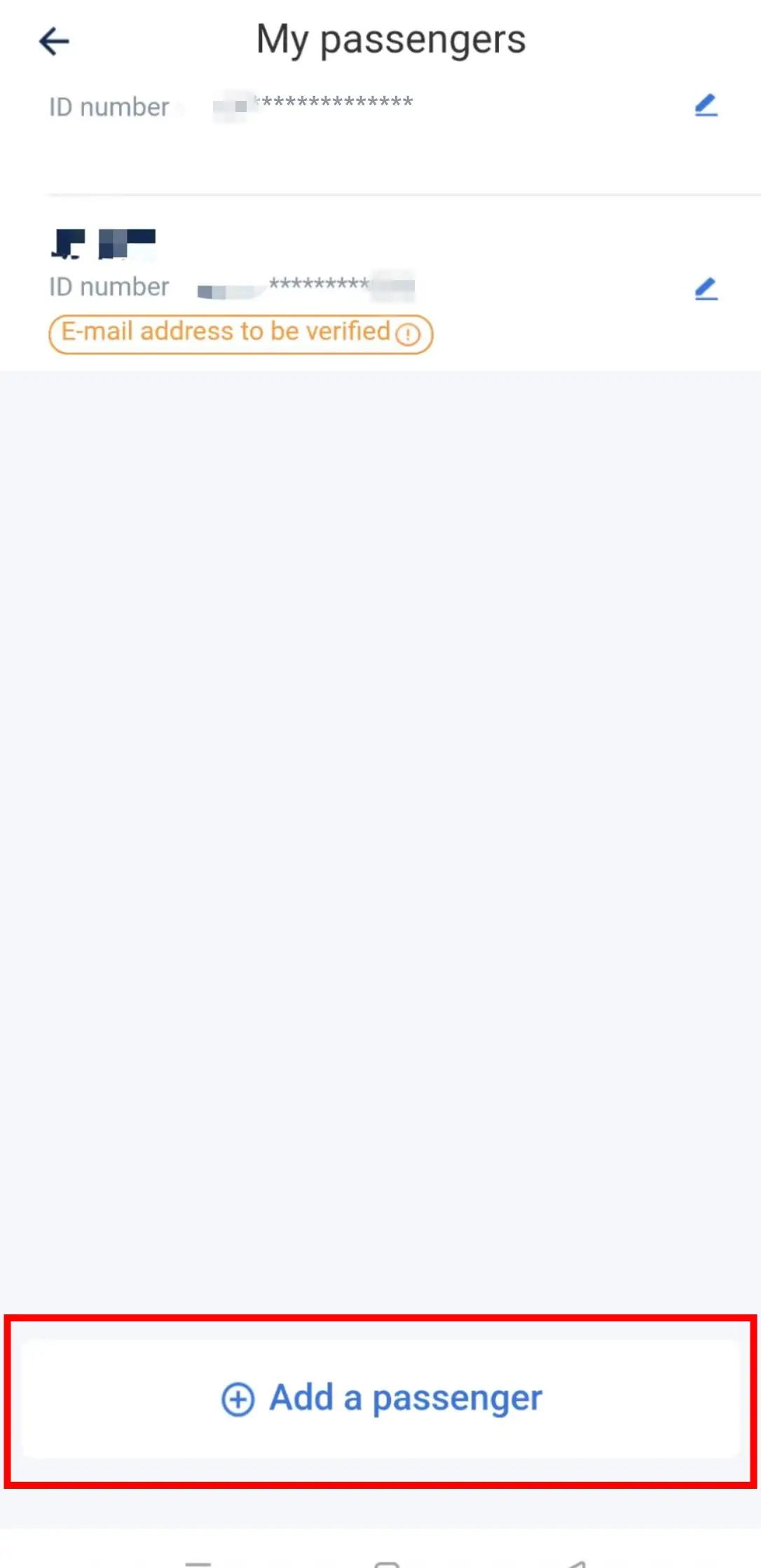
Open My → Passenger → Add a passenger. Names and document numbers must match the passport exactly. You can store multiple travelers on one account; each passenger profile needs a contact number, so keep one reliable phone number ready for booking notices. If the app shows passenger-list or seats-per-order limits, follow the limit shown on your screen.
Search and select
Enter From and To, pick the date, then search. Roman letters or initials work for many stations; try gzn for Guangzhou South (广州南站), and watch the app suggestions for Hong Kong West Kowloon (香港西九龙站) or other special names. Large cities list multiple stations, so match the exact station on your itinerary before you pay.
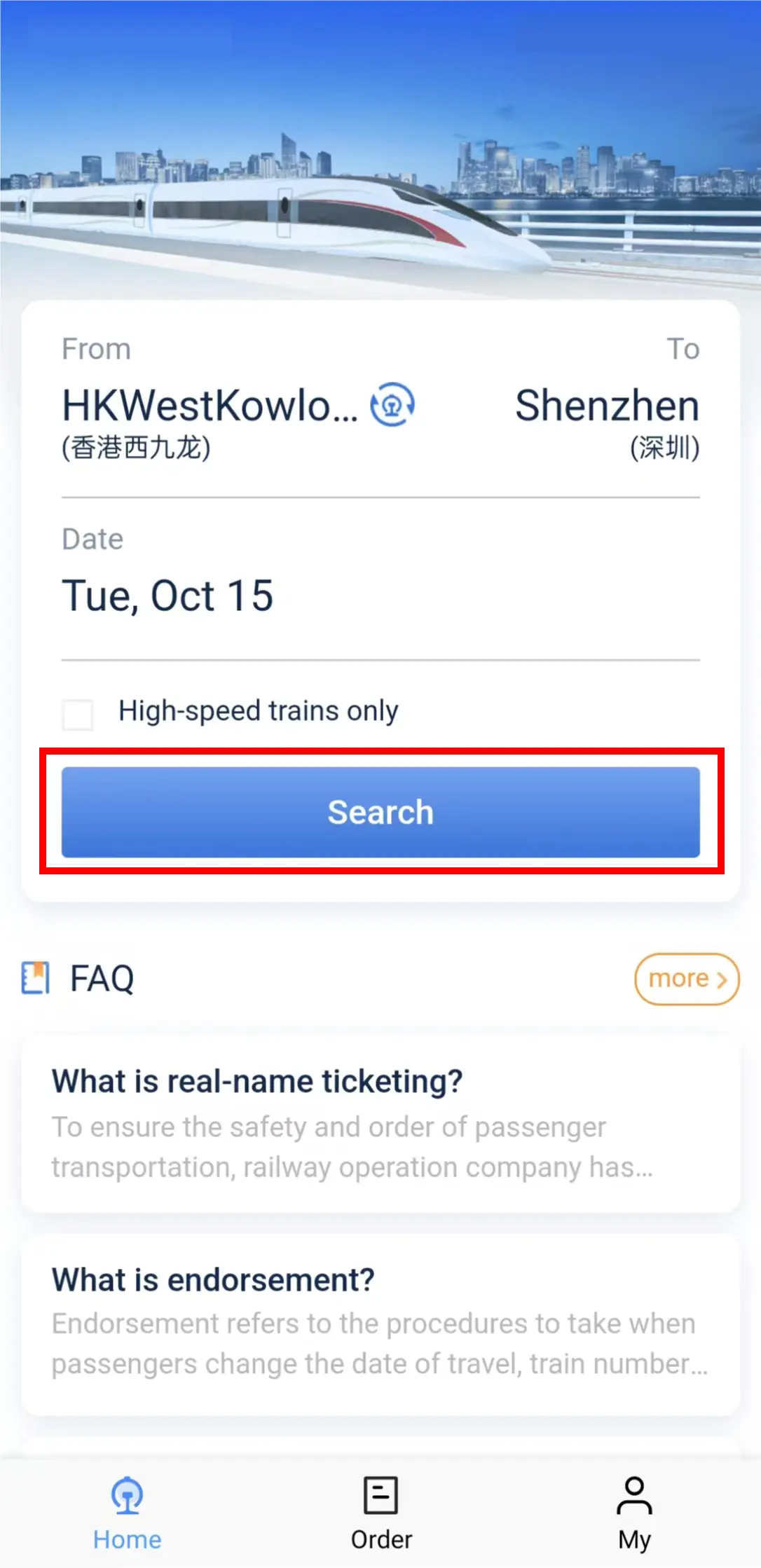
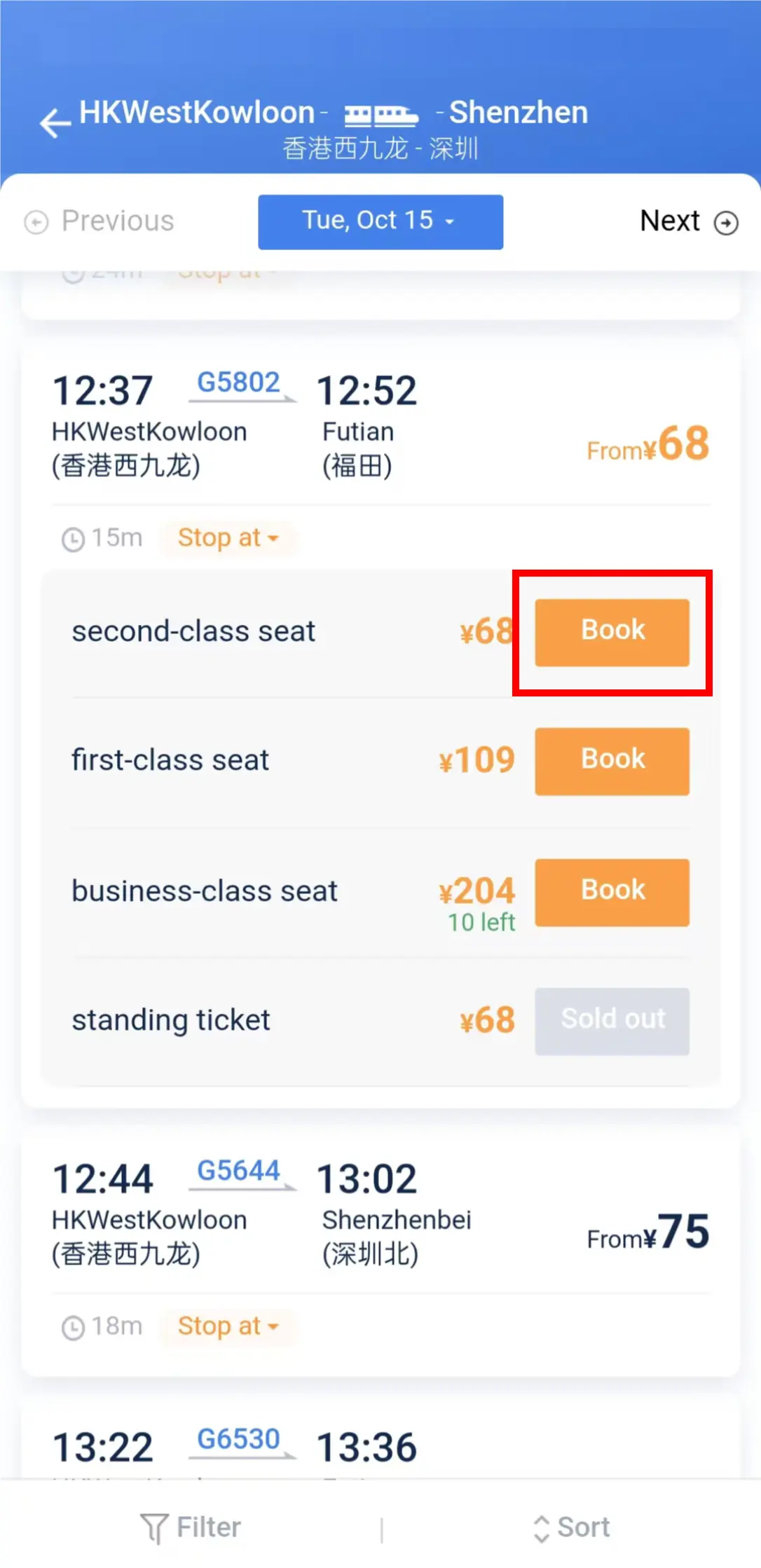
Results show train number, departure and arrival times, duration, seat availability, and prices in CNY. Tap a train for stops; tap Book on the class you want.
Confirm and pay
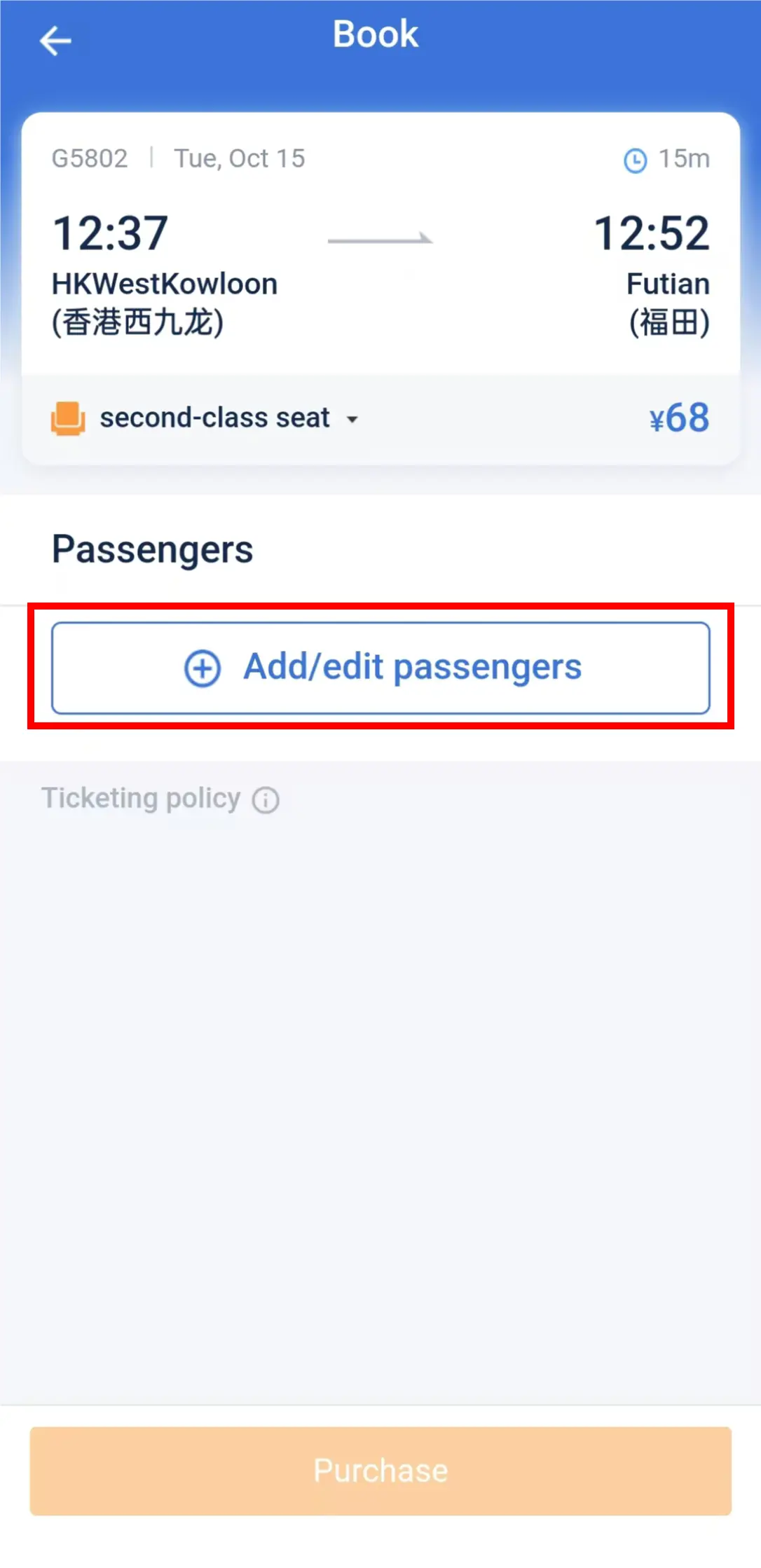
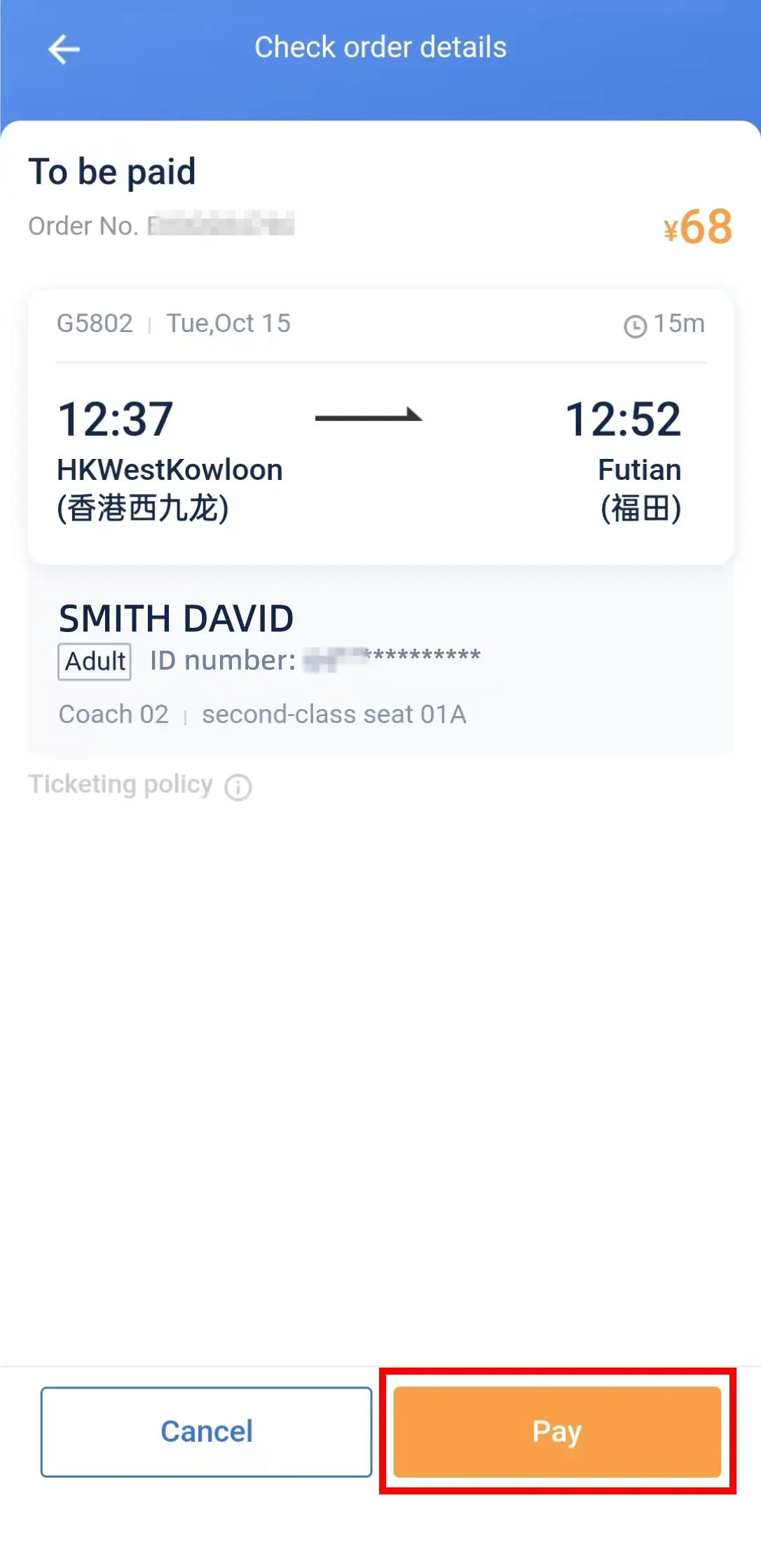
On the Book screen, add or edit passengers, confirm the train and seat class, then move to payment. Pay before the countdown ends or the hold drops. For visitors, the most practical 12306 payment routes are Alipay, WeChat Pay, or UnionPay. If your main card is an overseas Visa or Mastercard and 12306 payment keeps failing, prepare wallets through the mobile payments overview or use Trip.com for a familiar international-card checkout.
Do not spam-test checkout
Repeated unpaid holds or cancellations can temporarily limit account behavior, and the exact threshold can change.
After payment
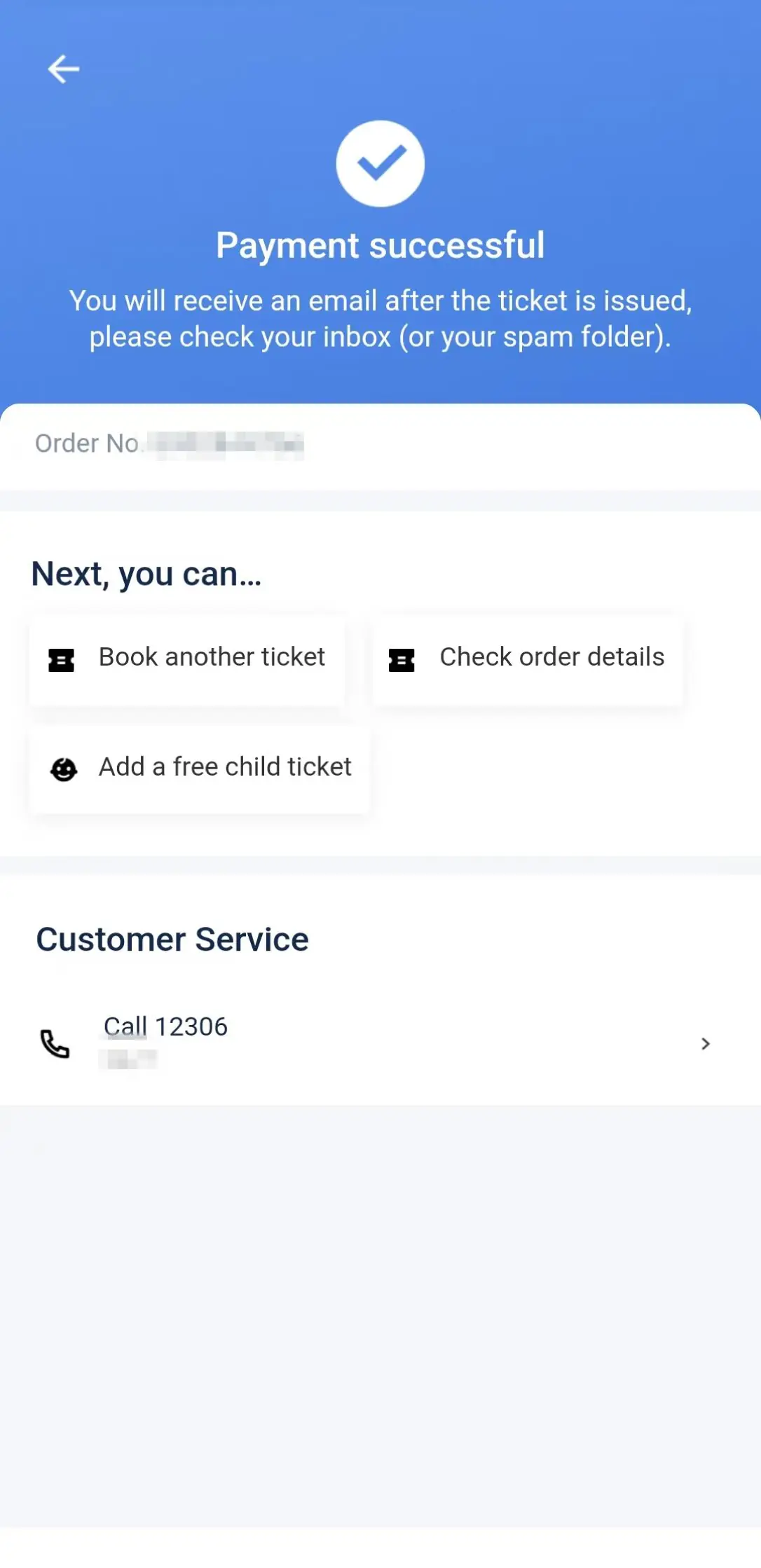
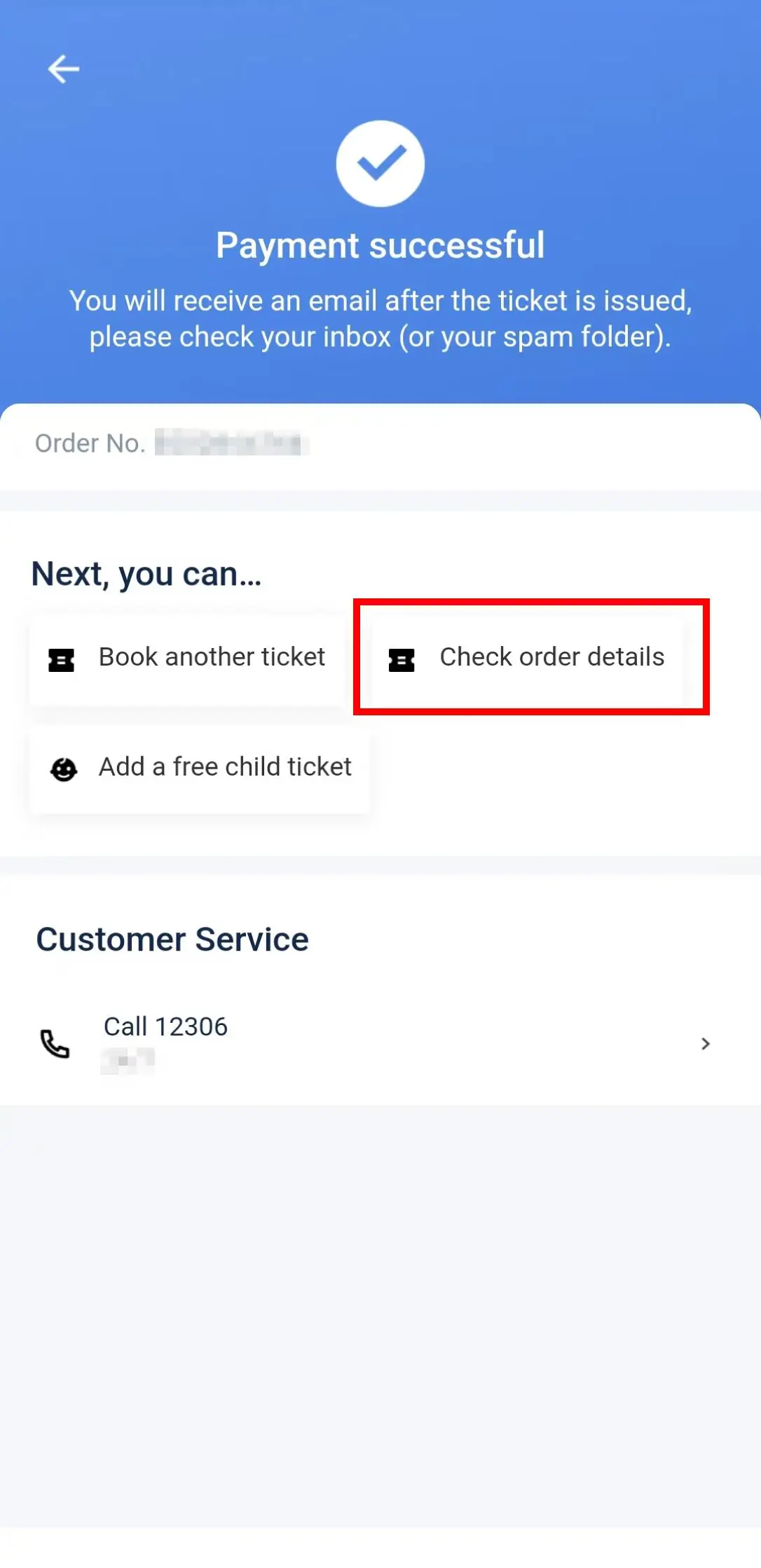
You should see Payment successful. Open Check order details or the Orders tab, then screenshot the train number, station names, carriage, and seat. Email usually follows once the ticket is issued. Do not treat any itinerary sheet, receipt, or screenshot as the ticket itself: station entry still uses the original passport used for booking.
Trip.com Train Booking Flow
Trip.com is most useful when you want a familiar English interface, currency display, and international card checkout. The same real-name rule still applies: every passenger profile must match the passport used at the station gate. For broader app setup beyond trains, use the Trip.com app guide.
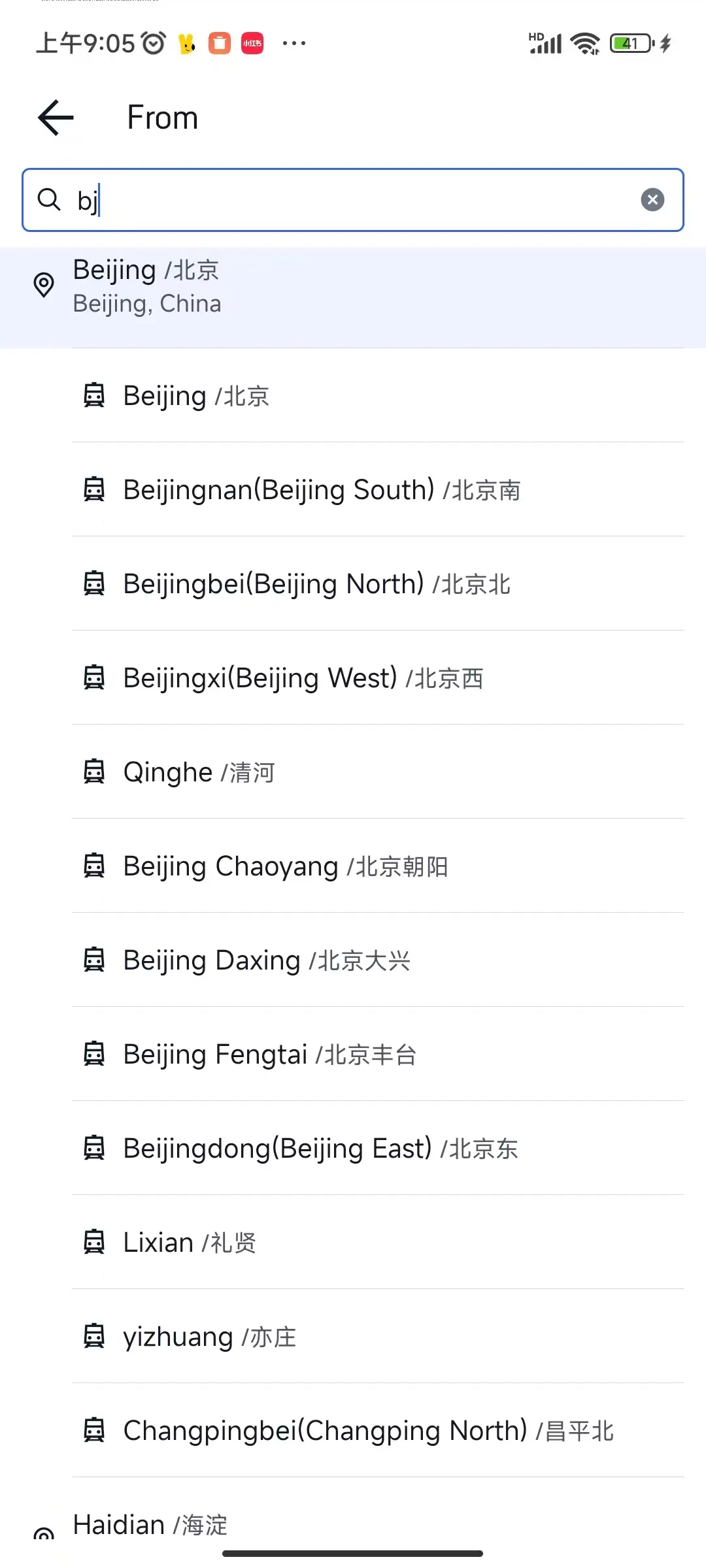
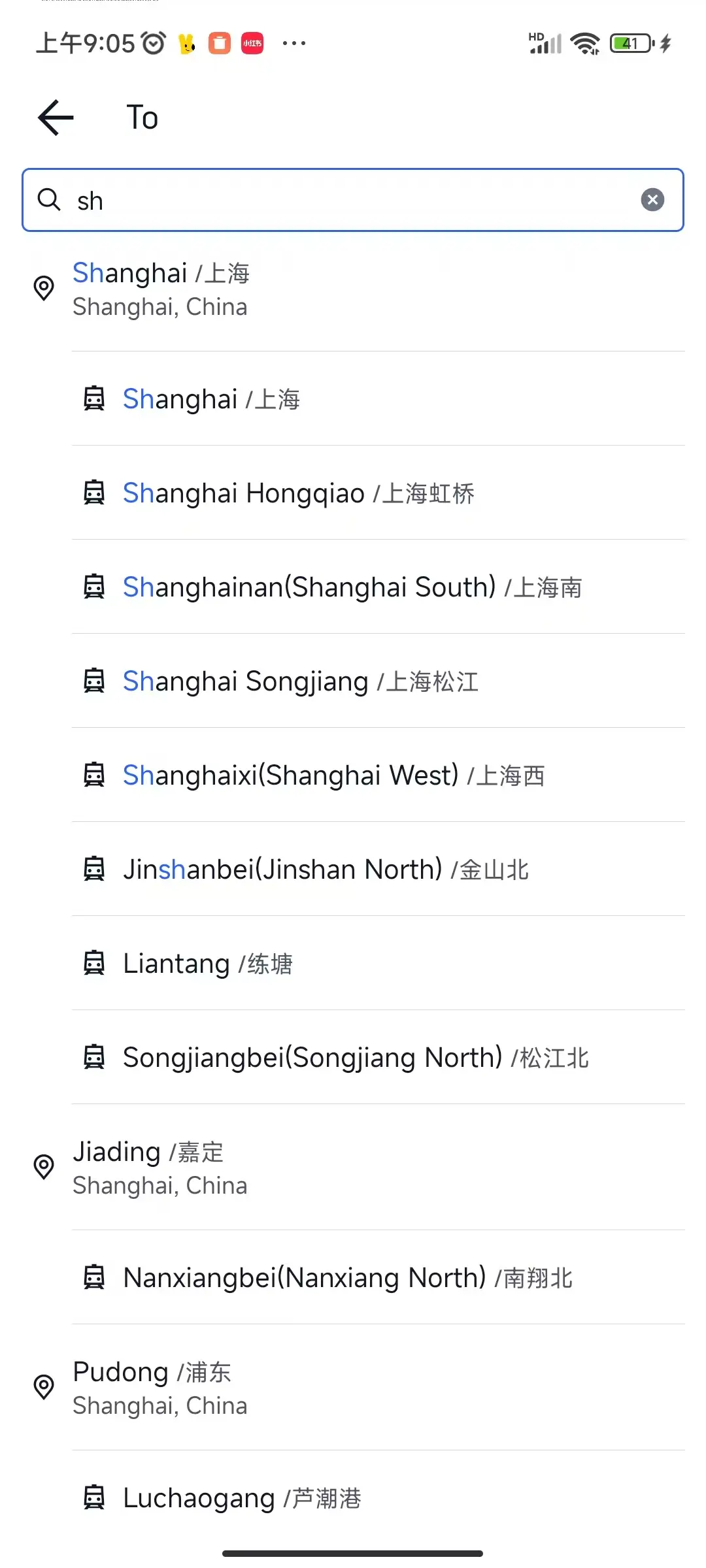
Search and station names
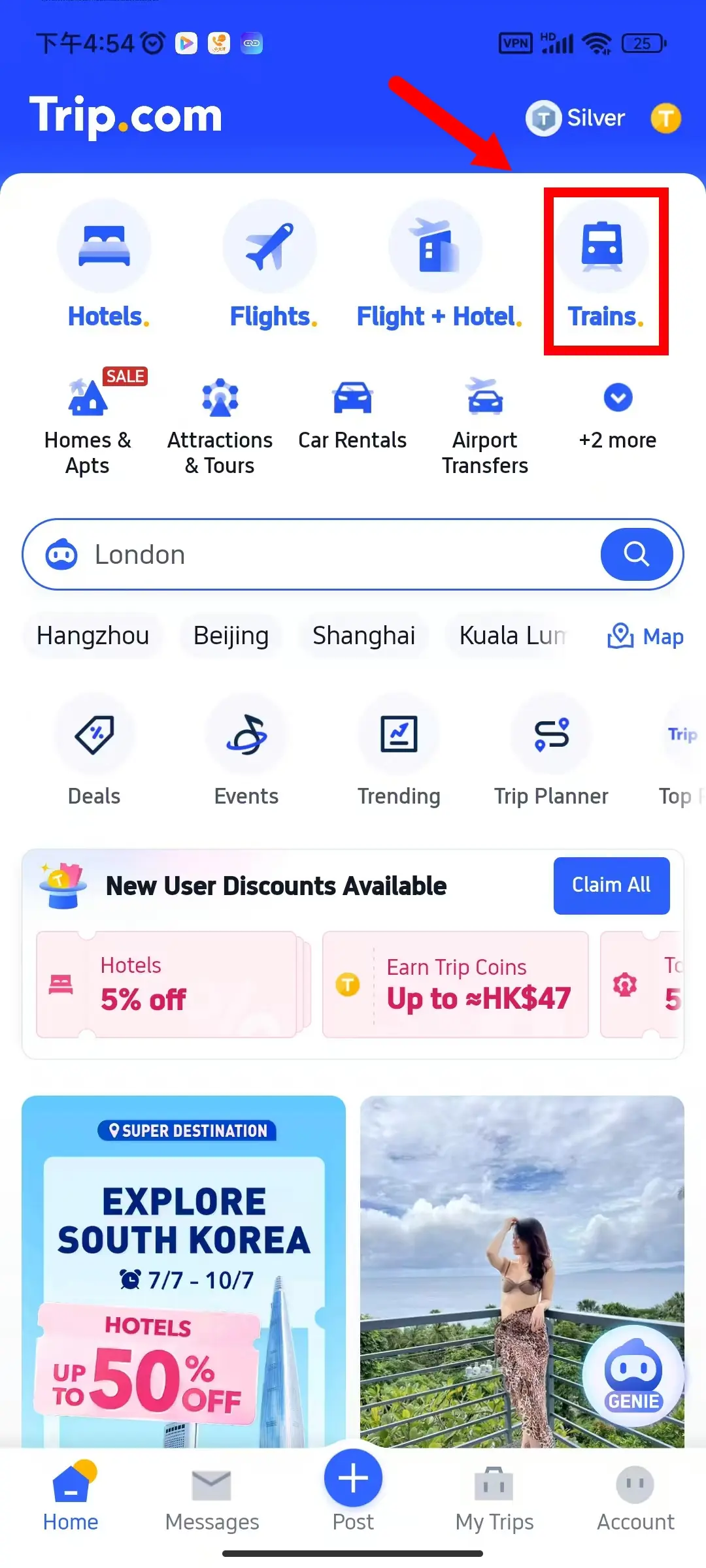
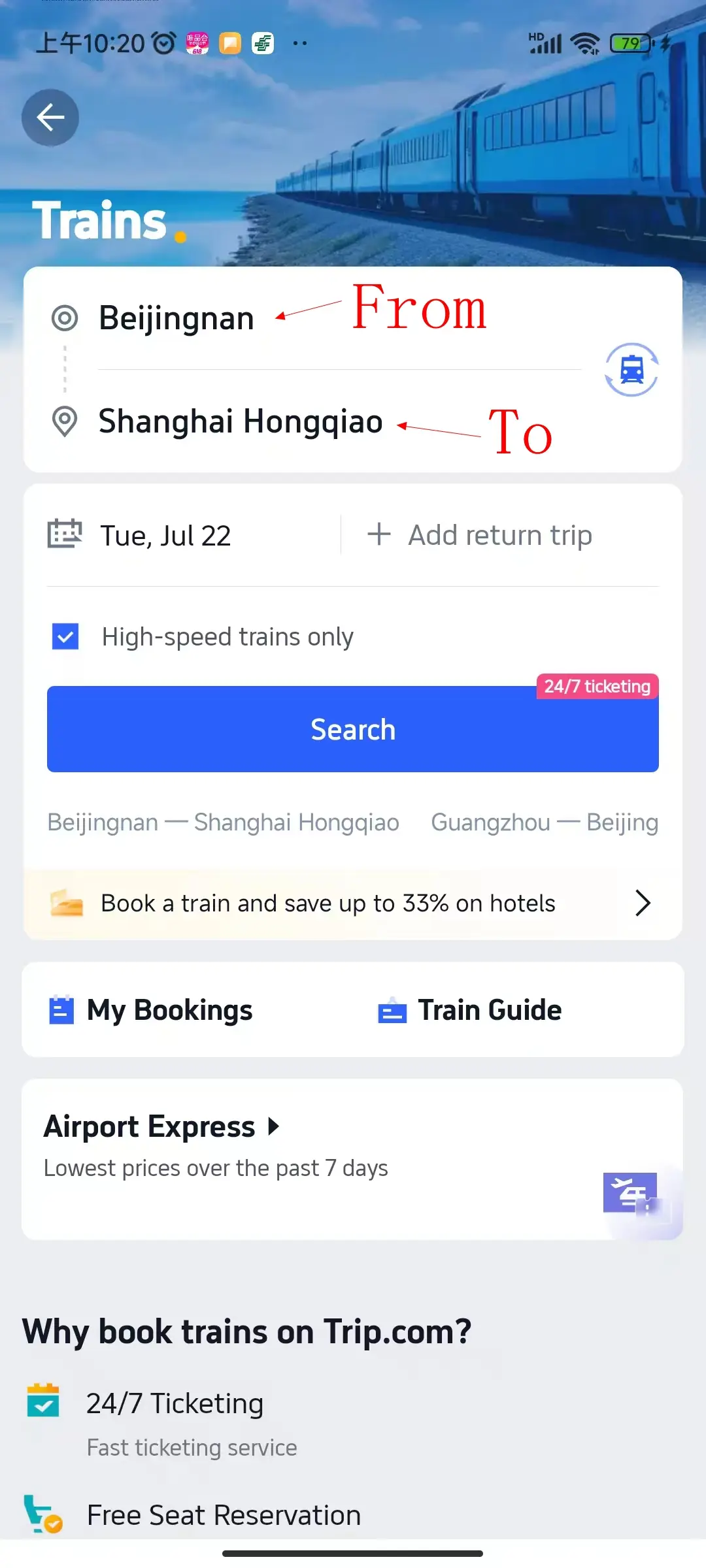
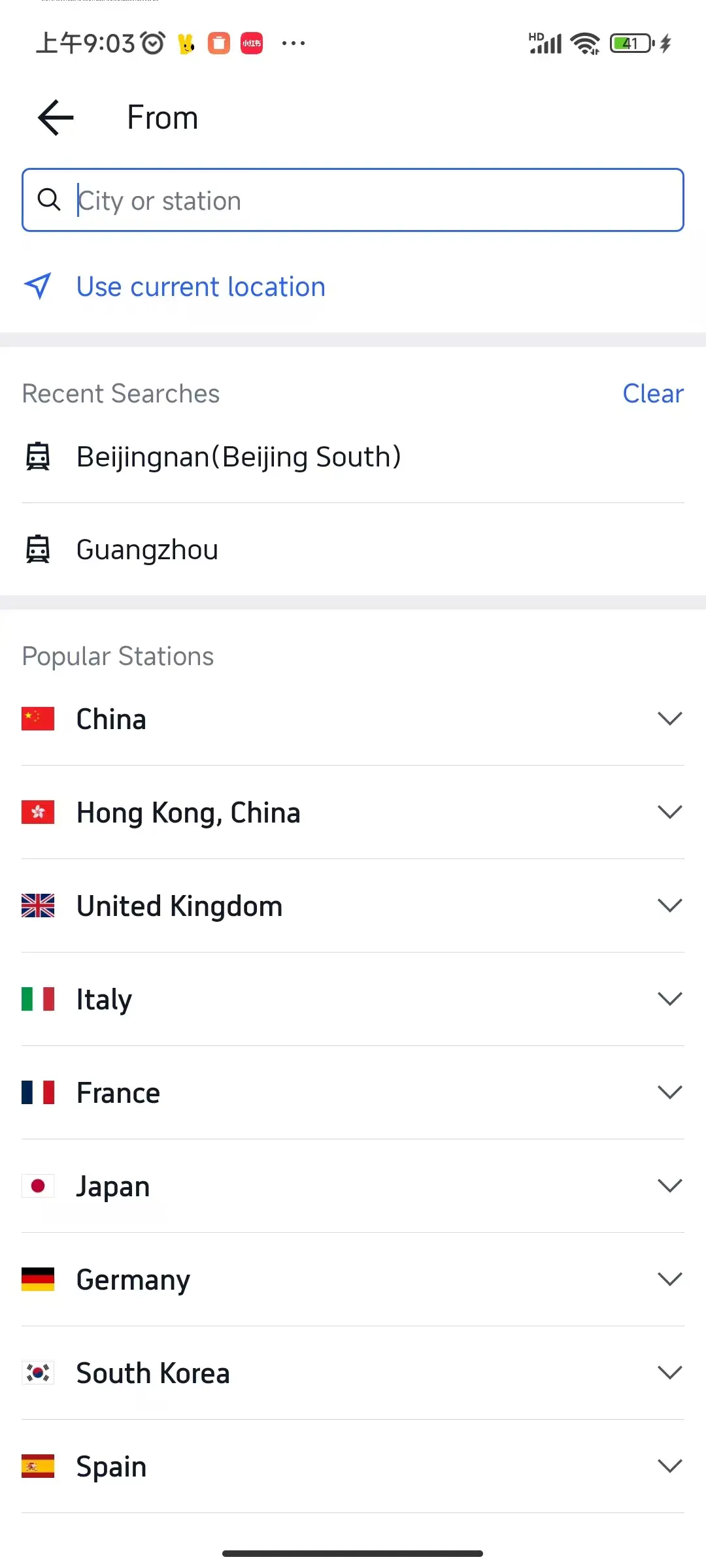
Open Trip.com → Trains, choose China if needed, enter From / To, date, optional high-speed-only filters, then search. Station names matter just as much as they do on 12306.
Currency, class, and checkout
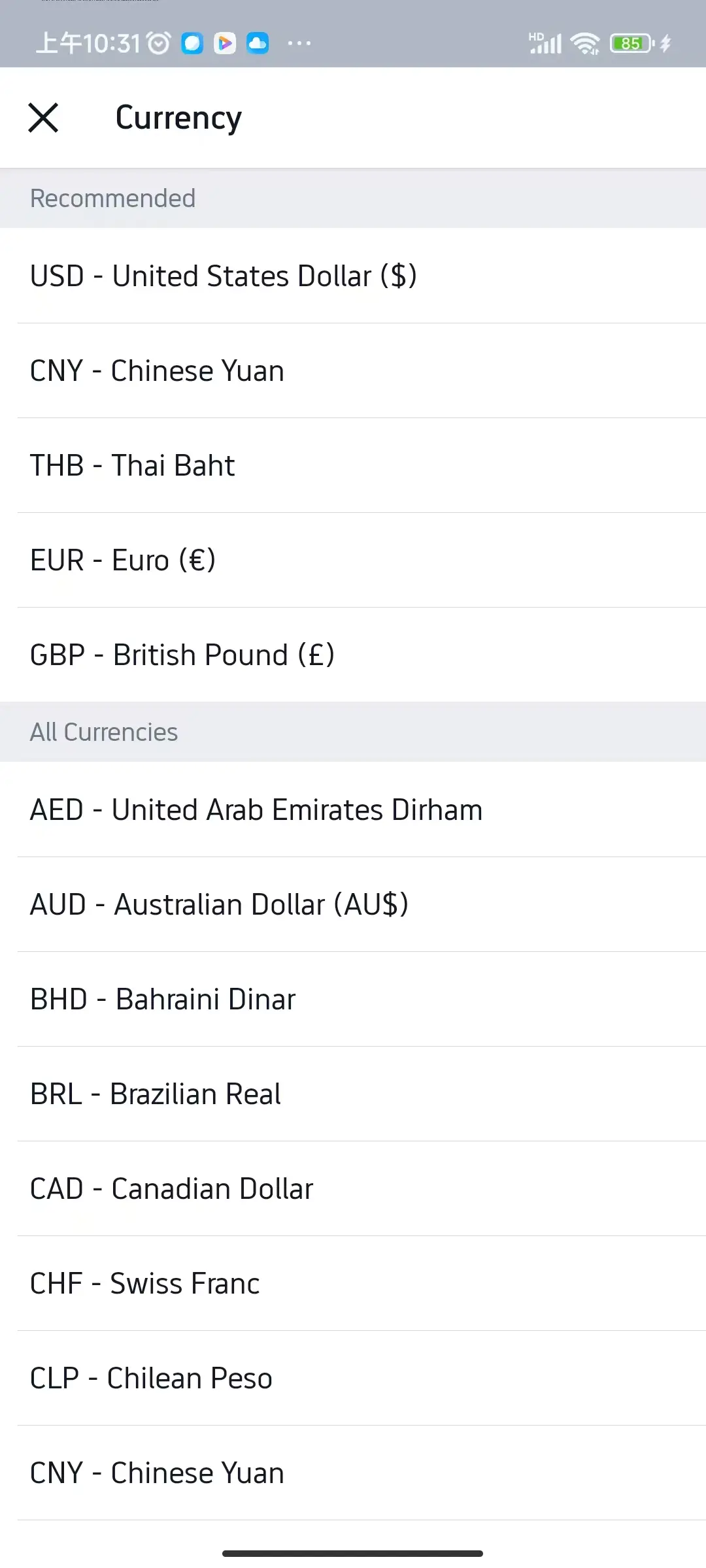
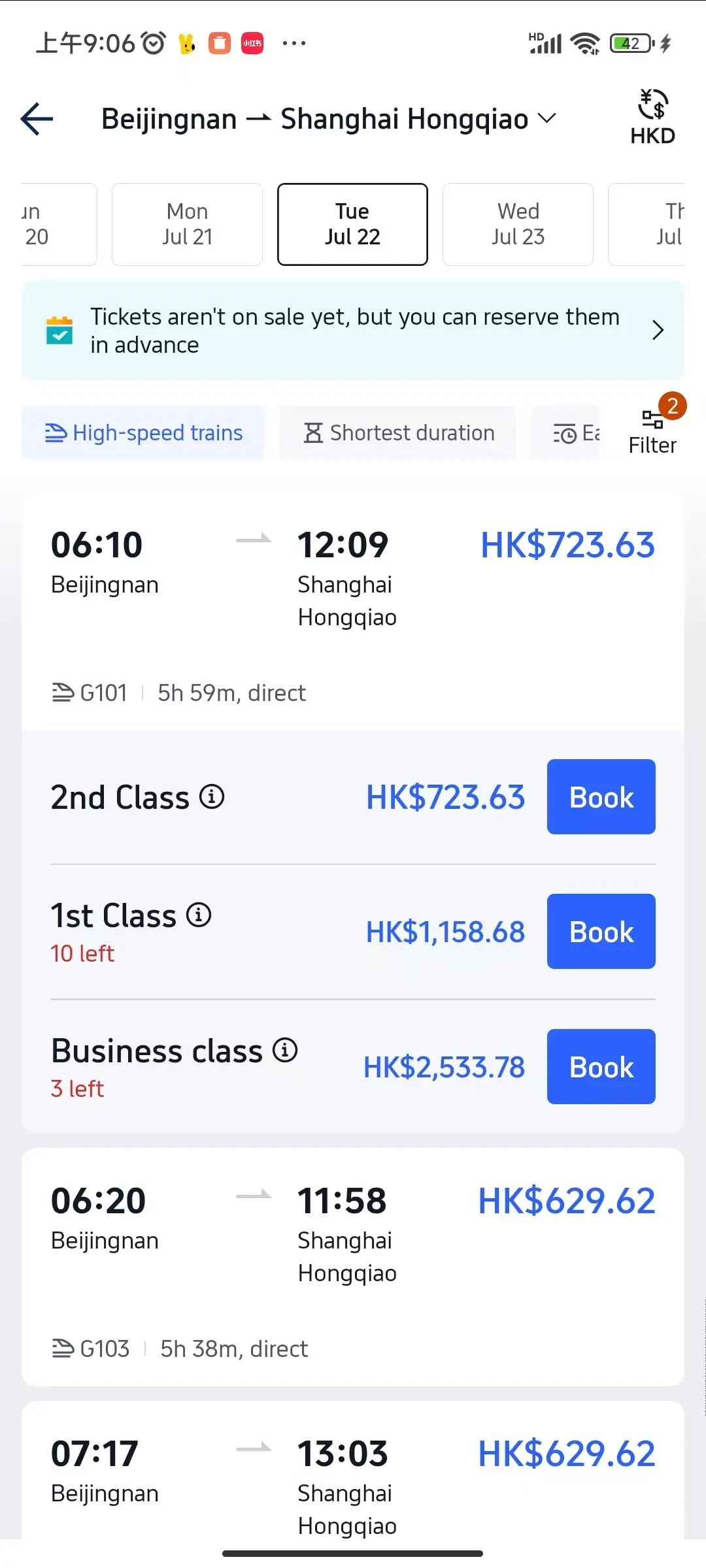
Use the top-right currency control if you want to browse in HKD, USD, EUR, or your home currency. In results, watch for reserve-before-sale versus on sale wording. Expand a train, choose the seat class, and tap Book.
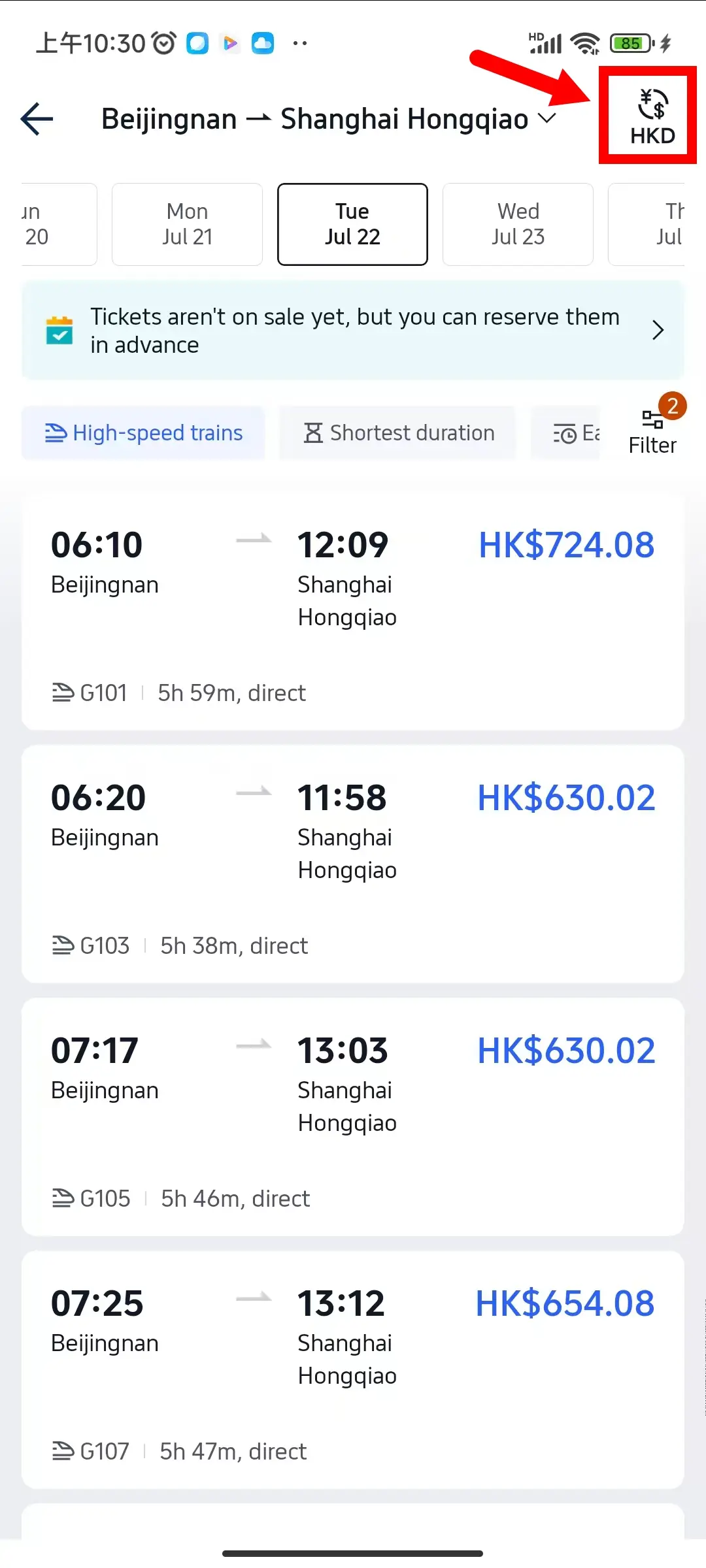
For the screen below, tap the train you want, review the seat classes and remaining-seat notes, then tap Book on the class you actually want.
Passenger and child tickets
Add passport profiles; foreign travelers should choose Passport as the ID type, not Chinese ID. Return to checkout, select travelers, then pay with the card, Alipay, WeChat Pay, or device-wallet option shown in your account.
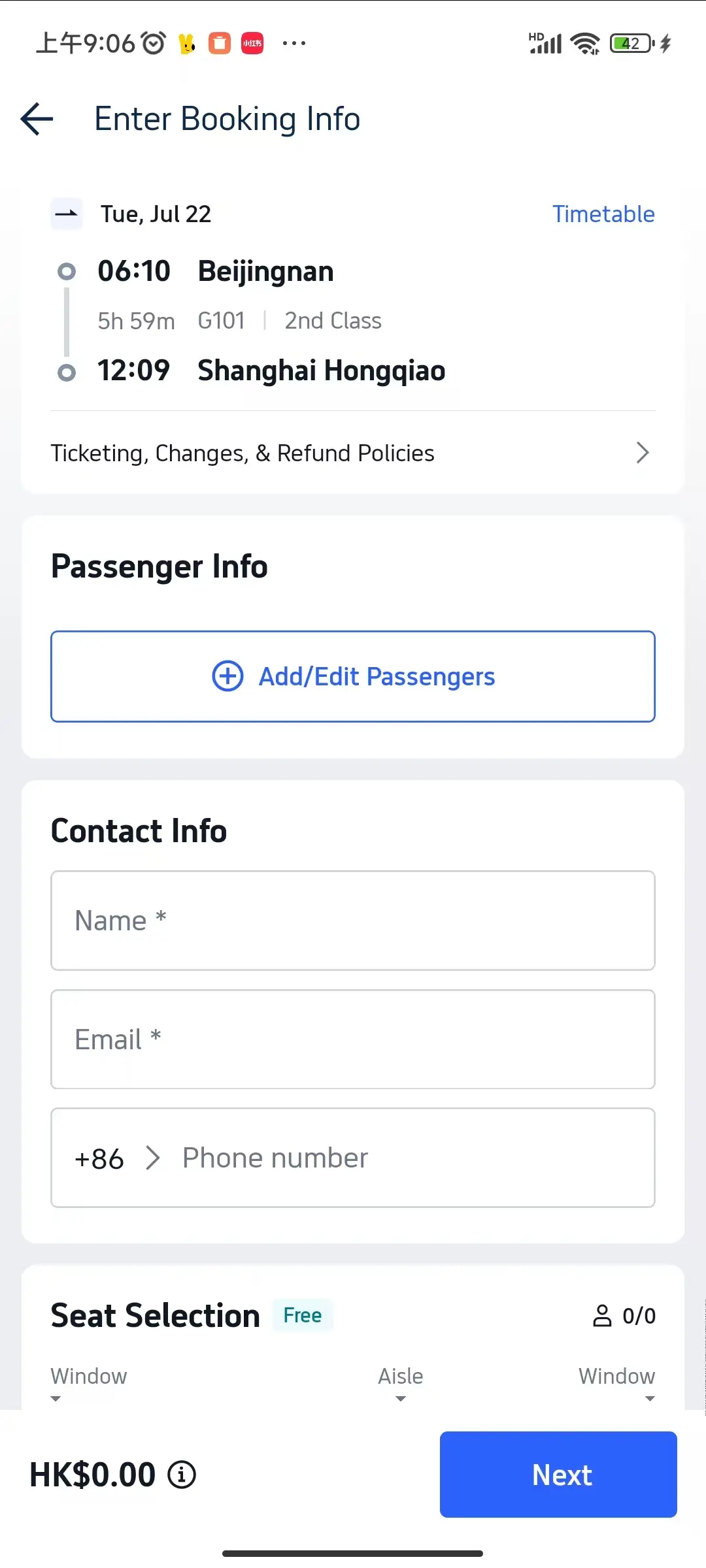
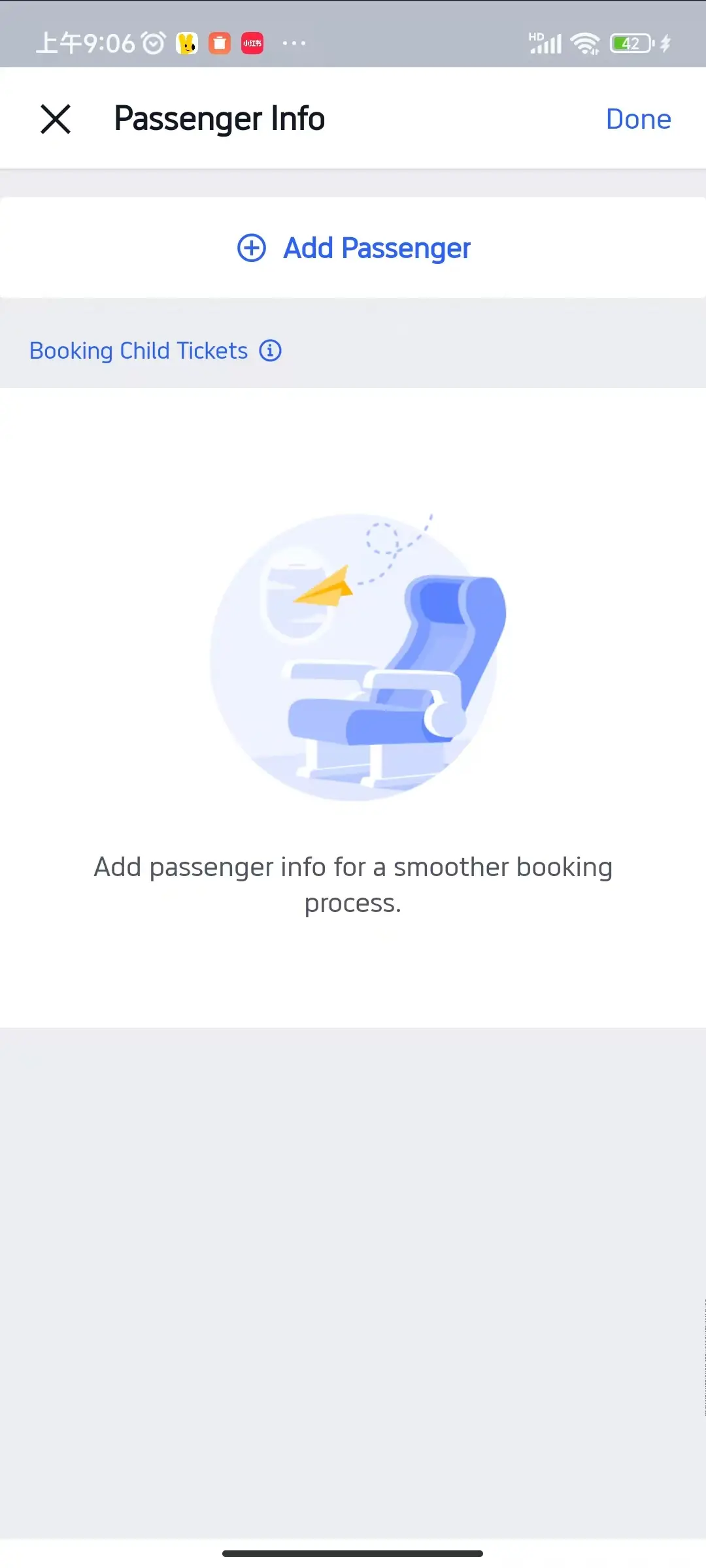
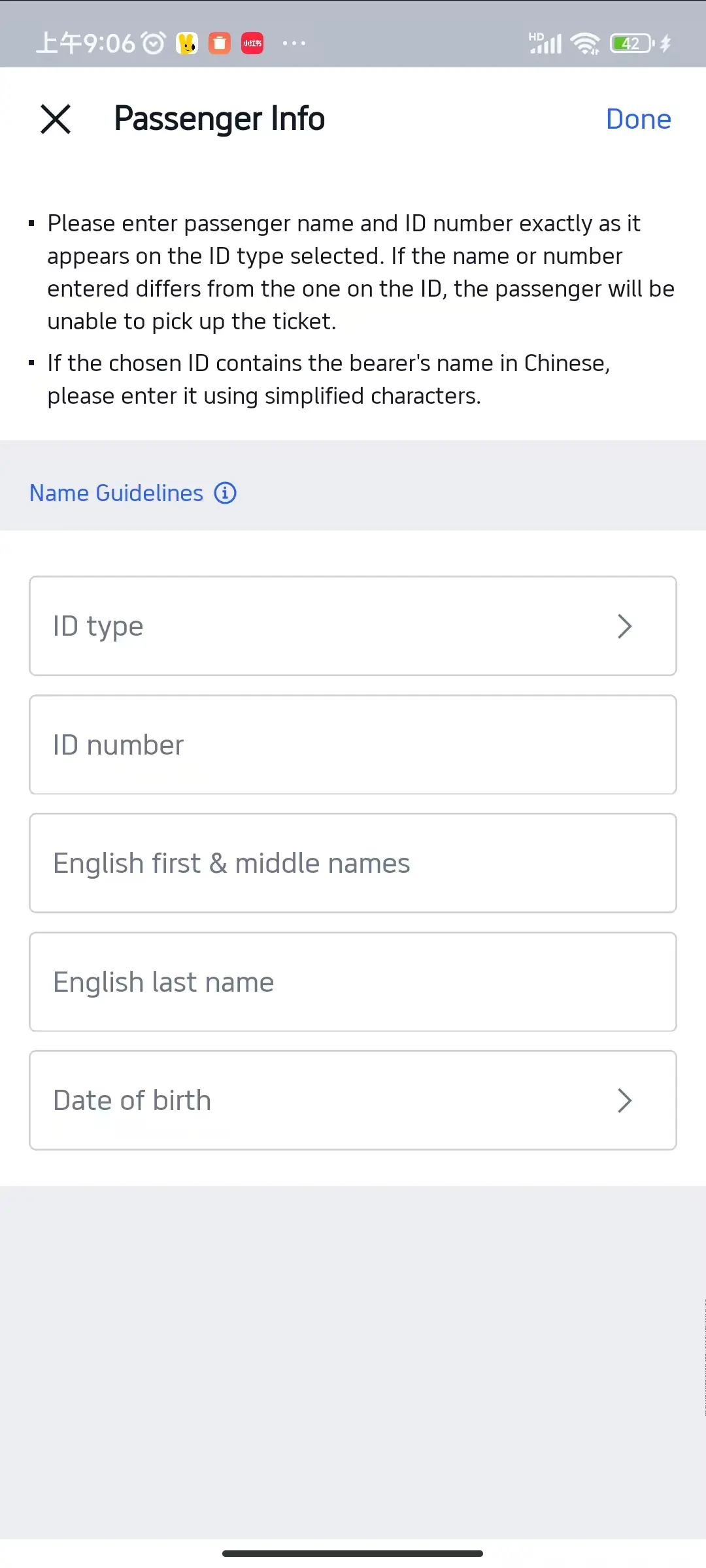
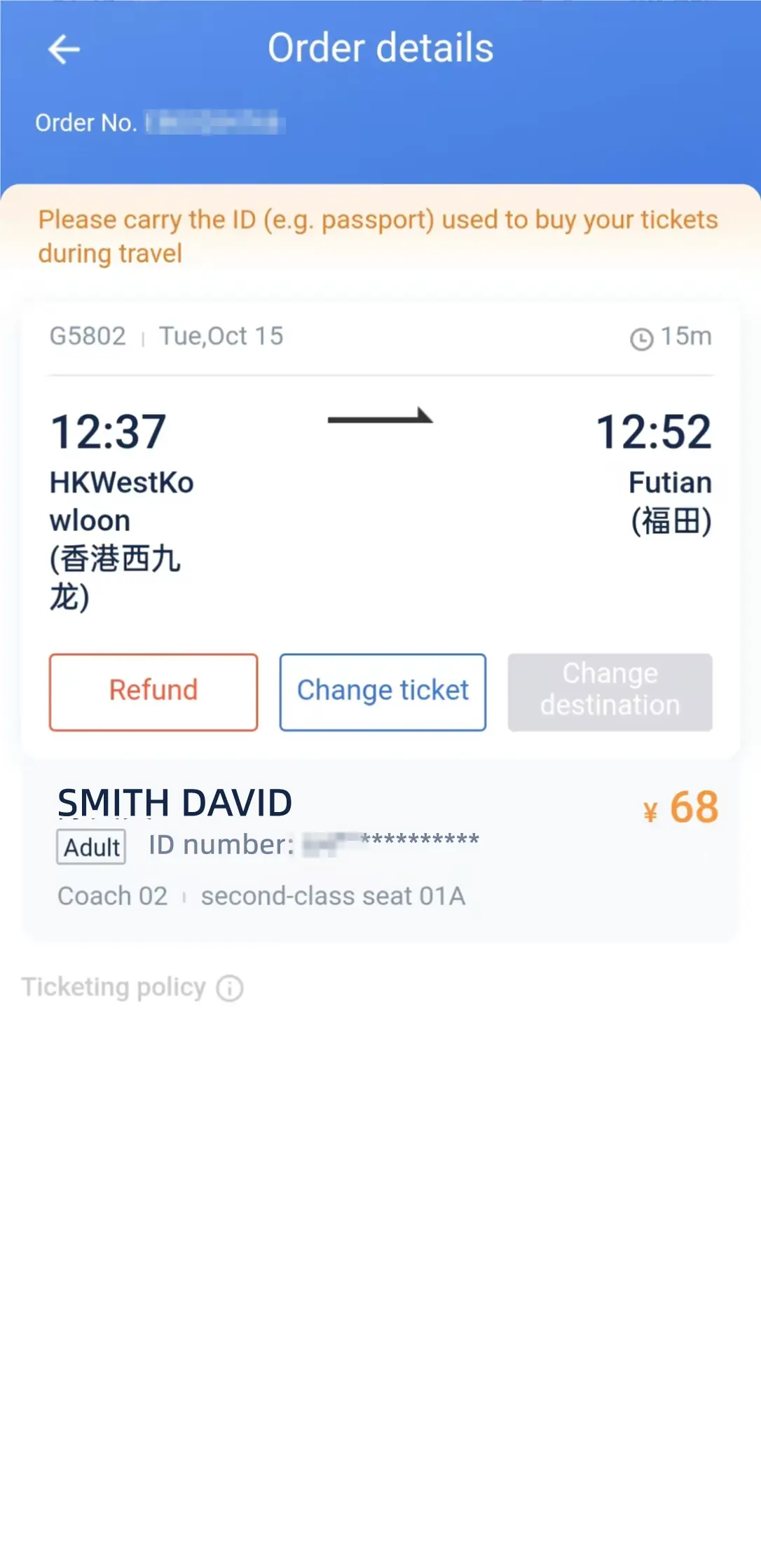
For child tickets on Trip.com, expect the app may charge the adult fare first and refund the child-fare difference after the ticket is issued. Check the final issued ticket, refund status, and the payment account used for the original booking.
Refunds, Changes, and Child Rules
Refunds, changes, and child tickets are where travelers most often misread the app. Treat the tables below as a planning baseline, then re-read the exact screen for your ticket because China Railway can temporarily adjust rules.
Child tickets
The ordinary rule is age-based, and a free child does not get a reserved seat.
Refund clock
Fees rise as departure gets closer; always read the live refund screen.
Change limit
Most tickets allow one change, but later-date changes can carry fees.
Child ticket rules
| Traveler | Ticket rule | Seat and ID note |
|---|---|---|
| Under 6 | One child may travel free with each paid adult | No reserved seat; still follow the app's free child ticket or child declaration prompt |
| 6 to under 14 | Child discount ticket | Use the child's valid ID when available; passport is fine |
| 14 and above | Full adult fare | Book with the traveler's own passport or valid ID |
Since 2023, the official rule is age-based rather than height-based for ordinary child tickets. A free child does not get a reserved seat, so families who need space should buy the child discount ticket rather than rely on free travel. Do not simply arrive with an unlisted child; use the child's passport if available, or the accompanying adult's ID only where the current app prompt and rule allow it.
Refund fees
| When you refund | Typical 12306 fee |
|---|---|
| 8 days or more before departure | Usually no refund service fee |
| 48 hours to under 8 days | About 5% of ticket price |
| 24 hours to under 48 hours | About 10% of ticket price |
| Under 24 hours | About 20% of ticket price |
| After the trip starts | Usually not refundable, except special illness or railway-responsibility cases |
The minimum refund fee is commonly RMB 2, and fees are rounded by official railway rules. Refunds return to the original payment channel unless your live 12306 screen sends you to a station counter; in that case, bring the original passport used for booking.
New 2026 note
Official 12306 platforms introduced a limited free-refund rule for some accidental purchases: one eligible order per day, processed within 30 minutes of purchase and at least 4 hours before departure, with exclusions such as rebooked, waitlisted, group, and certain special ticket types. Read the live refund screen before relying on it.
Change and reschedule rules
If you can see that you will miss your train, try to change the ticket in 12306 or the original booking platform before departure. For ordinary domestic tickets, a same-day change to a later train has no change fee when seats exist; only the fare difference is adjusted up or down. Inside 48 hours before departure, changing to the next day or later triggers a change fee. If the train has already departed and you did not complete the online change, go to the station service counter or staffed ticket window as soon as possible.
| When you apply | Change target | Typical fee |
|---|---|---|
| 48+ hours before departure | Any available train within rule limits | No change fee for ordinary domestic tickets |
| Under 48 hours before departure | Same travel date before 24:00 | No change fee for ordinary domestic tickets |
| 24 to 48 hours before departure | Later than the original travel date | About 5% of the lower fare |
| Under 24 hours before departure | Later than the original travel date | About 15% of the lower fare |
| After departure | Another train the same day | No change fee for ordinary domestic tickets if seats exist |
| After departure | Next day or later | About 40% of the lower fare |
Most tickets allow one change. You can usually change the travel date, train number, and seat class if seats exist. Changing the arrival station is a separate rule path and generally needs to be requested at least 48 hours before the original departure. After departure, online options narrow quickly, and late-night changes can fail if the service window is closed, so do not wait until the train leaves if you already know you are running late.
Station Day and Cross-Border Rules
The app gets you a ticket, but station day still depends on signs, passport gates, and buffers. Screenshot your train number, Chinese station name, carriage, and seat before leaving the hotel. Pair this with the high-speed rail boarding guide for luggage, security, platforms, and train-door timing.
Original passport
Bring the same document used for booking; phone photos do not replace it.
Offline screenshots
Save Chinese station names, train number, carriage, seat, and order details.
Hong Kong buffer
Cross-border changes and refunds have stricter cutoffs than ordinary domestic trips.
Stations, gates, and queues
Gate rhythm
China train e-tickets usually mean you scan your passport or use a staffed lane at entry and exit.
If an automated gate rejects the passport, do not panic; use the manual channel and show the same ID used for booking.
On holidays, at mega-stations, or with a first 12306 booking, arrive earlier than your normal high-speed rail buffer.
Before you enter the station
- Carry the original passport used for booking; phone photos are not a replacement.
- Screenshot Chinese station names, train number, carriage, seat, and order details.
- Use the staffed lane if the passport scanner fails or your name needs manual review.
- Large cities have several stations. Check the full name before taking a taxi or metro.
Hong Kong cross-border notes
Cross-border timing
Cross-border trains between Hong Kong and the mainland have stricter timing and channel rules than ordinary domestic trains.
For Hong Kong West Kowloon (香港西九龙站) departures, do not treat "before departure" as enough. Current cross-boundary rules can require changes or refunds at least 30 minutes before departure, and paper receipts or Hong Kong purchase channels can force counter handling.
Treat the live ticket rule text as binding.
Field rule
Cross-boundary refund fees and post-alteration refund rules differ from ordinary domestic tickets. If your Hong Kong train is uncertain, resolve it at the departure station counter early rather than waiting near the cutoff.
Pre-travel checklist
Passport: Passport is valid and every ticket name matches the passport spelling.
Wallets: Wallets are tested if you plan to pay inside 12306.
Presale: Presale reminders are set in Beijing time for hot dates.
Screenshots: Offline screenshots include Chinese station names, train, carriage, seat, and hotel address.
Final rule check: Refund and change windows are checked for your exact ticket type, especially cross-border trains.
Train Ticket FAQ
Use the official app or English website with passport details, then activate email and finish real-name verification. Double-check name order and passport number before submitting.
Official and platform references
- Official 12306 English FAQ checked for foreign passport acceptance, e-ticket itinerary sheets, official ticketing channels, change / endorsement rules, destination changes, refunds, and one-time change limits.: 12306 English FAQ
- Official 12306 passenger FAQ checked for buying tickets for others, free child ticket rules, child ID handling, sales / endorsement service hours, refund fee tiers, minimum refund fee, and 2026 accidental-purchase free-refund note.: 12306 passenger FAQ
- Official 12306 homepage checked for the official app notice and warning that railway has not authorized other websites or apps to provide similar services.: 12306 official homepage
- Beijing government 12306 app notice checked for the 15-day presale window, ticket pre-filling, and sale-reminder functions in the official app.: Beijing Gov 12306 app notice
- MTR cross-boundary high-speed rail rules checked for Hong Kong West Kowloon alteration and refund timing differences, 30-minute cutoff language, and fee differences on cross-boundary tickets.: MTR cross-boundary rules
- Trip.com China train policy checked for passport booking fields, e-receipts, child ticket adult-fare-first handling, change and refund windows, and platform-specific handling warnings.: Trip.com train ticket policy
Beyond This Guide
Train tickets are one layer of the China transport stack. Use these next when you need to choose train types, decode station names, pay inside apps, or plan the city transfer after arrival:
- China high-speed rail guide - routes, seats, boarding, luggage, and station-day behavior after the ticket is issued.
- China train types and station names - decode G/D/C/Z/T/K trains and avoid the wrong station problem.
- China mobile payments: Alipay & WeChat Pay - prepare the wallets that 12306 and local travel apps may depend on.
- Navigation apps in China: Amap & backups - route to the correct station and keep offline backups.
If your rail days connect several cities, luggage-heavy transfers, or backup plans for sold-out trains, we can design a realistic route sequence and timing buffer with you. You still book and pay for each ticket yourself.
- Trip.com app for China travel - flights, hotels, attraction tickets, and the broader Trip.com setup.
© gochinafreely.com — Original guide by Go China Freely.