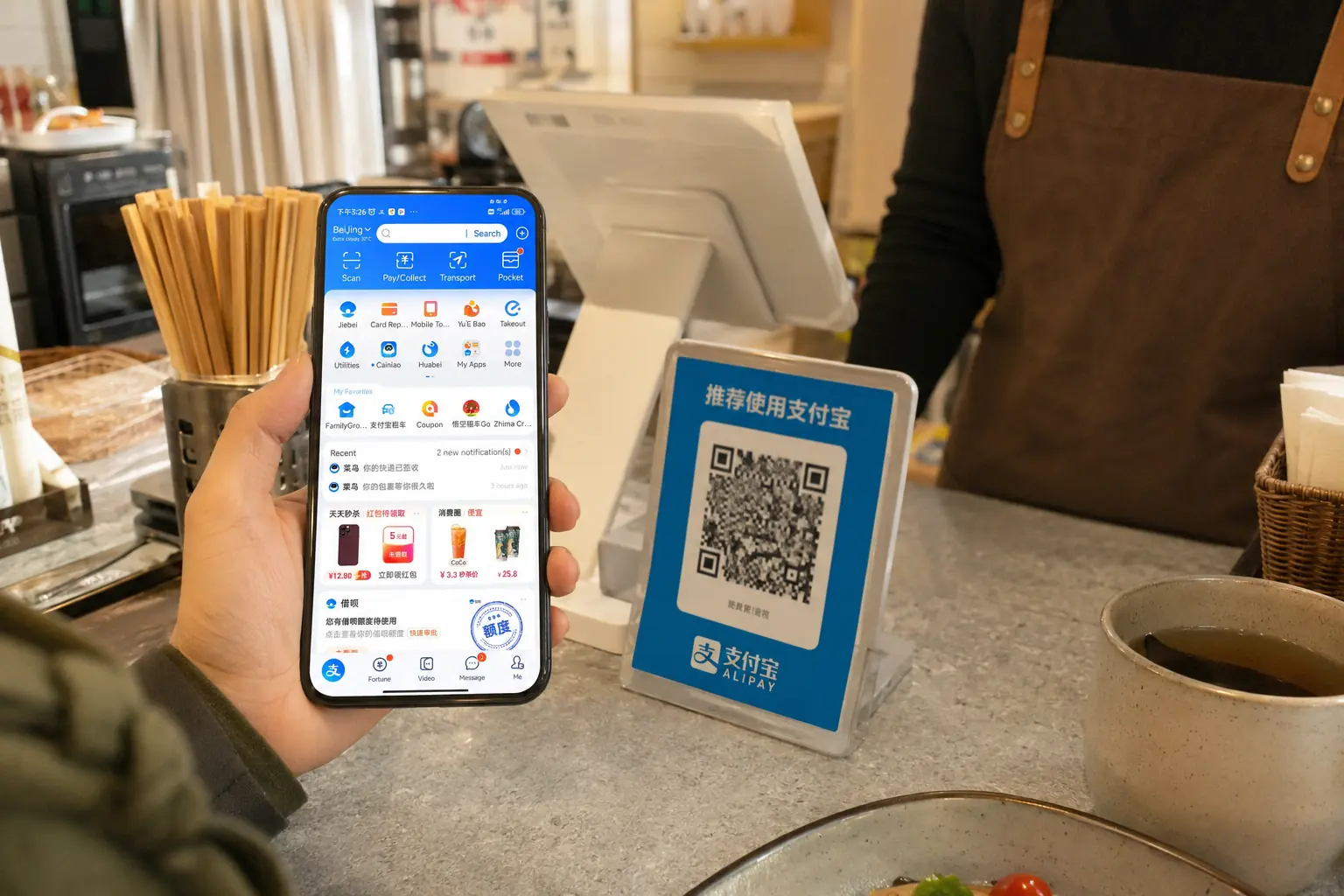
Visitor wallet stack
What this guide covers
Alipay (支付宝) is often the cleanest first China wallet for visitors because it is built around payments and services, not social chat.
Setup
Download, English UI, passport checks, and international cards.
Daily use
QR checkout, restaurant ordering, Meituan delivery, Beijing subway ride codes, and Didi.
Fallbacks
Fees, limits, failed payments, and backup plans for when one rail stops working.
Pair it with our China mobile payments overview if you are deciding how Alipay, WeChat Pay (微信支付), physical cards, and cash should work together.
Alipay in China: Fast Answer
Best first setup
Alipay plus one linked international card.
For most short-stay travelers, this is the practical default, with WeChat Pay and a little RMB cash as backup.
Daily QR payments
For restaurants, shops, convenience stores, taxis, and many small vendors, Alipay merchant QR payment is usually the normal flow. Hotels, attractions, and a few counters may still add passport, deposit, ticket-channel, cash, or card-terminal steps.
Mini programs
Transit ride codes in supported cities and Didi ride-hailing can run inside the app, but each service keeps its own prompts and limits.
Main rail, light backup
Use Alipay as your main rail, then keep WeChat Pay, a second card if possible, and modest RMB cash for signal gaps, risk controls, older counters, or rural stops.
Live app screen wins
The live app screen is still the final authority: card support, fees, limits, and verification prompts vary by nationality, card issuer, app build, and merchant category.
Hotels and sights still need non-payment steps
For hotels and attractions, carry your passport, a physical international card, and some RMB cash. Ask hotels in advance about deposits and international-card acceptance. For sights, use official ticket channels or staffed booths when needed and carry the passport used for booking.
| Area | What it does | Typical use | Traveler rule |
|---|---|---|---|
| Payments | Scan merchant QR or show your payment code | Shops, restaurants, taxis, some attractions | Confirm the amount, merchant name, selected card, and any service-fee line before you tap pay. Avoid personal-transfer or red-packet flows. |
| Transit | City ride-code mini programs | Subway and bus gates where supported | Activate each city separately; large cities may offer ride codes, single-journey tickets, transport cards, or overseas-card tap, while smaller places may still need cash, a local card, or a staffed counter. |
| Mini programs | Lightweight services inside Alipay | Didi (滴滴出行), Meituan delivery (美团外卖), city tools | If a page hangs or foreign-card payment disappears, close the mini program, retry on mobile data, or switch to another payment rail. |
QR
In-store pay
Mini
Transit & apps
CNY
Merchant pricing
- Main rail: Alipay International Version where offered, with an overseas card linked and passport verification ready.
- Light backup: WeChat Pay if you can set it up, plus a second card and modest RMB cash.
- After arrival, test a small purchase before the first important taxi, meal, or train-station transfer.
Download and Prepare Alipay
Install and log in before you fly, while your home SIM, bank app, passport, and password manager are easy to access. If Alipay prompts overseas users to choose International Version, confirm that first. Then switch the interface to English before you start identity or card steps; it lowers the chance of tapping through the wrong finance screen.
Download and create an account
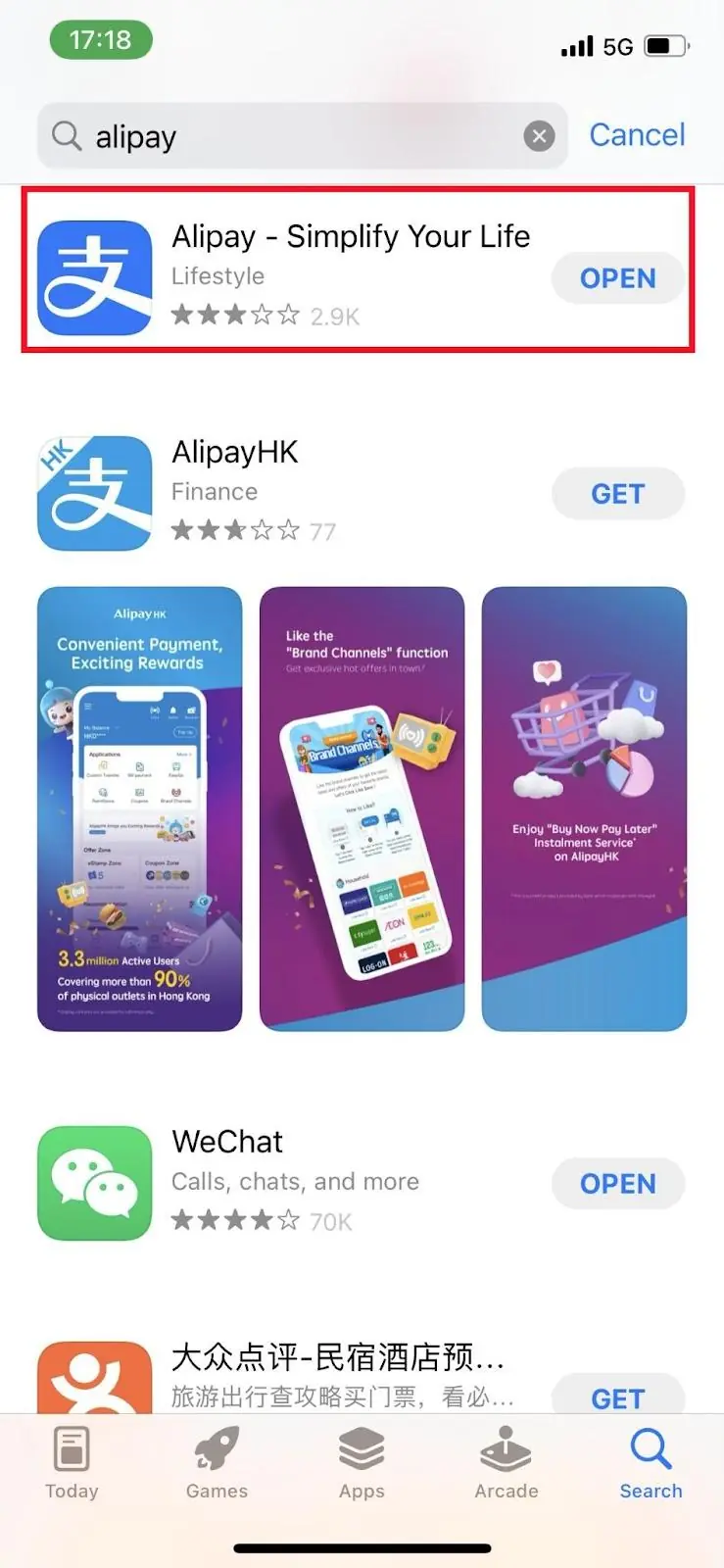
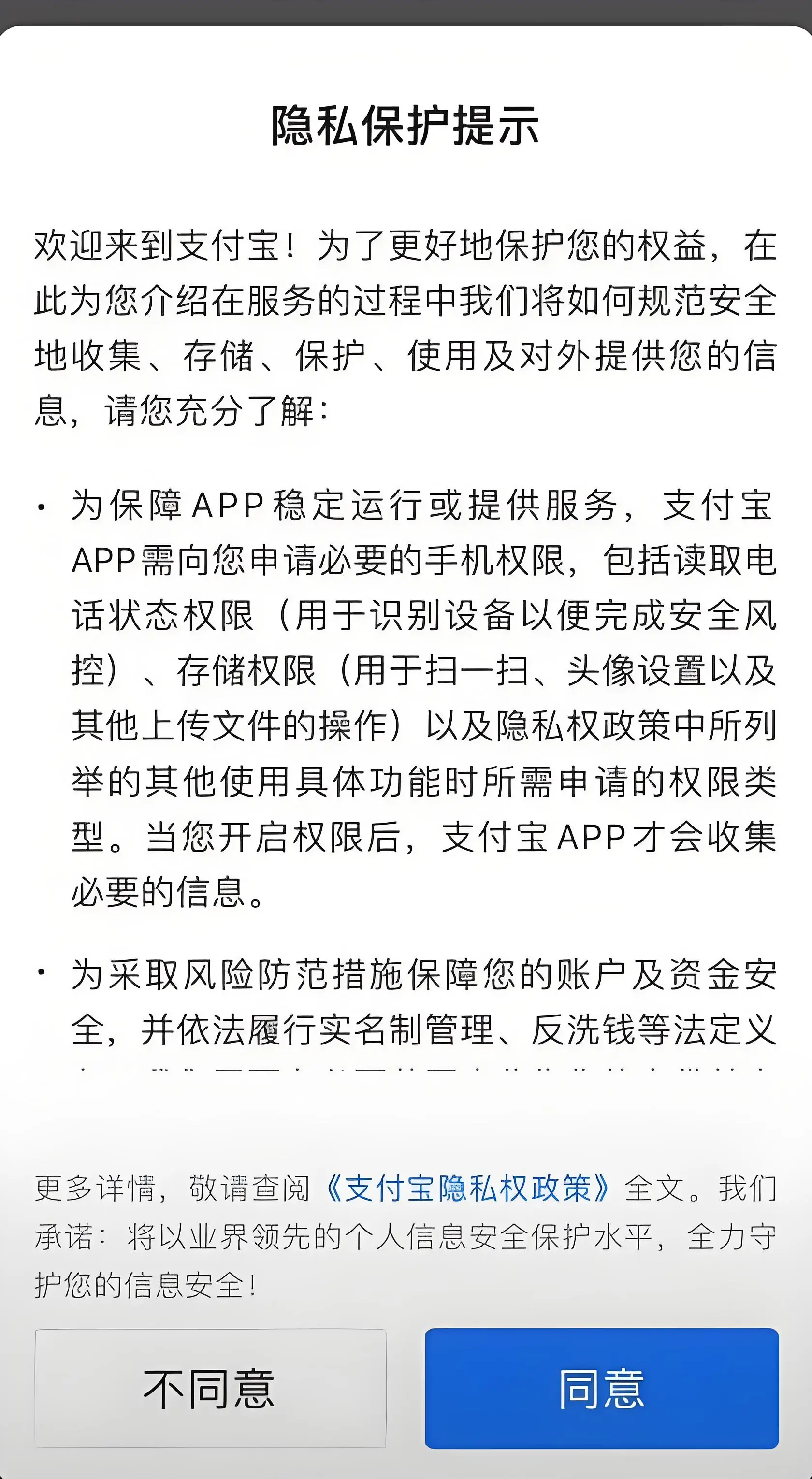
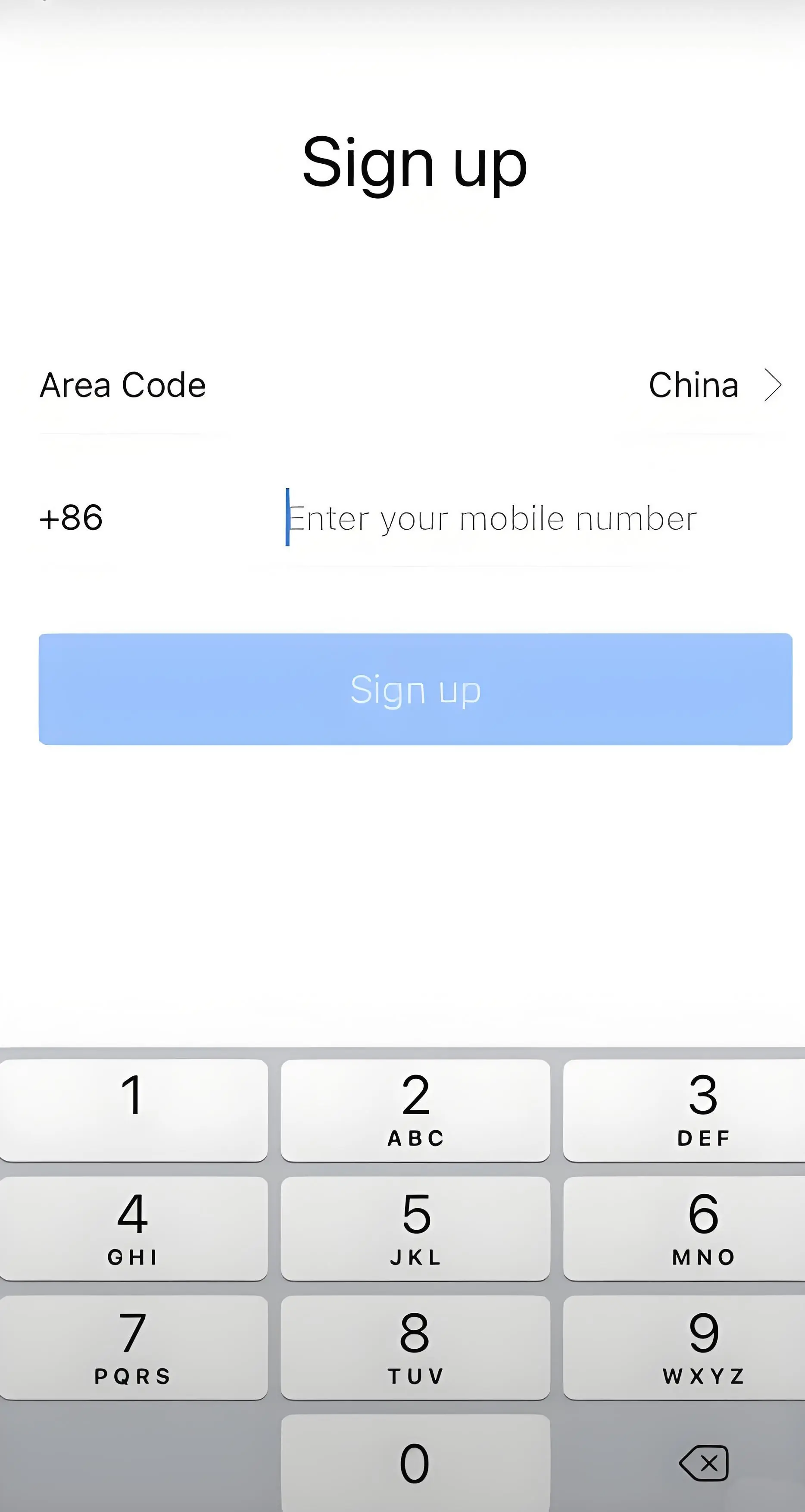
iOS: App Store → search Alipay → install the official Alipay - Simplify Your Life app. Android: Google Play or a trusted device store; avoid sideloaded APKs. Open the app, accept privacy terms, choose Sign up, enter your mobile number with the correct country code (+1, +44, +86, etc.), choose or confirm International Version if the app prompts you, and set a login password when prompted.
Screens below follow the same order as in the app.


Switch Alipay to English
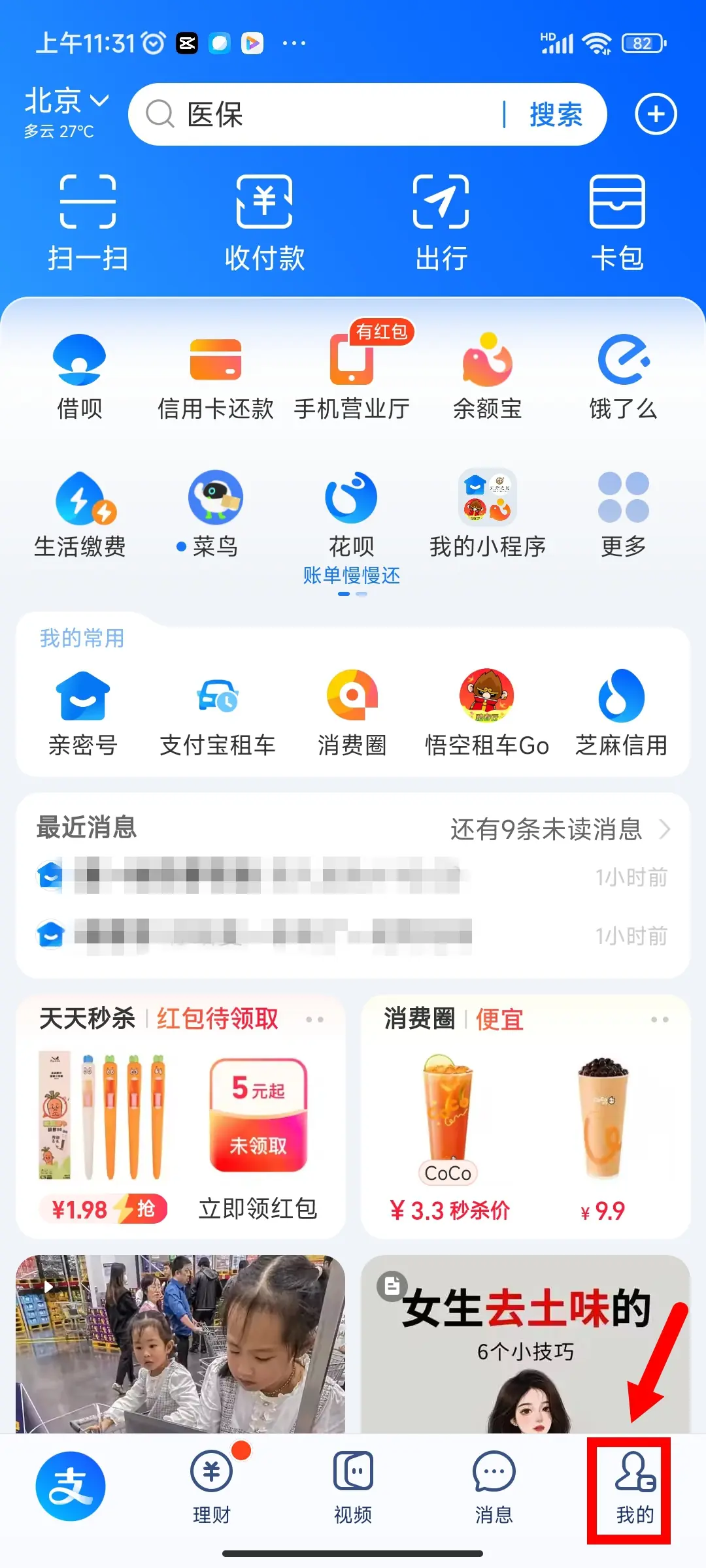
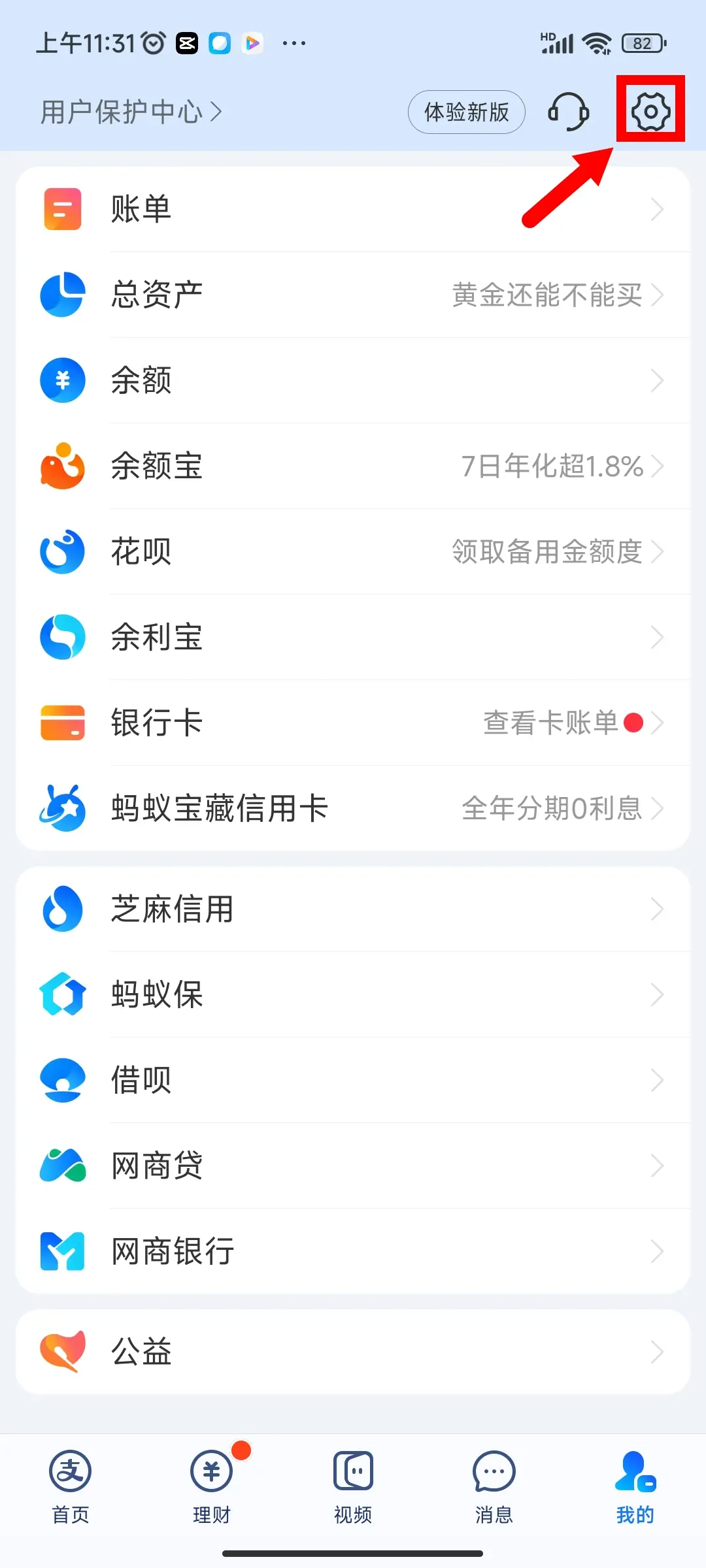
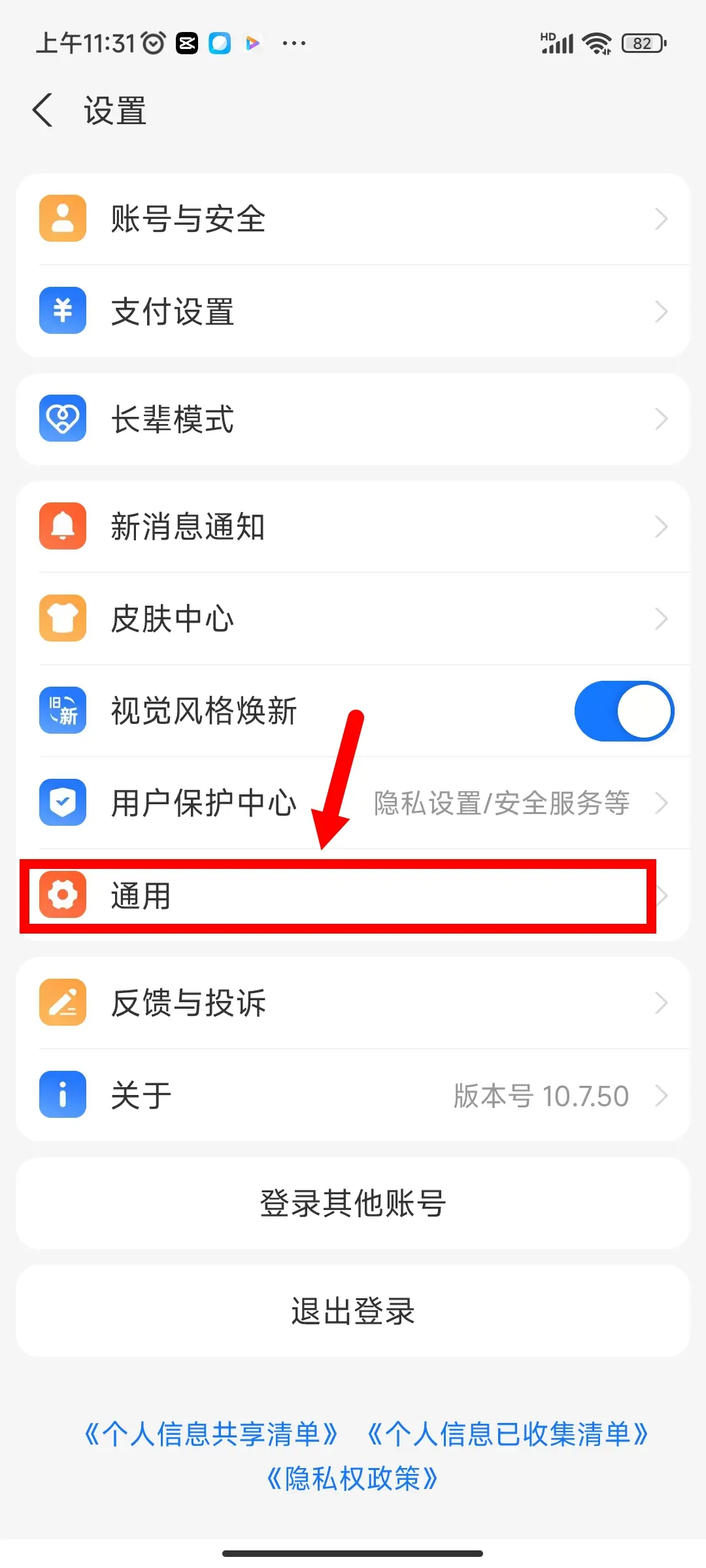
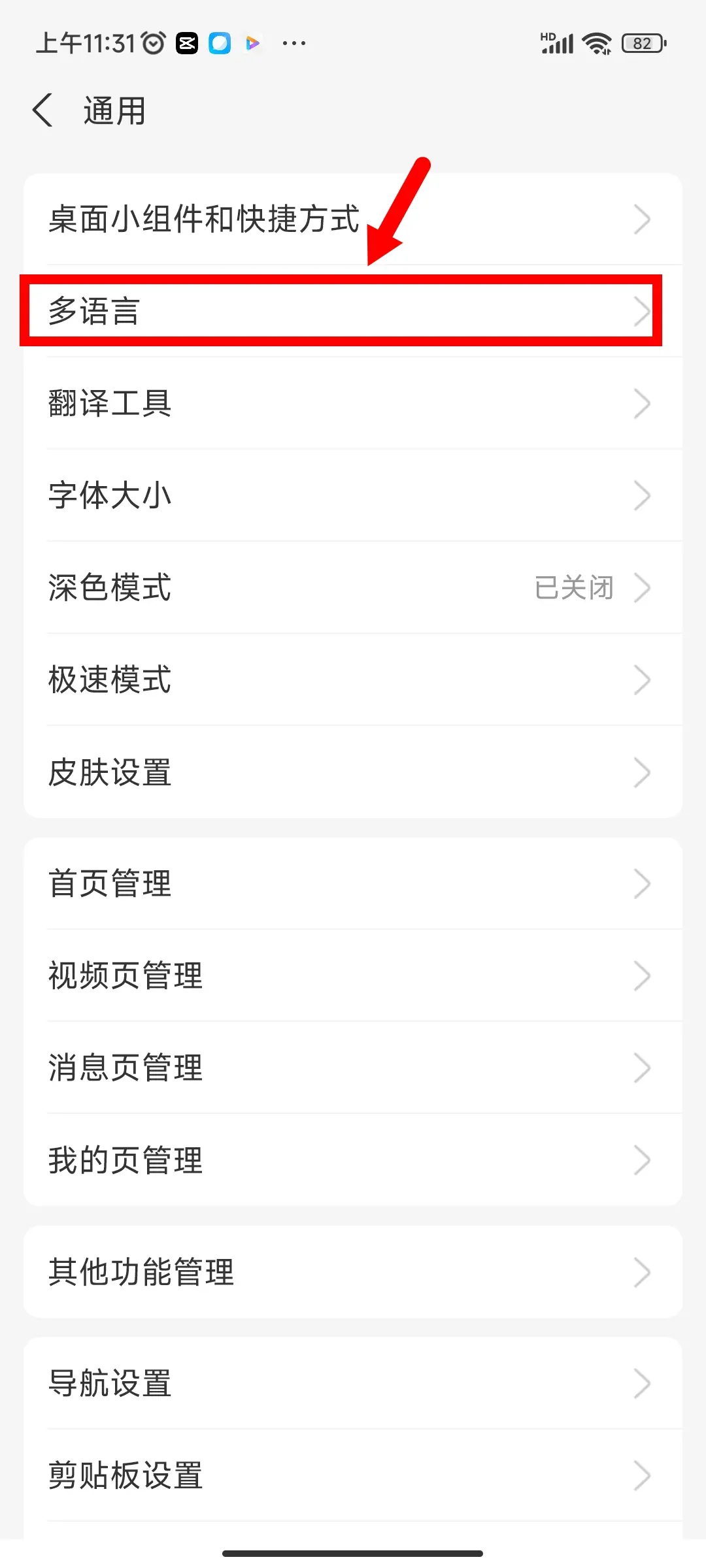
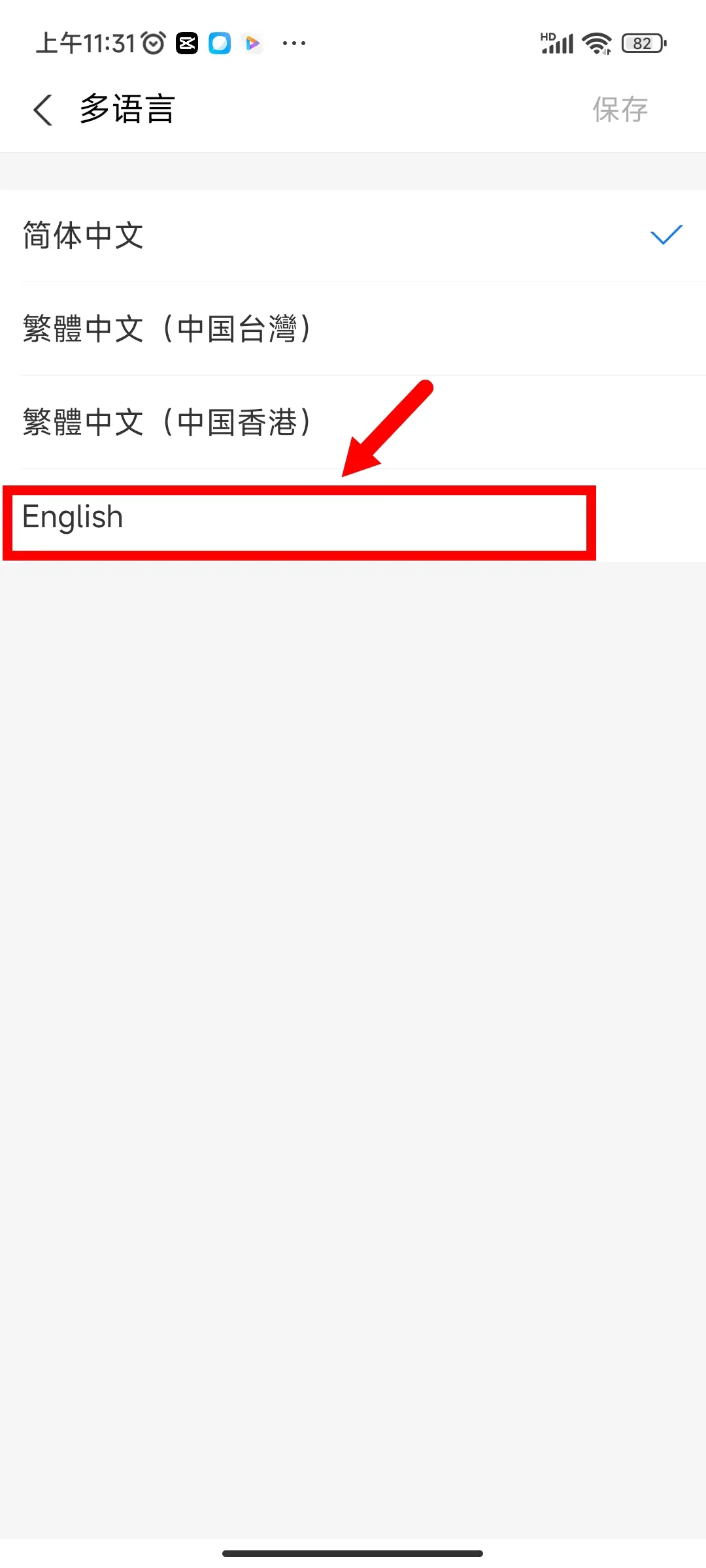
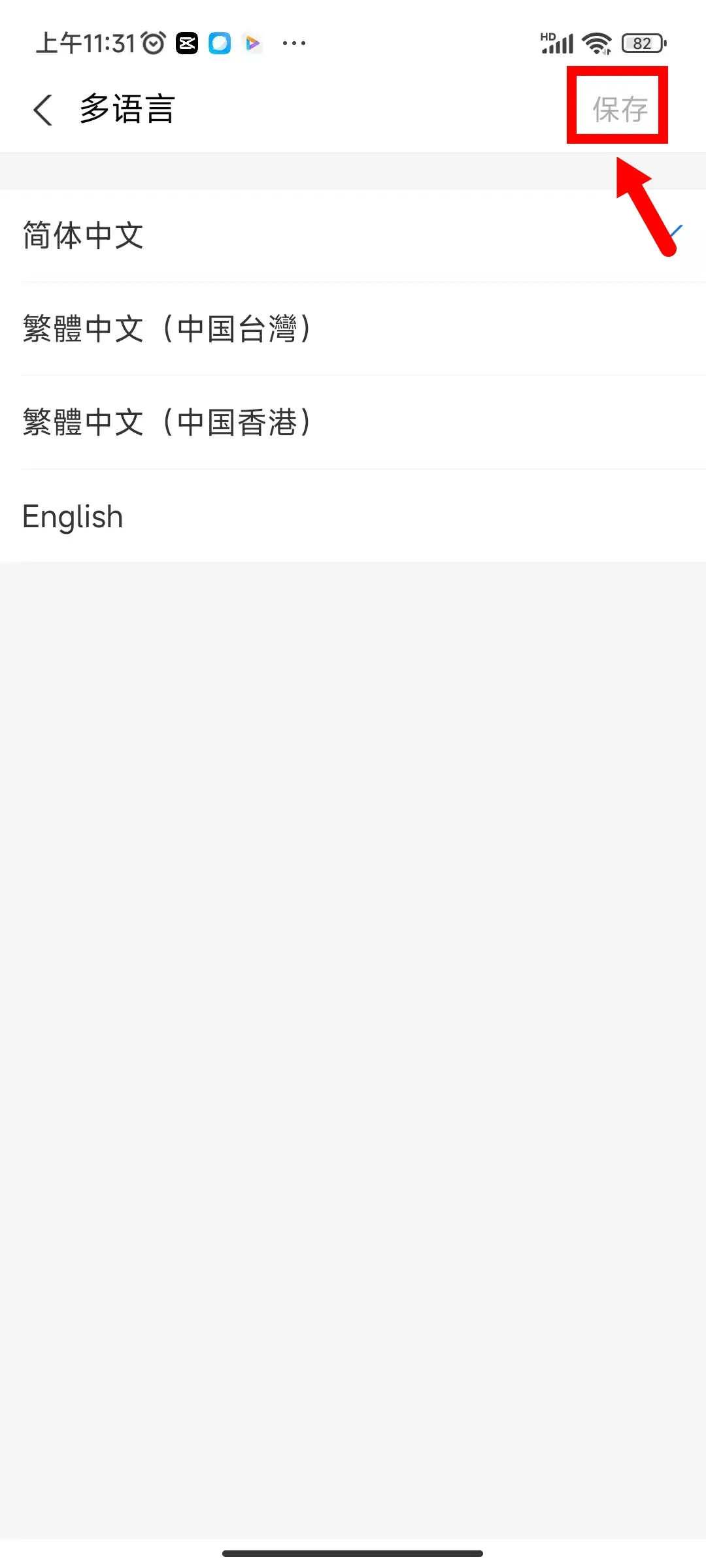
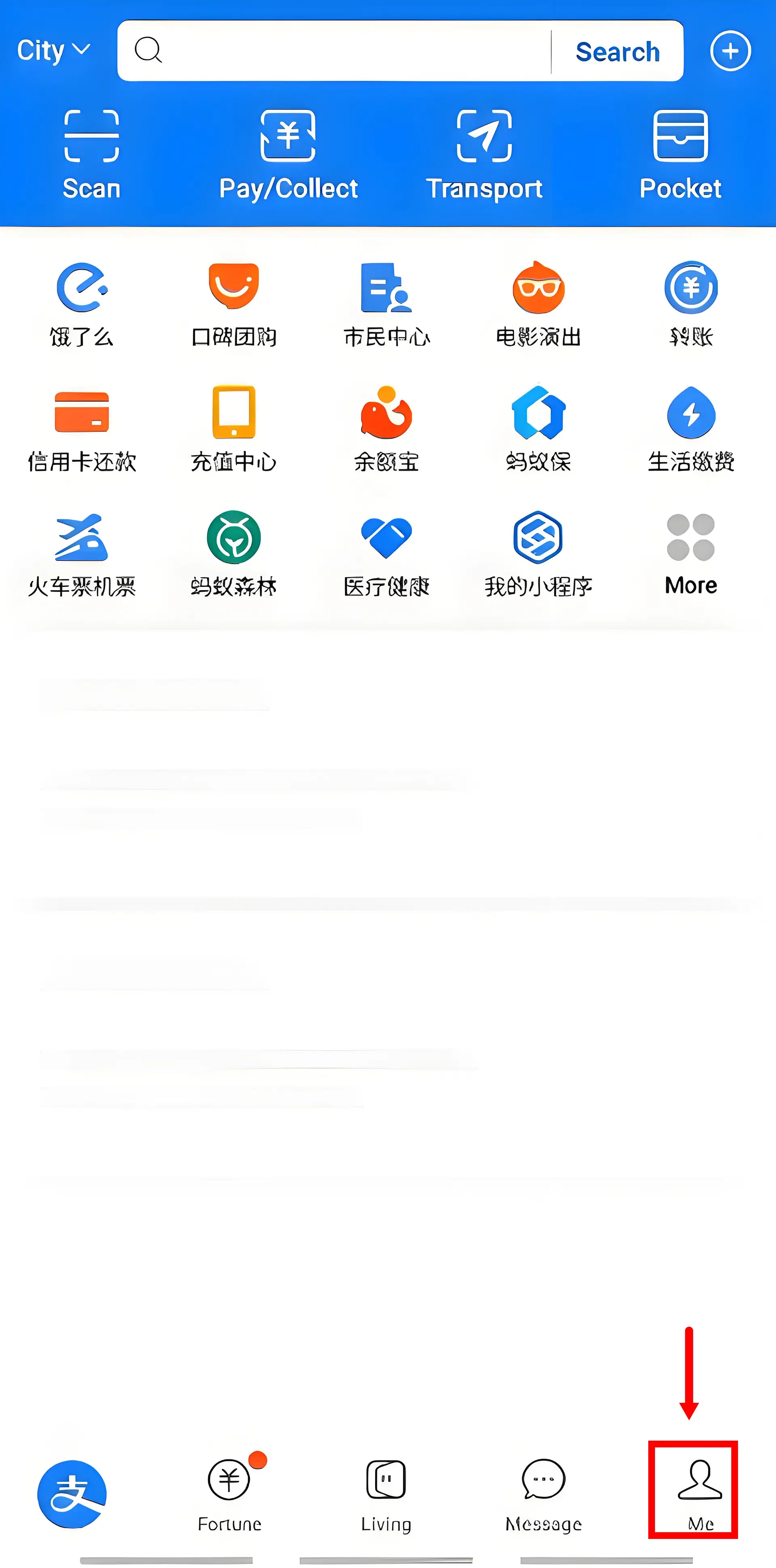
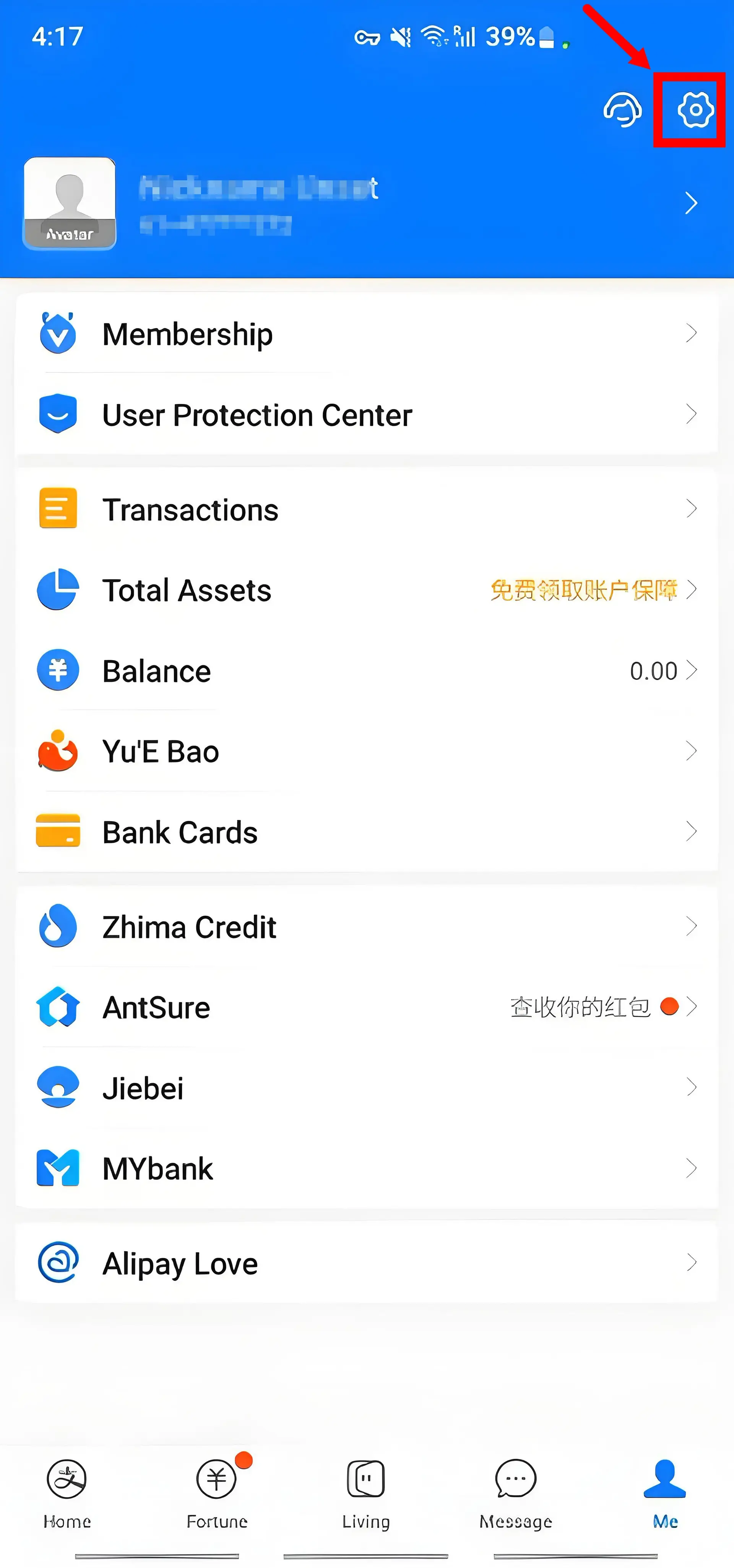
If the interface opens in Chinese, switch it before verification: tap Me (我的) on the bottom bar, open Settings (gear icon), tap General (通用), choose Multilingual (多语言), select English, and save.
Screens below match those steps, plus the home screen after the language change.
Verify Passport and Link Cards
Passport check
Passport verification is the smoothest pre-trip setup step. Do not wait until a checkout, metro gate, or bike-unlock screen asks for it.
Card binding
Add an international card on stable internet and expect 3-D Secure or bank-app approval.
Do both on stable internet and keep your passport photo sharp.
Passport verification
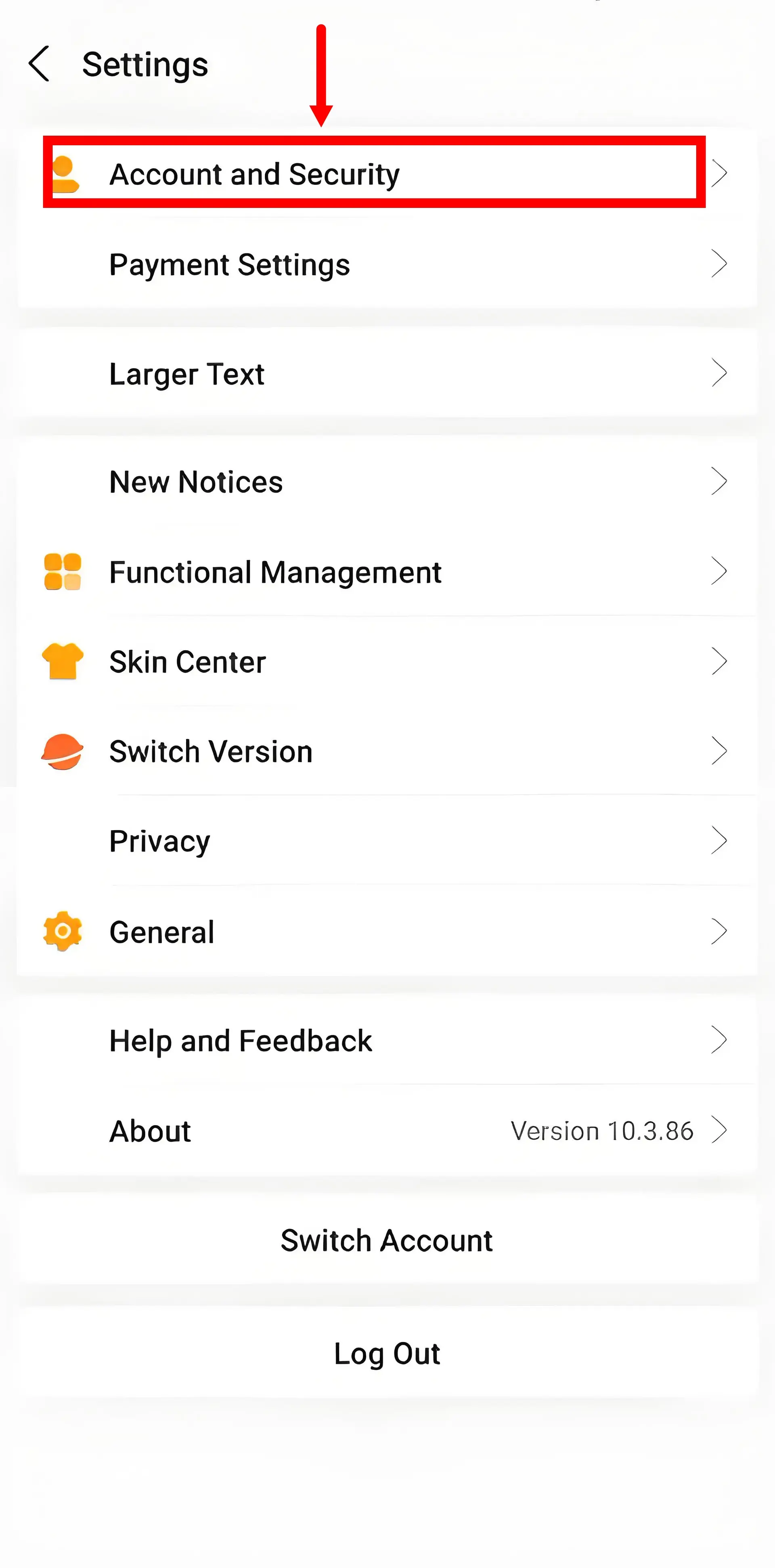
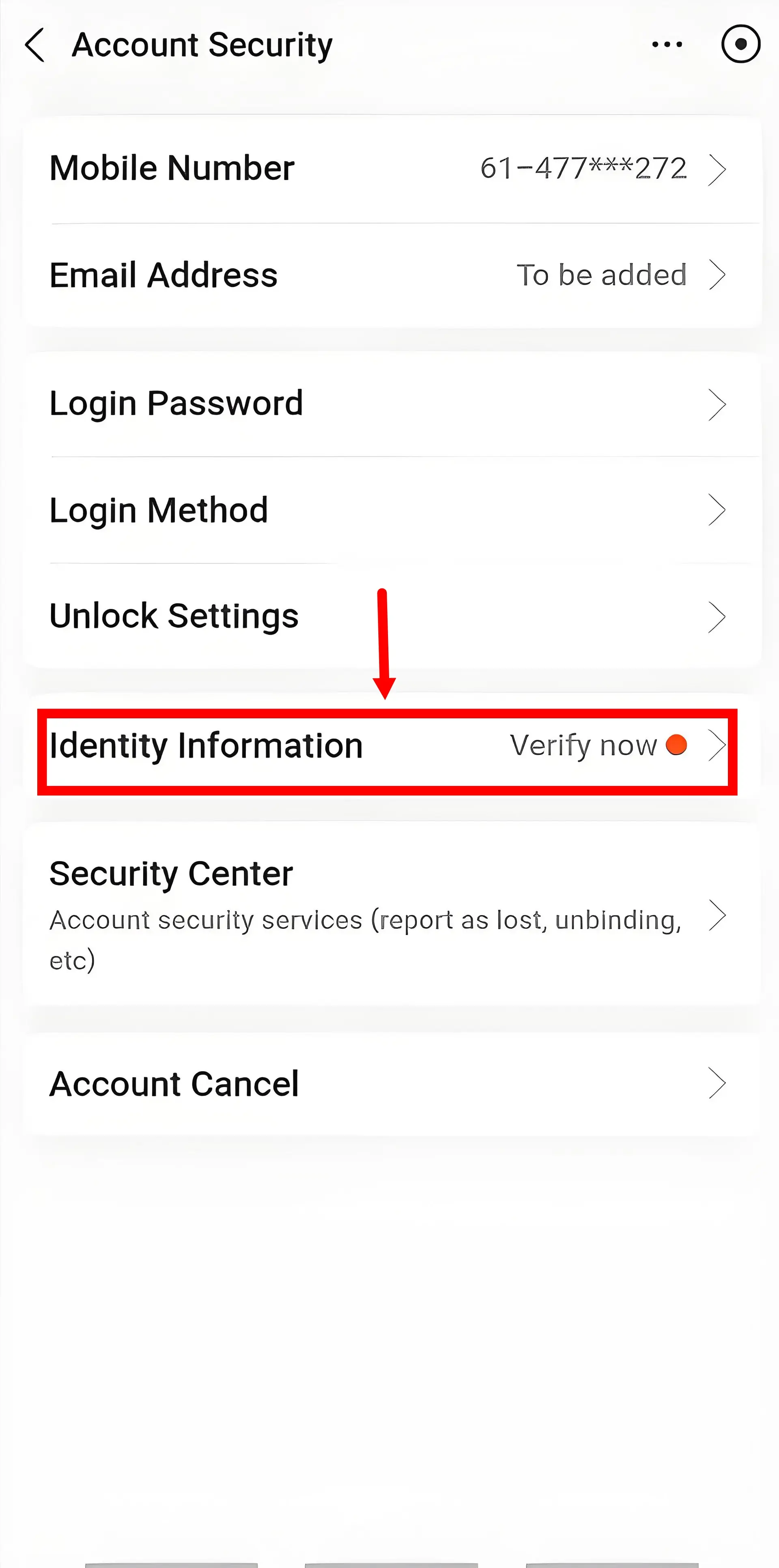
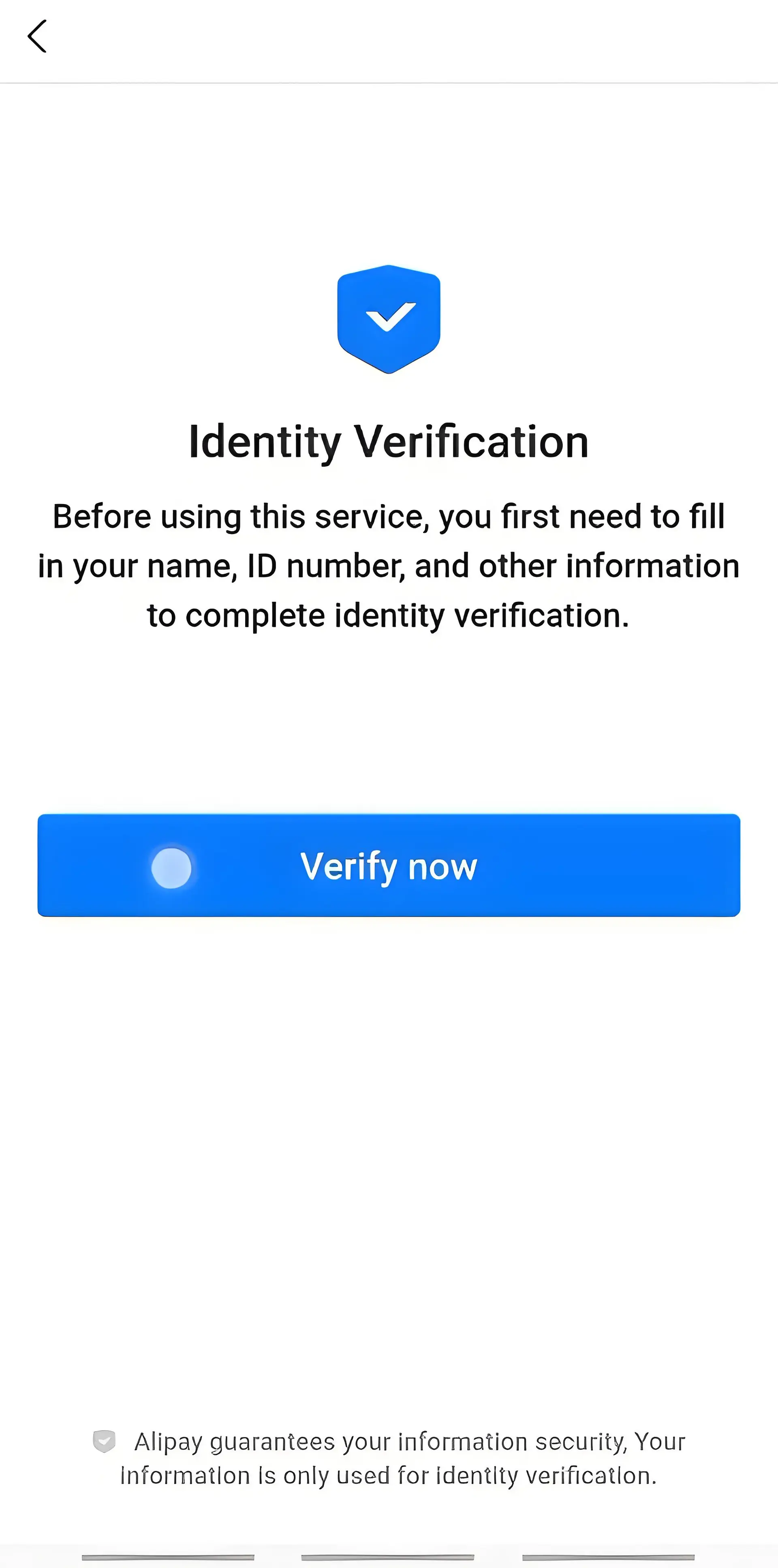
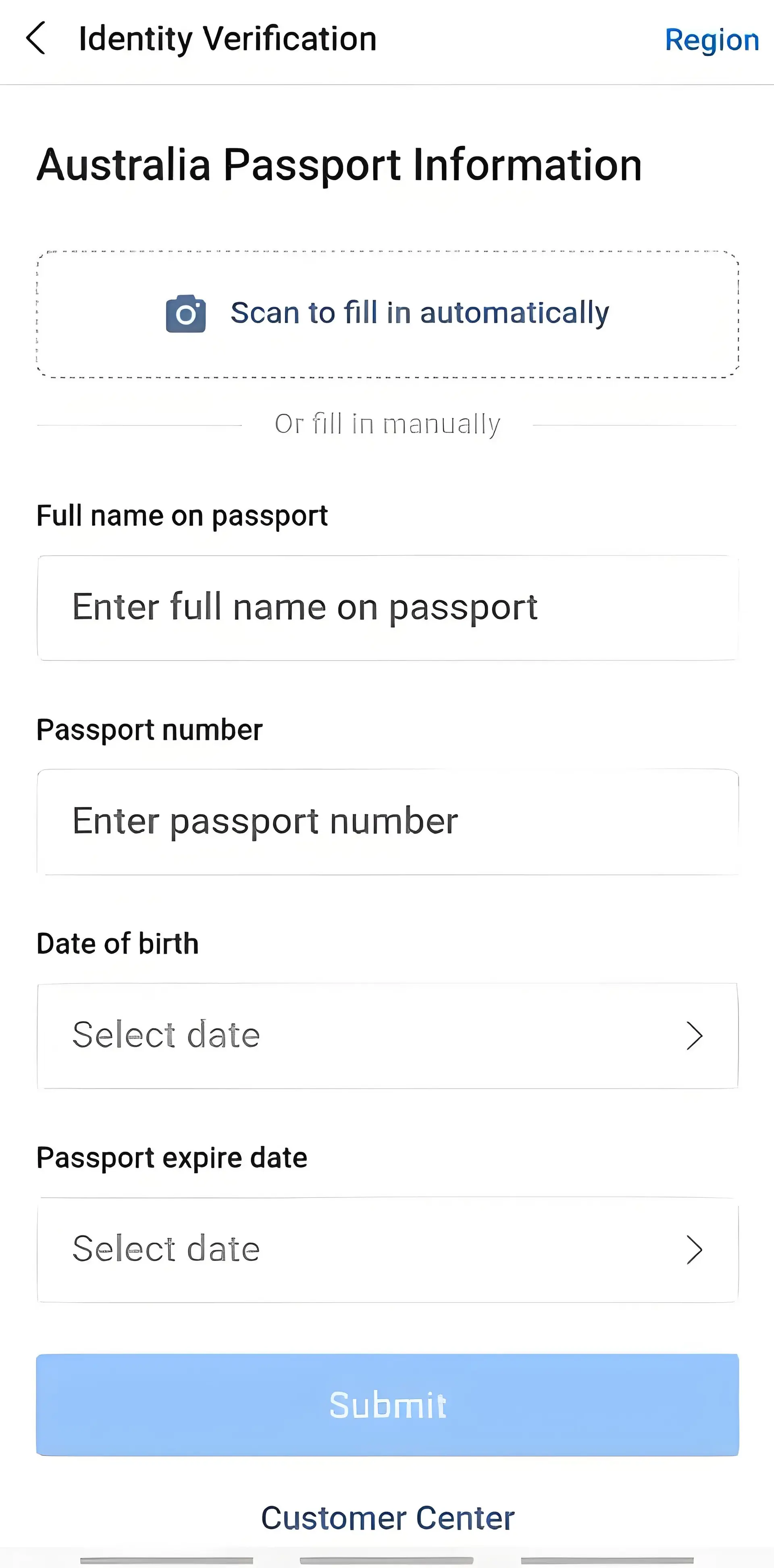
Complete passport identity verification before departure if Alipay offers or requests it. Some low-value payments may work before full checks, but the practical traveler move is to handle identity steps on stable internet, not at a busy counter when a prompt appears. Have your passport ready; use even lighting so the passport text is readable. The usual path is Me → Settings → Account and Security → Identity Information → Verify now, then upload the passport photo and submit the details requested by the app.
Link an international bank card
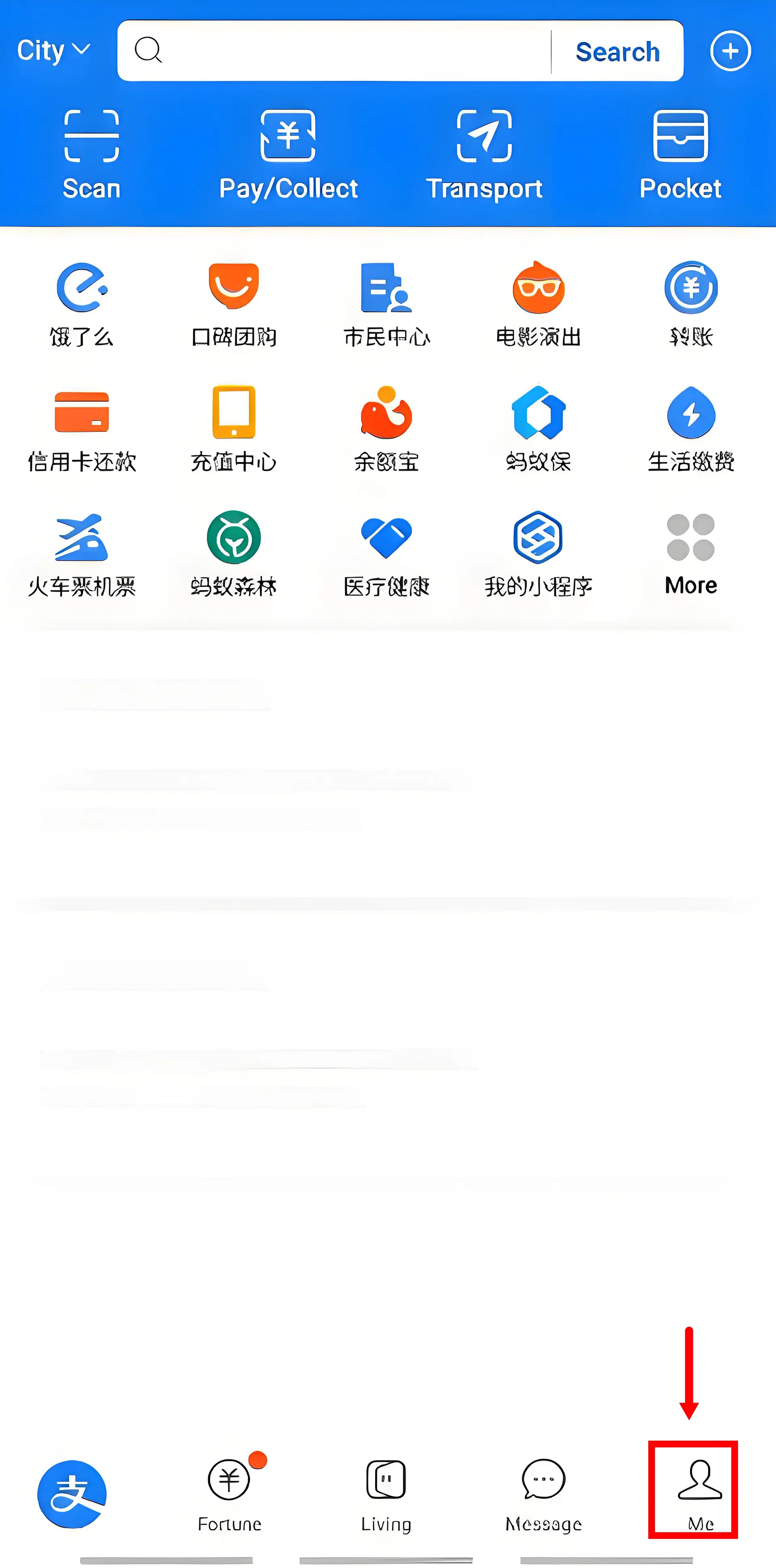
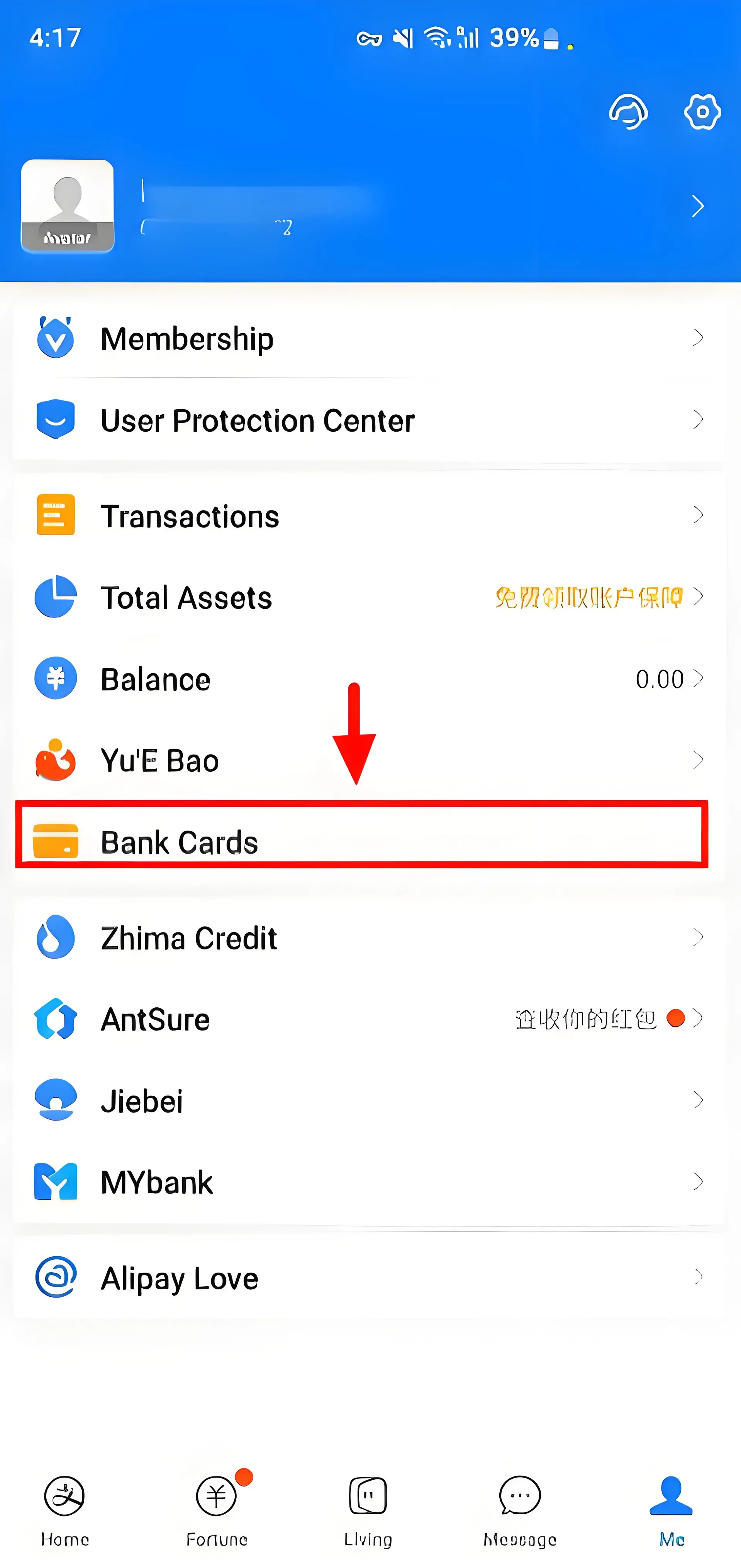
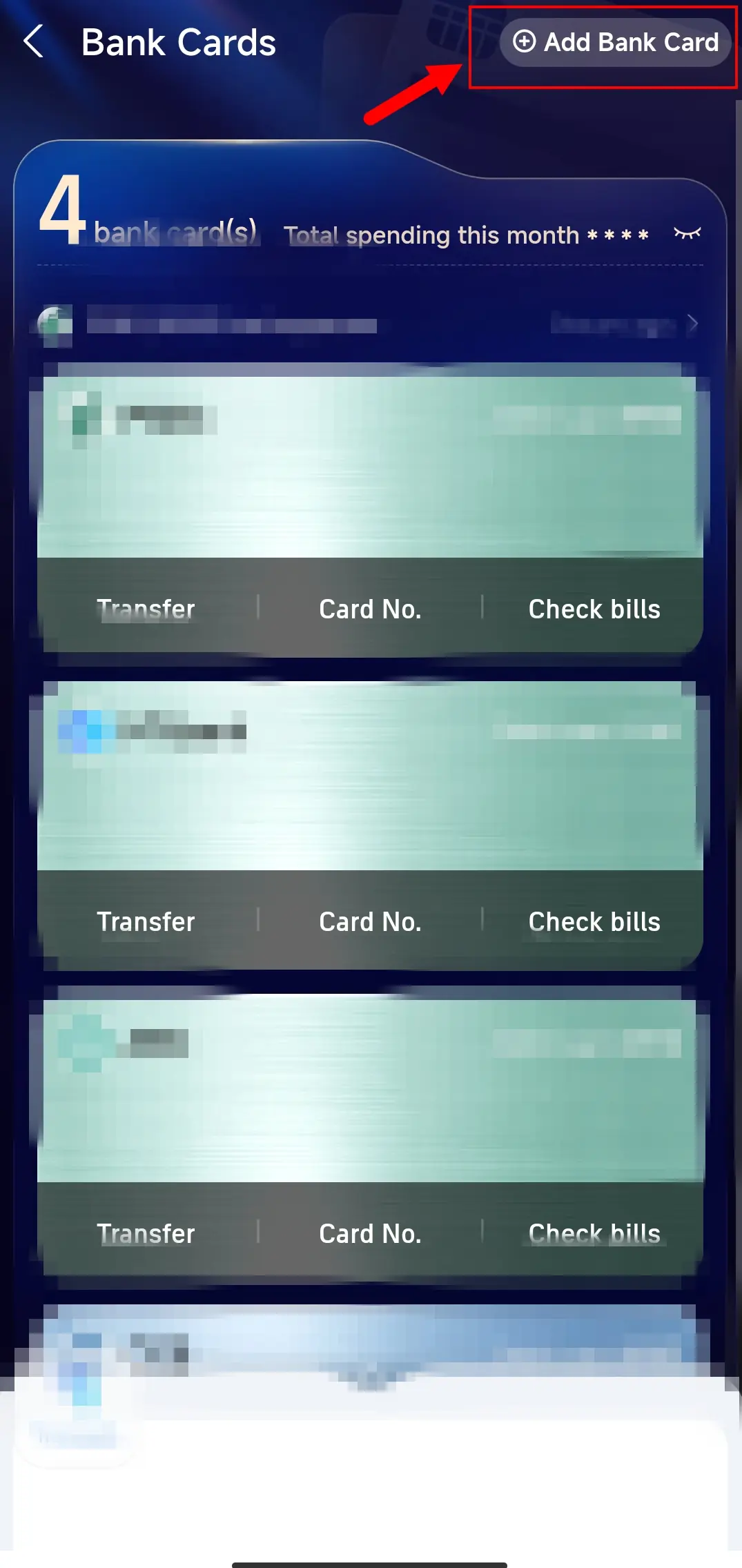
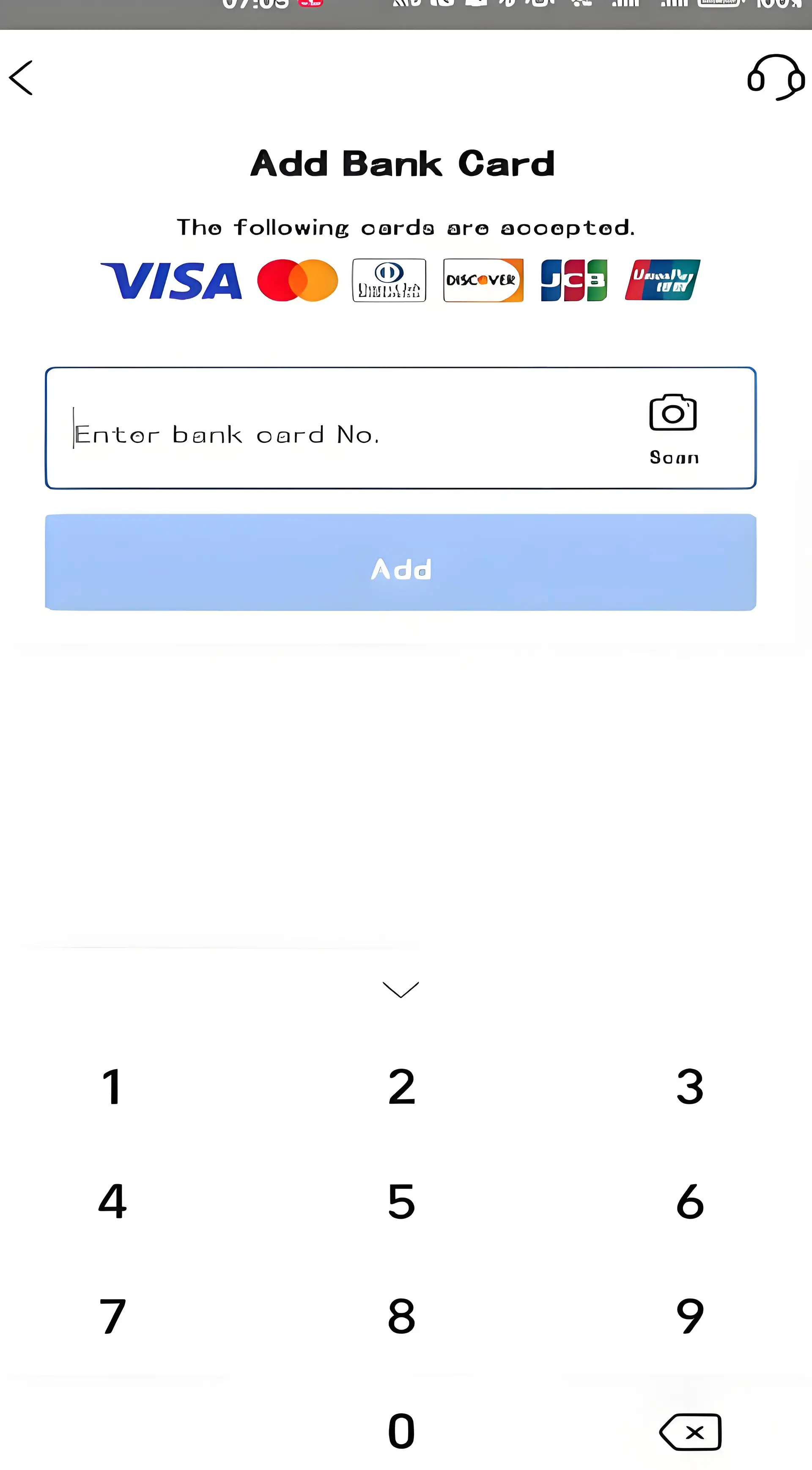
Open Me → Bank Cards, tap +, and add a supported international card. Visa and Mastercard are usually the safest first cards to try; Alipay may also support other major networks such as UnionPay, American Express, JCB, Diners Club, and Discover when shown in your app. Eligibility still varies by issuer, card type, and live Alipay prompts. Complete 3-D Secure or bank-app confirmation if your issuer asks. If the first card fails, try a second network before you assume Alipay itself is blocked.
Issuer blocks
If binding fails, ask your bank to allow overseas and online use, then retry on stable Wi-Fi. A second card network often helps.
AlipayHK and partner wallets are different
Do not confuse mainland Alipay with AlipayHK or other Alipay+ partner wallets. Partner wallets may work for some QR payments in mainland China, but their fees, limits, identity checks, and mini-program access can differ from mainland Alipay.
Pay with Alipay QR Codes
Chinese checkout has two basic flows: you scan the merchant or the merchant scans you. Both are full-screen phone tasks, so open Alipay before you reach the register and keep the screen brightness high enough for scanners.
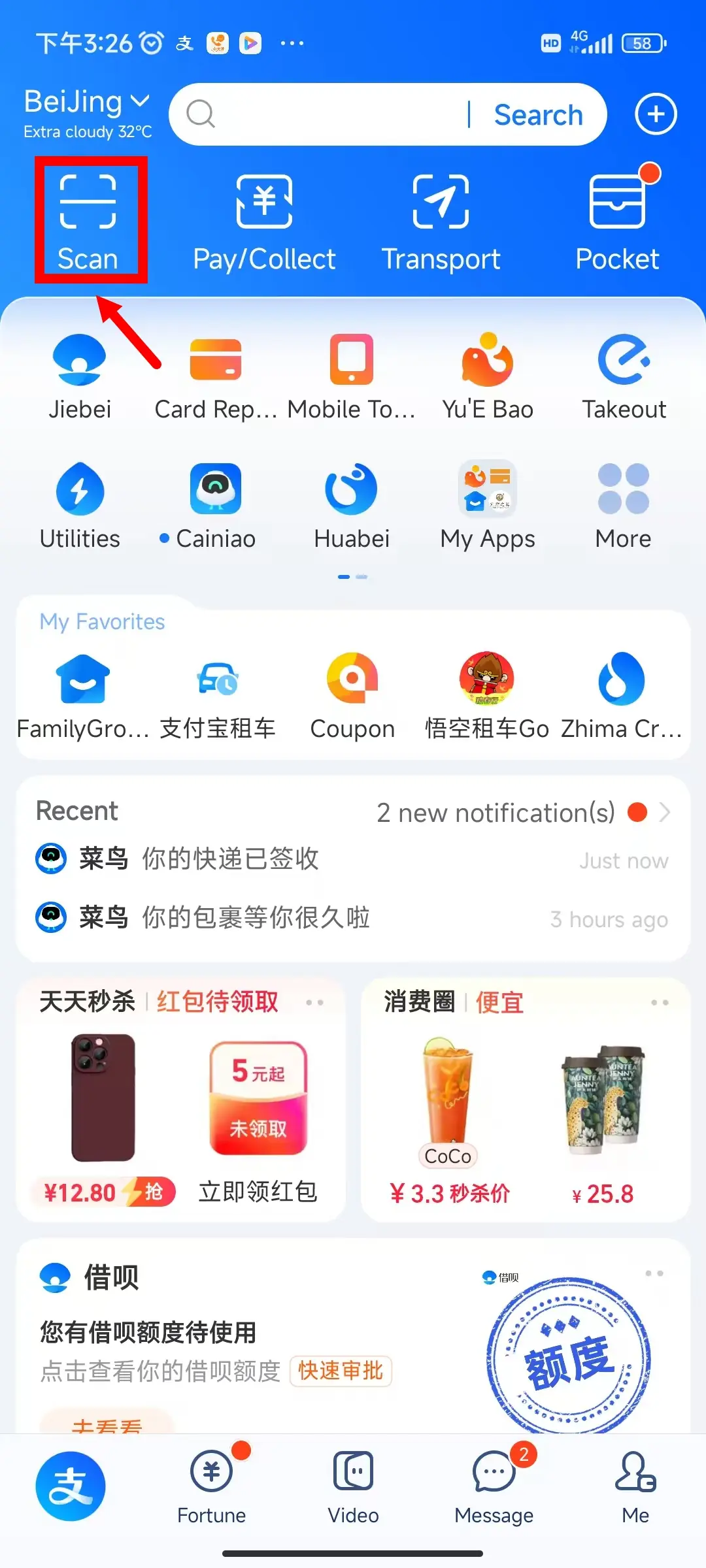
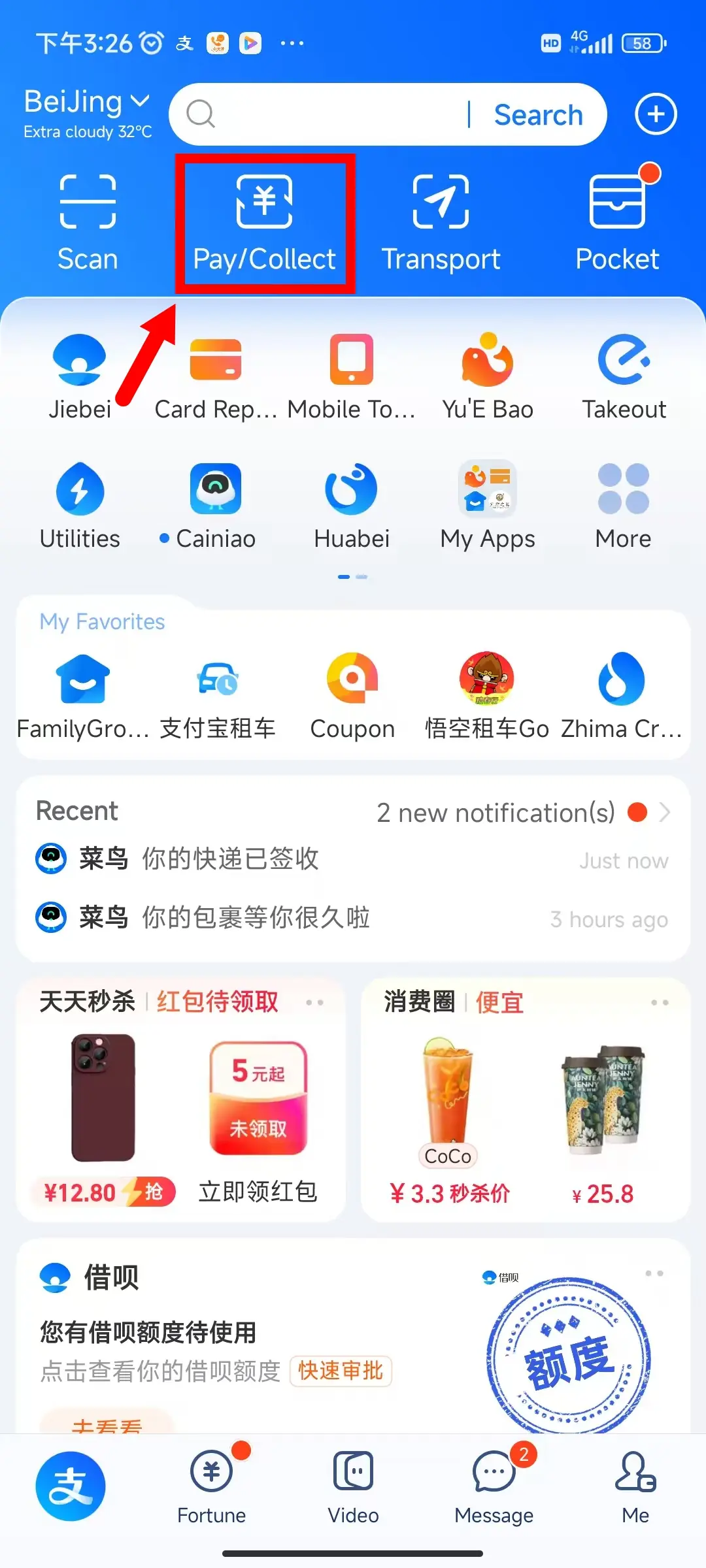
Scan the merchant QR
Tap Scan on the home screen, aim at the merchant's QR code, confirm the amount and merchant name, then pay. Foreign-card Alipay works best with merchant checkout QR codes. If scanning opens a transfer, red-packet, personal-payment, or unsupported flow, ask for a merchant checkout QR or POS terminal, try another card or wallet, or pay with RMB cash. Small vendors may ask you to show the success page before you walk away.
Show your payment code
From home, open Pay / Receive or the equivalent payment-code shortcut, then use the Pay barcode or dynamic QR for staff to scan. Do not use Collect or Receive unless someone is paying you. Confirm the selected card under the code before presenting it, approve the payment, and wait for the success sound or screen.
QR safety
Only scan codes shown at the register or printed by staff. Ignore QR codes from strangers in chat.
After Alipay works for an ordinary merchant payment, compare Alipay and WeChat Pay before deciding whether a second wallet is worth setting up as your fallback.
Scan-to-Order Food in Restaurants
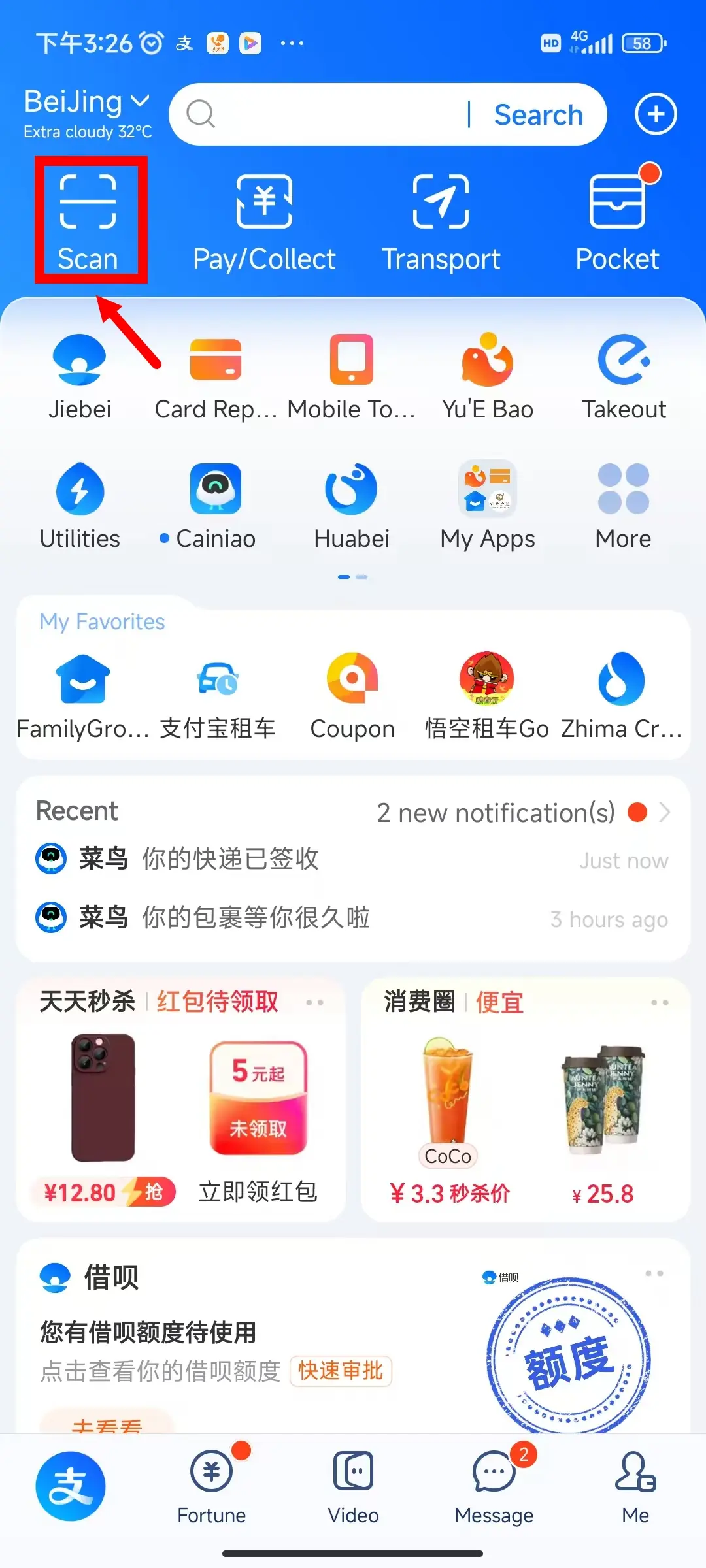
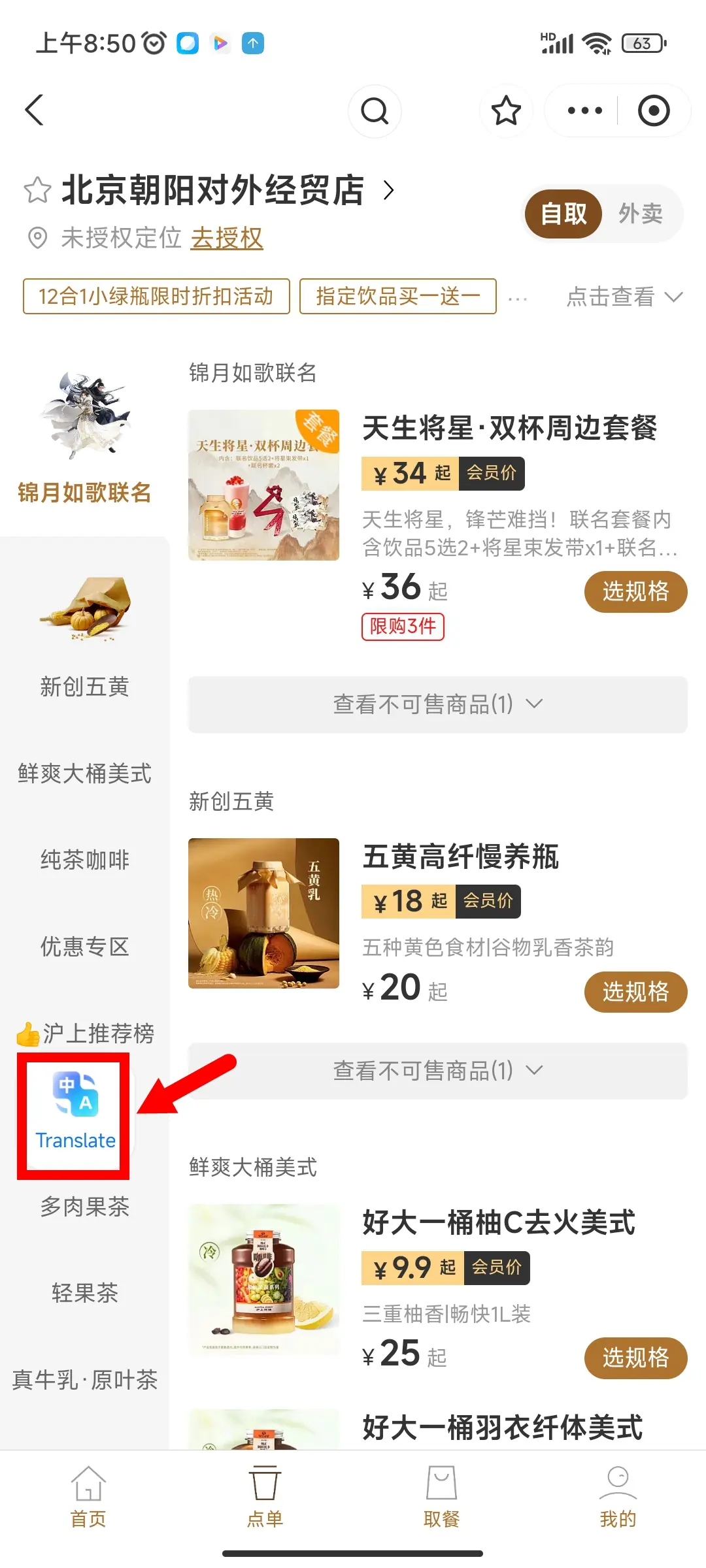
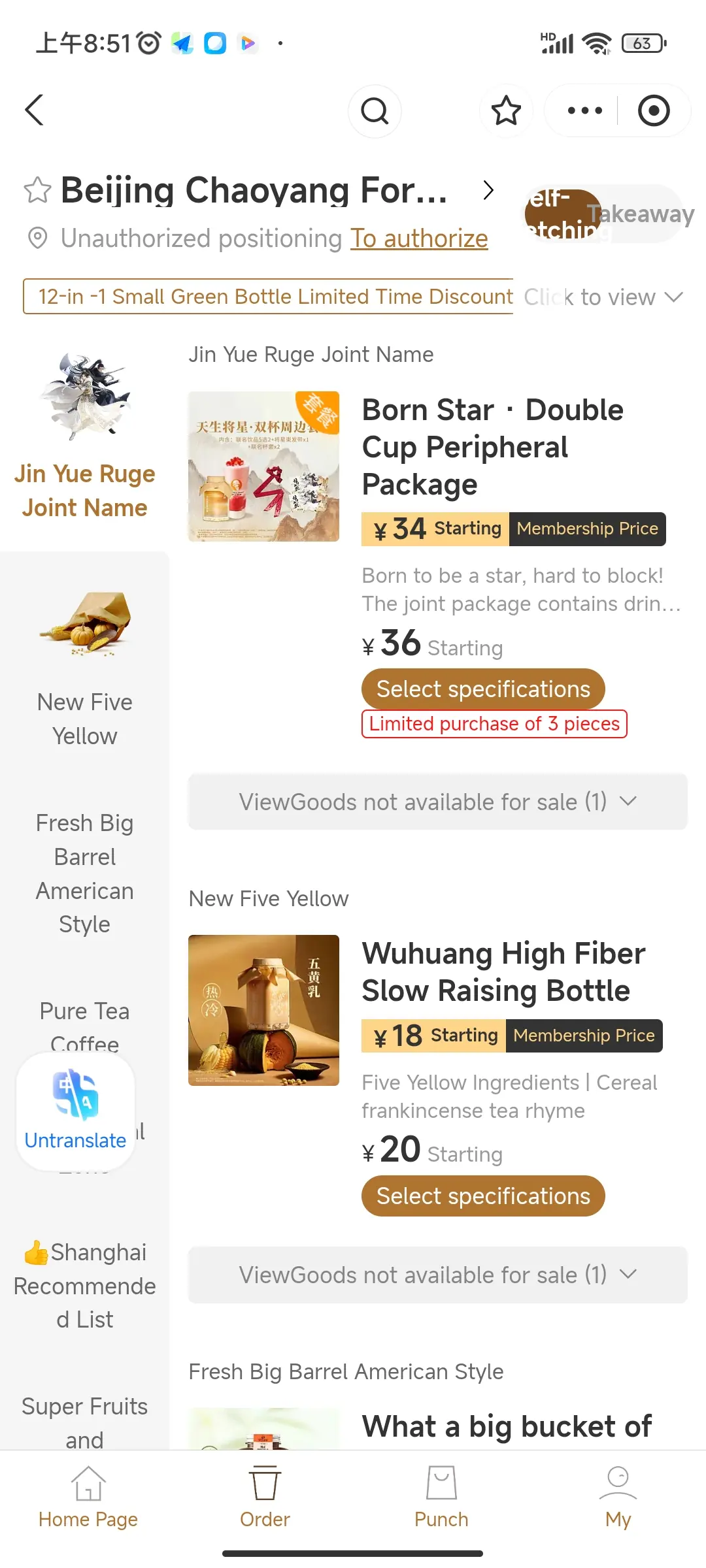
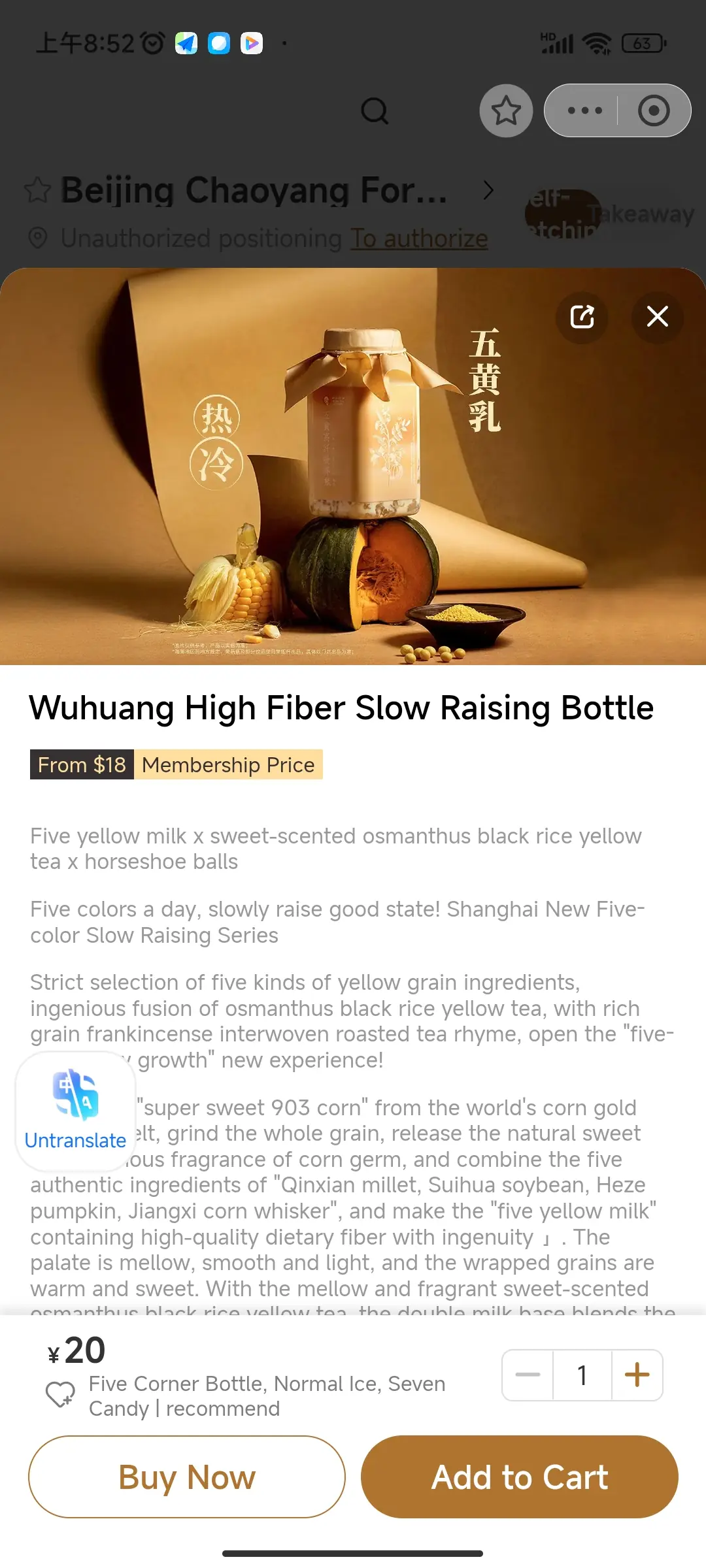
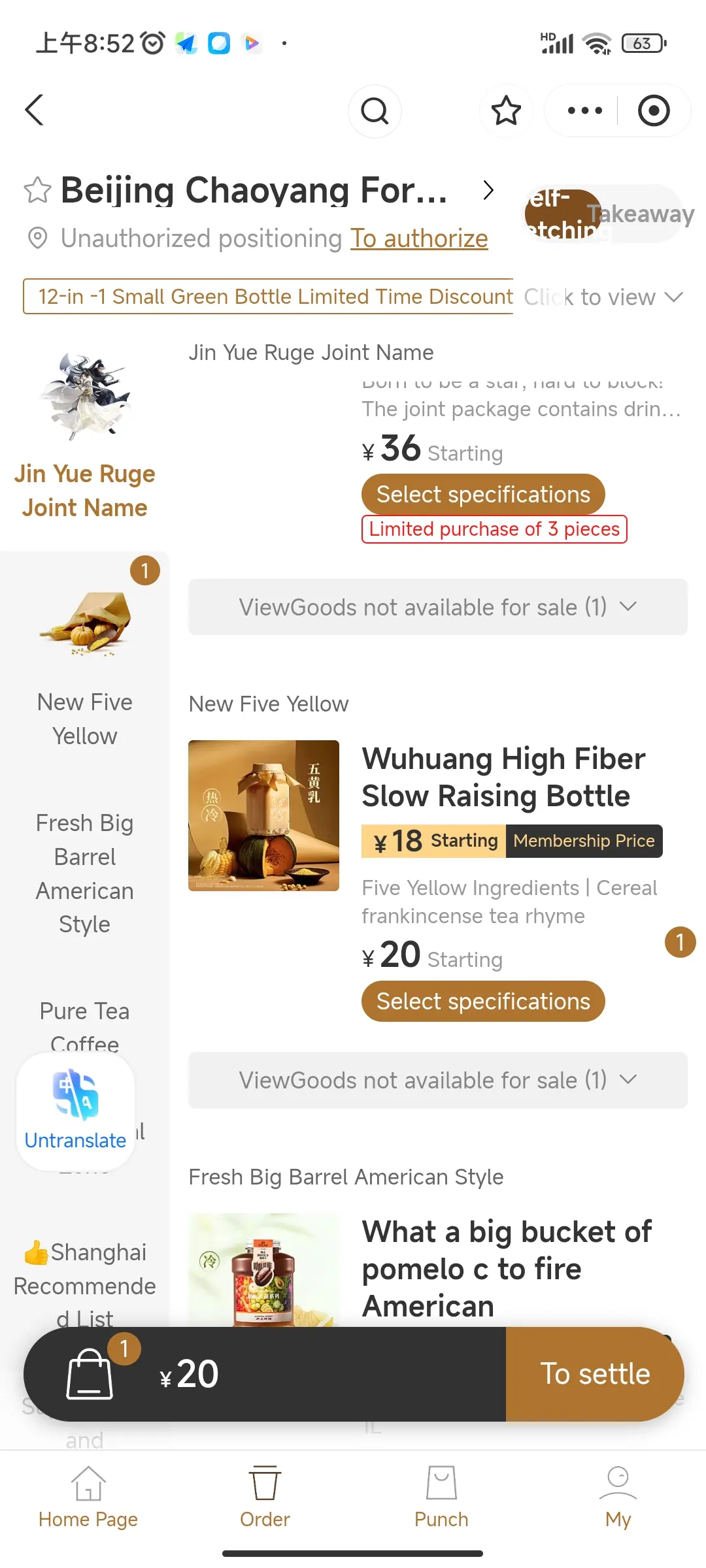
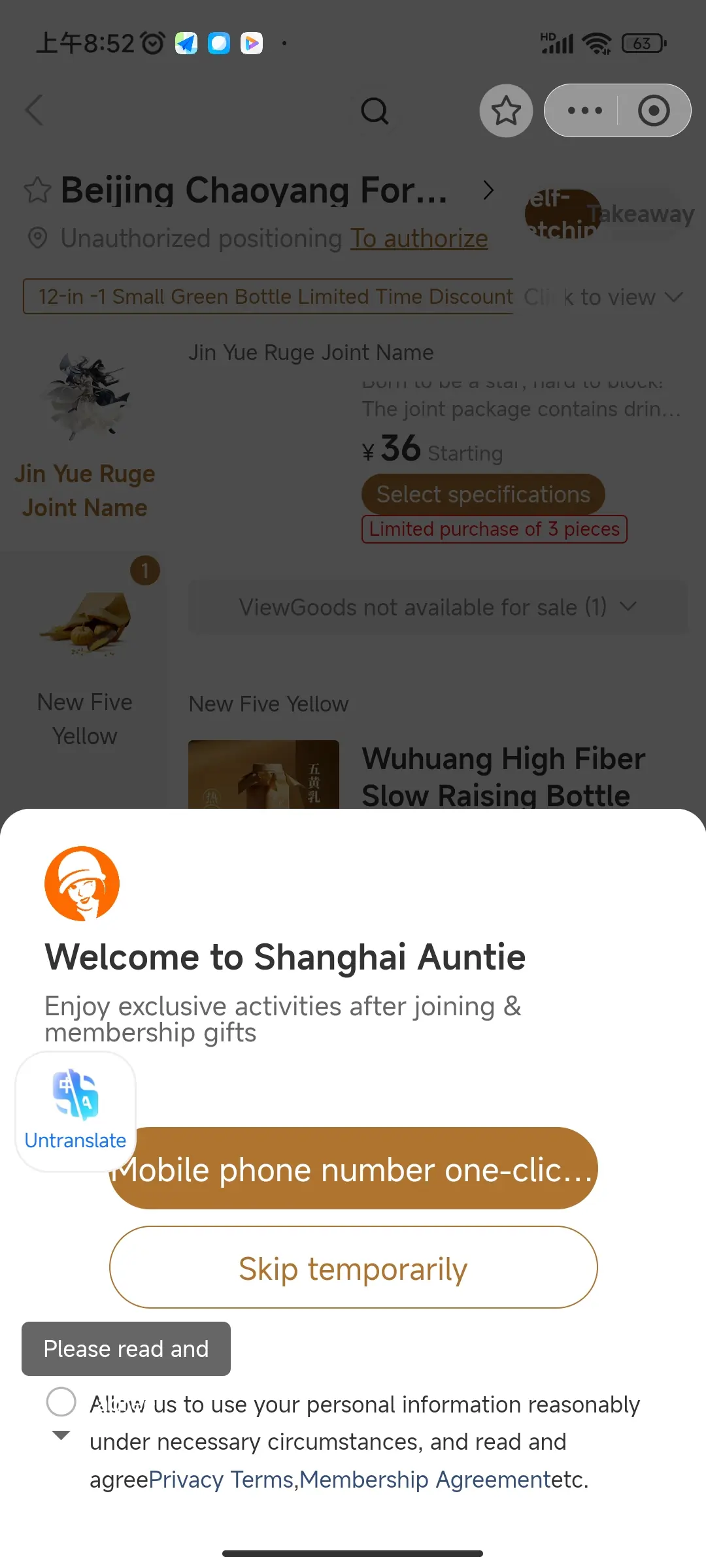
Many restaurants use an ordering QR on the table. Scan it, use Translate if the mini program exposes a language switch, add dishes, review the cart, then settle the bill inside Alipay. If a phone-login prompt appears, look for a skip option before creating another account.
Steps 1-7 below follow that path in order.

Meituan Takeout in Alipay
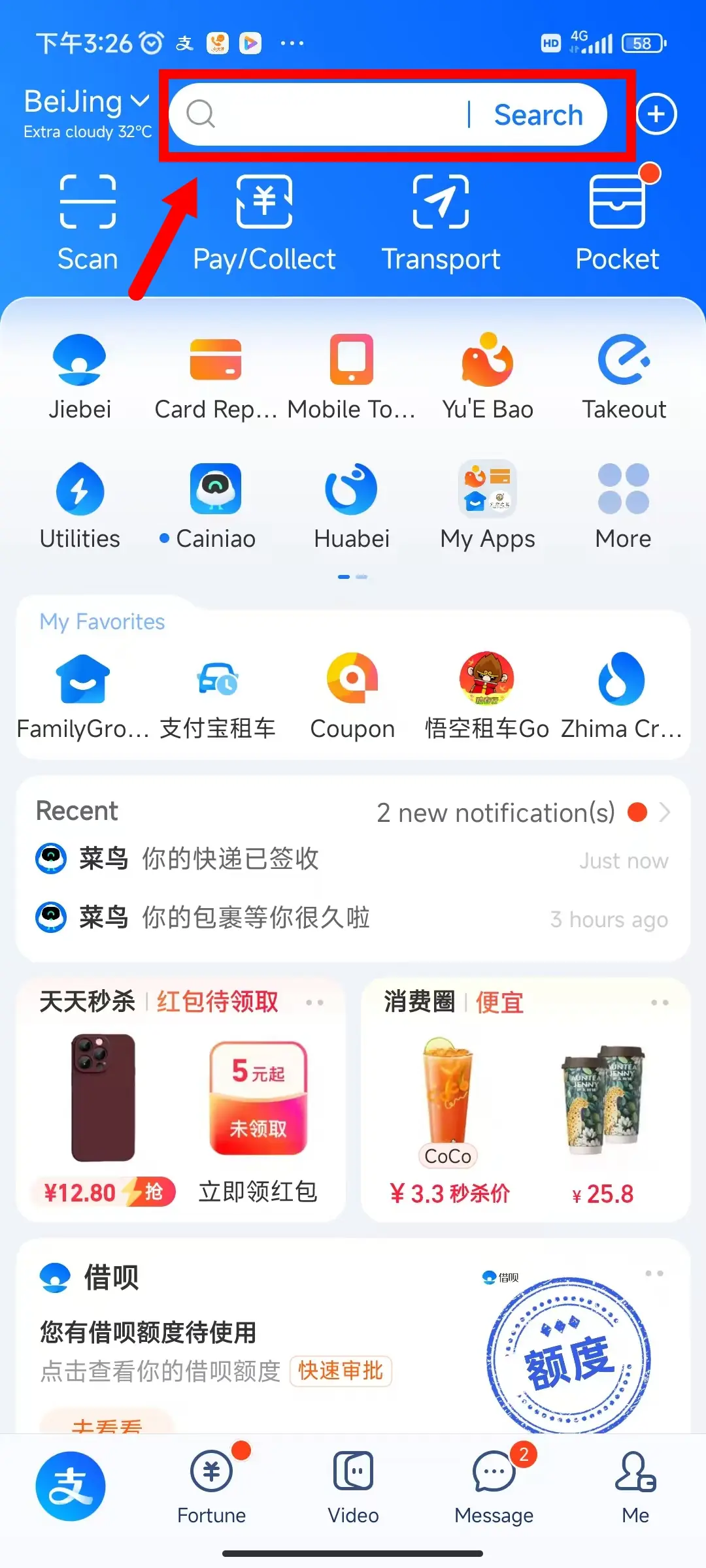
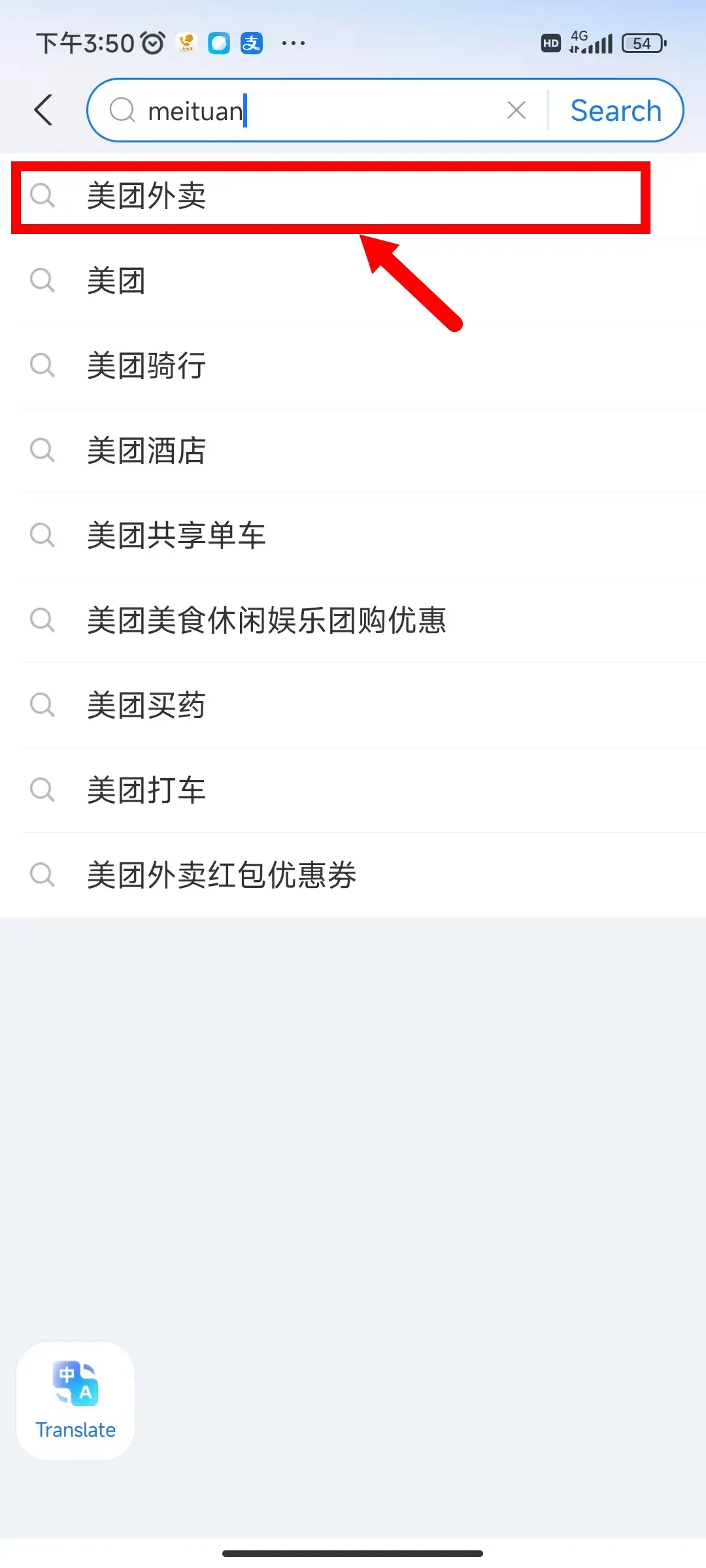
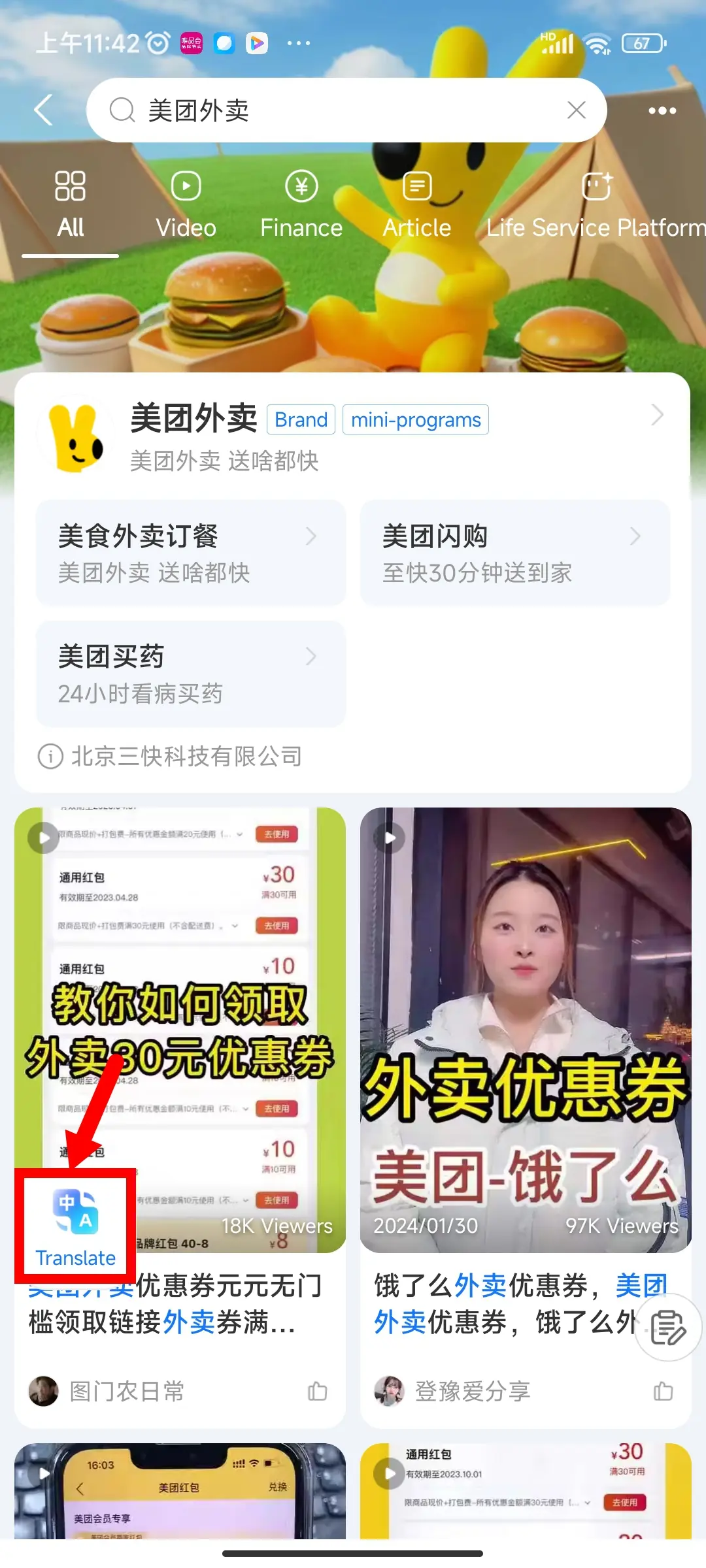
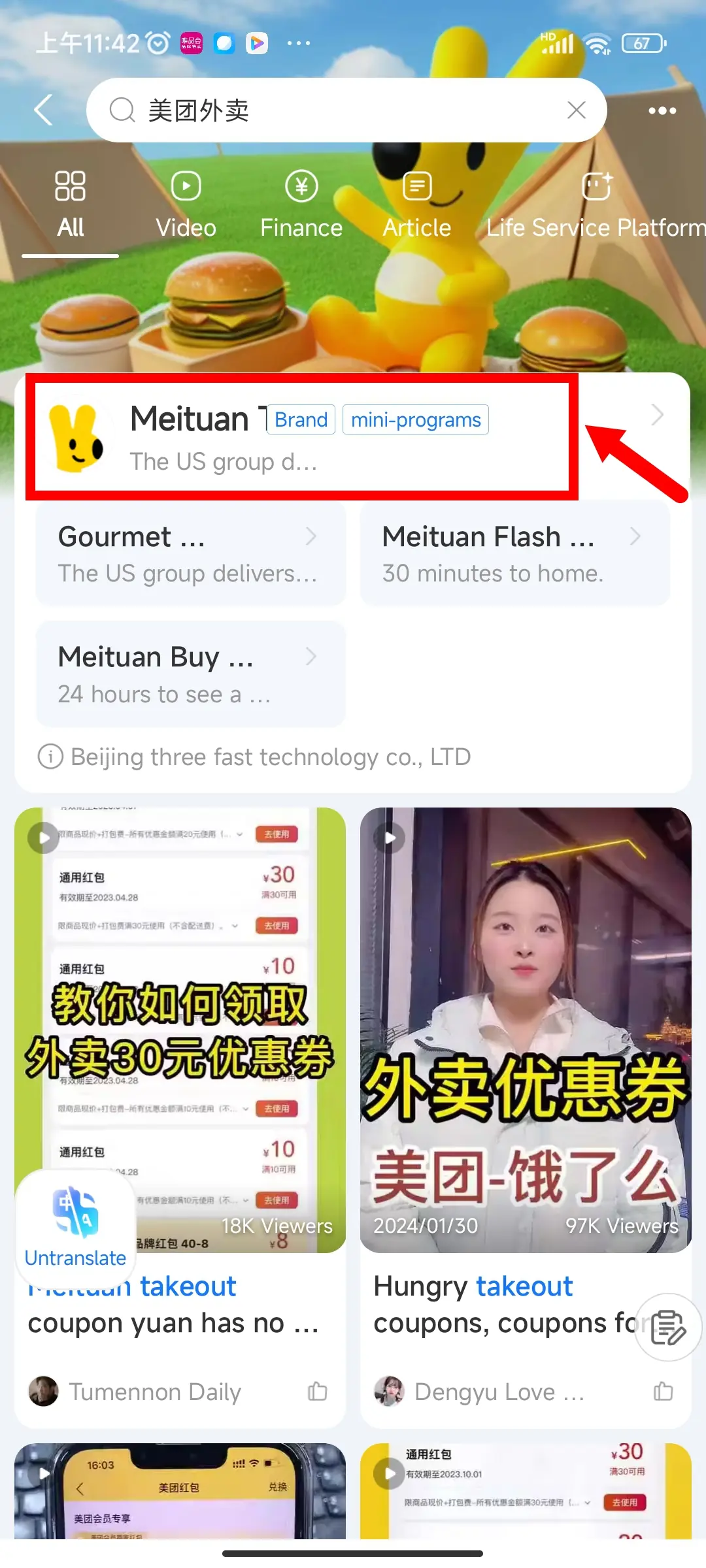
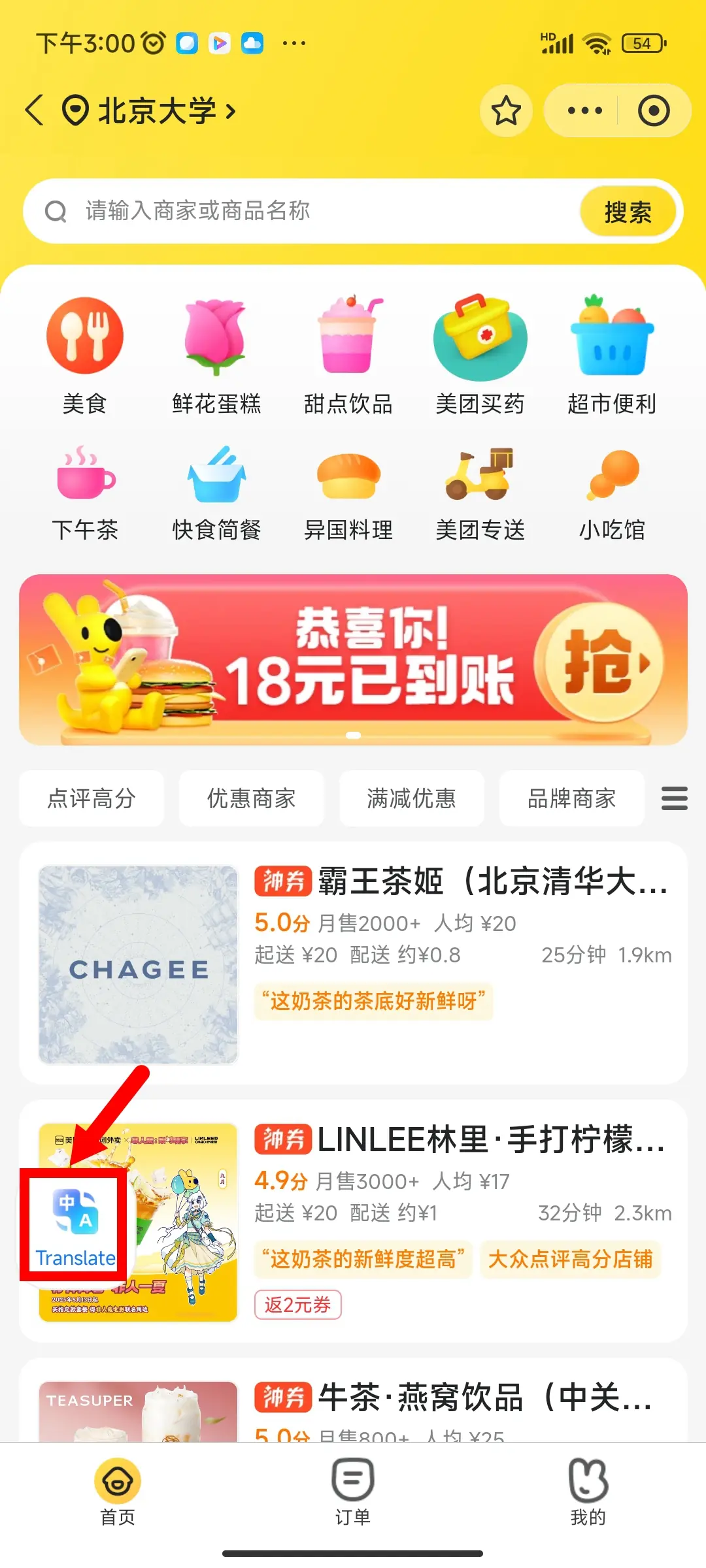
Search meituan on the Alipay home bar, open 美团外卖, use Translate if needed, and set your hotel address in Chinese. The biggest real-world friction is usually address and handoff, not the food menu: confirm whether delivery can be left at reception, the lobby, a side gate, or a numbered pickup shelf. Drivers may message or call in Chinese. Payment often follows the normal Alipay flow, but mini-program foreign-card or password-free deductions can still differ from a simple merchant QR purchase.
If payment fails inside the mini program, try another card or wallet, use a hotel restaurant or nearby staffed counter, or ask the front desk for help with the address and pickup point.
Steps 1-5: search, open the mini program, translate, then set address and dishes.
Transit Ride Codes in Alipay
Transit ride-code rules differ by city. In large cities, you may see several workable rails: Alipay or WeChat ride codes, metro-app QR codes, single-journey tickets, transport cards, and in some places overseas-card tap at gates. If Alipay is already set up, the city ride code is still one of the simplest reusable options; use overseas-card tap when station signage clearly supports it or when a local ride code fails.
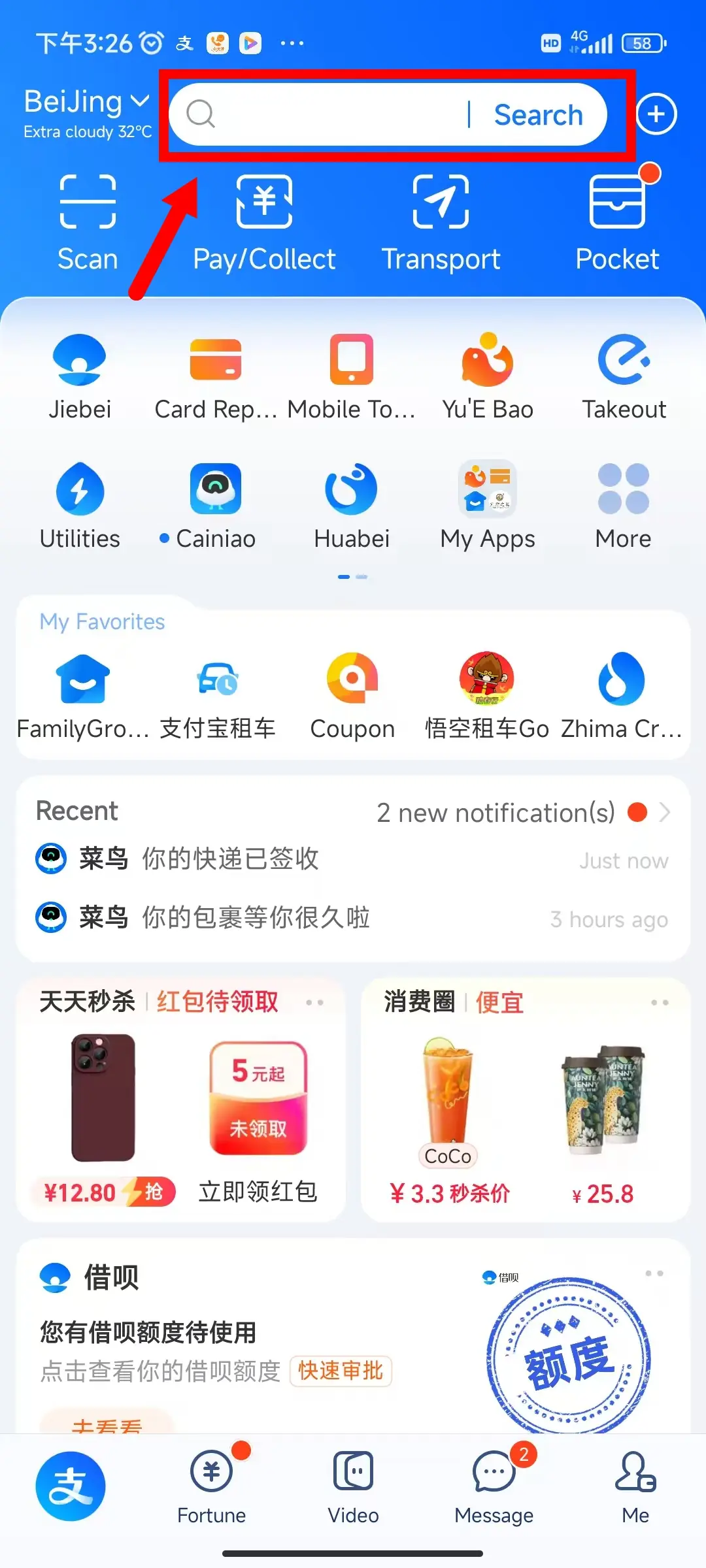
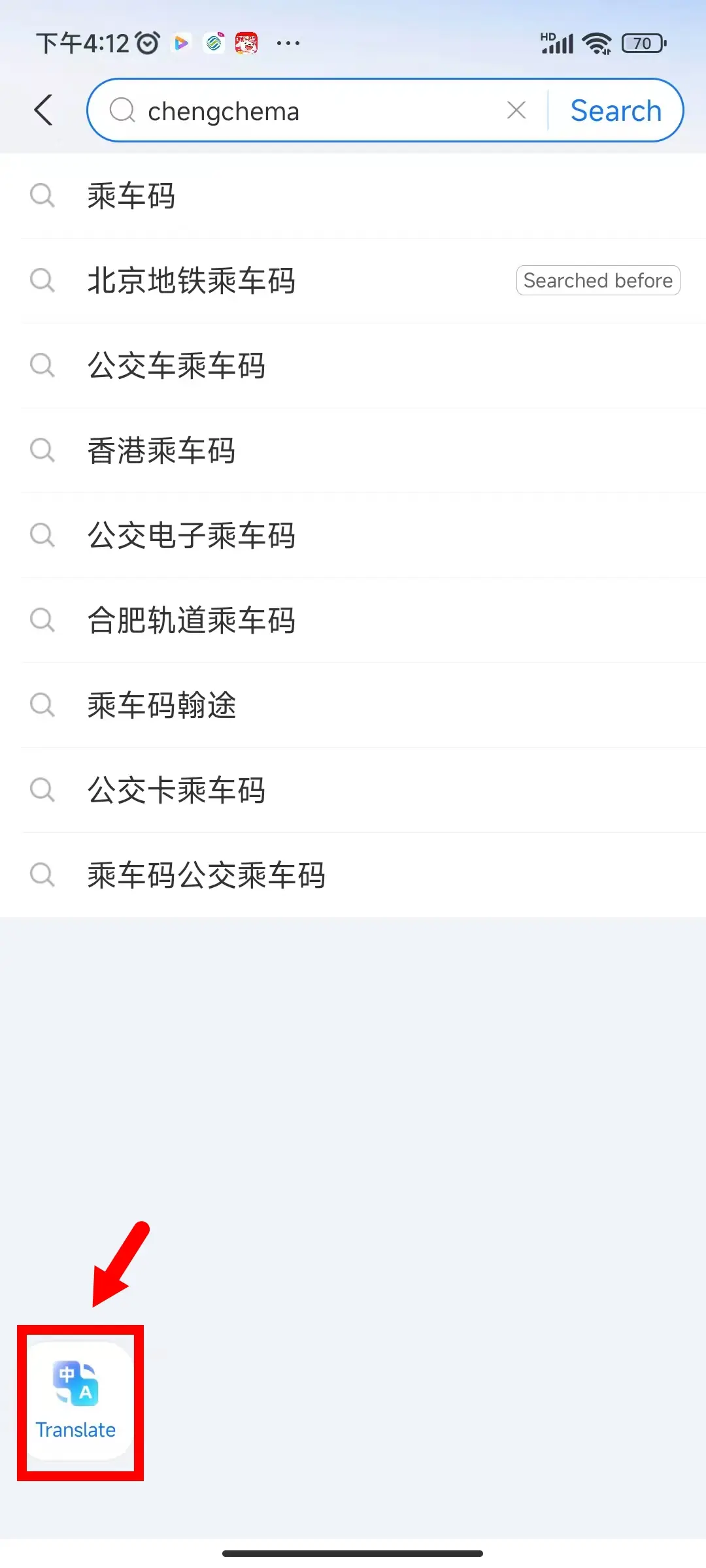
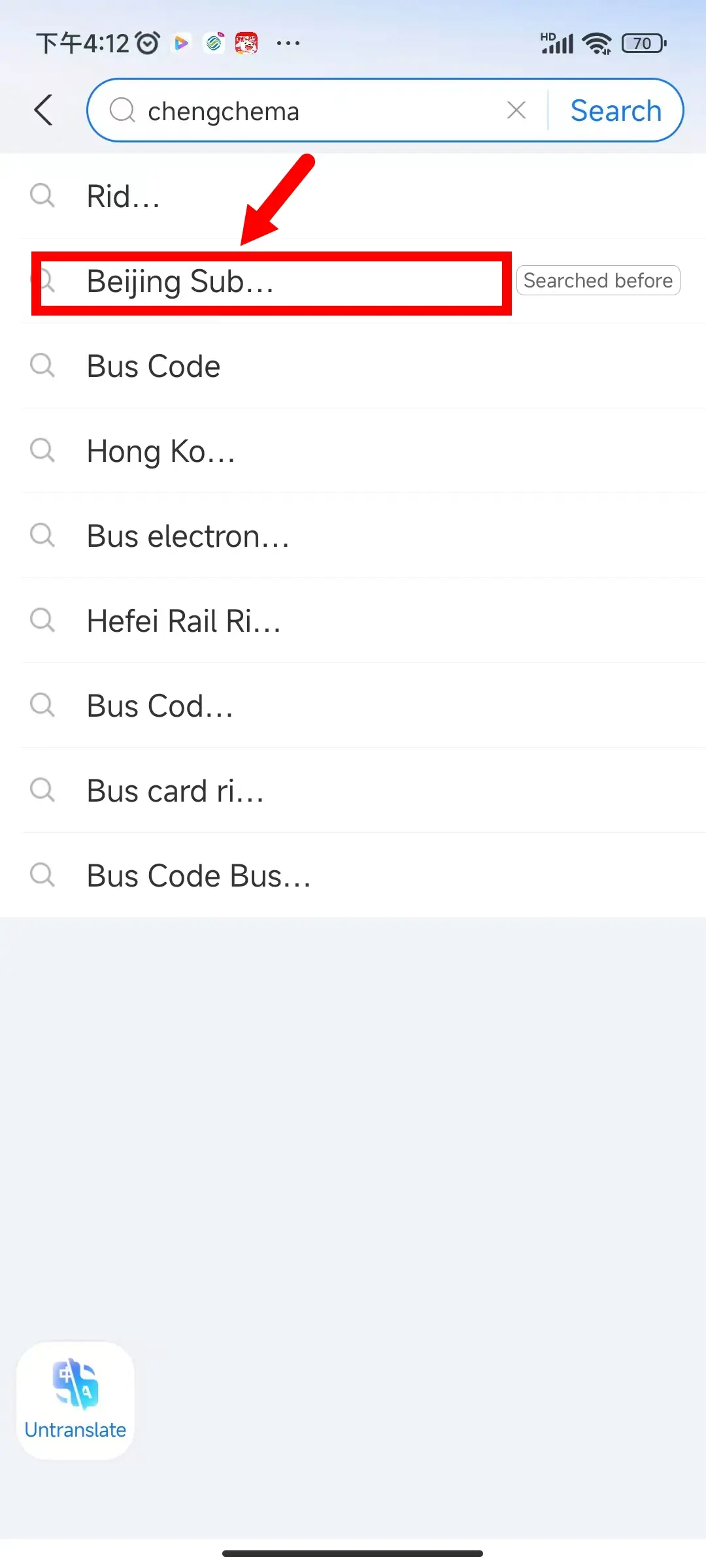
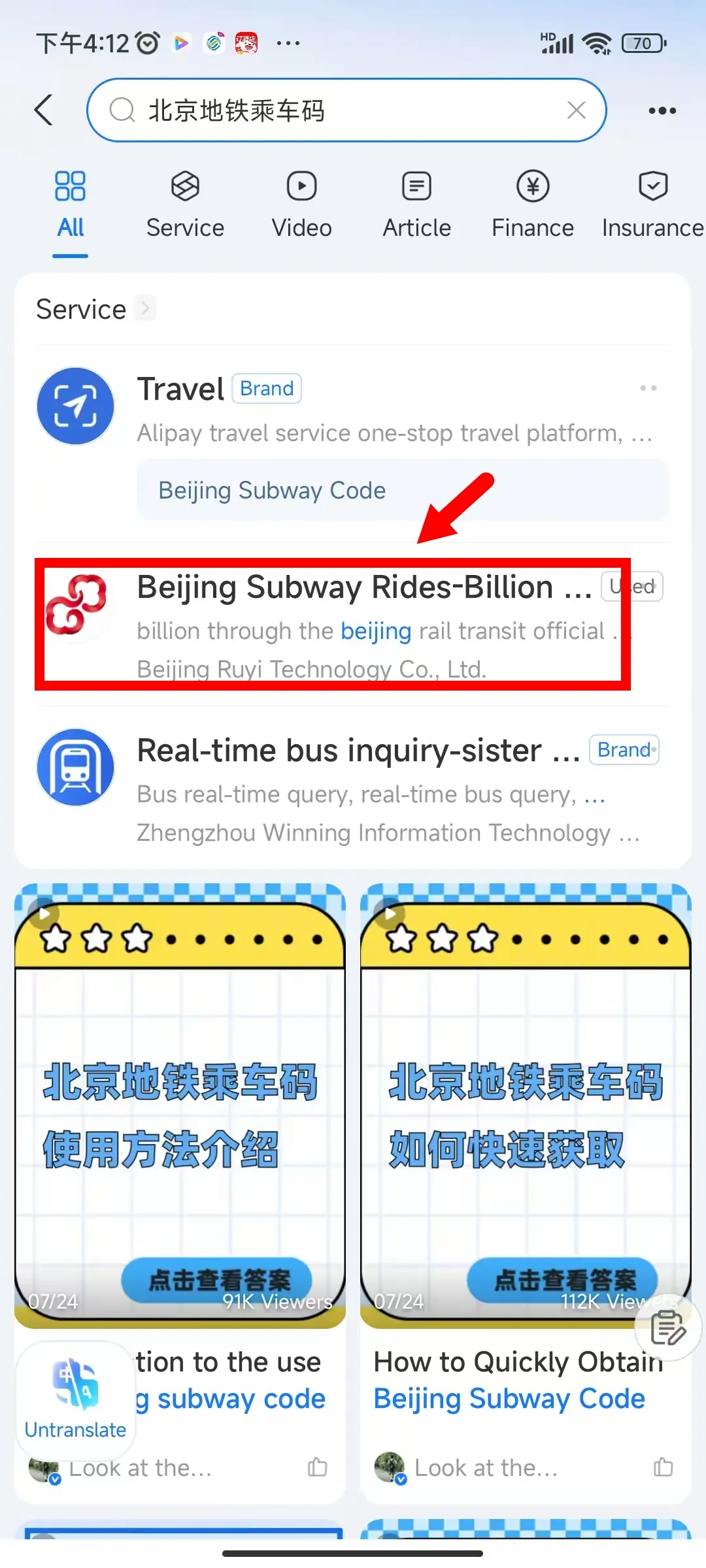
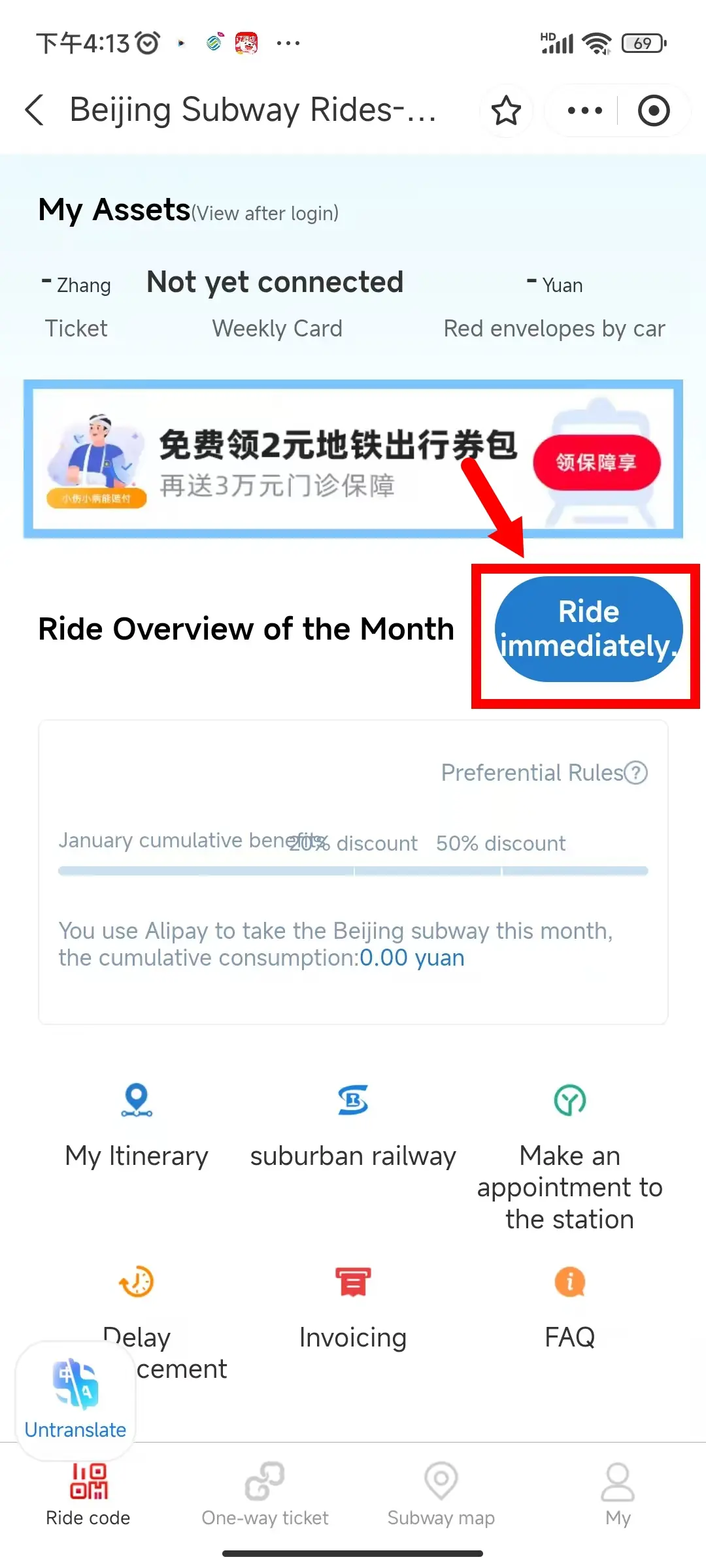
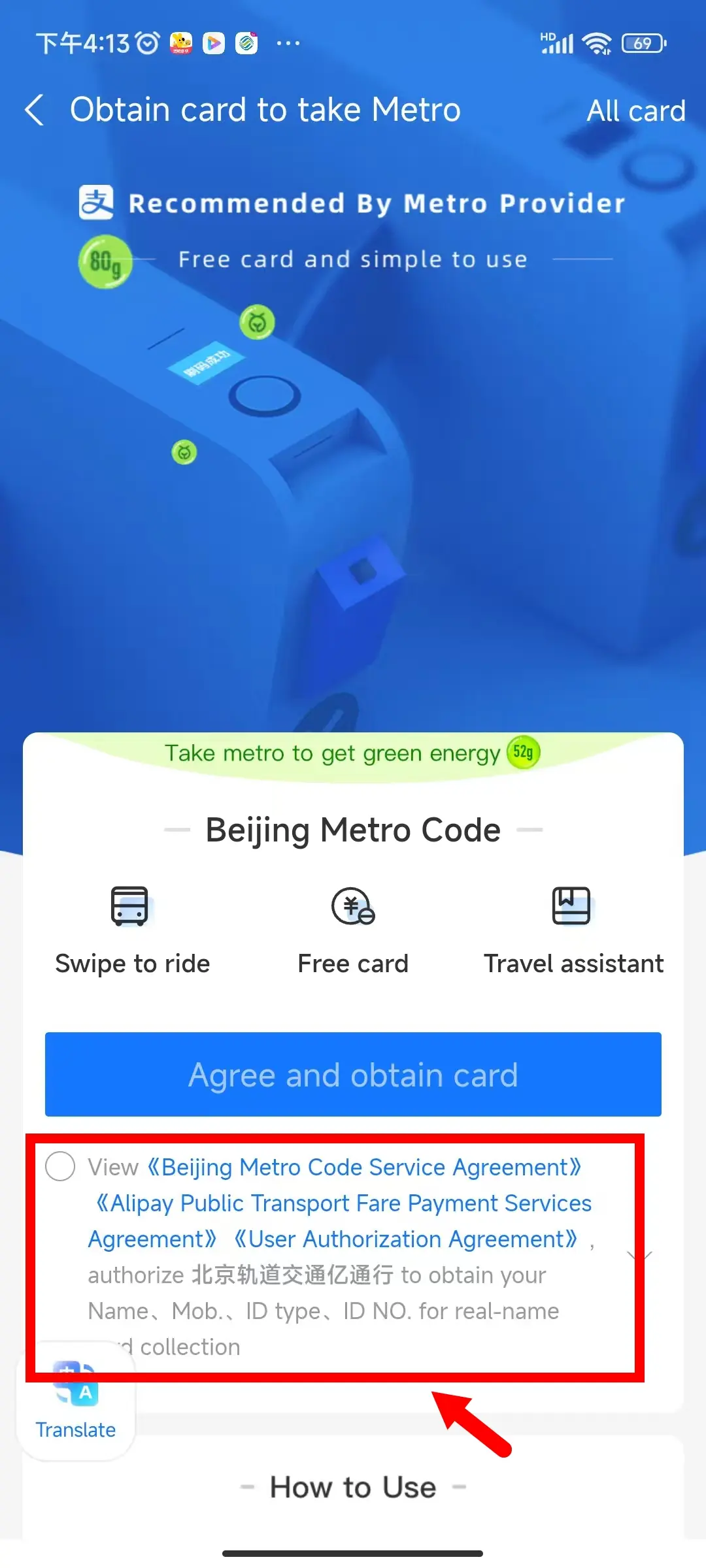
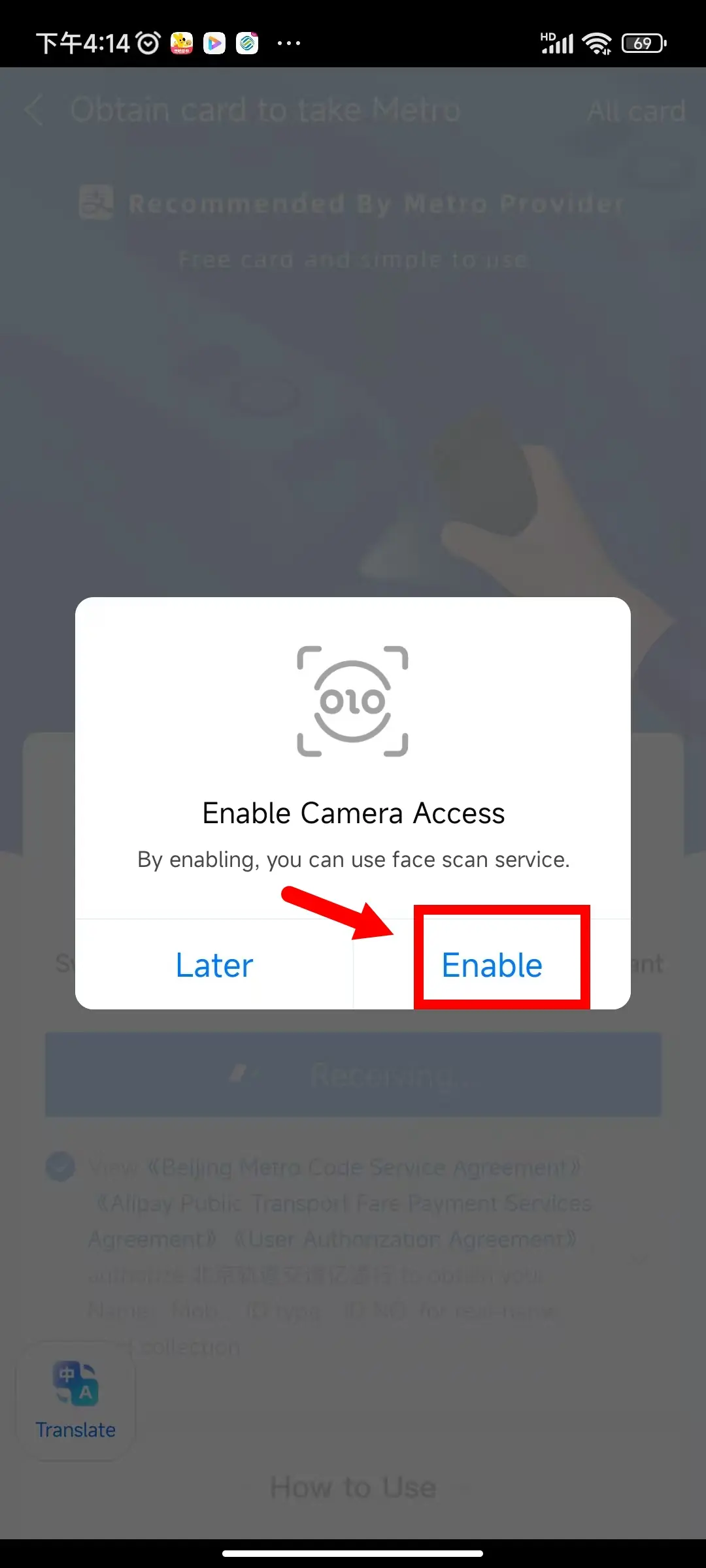
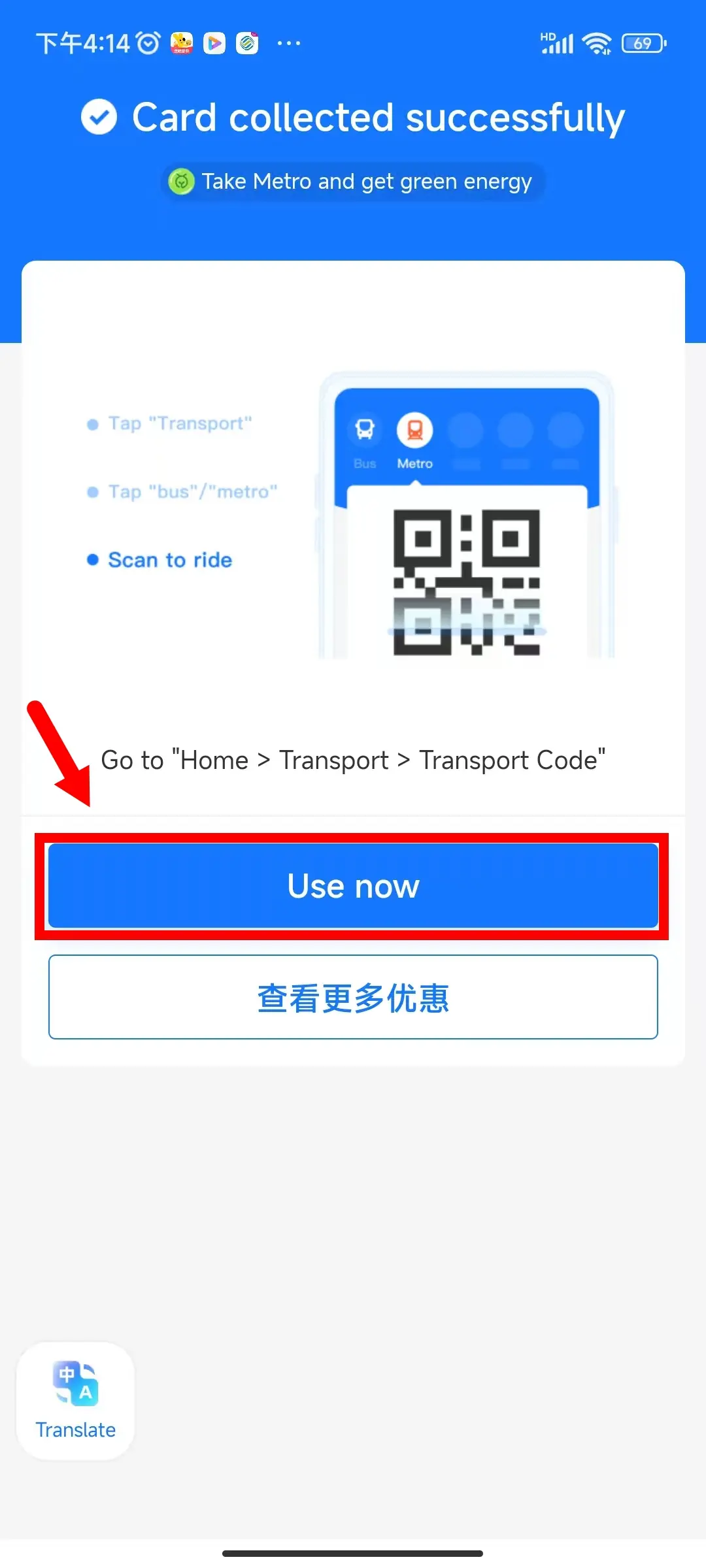
The Beijing Alipay example below uses the common QR pattern: search 乘车码, translate if needed, pick the Beijing subway ride service, agree to terms, complete face verification if asked, then open the ride QR at the gate.
Part A: search and enter the subway mini program.
If a step fails
Mini programs occasionally throw errors after ads or network hiccups. Close the mini program, search again, or retry on 4G/5G instead of captive Wi-Fi.
Train tickets still need 12306 identity rules
For train tickets, use China Railway 12306 or a booking platform. Alipay may be available as a payment method, but passport real-name verification and ticket rules are handled by 12306, the station, or the booking platform, not by Alipay verification alone.
Part B: agree to terms, obtain the ride code, face verification if prompted, then open the active gate QR.
Didi Ride-Hailing in Alipay
Mini program is enough for many trips
The Didi (滴滴出行) mini program inside Alipay usually covers city taxis and ride-hailing without installing a separate Didi app.
Before request
Pickup accuracy, destination matching, and vehicle tier matter most.
During request
Driver communication and plate checks keep the ride calmer.
Open Didi
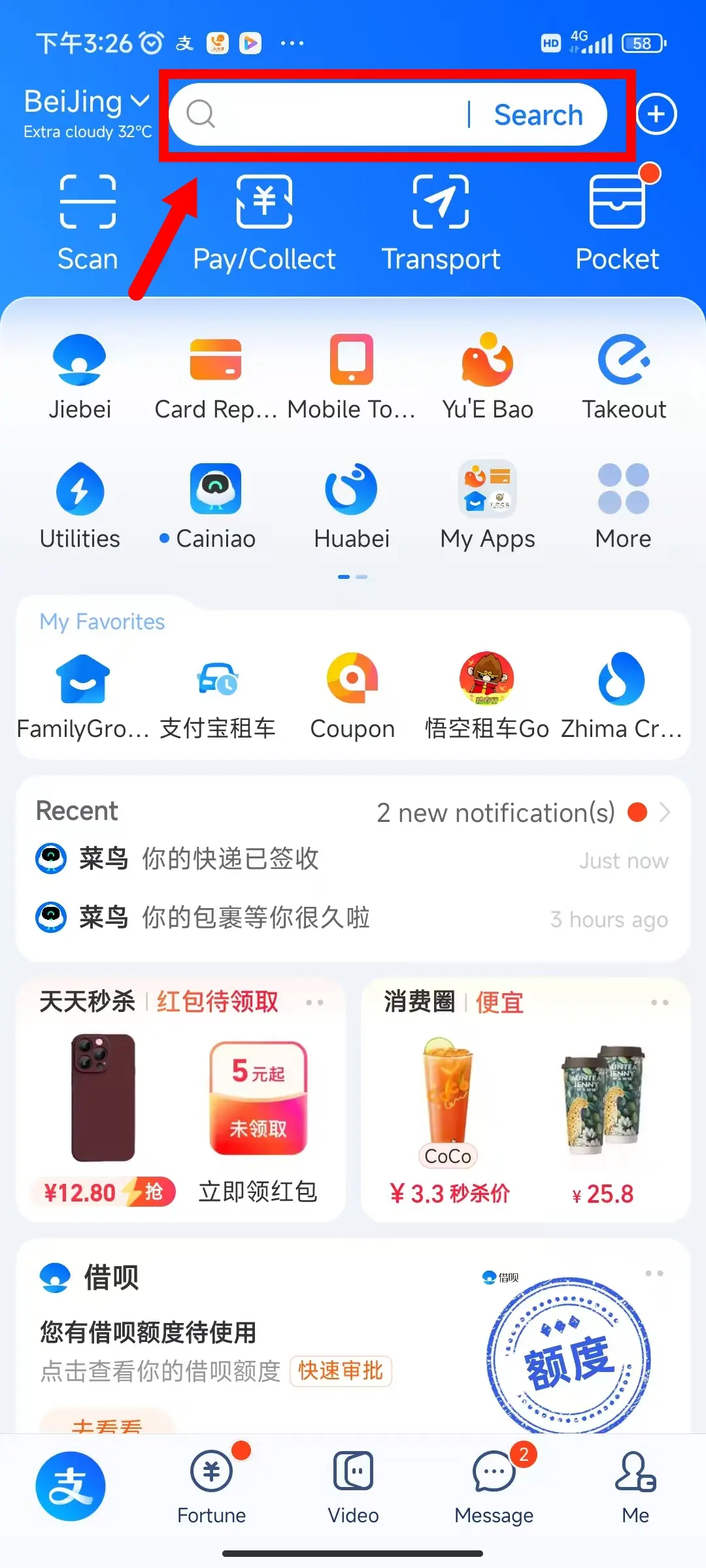
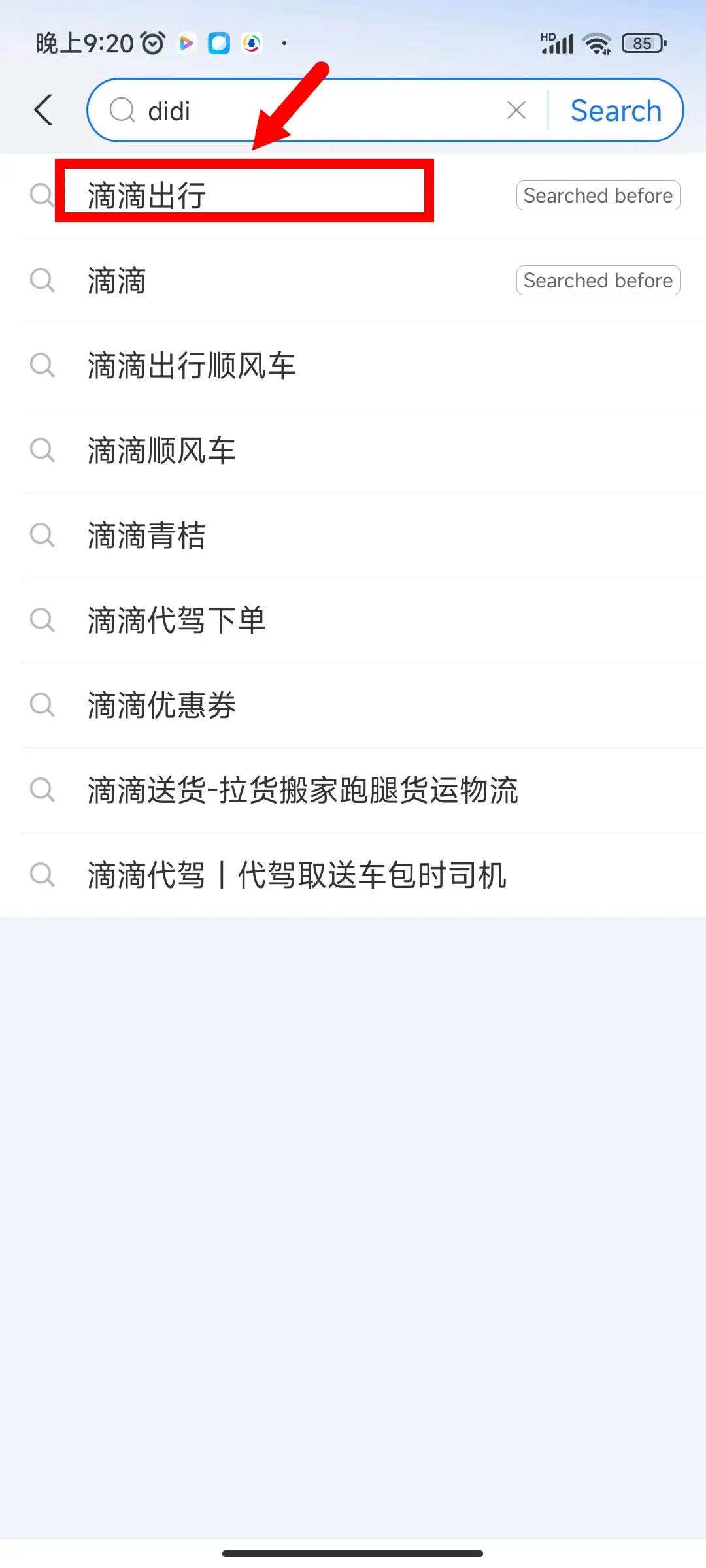
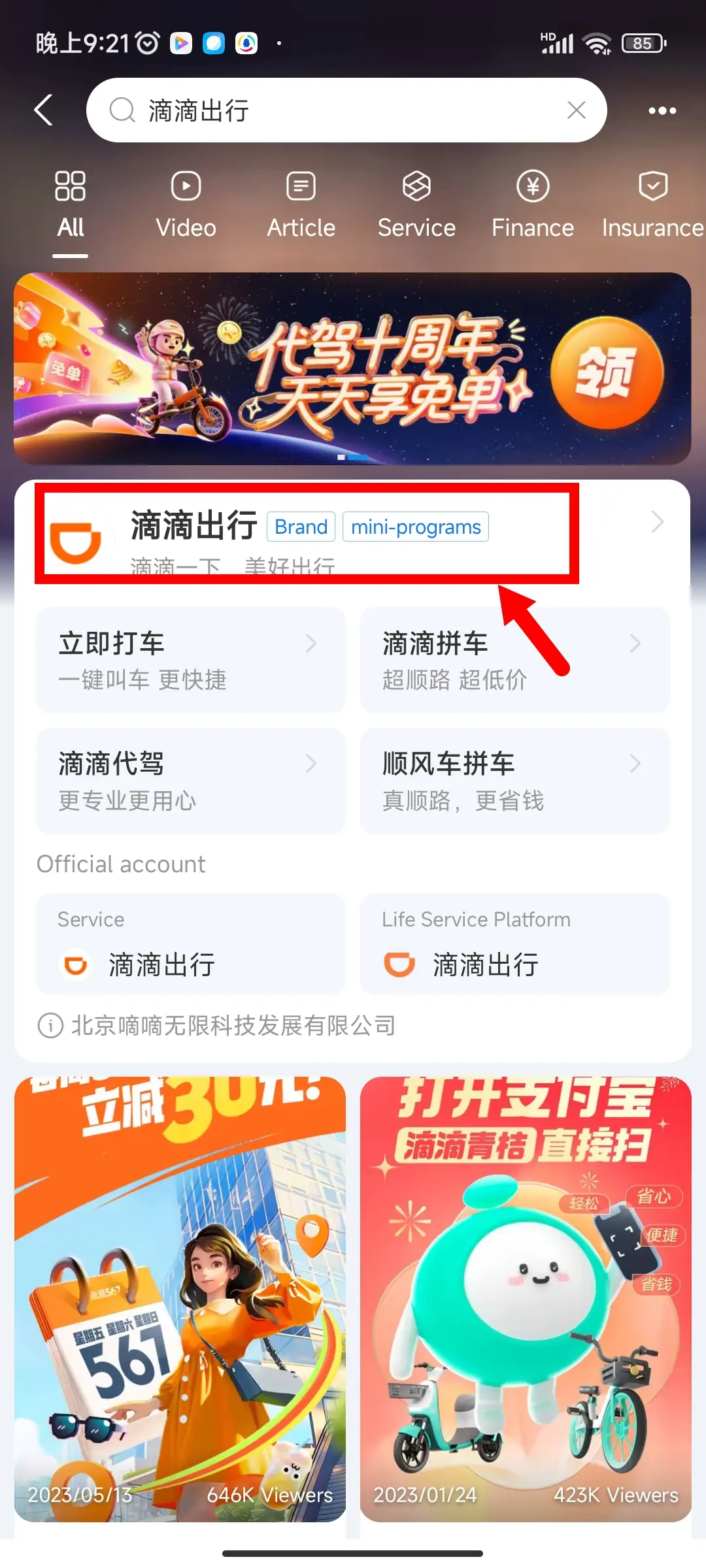
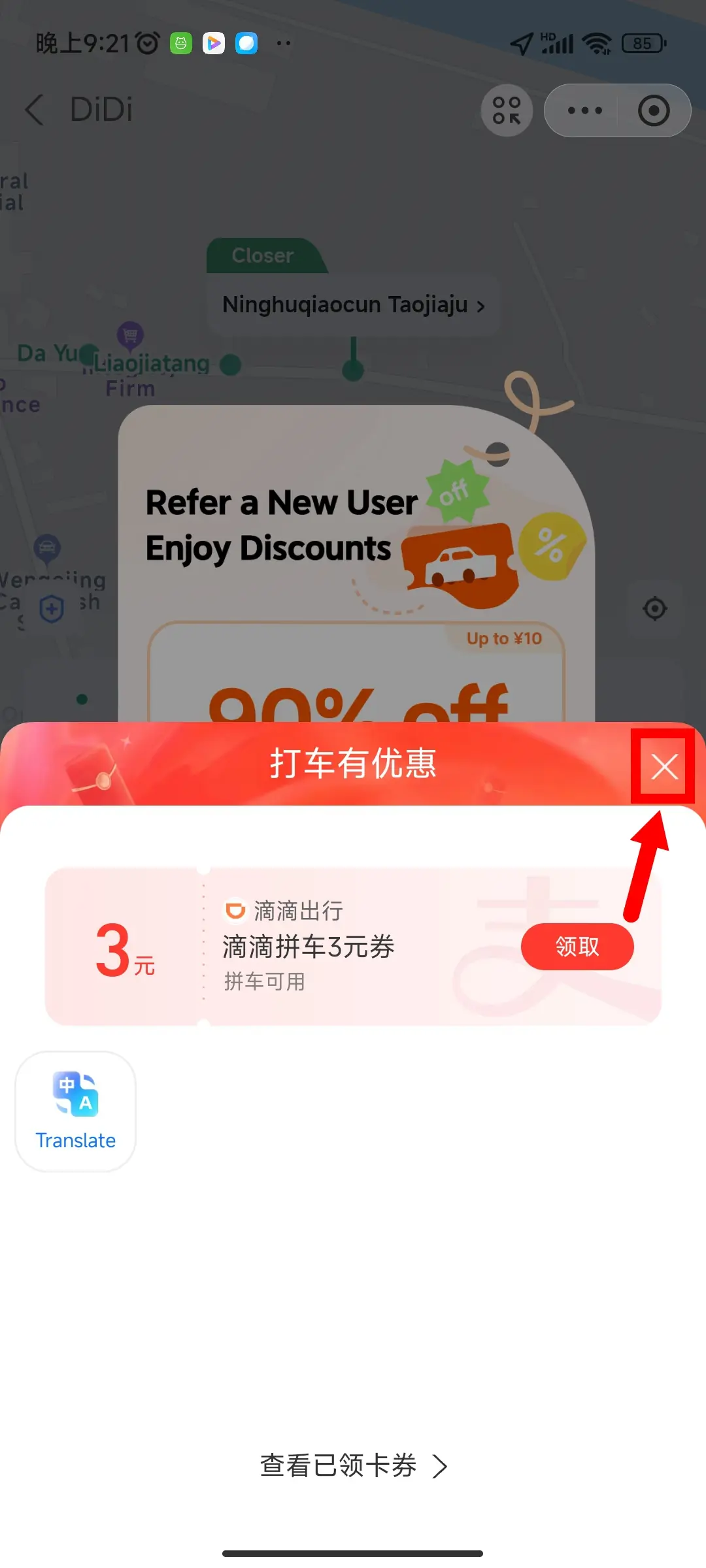
Search didi or didichuxing, choose 滴滴出行, dismiss ads, and accept terms on first launch.
Part A: find and open Didi.
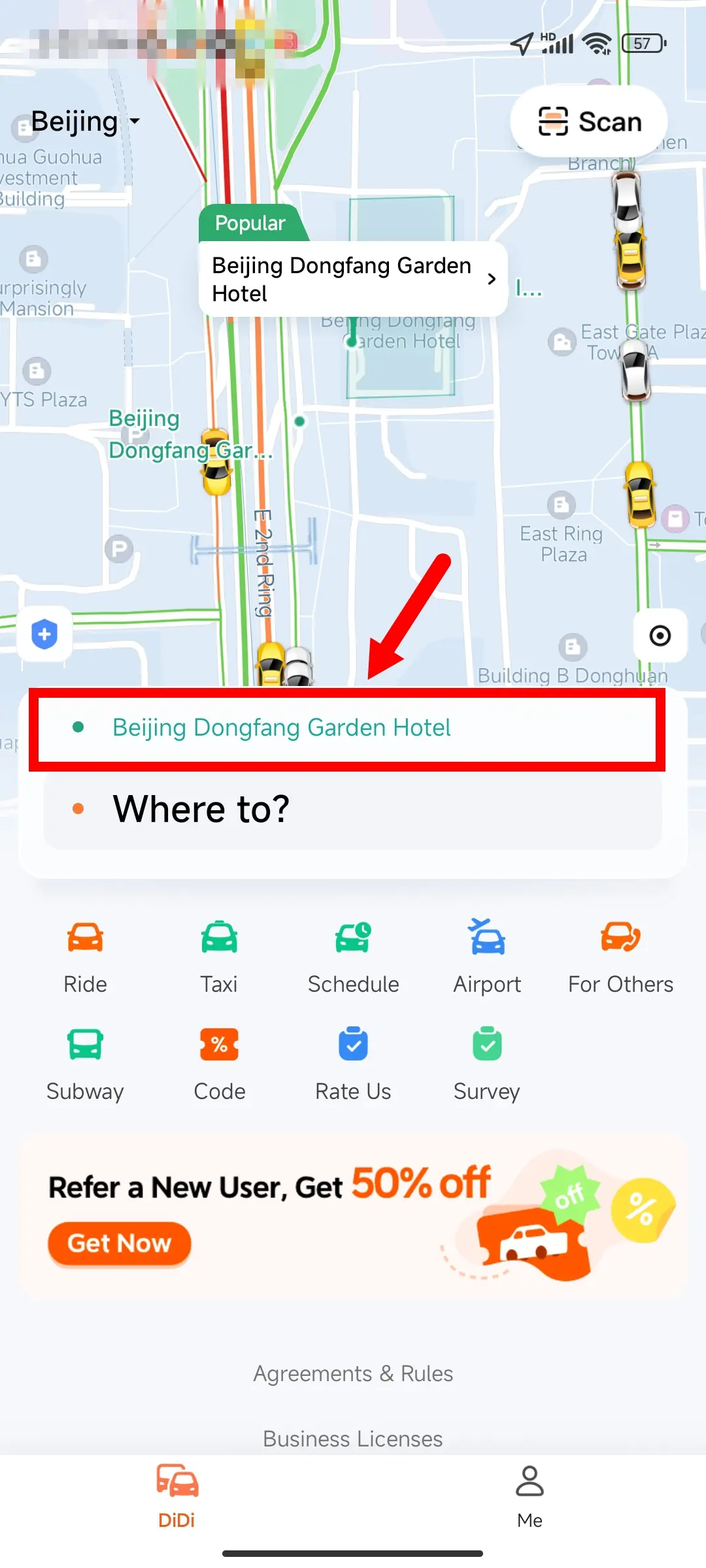
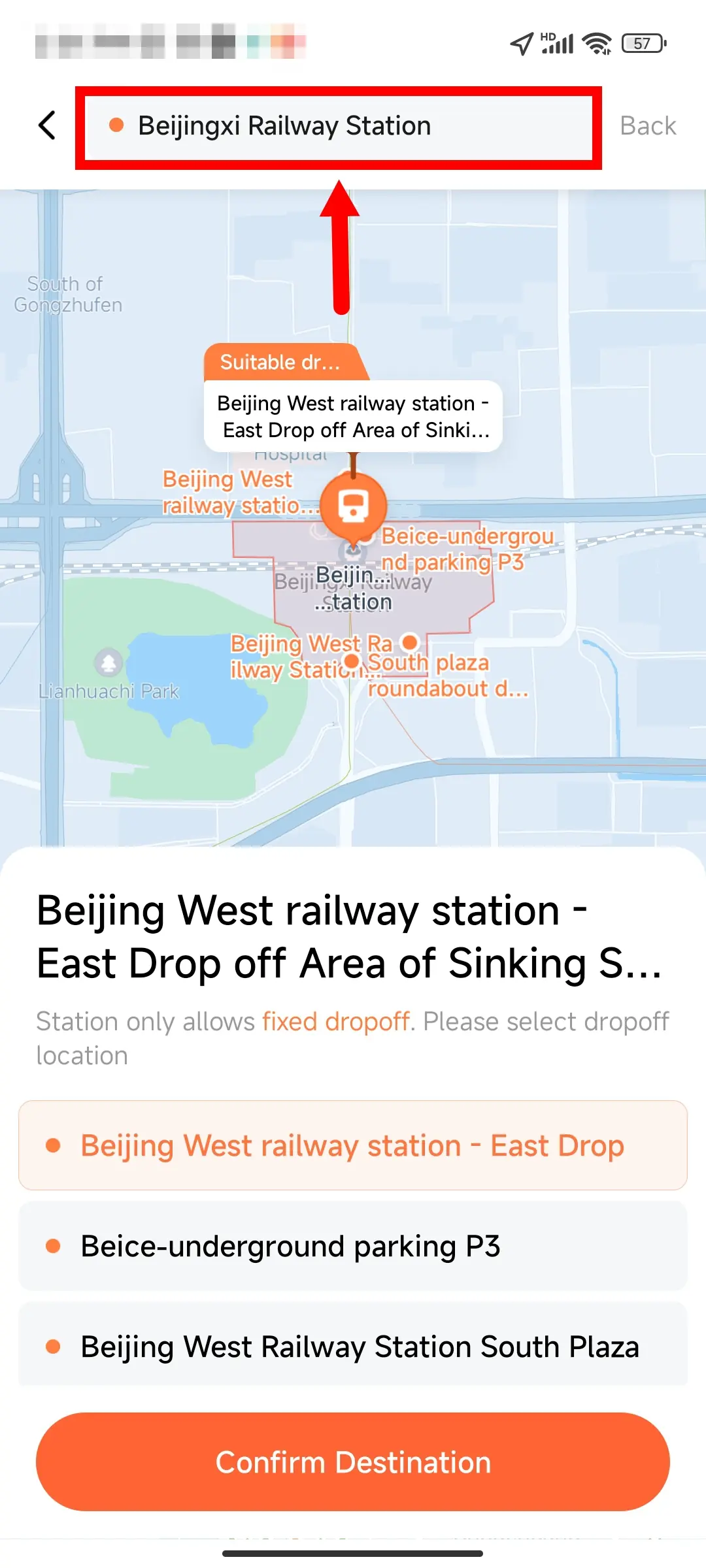
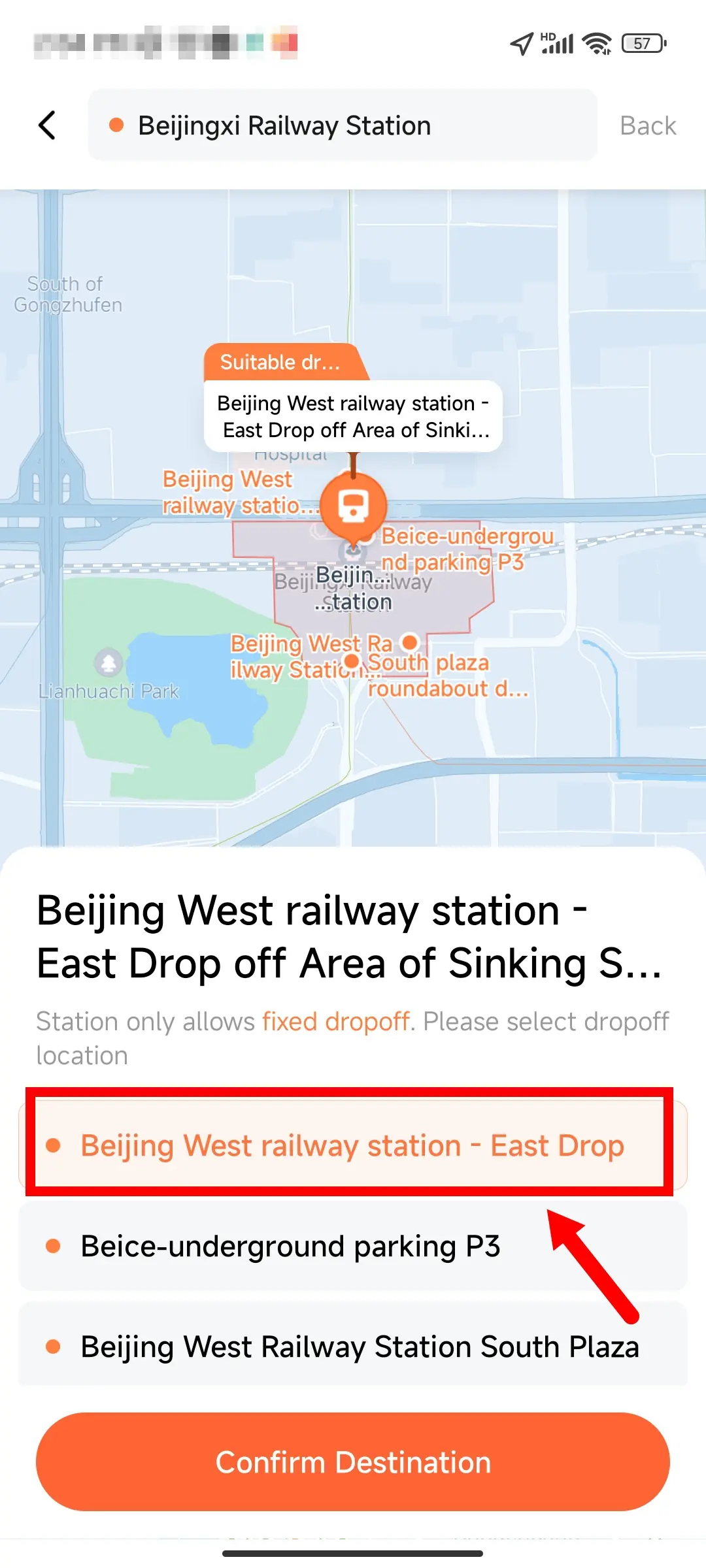
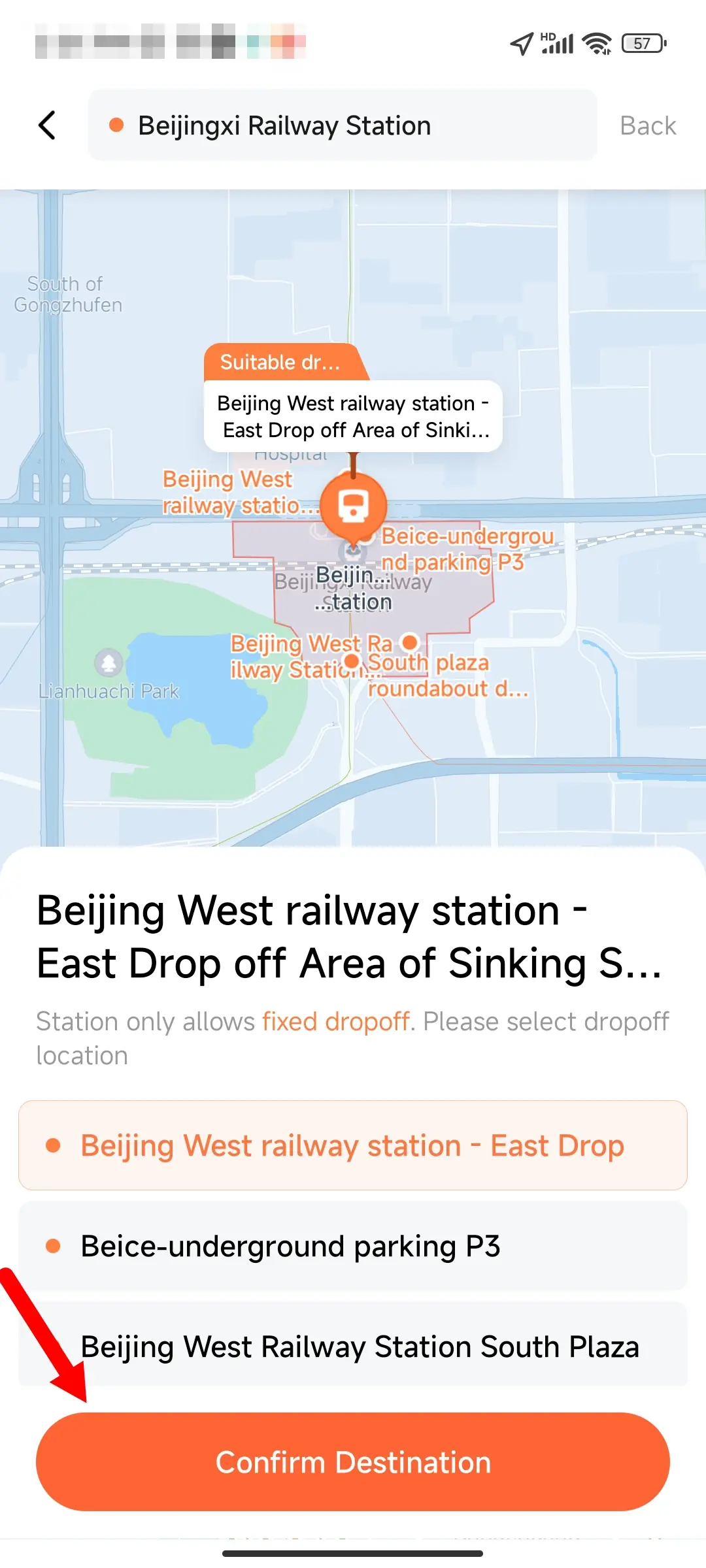
Pickup and destination
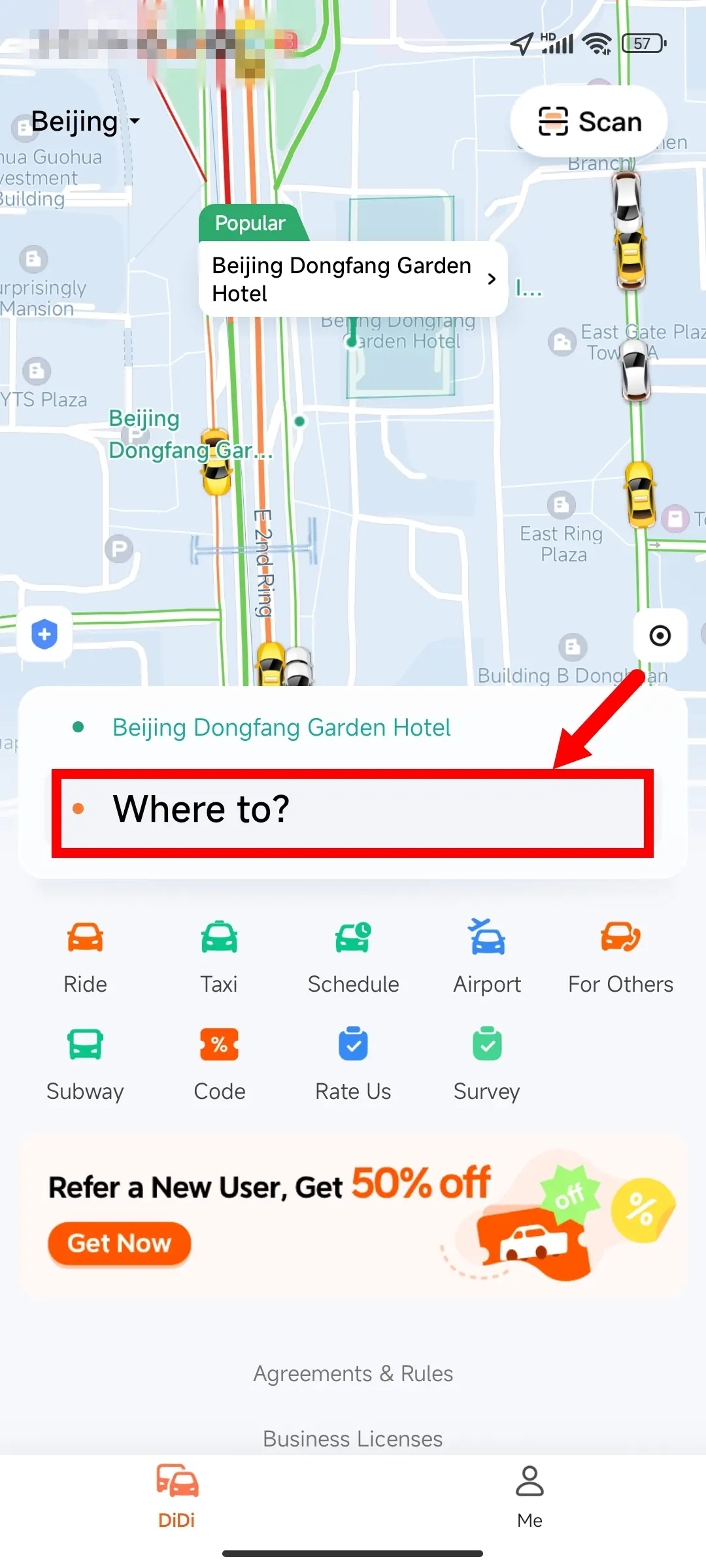
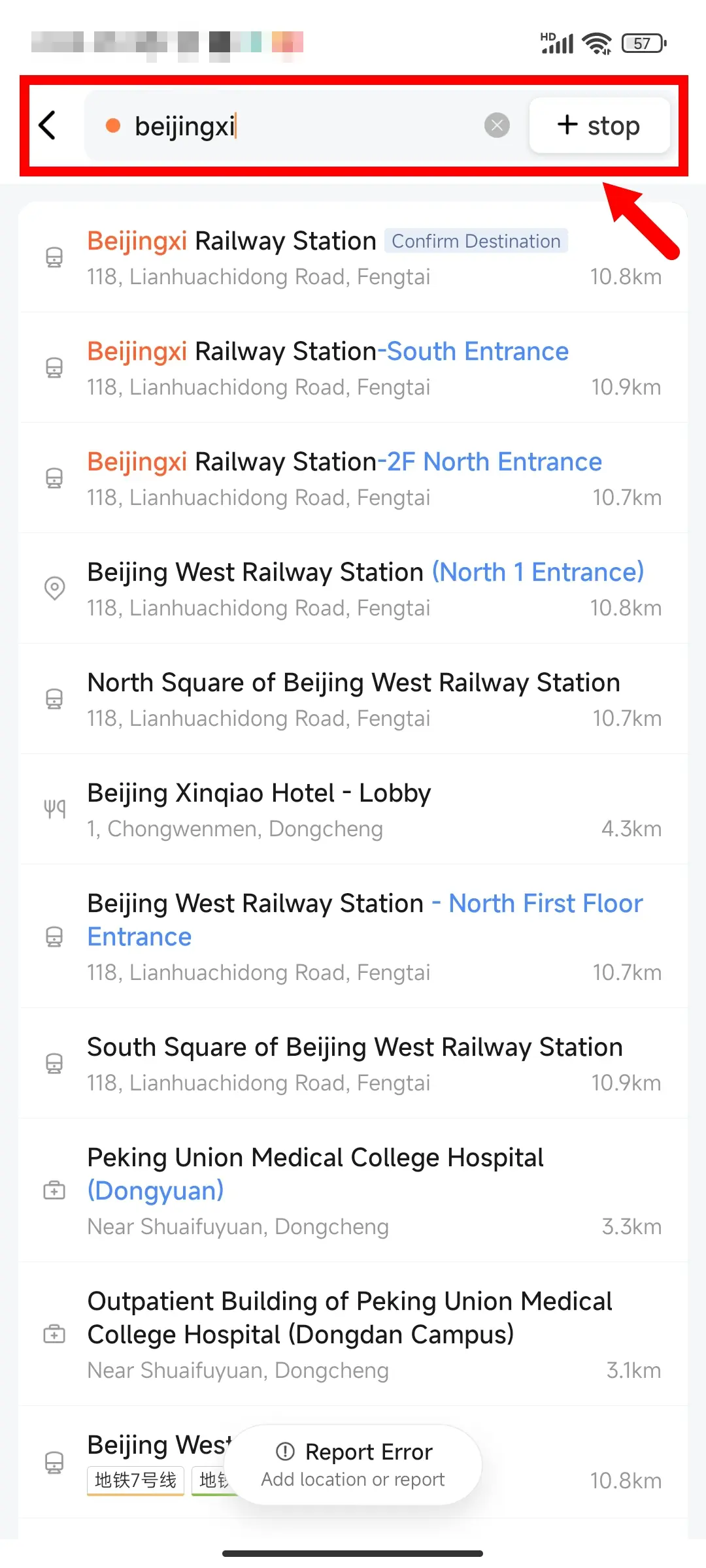
Confirm GPS pickup or pin a landmark such as your hotel or a subway exit. In Where to?, type English, Chinese, pinyin, or drag the map pin. Pick the best suggestion, then confirm the route summary before requesting a car.
Part B: pickup map, destination, and route confirmation.
Chinese names help accuracy
Ask hotel staff to save key places in Chinese in your notes - you can paste them into Didi's search box.
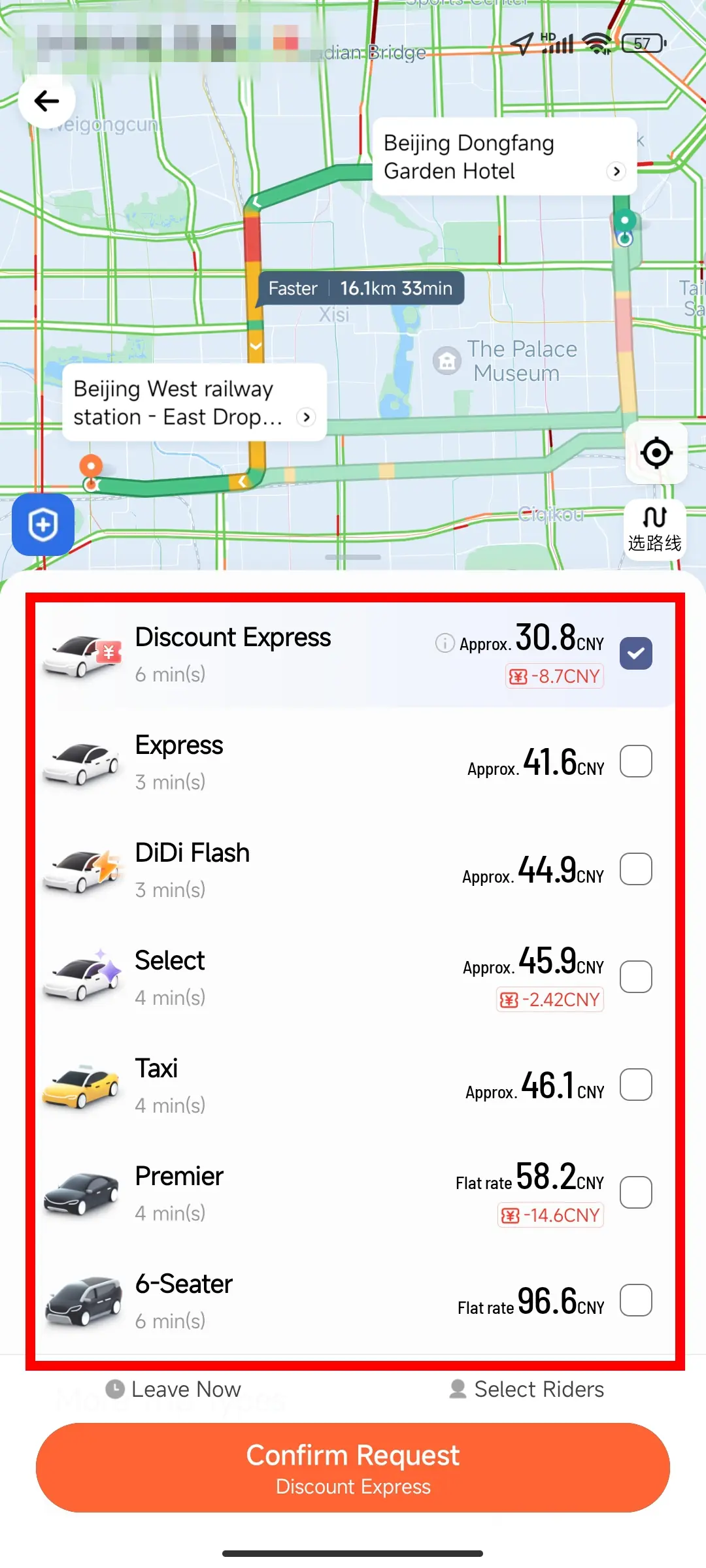
Vehicle type and trip
Most daily trips
Didi shows several tiers. Economy (特惠快车) and Standard (快车) cover most daily trips at reasonable fares.
Other options
Availability varies by city and time of day.
Verify pickup, drop-off, and fare estimate, then Confirm request.
Part C: vehicle type and request confirmation.
During and after the ride
Before getting in
Once a driver accepts, track their real-time location and check their surname, rating, license plate, car model, and color. Always verify the plate before getting in; drivers may also ask for the last 4 digits of your phone number to confirm identity.
In-app chat with auto-translate
Didi's built-in messaging auto-translates between English and Chinese. Type in English and the driver sees Chinese, and vice versa. This is far more reliable than phone calls when your foreign number is hard for drivers to reach.
Share and prepare
For safety, tap the share trip button to send a live tracking link to friends or family. Add an emergency contact in Settings before you need it.
After the ride
Fares usually settle automatically from Alipay when you arrive. After the ride, you can rate the driver and request an e-receipt from ride history. If you leave something behind, use the ride details page to contact your driver or reach Didi customer support through the in-app lost-and-found flow.
Fees, Limits, and Backup Plans
Treat this as orientation
Alipay's fee and limit screens can change, so trust the live app before you confirm a payment.
Service fees
For foreign-issued cards in Alipay, small purchases may have no Alipay handling line; above a low threshold often cited as RMB 200, the payment screen may show a handling fee such as 3%. Your card network or issuer may also apply exchange-rate margins or foreign-transaction fees, so trust the live payment screen before confirming.
Cross-border limits
China payment-service communications for overseas visitors often cite around US$5,000 per transaction and US$50,000 per year for improved mobile-payment convenience. Your own live caps may differ by verification tier, product, card, wallet region, or nationality.
Card brands
Visa and Mastercard are the most common visitor starting points; Alipay may also support UnionPay, American Express, JCB, Diners Club, and Discover when shown in your app. Add only the cards the app accepts on your screen.
Issuer charges
Merchants quote CNY. Your card network and issuer convert the charge and may add foreign-transaction or FX fees.
Cash backup
Carry modest RMB for old vendors, weak signal, risk-control blocks, and rural stops. The RMB, exchange, and ATM guide covers how much to carry and where to withdraw.
Fix Common Alipay Problems
Do not keep hammering the same button
Most Alipay problems are not solved by tapping the same failed button ten times.
Connection
Check signal and network first.
Bank and card
Confirm approval, then switch card choice if needed.
Backup rail
Try a second wallet, then cash or physical card where accepted.
- Before departure: install Alipay, log in on home Wi-Fi, finish verification, link at least one card, and update the app.
- If SMS does not arrive: check roaming, country code, carrier international SMS settings, and try mobile data instead of hotel Wi-Fi.
- If a card will not bind: ask your bank to allow China transactions, online/card-not-present payments, wallet tokenization, and 3-D Secure or SMS approvals; then try a second network or issuer.
- If Didi, transit, mini programs, or password-free deductions fail: try another card or wallet because some products and merchant categories handle foreign cards differently.
- If a payment fails at the counter: check signal, retry once, switch cards, try WeChat Pay, or use RMB cash. Stop repeated failed attempts.
- Before leaving the airport or hotel: test mobile data, Alipay, your hotel address, and a small purchase so the first real taxi or meal is calmer.
Protect codes and passwords
Never send SMS codes, payment passwords, passport photos, or screenshots of your payment code to strangers. Use Alipay's official help screens and your card issuer for account problems.
Alipay FAQ
Yes. Visitors can download the official app, choose International Version if prompted, complete passport identity steps when offered or required, and link supported international cards for many QR payment scenarios in China.
Sources checked for this guide
- Alipay+ official Chinese mainland traveler payment guidance: International Version, present-and-pay, scan-and-pay, partner wallets, and international-card restrictions
- State Council payment service guide for overseas visitors: mobile payment setup, international-card linkage, ATM and cash backup, and visitor limit context
- Beijing foreign-national Alipay service update: Alipay international-card linkage, multilingual service, overseas wallet options, and USD 5,000 / USD 50,000 limit reporting
- Beijing subway overseas-card FAQ: official Beijing subway explanation of overseas bank-card ticketing and gate entry
- Beijing overseas bank card payment guide: official city-level explanation of overseas bank card linkage for Weixin Pay and Alipay
- PBOC policy briefing on overseas visitor payments: official payment-service facilitation context for overseas visitors in China
- State Council Guide to Working and Living in China, mobile payment section: mobile payment paths, bank-card binding notes, transit examples, and cash as backup
Beyond This Guide
Alipay is one rail in a bigger China travel setup. Use these next if you are building a payment, transport, and app stack that will not collapse on the first failed QR code:
- China mobile payments: Alipay & WeChat Pay - the broader fee, limit, and fallback picture.
- WeChat in China for foreigners - the second wallet, chat, translation, and mini-program layer.
- China shared bikes guide - use Alipay and bike-brand scan flows for short last-mile rides.
- RMB, ATMs & exchange - build the cash backup that keeps app failures small.
- China city transport guide - connect Alipay with subways, taxis, Didi, and airport transfers.
Use Alipay and WeChat Pay as complementary tools, keep a working card and some cash as backups, and test each method before relying on it during the trip. Book rides, buy tickets, and make every payment directly through the relevant provider or app.
© gochinafreely.com — Original guide by Go China Freely.