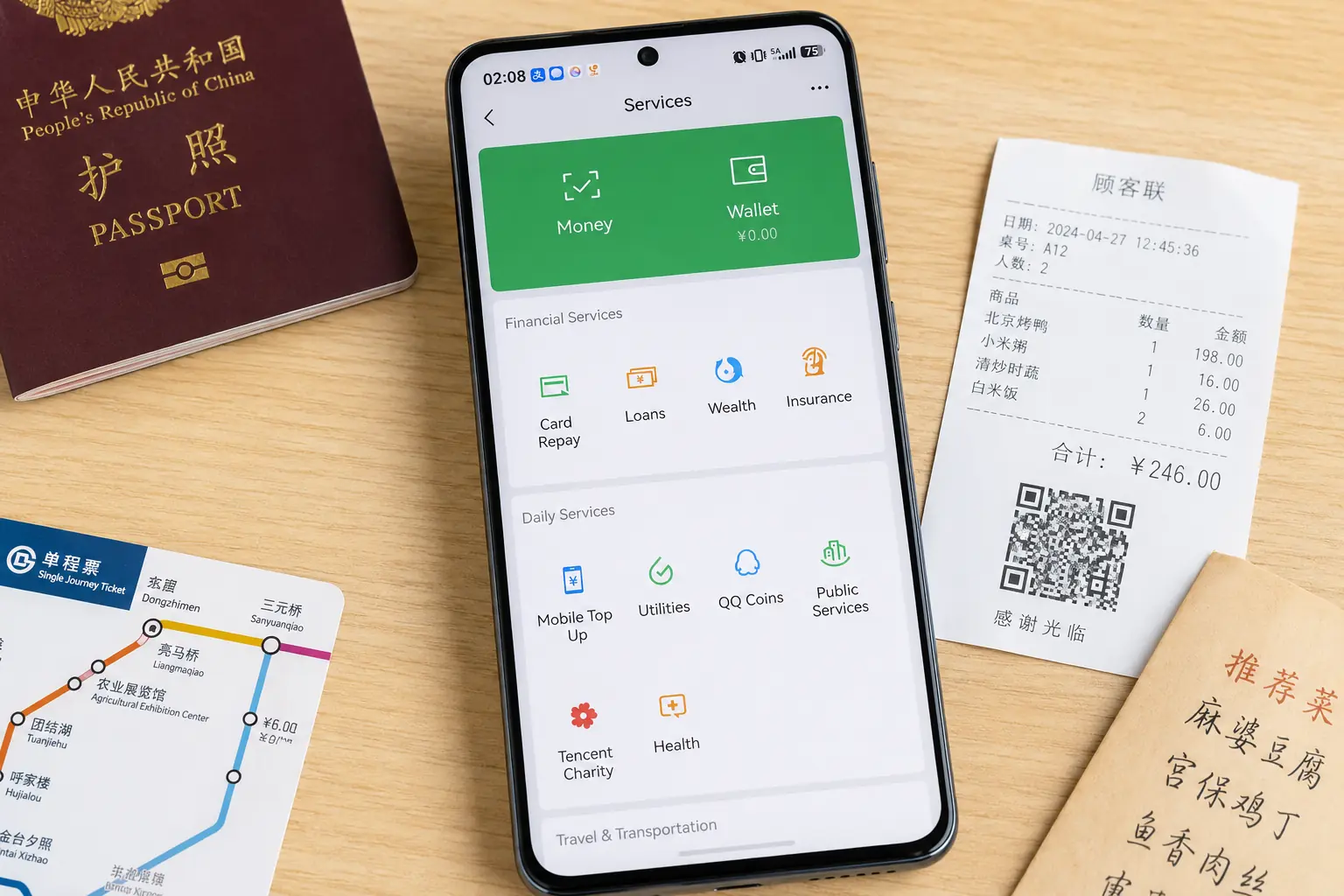
What WeChat bundles
WeChat (微信) is how locals chat, pay, order food, book tickets, and share locations—often without leaving one app. For independent travelers, it helps with everyday QR flows, but the setup is more than just installing a chat app.
Setup
Download, signup, security checks, passport verification, and international cards.
Use on the ground
QR payments, translation, contacts, location sharing, and mini programs.
Pair it with our China mobile payments overview for fee patterns and limits—and with Alipay for foreigners if you want a backup wallet.
WeChat in China: Fast Answer
The short answer
WeChat (微信) is Tencent's everyday China super app: chat, payments, social posts, QR scanning, mini programs, city services, and location sharing all sit inside one account.
For foreign visitors, its biggest value is not replacing every travel app; it is removing friction when a hotel, restaurant, guide, friend, or venue sends you a Chinese-only QR link, group chat, or location pin.
Alipay role
Alipay behaves more like a payments and services hub.
WeChat role
WeChat is social-first with payments and thousands of mini programs layered on top.
Visitor stack
If you only have time for one deep wallet setup, use our Alipay vs WeChat comparison first. For the most useful visitor setup, prepare Alipay + WeChat Pay + modest RMB cash before you leave.
Chat
Contacts & groups
Pay
QR counters
Mini
Food, rides, tickets
- Best use case: chat, QR links, restaurant mini programs, Didi links, location sharing, and Chinese-only venue notices.
- Best setup order: install WeChat, register, complete account security checks, then bind a card for WeChat Pay.
- Do not rely on WeChat alone for every payment; card support, fees, limits, and mini-program access vary by account, card issuer, and app build.
Essential WeChat Features for Visitors
These are the WeChat functions that matter most during a China trip. The rest of this guide follows a practical order: set up the account first, then work through the features one by one.
| Feature | What it does | Travel use |
|---|---|---|
| Chats | 1:1 and group messages, voice, files | Hotel contact, guides, local friends, small service providers |
| Scan | Scan QR codes for payments, contacts, ordering, and venue links | Restaurant ordering, counter payments, museum QR notices |
| WeChat Pay | Pay by scanning a merchant code or showing your payment code | Taxis, shops, tickets, convenience stores, many attractions |
| Moments | Friends-only social feed for photos, short video, and links | Optional social feed; most short-stay visitors can ignore it |
| Mini programs | Lightweight apps inside WeChat, no separate install needed | Meituan takeout, Didi rides, attraction tickets, transit codes |
| Location | Send a location pin or share real-time movement | Meeting friends, helping a guide, hotel, or venue contact find you |
| Translate | Translate Chinese chat bubbles and some mini-program screens | Reading messages, menus, merchant notes, and simple directions |
Download and Register WeChat
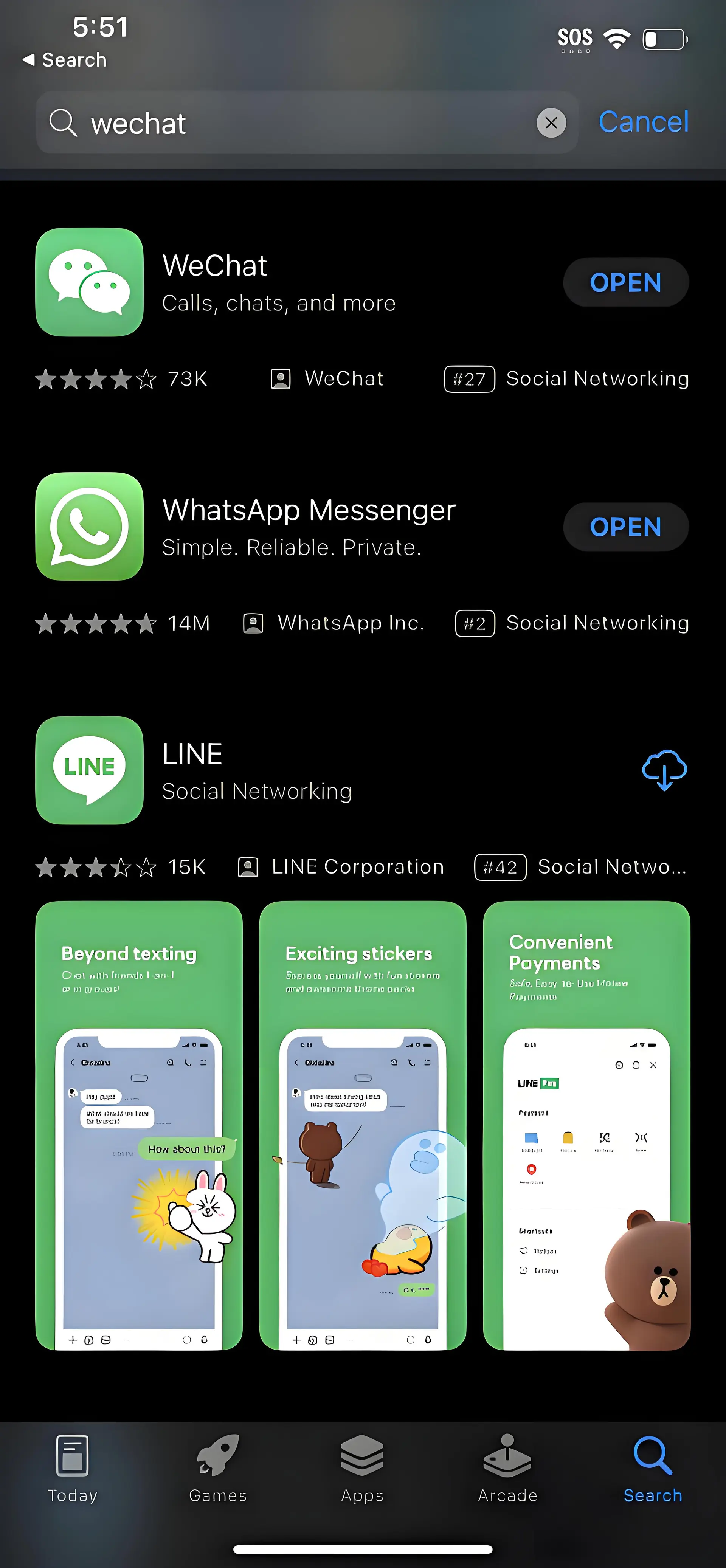
Start with the official app and a phone number that can receive verification texts. If you plan to use your home-country number, do this before you fly while roaming, Wi-Fi calling, and your bank apps still behave normally. If you plan to buy a mainland number, read the China SIM, eSIM, and pocket Wi-Fi guide first because the phone number also affects your WeChat / Weixin setup path.
Official app only
iOS: App Store → search WeChat → install the official Tencent release.
Android: Google Play or your device’s trusted store—avoid random APK sites.
Choose the number carefully
Your phone region affects WeChat / Weixin terms, wallet rules, and mini-program access. A non-mainland number normally follows the international WeChat path; a +86 mainland SIM puts you closer to the mainland Weixin (微信) environment.
Do not treat a mainland SIM as a simple SMS workaround. Pick the number that matches how you will actually use the account.
Signup path
Install: get the official build from the store, open the app, then accept welcome / terms.
Sign up: choose the sign-up path, confirm your country code, enter your mobile number, and set the login details the app requests.
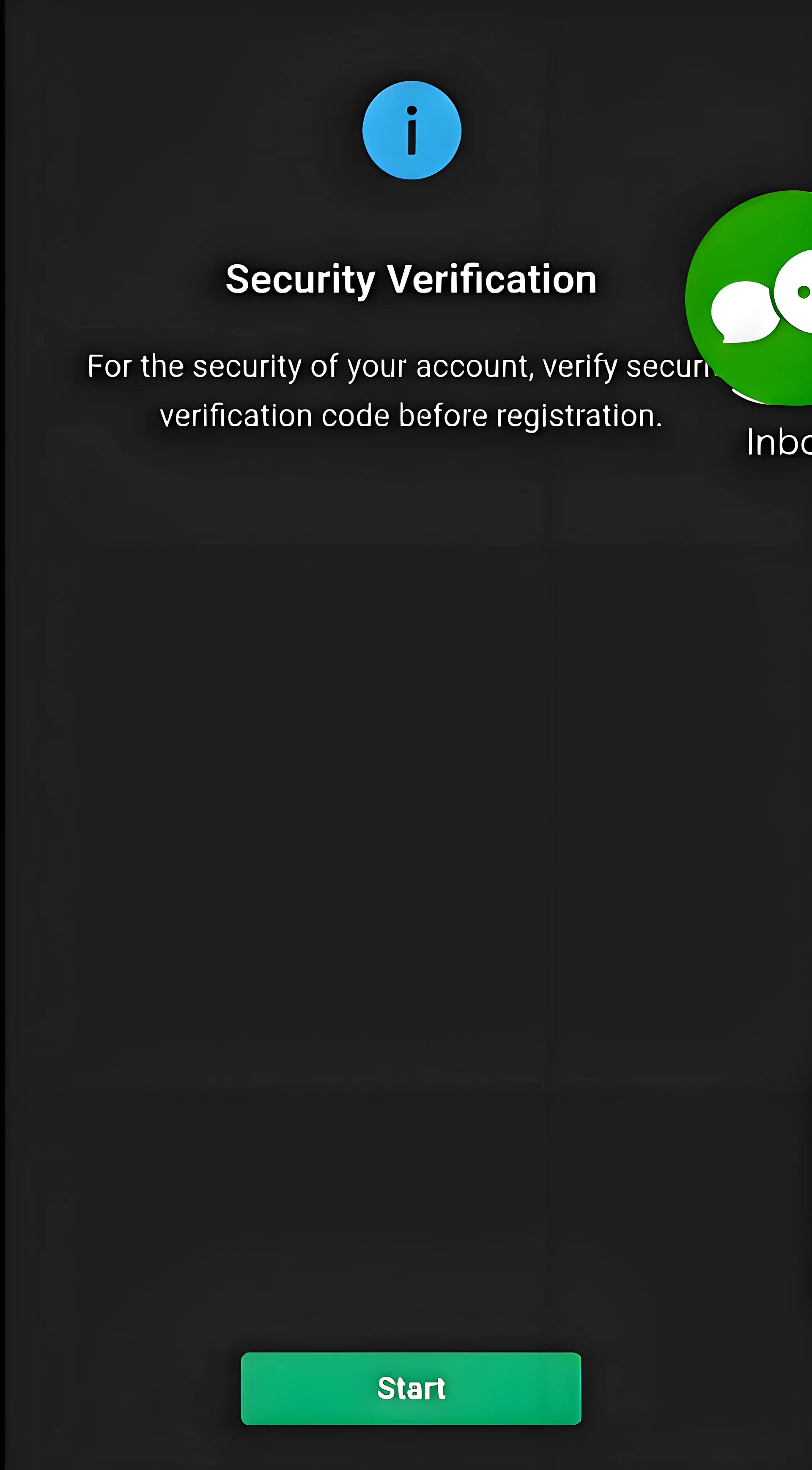
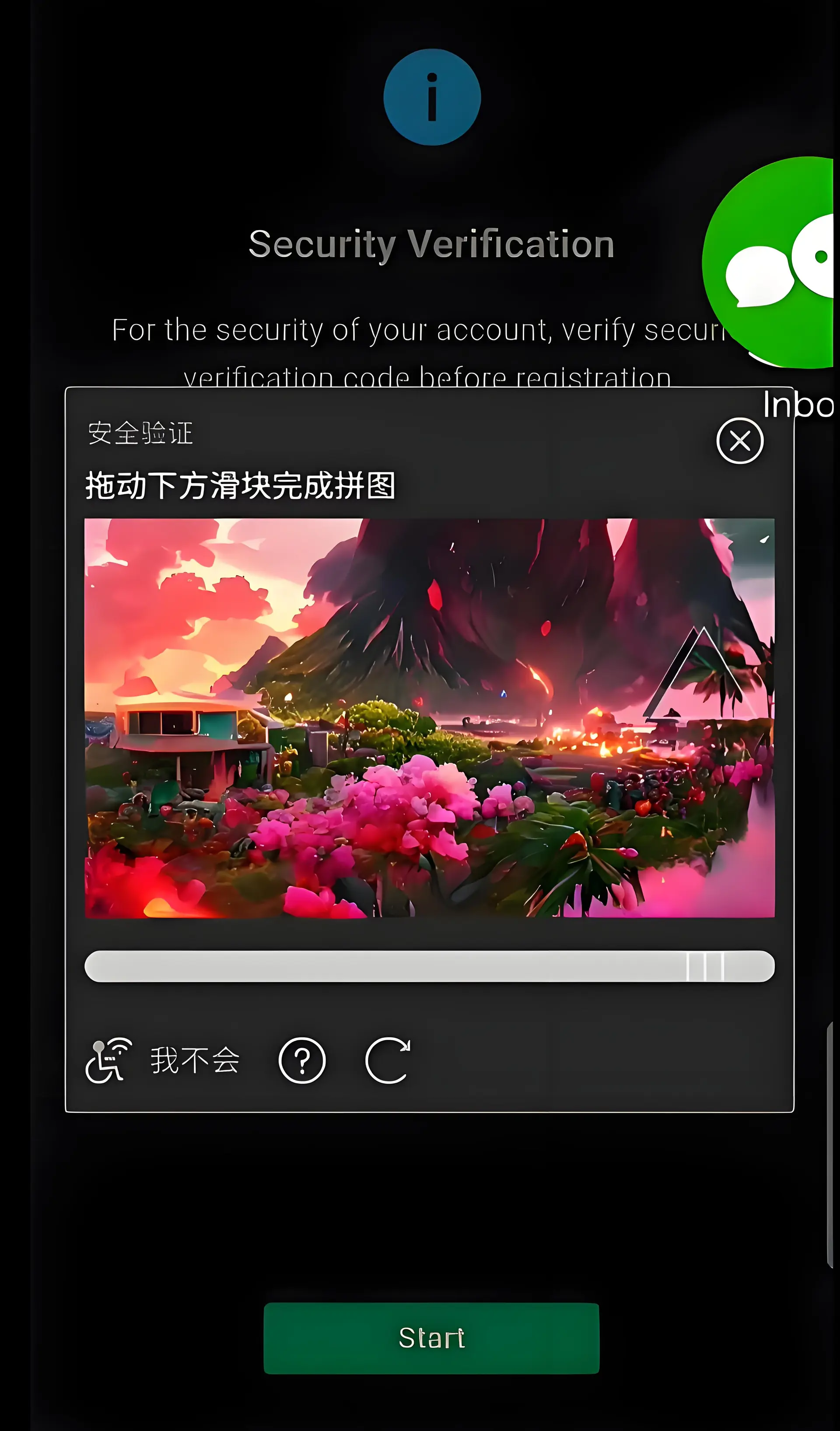
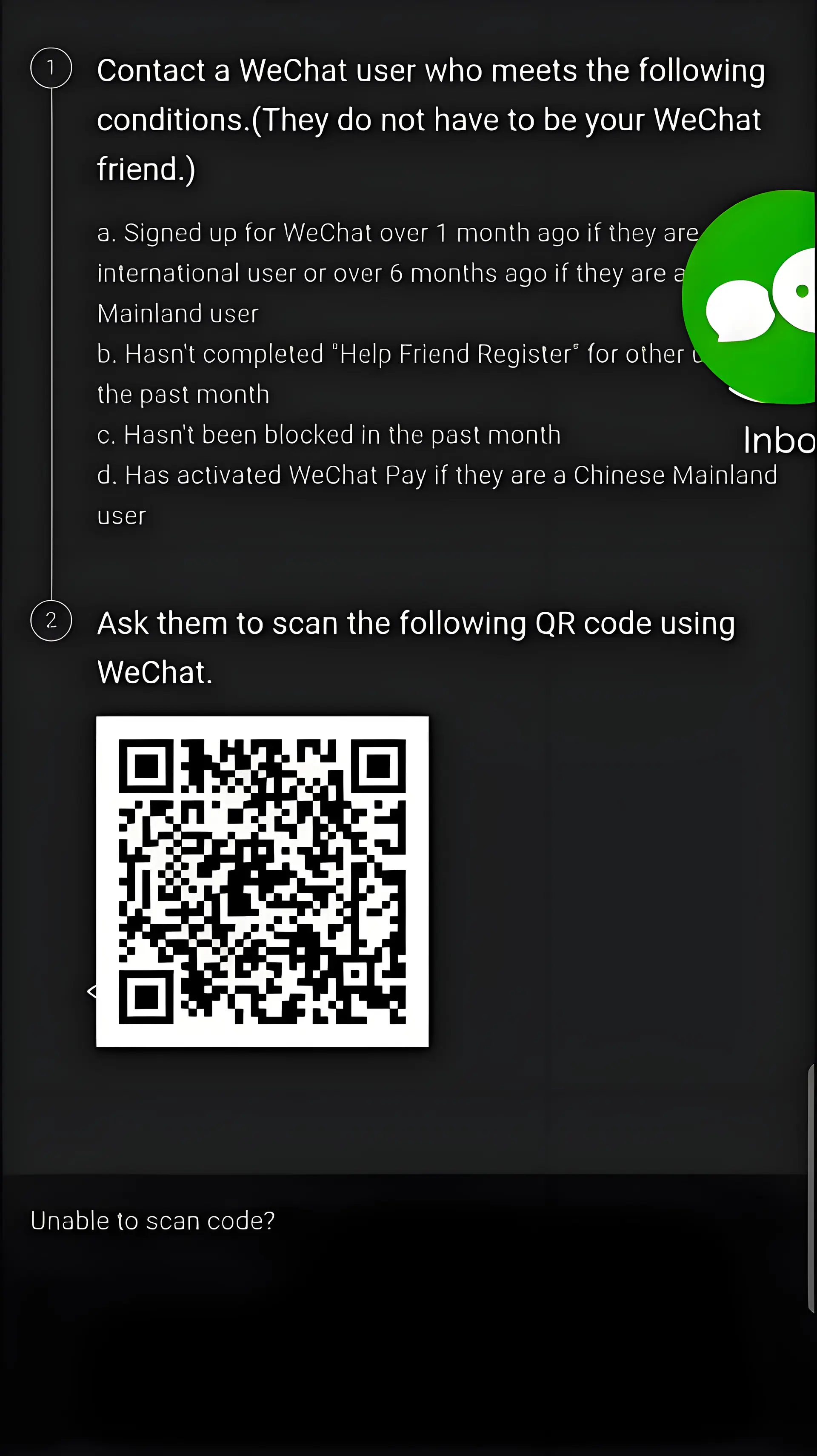
Continue to verification: new signups commonly see one or more checks: SMS, image, puzzle, or friend-assist QR.
Screenshots 1–2 cover the official app download and mobile sign-up entry.

Complete Account Security Verification
This is separate from WeChat Pay. Account verification proves you can own and recover the WeChat login; payment verification comes later when you enter the wallet.
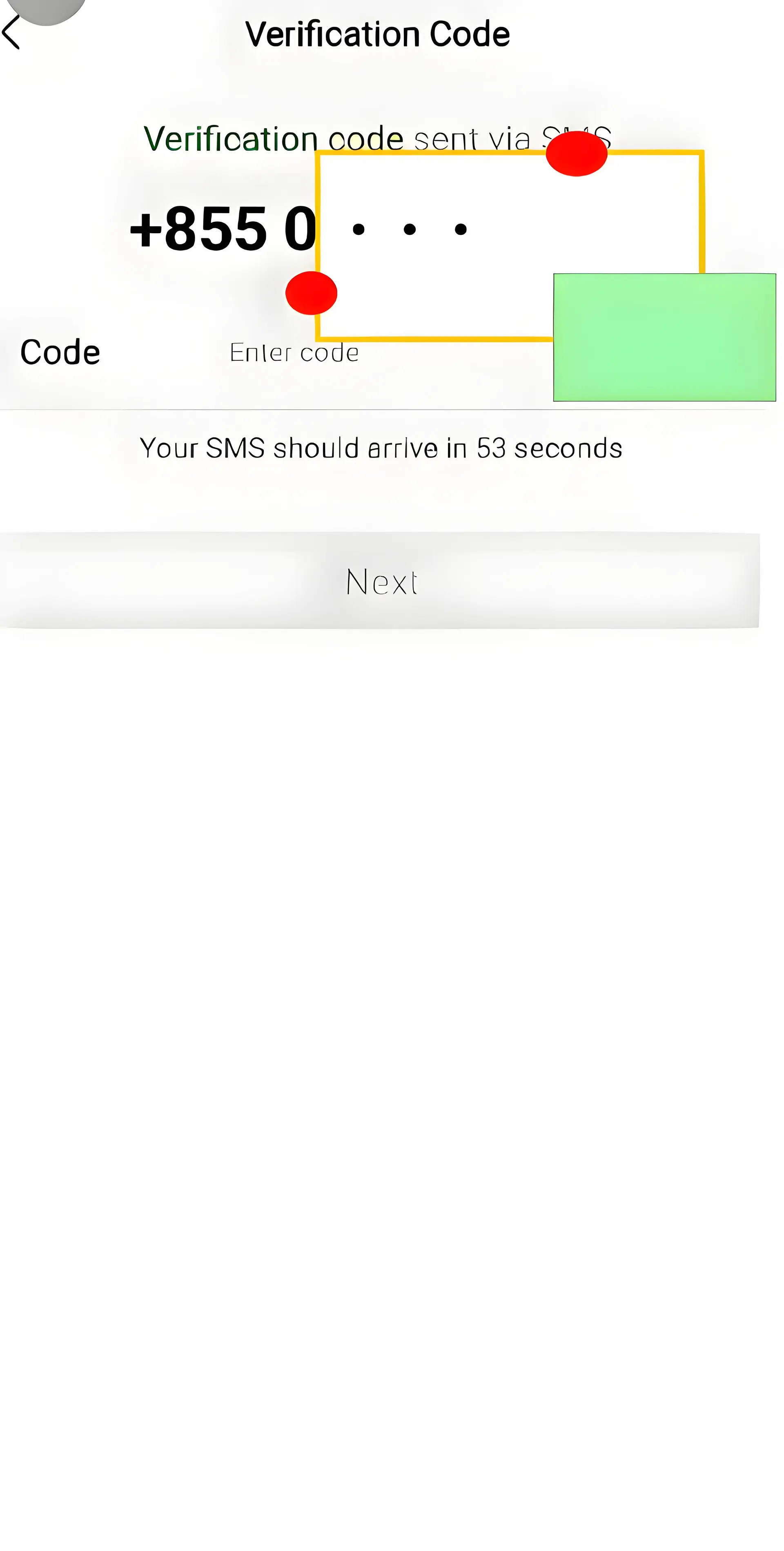
Work through the flow in order—SMS, image, puzzle, or friend-assist verification can appear on newer signups. If a friend QR step shows up, another WeChat user must scan within the countdown. If SMS never arrives, retry on 4G/5G, confirm your carrier allows international SMS, or use a mainland SIM after arrival only after you understand the Weixin-path tradeoff.
SMS code
Keep roaming, Wi-Fi calling, or mobile data reliable until the code arrives.
Profile
Add the nickname or profile details the app requests.
Security
Set the password, gesture lock, or other security step if shown.
Extra checks
Complete puzzle or friend-assist QR verification within the countdown if prompted.
Chats home
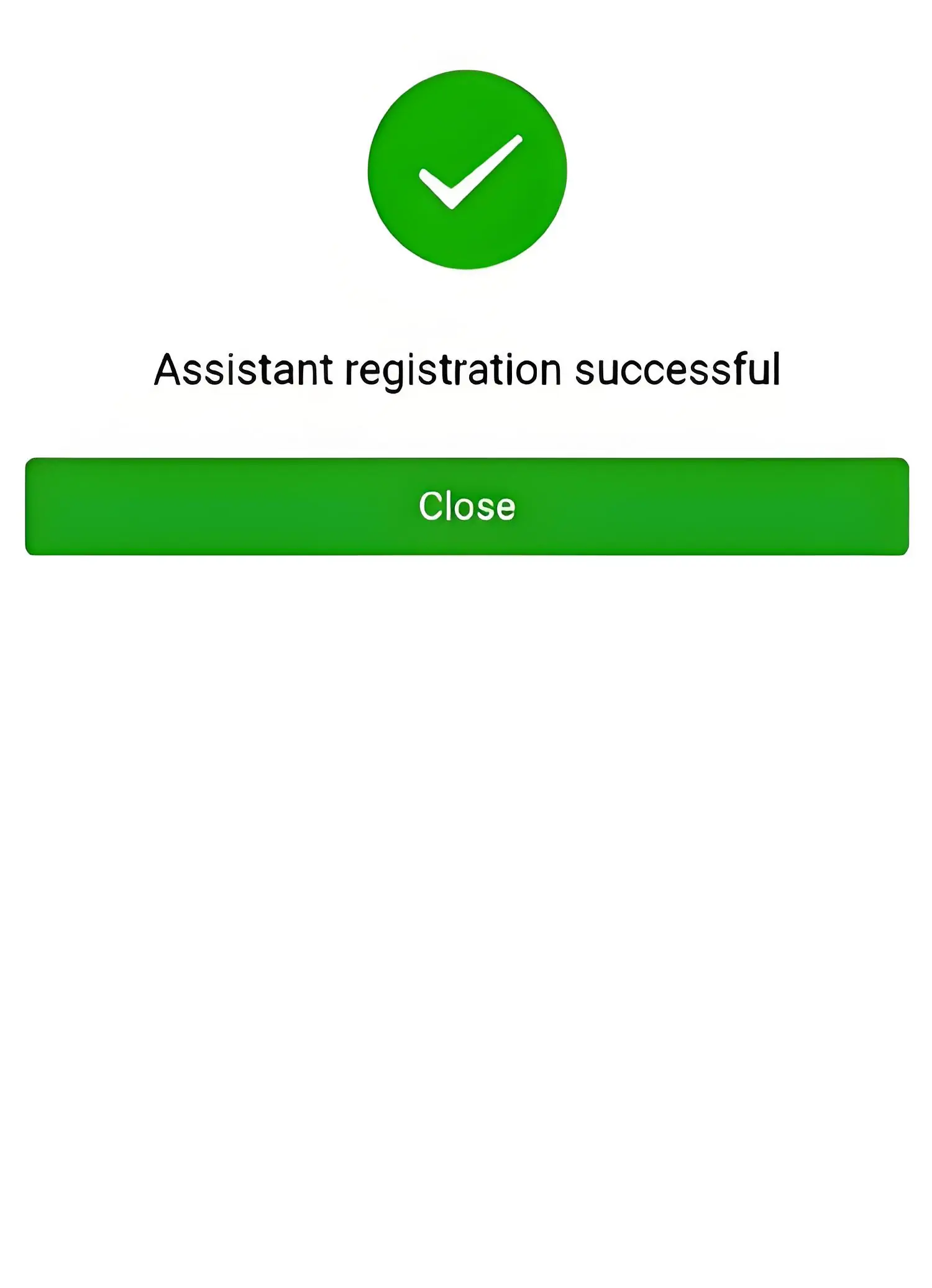
You should reach the main Chats list and be ready for wallet setup later in this guide.
Screenshots 3–7 cover the security check, friend-assist QR, SMS code, and successful registration screens.
Account recovery
Note your login phone and keep the device unlocked for international SMS before you fly. Losing access mid-trip is painful when every mini program expects you to be logged in.
Bind a Card for WeChat Pay
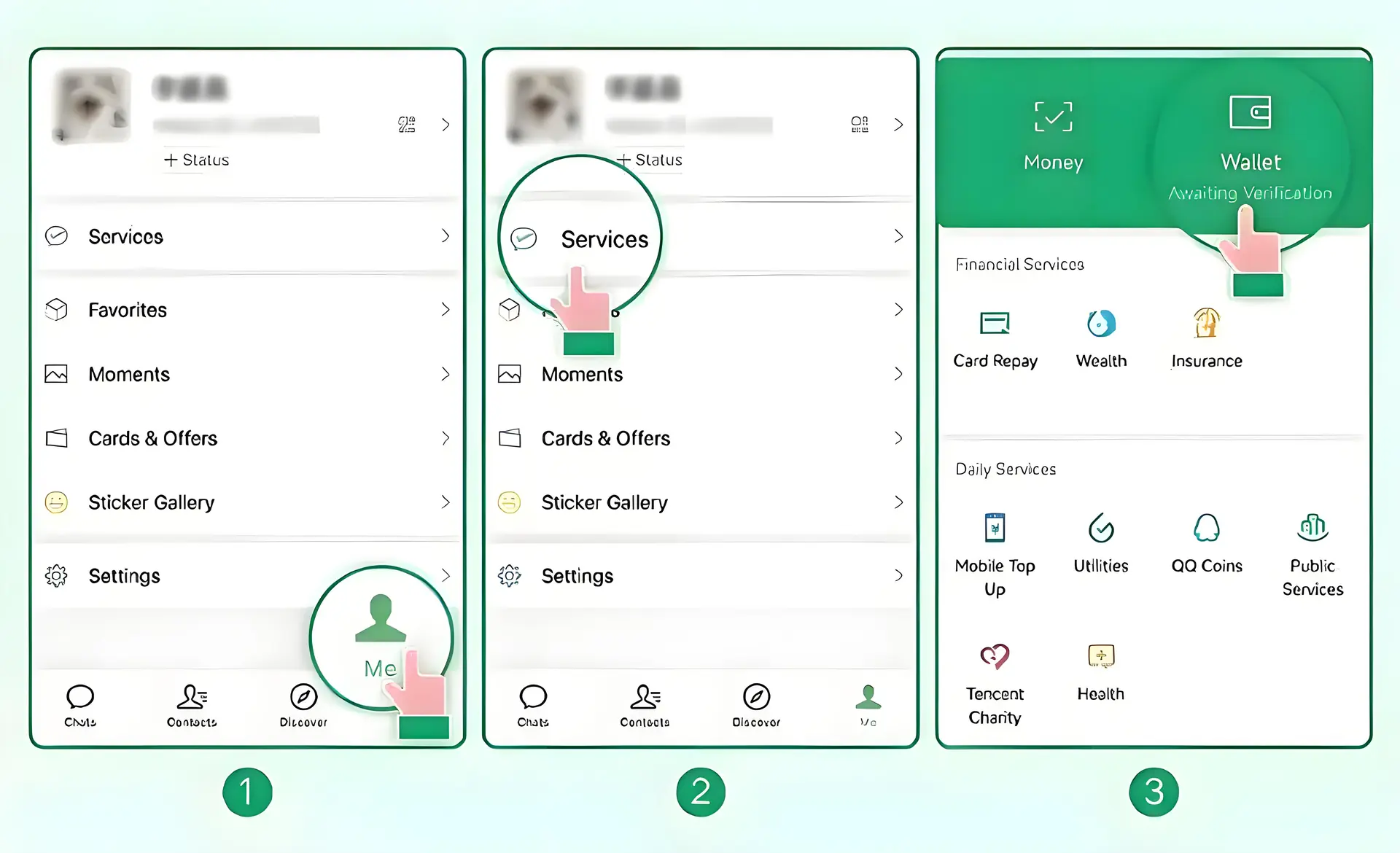
Open Me → Pay and Services / Services (wording varies) to reach WeChat Pay. Basic card linking and full identity verification are separate steps: some accounts add a card first, while higher limits or certain payment functions ask for passport and face / real-name checks. Only continue when you are on official Tencent screens—never send passport photos to random chats.
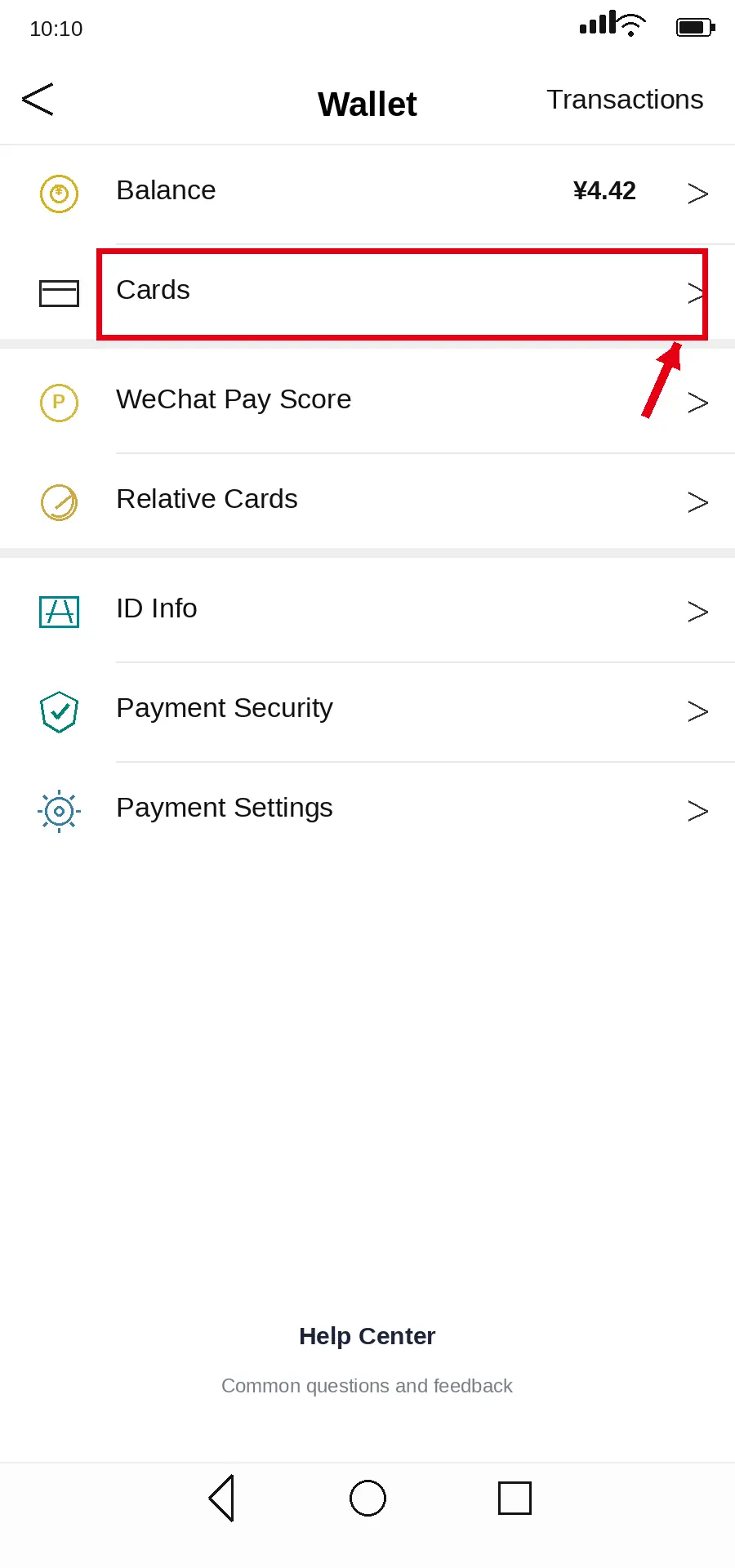
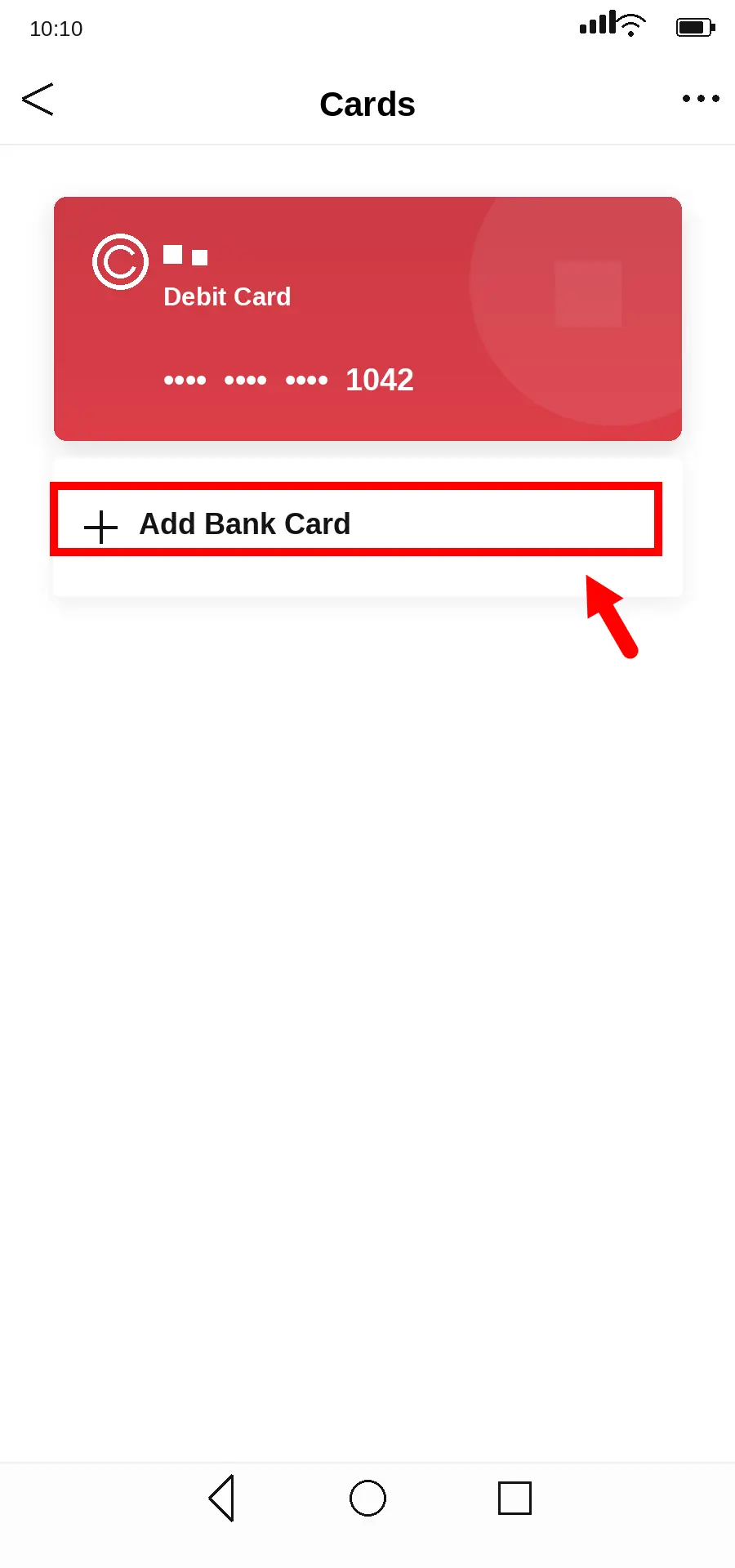
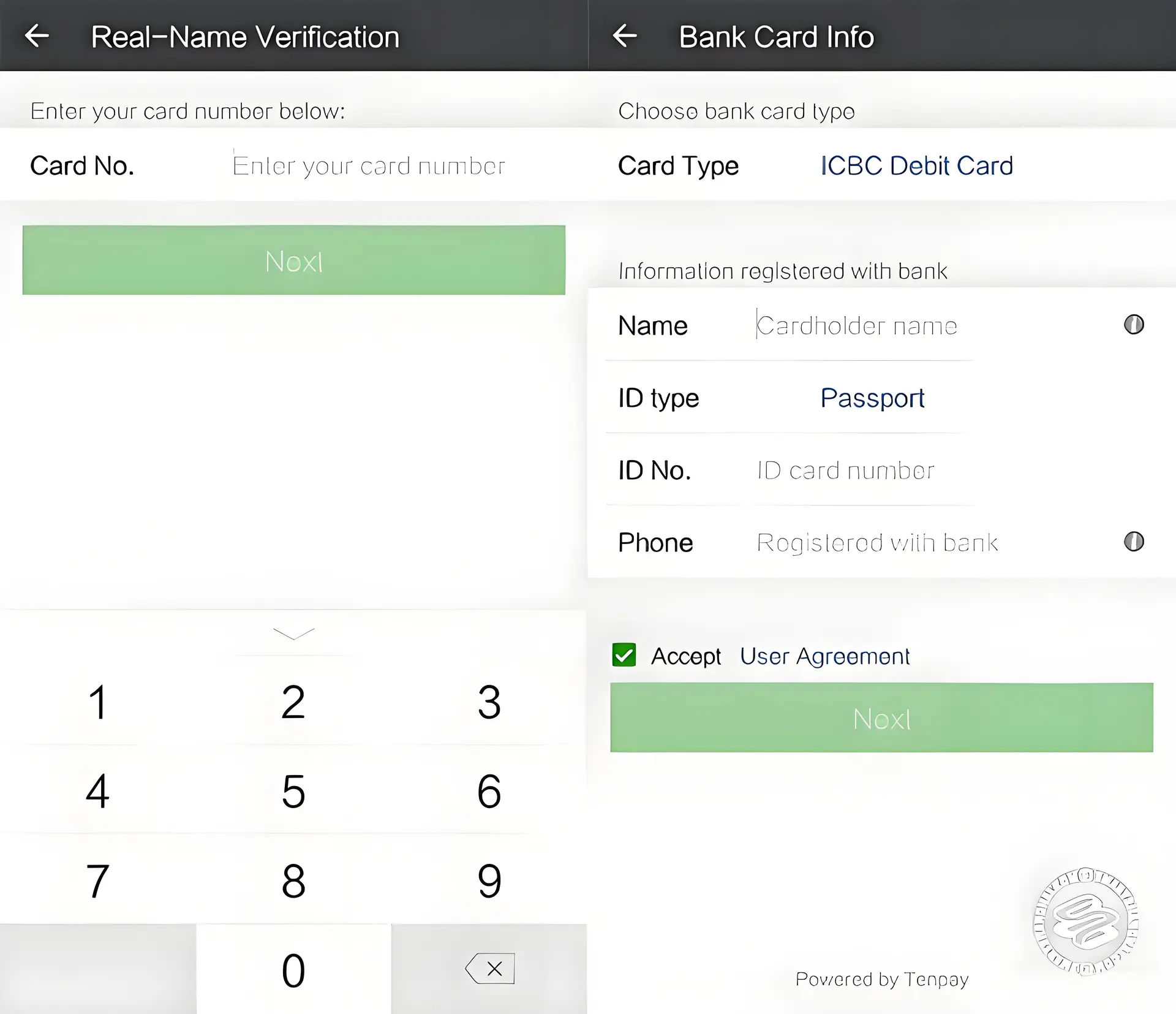
Link an international card
Inside Wallet / Cards, add a brand shown at bind time: official visitor notices list Visa, Mastercard, American Express, Discover / Diners Club, JCB, and UnionPay support in relevant flows. Complete your issuer’s bank-app or card-security approval if prompted.
If binding fails, ask your issuer to allow China and online use, then retry on Wi-Fi you trust. Official guidance also lives in Tencent’s help center (search “international cards Weixin Pay”).
If Services looks thin
If Services / wallet shortcuts look thin right after install, update WeChat, close and reopen the app, search for Weixin Pay or Wallet, and enter through Me → Cards if that appears. Do not make token purchases just to force a menu; use Alipay or cash until the wallet path is clear.
Special-region wallets
Hong Kong and other special-region wallets (e.g. wallets tied to Hong Kong phone numbers) follow their own fee and FX rules inside the app; follow the on-device labels for cross-border use in mainland cities rather than assuming it matches a US-issued card flow.
Pay at Counters with QR Codes
Once the wallet is ready, most in-person payments are just two QR patterns: you scan a merchant code, or the merchant scans your payment code.
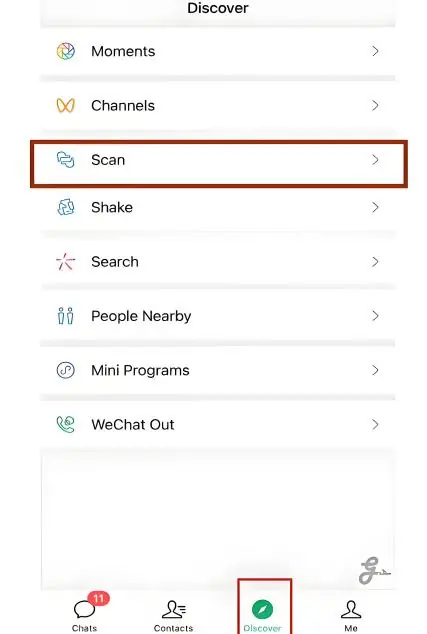
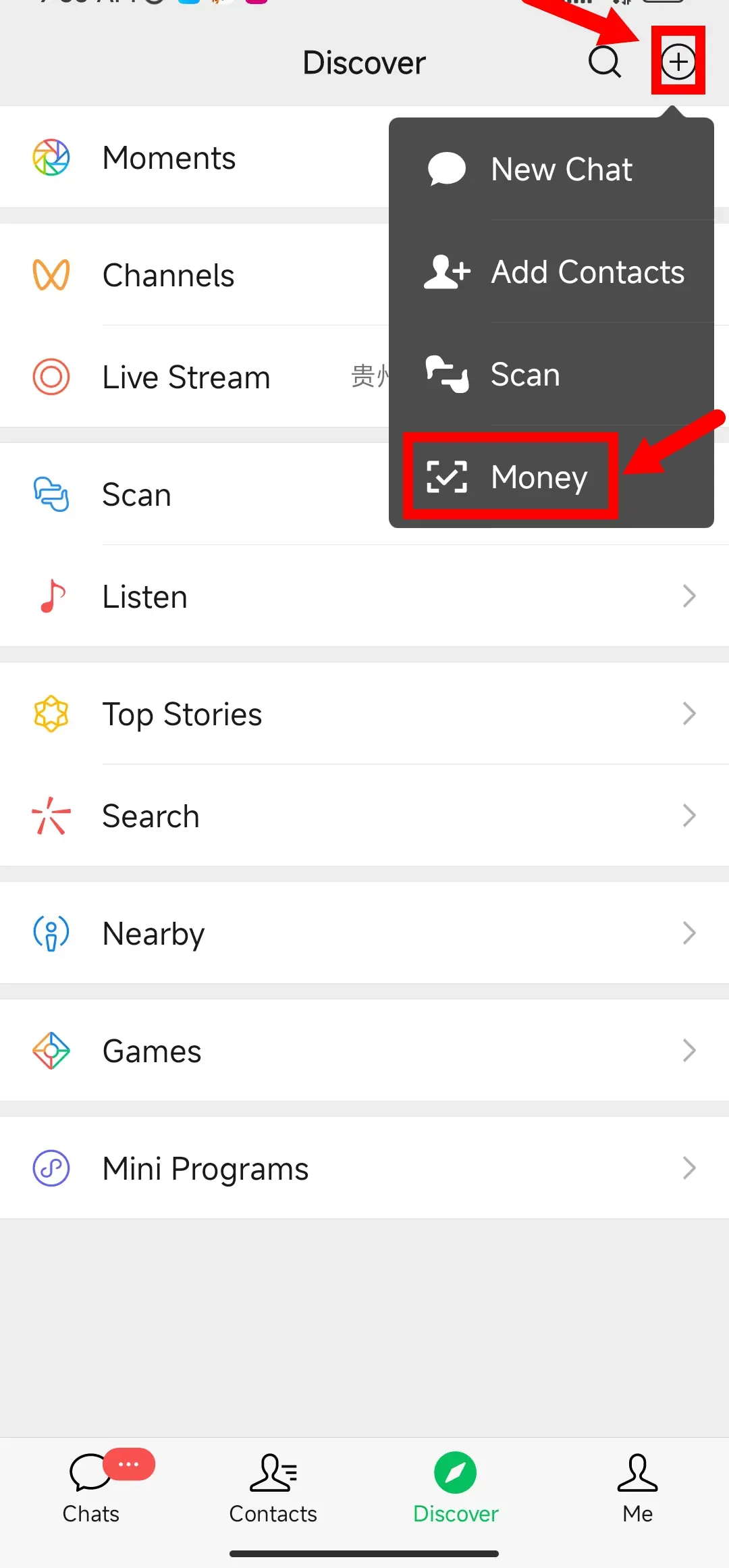
Scan the merchant’s code
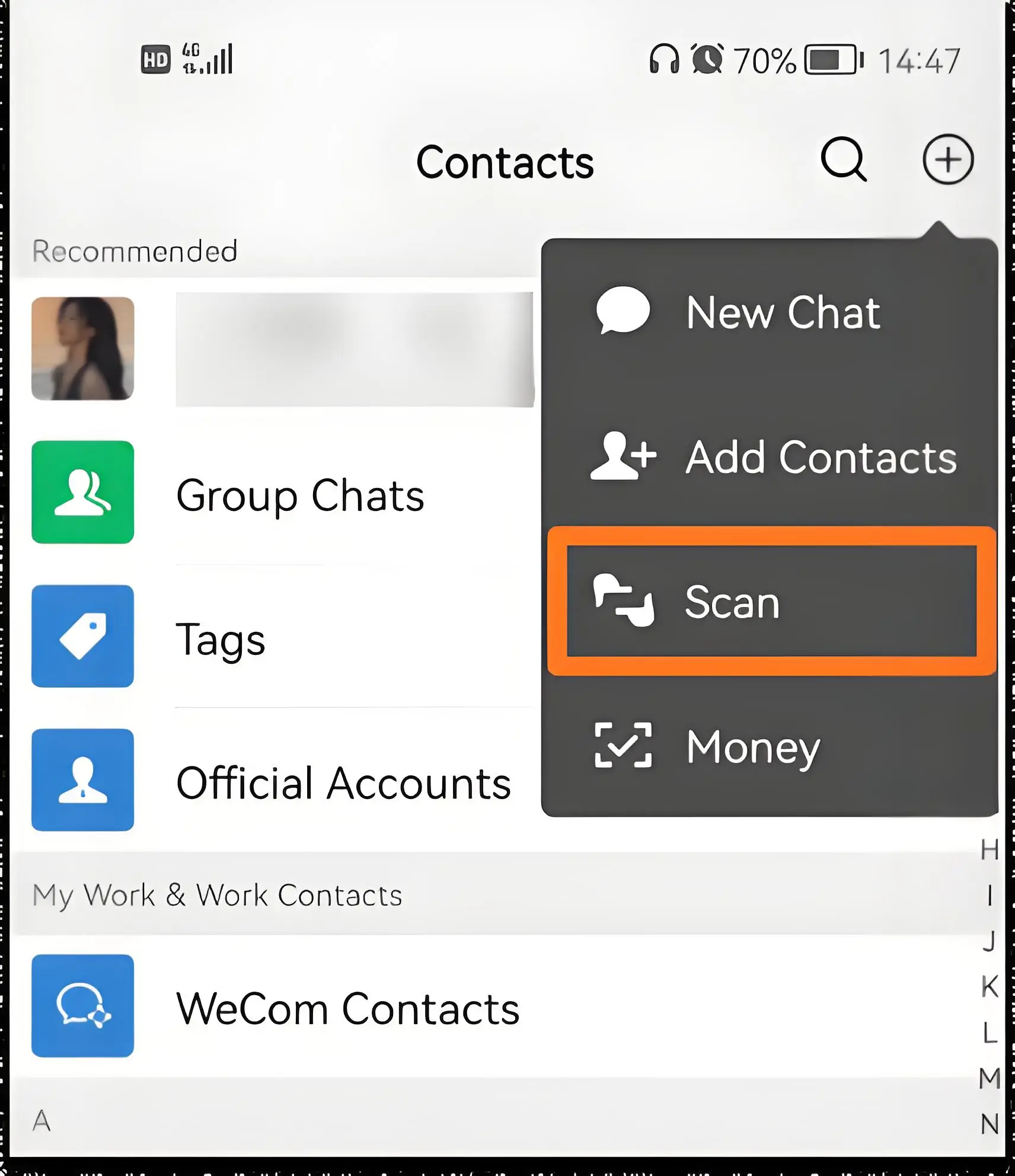
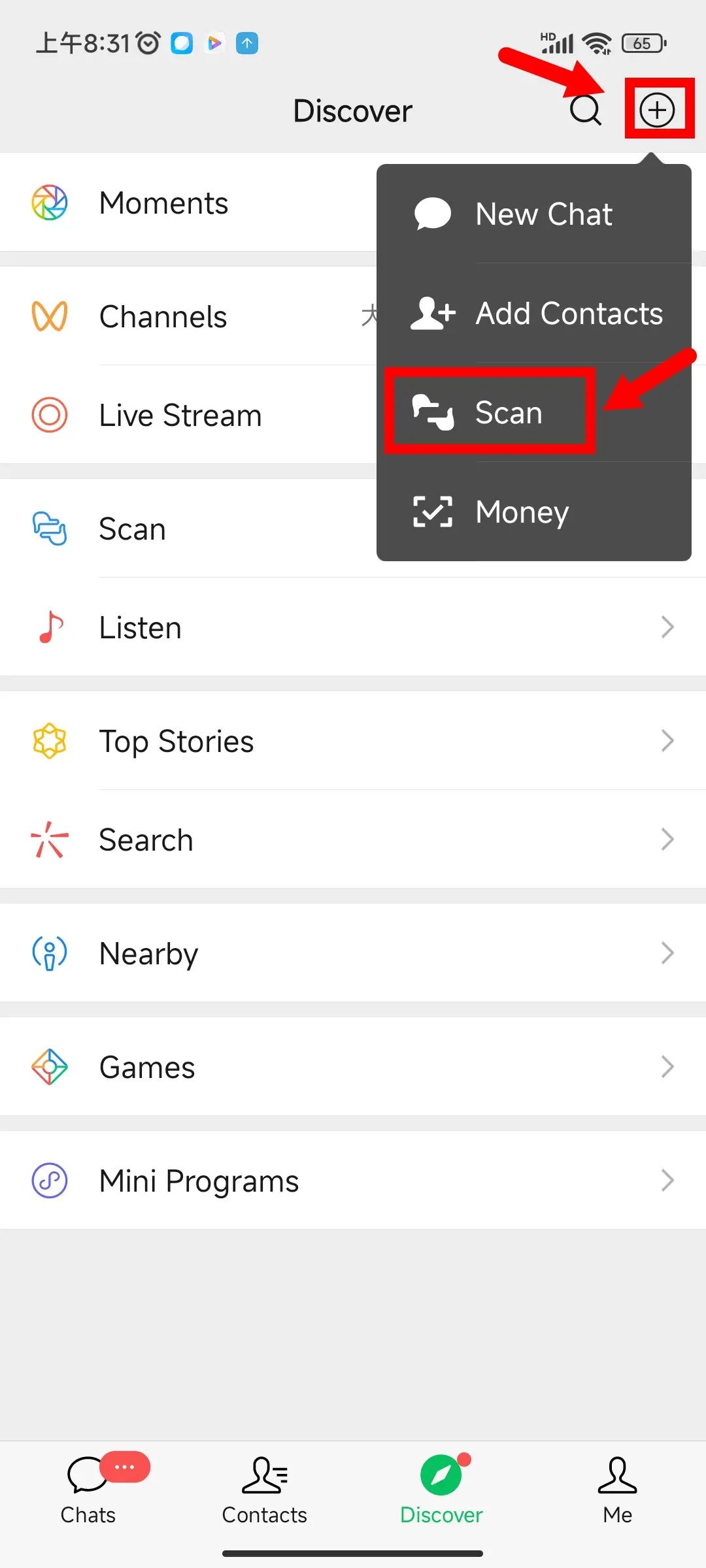
There are two common ways to open Scan. Use either one, then aim at the store QR, confirm amount and merchant name, then authorize.
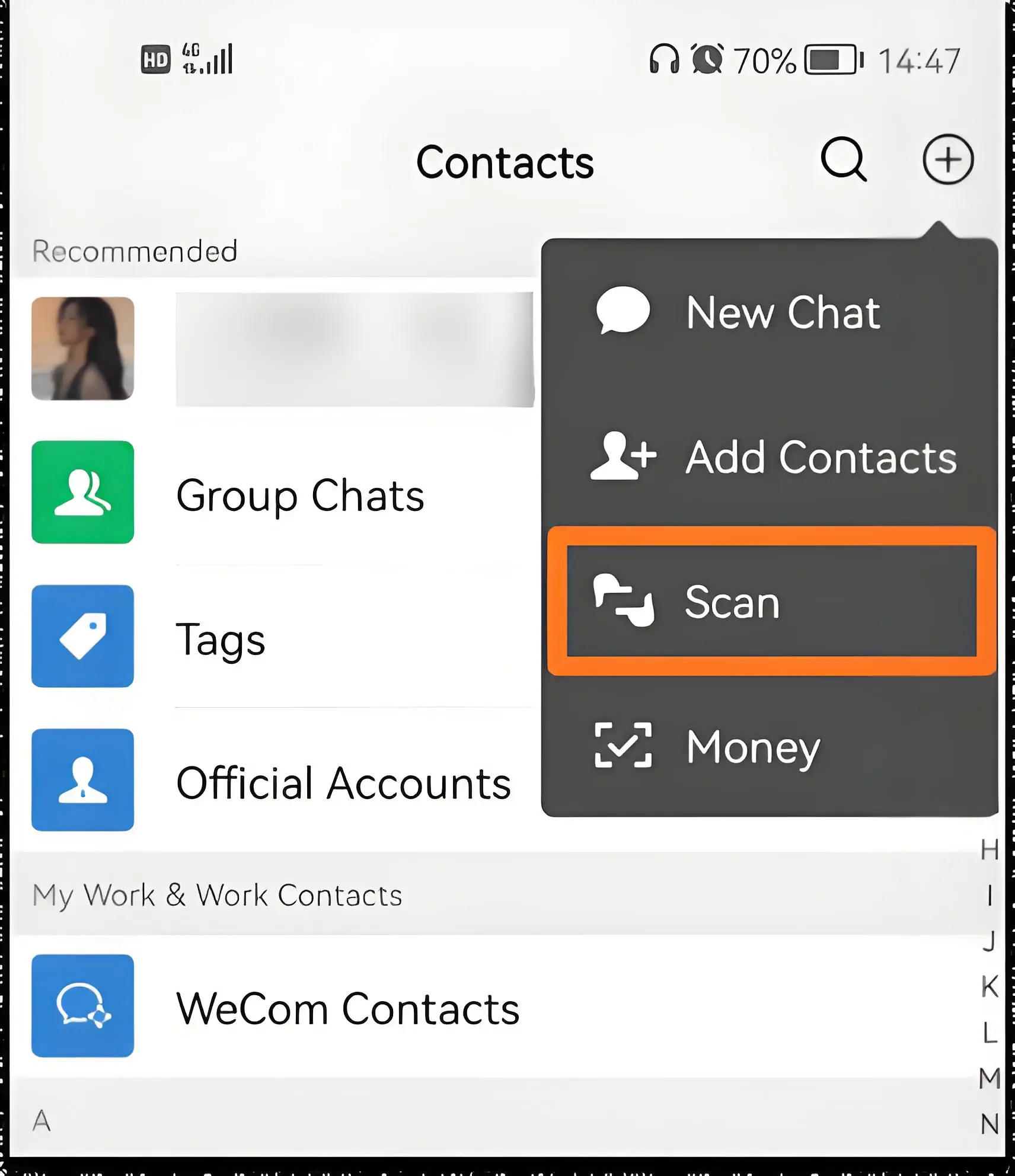
Show your payment code
Use this when staff ask to scan your code. Open Pay → Money / Receive & Pay (labels vary) → display your payment QR. Staff scan it with their handset; wait for the success sound before you walk away.
QR safety
Scan codes on the table, at the cashier, at an official venue window, or inside an official account / mini program. Ignore unsolicited codes in chats, loose stickers, and codes handed to you by strangers.
Add WeChat Contacts
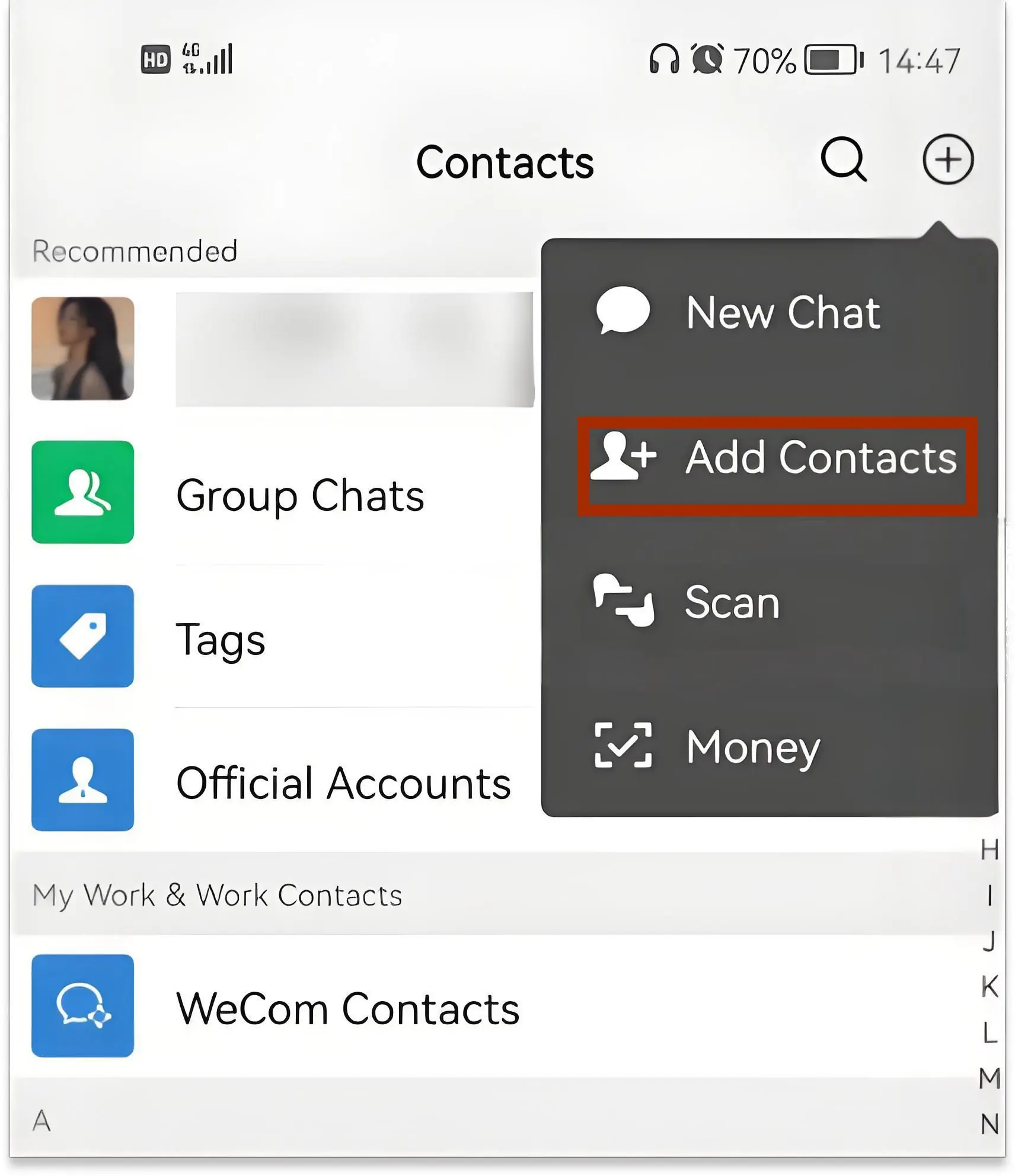
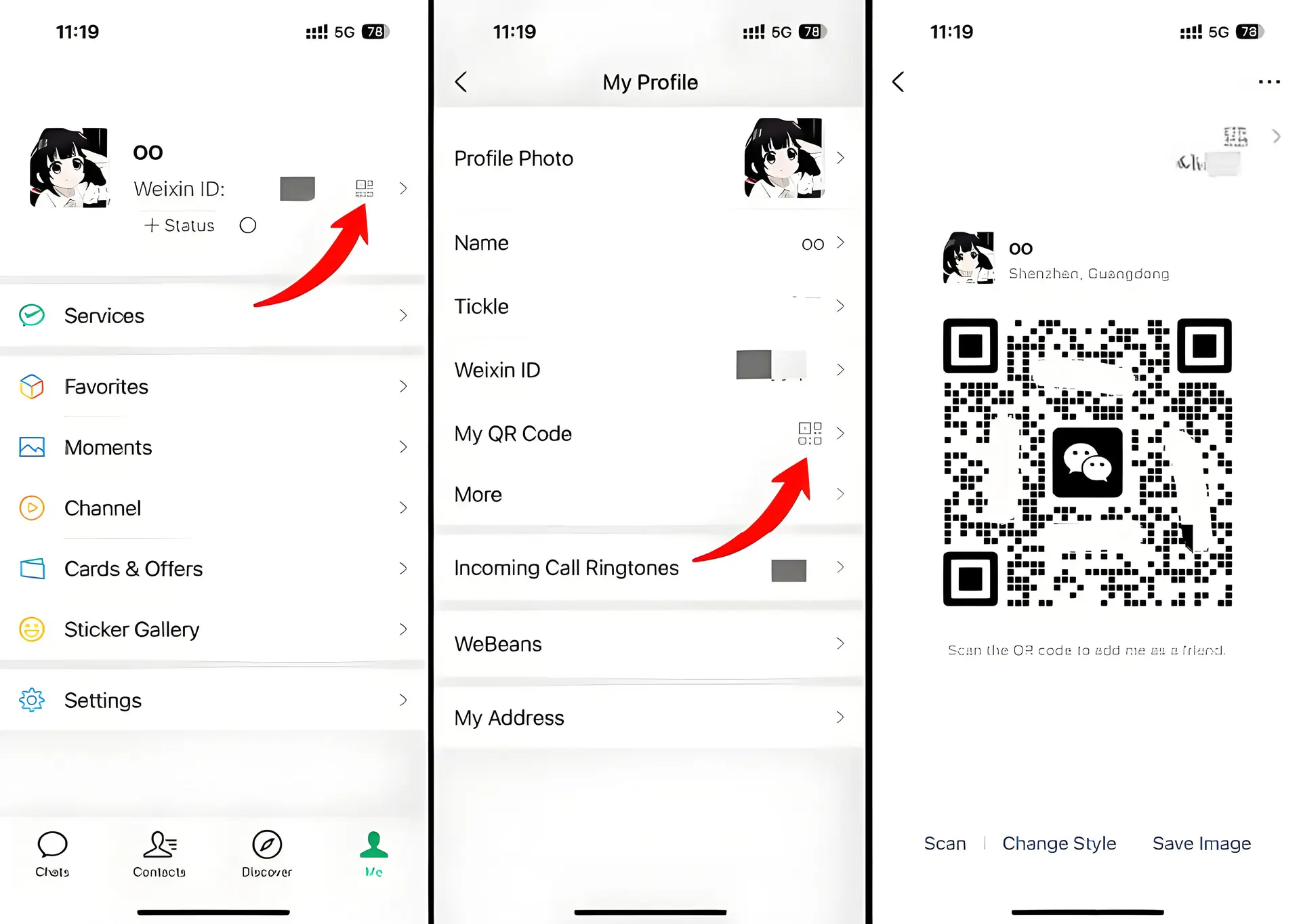
WeChat contact exchange is usually done by ID, phone number, or QR code. Hotels still use phone calls in many situations, while local friends, guides, hosts, and small service providers often prefer WeChat. For Didi or taxi drivers, keep communication inside the ride app unless the platform or driver gives you a clear reason to switch.
QR swap
Tap + → Add Contacts → Scan QR Code to capture someone’s card, or show yours from Me → My QR Code.
Search by ID or phone
Use Add Contacts → Search WeChat ID / Phone when someone texts you their ID.
Use Moments for Light Sharing
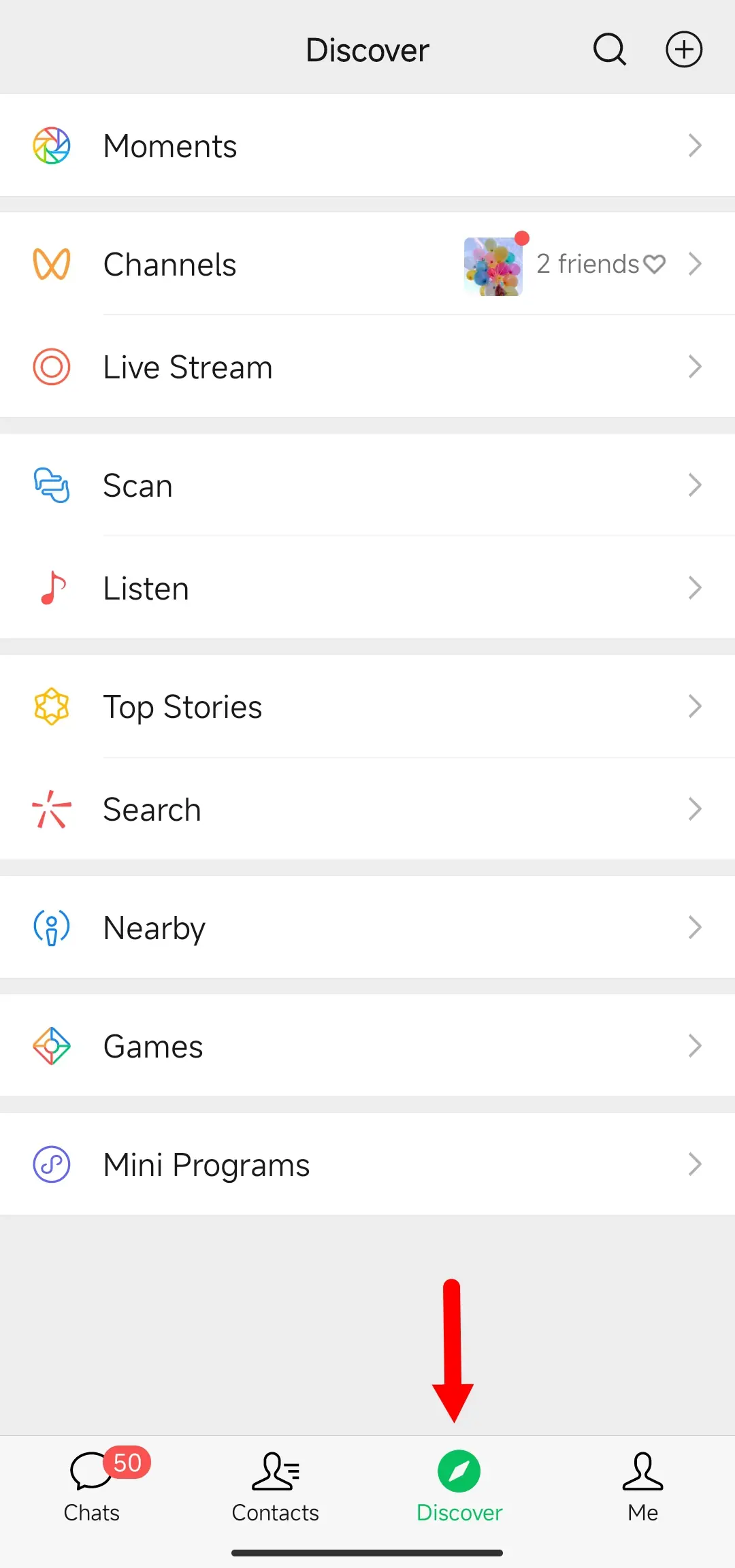
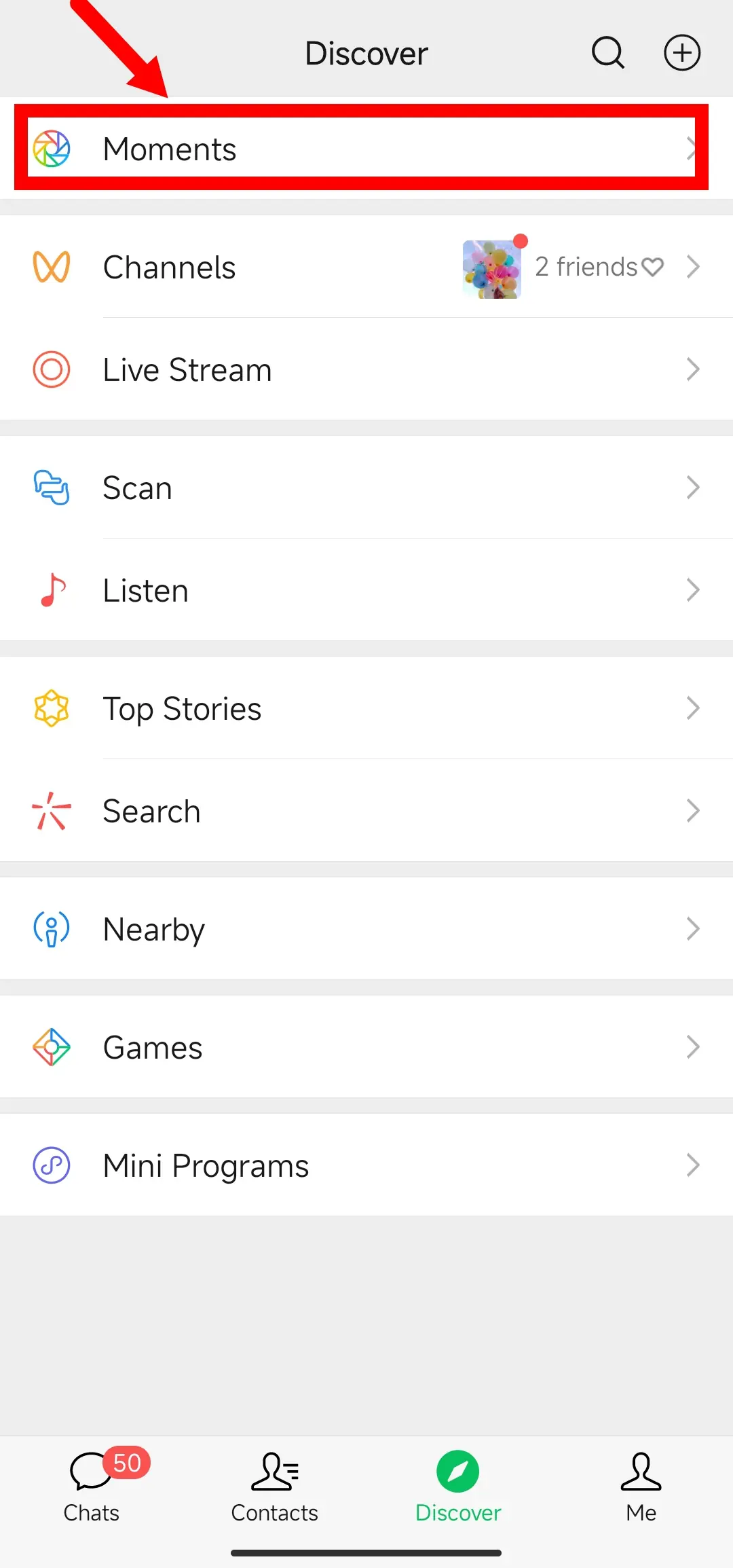
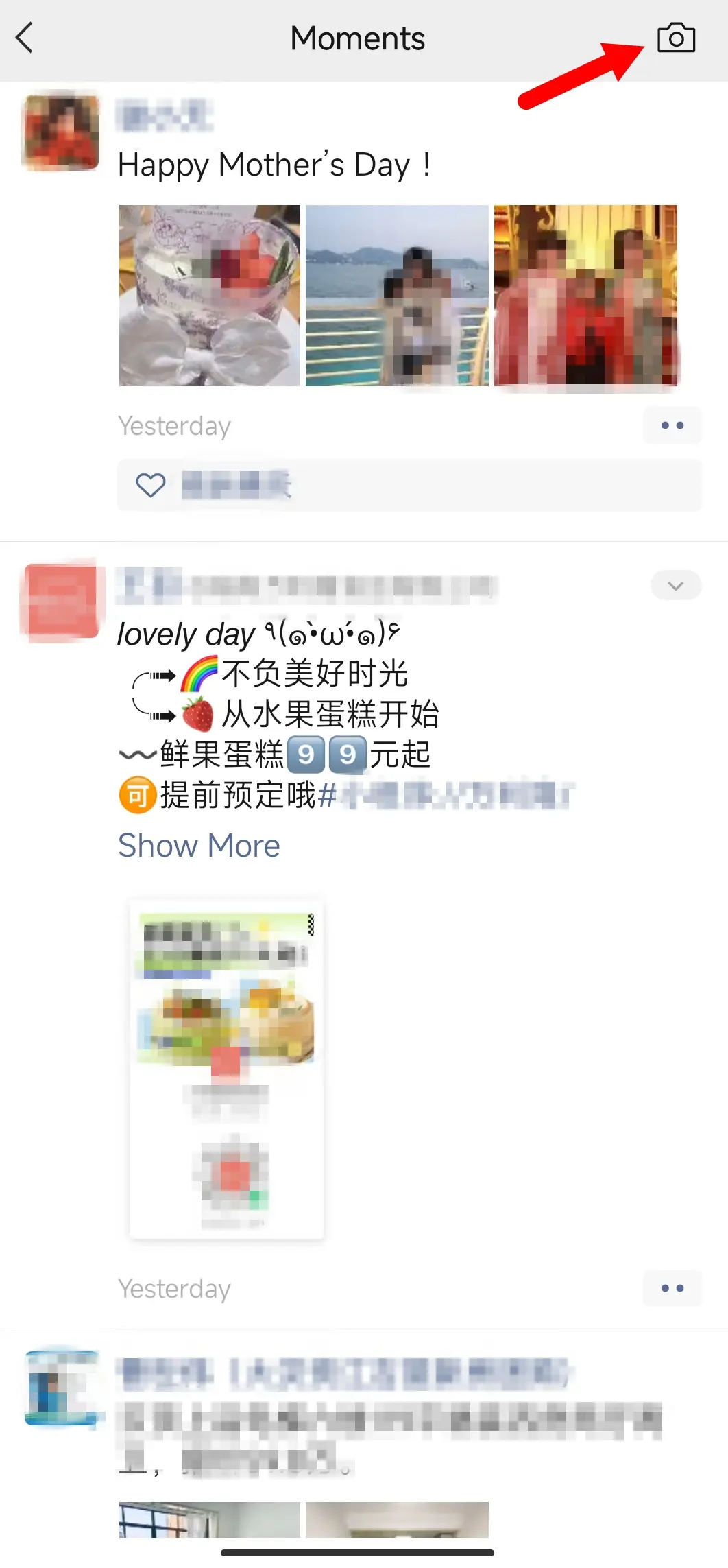
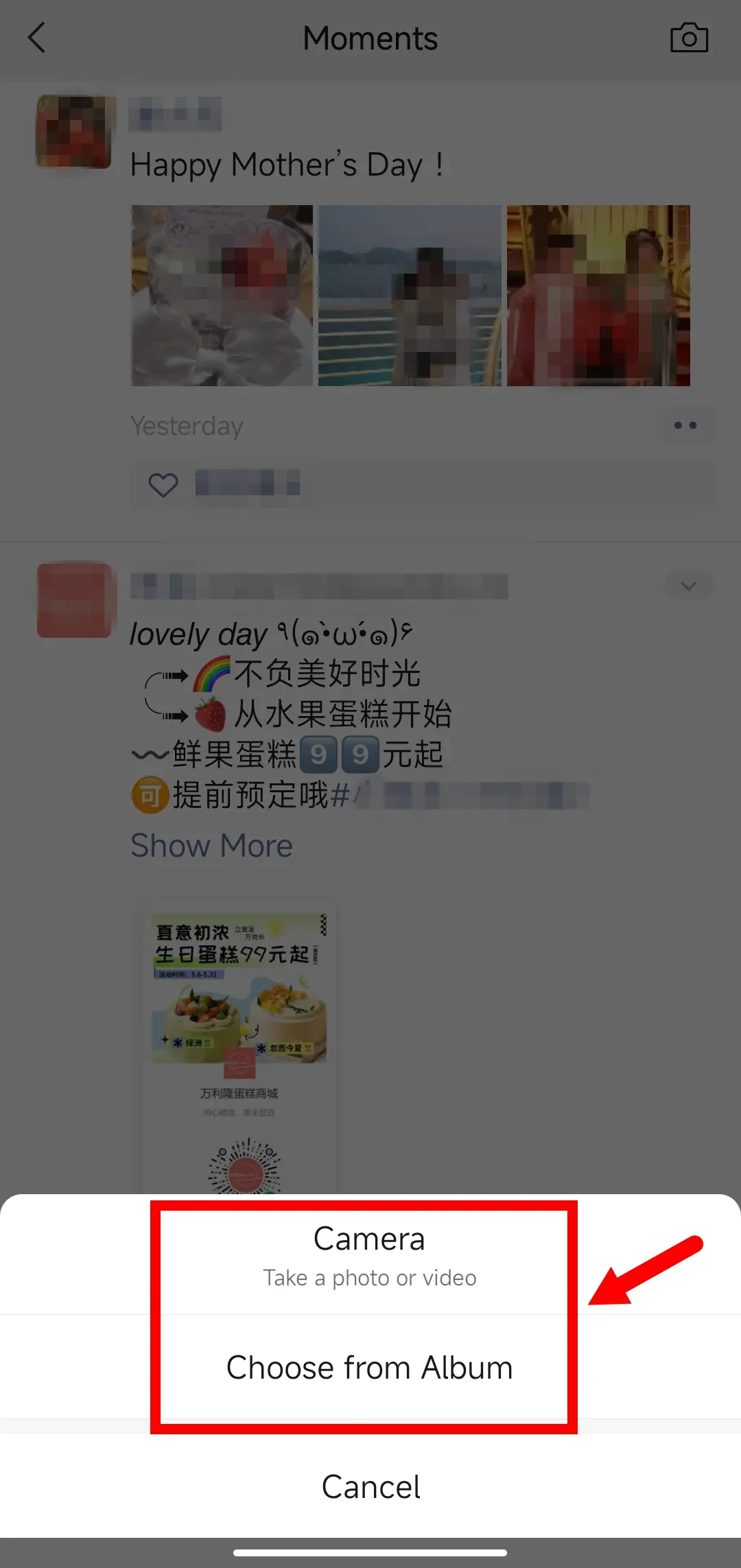
Moments (朋友圈) is the friends-only feed—photos, short video, and links. Tap Discover → Moments. You do not need it for travel logistics; many visitors only browse local contacts’ posts or ignore it entirely.
Share Live Location
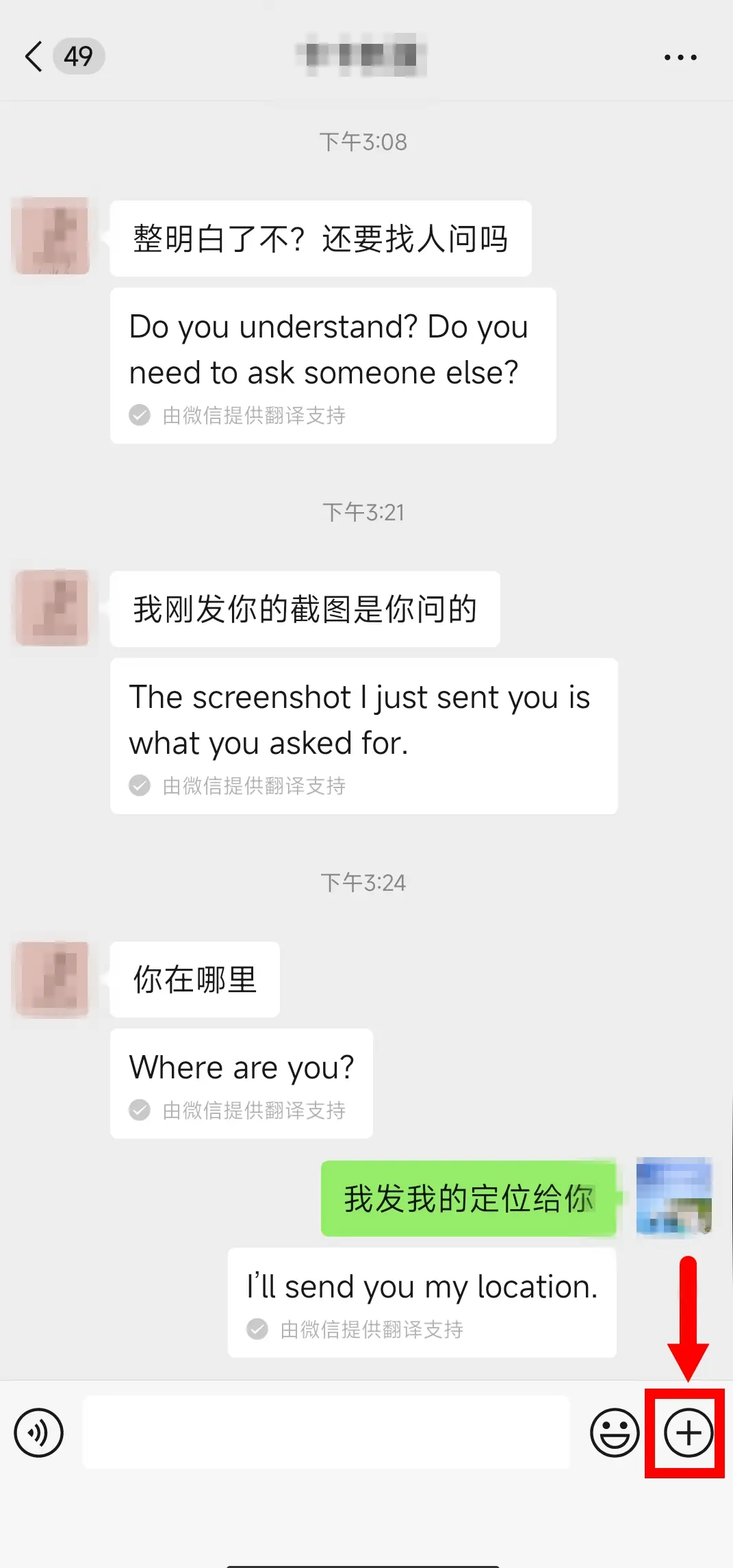
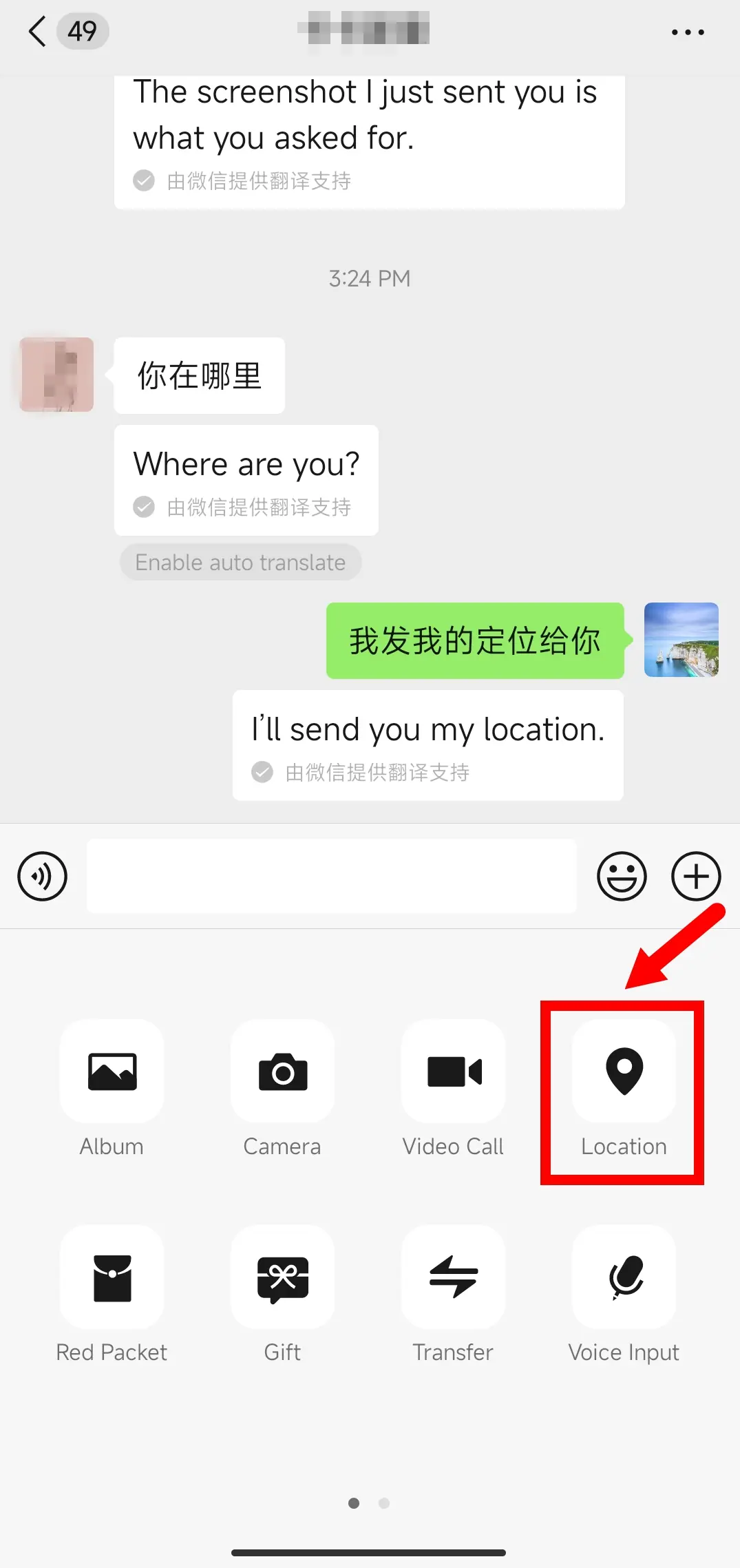
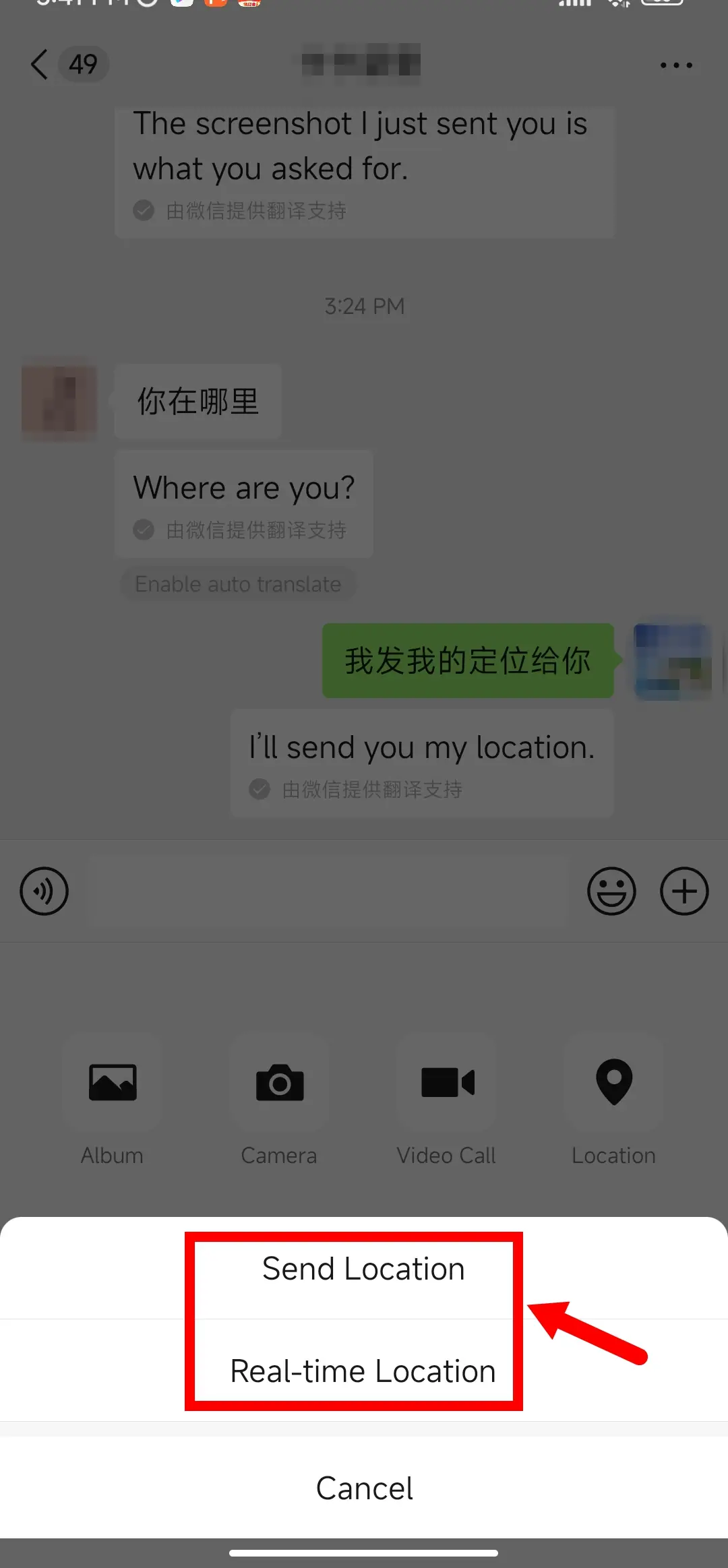
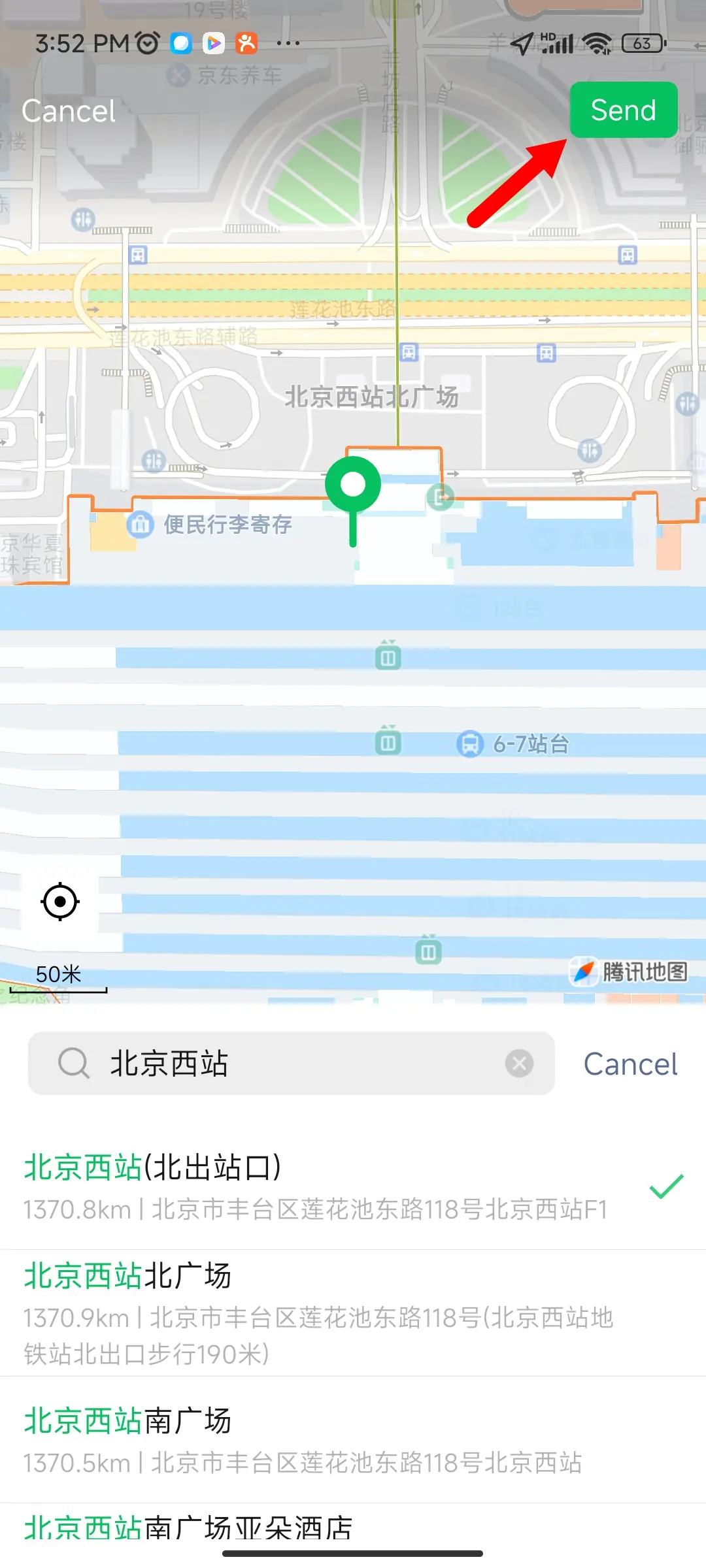
In a chat, tap + → Location → Real-time Location when a friend, guide, hotel, or official venue contact needs to find you. Stop sharing when you are done. For address planning outside WeChat, pair this with a China map app from our Amap, Maps.me, and Apple Maps guide.
Translate WeChat Messages
WeChat's translation tools are most useful for Chinese chat messages. Mini-program screen translation appears in some builds, but it is not as dependable as chat-bubble translation.
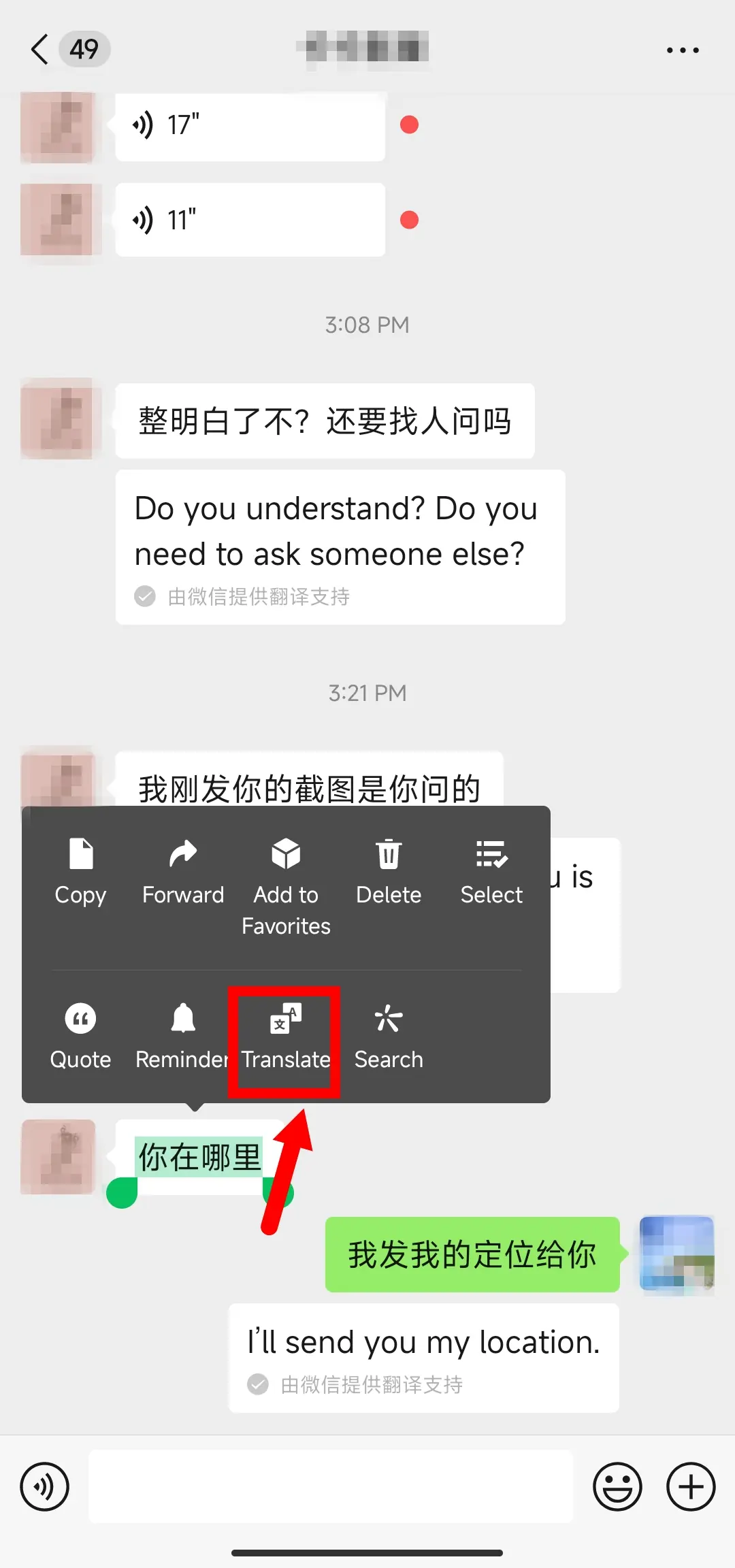
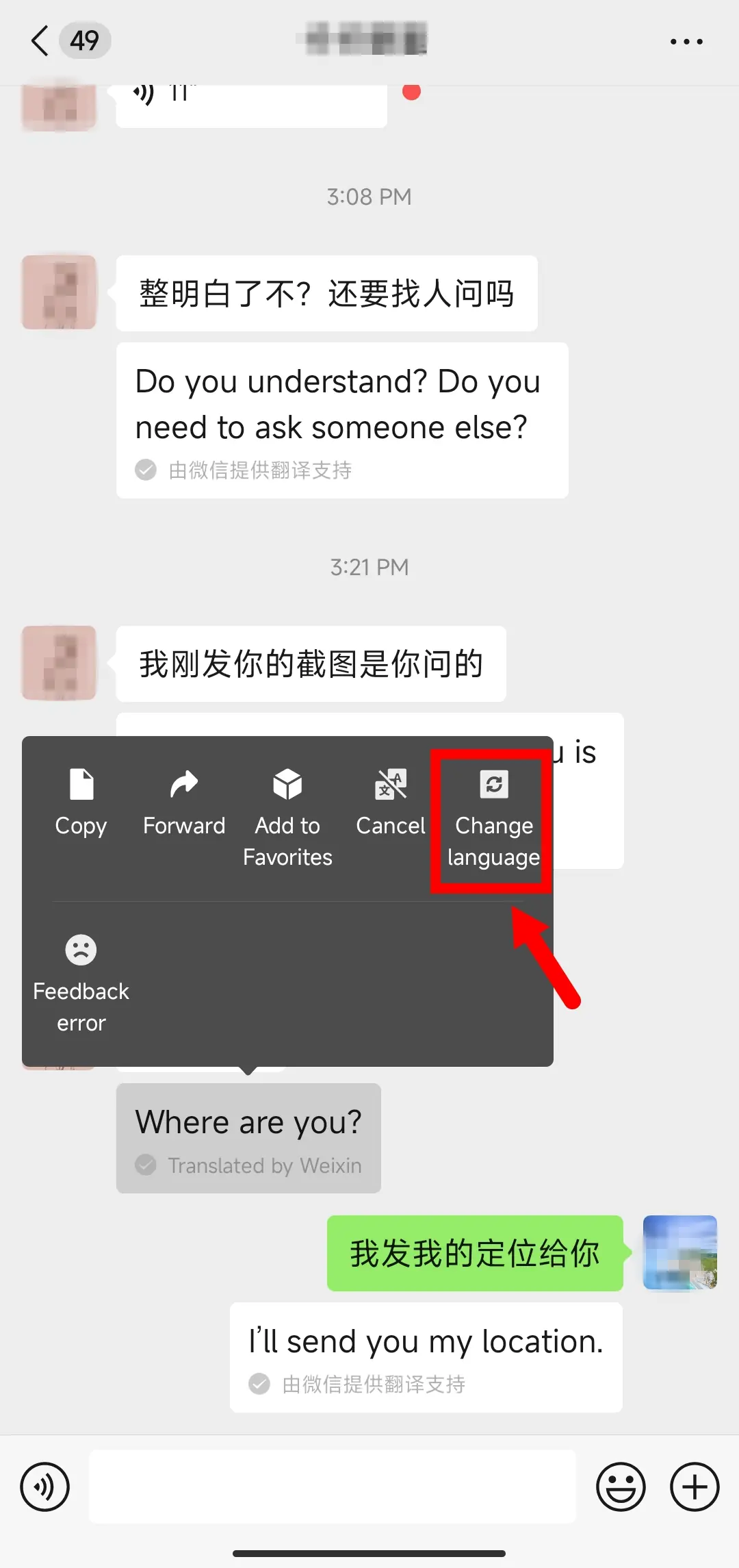
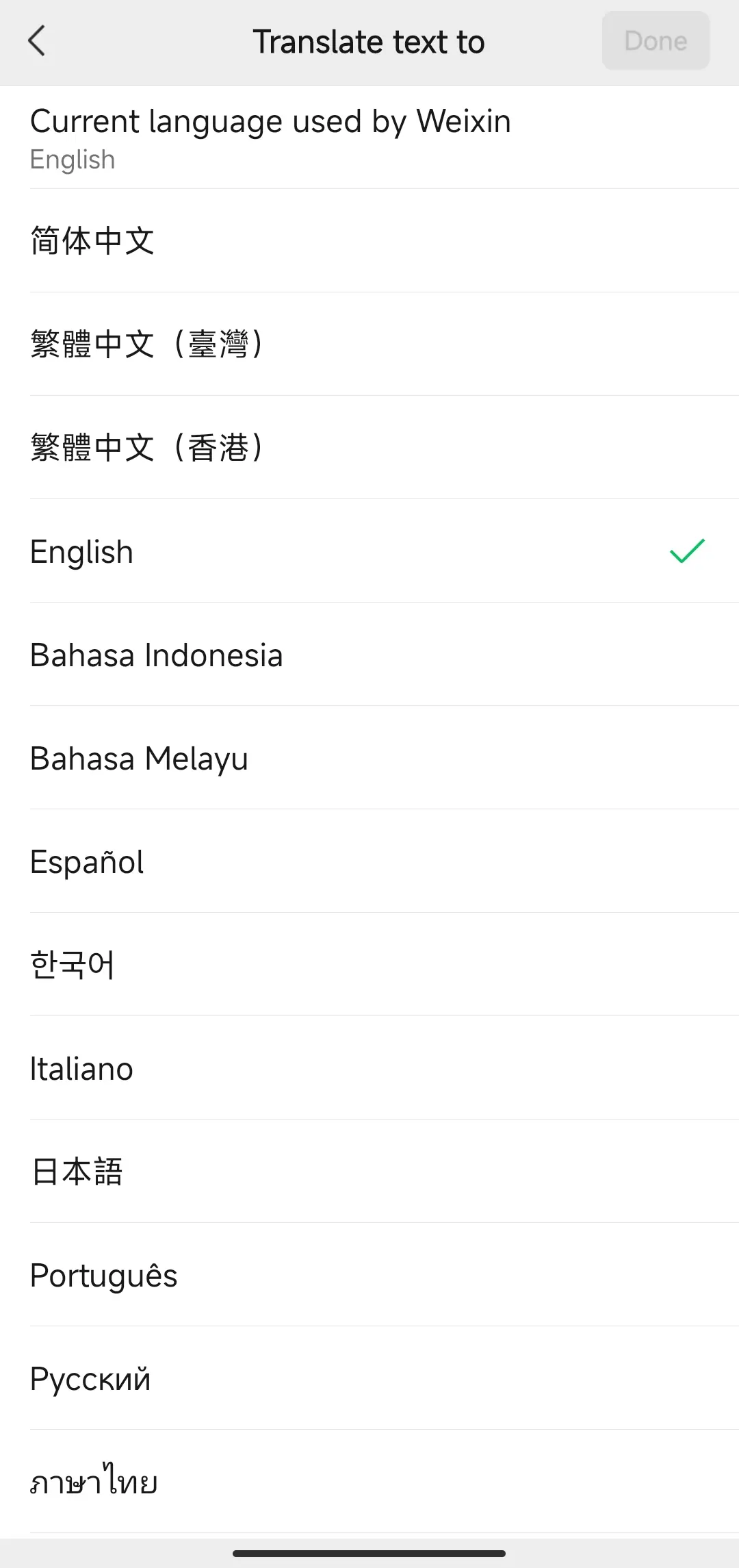
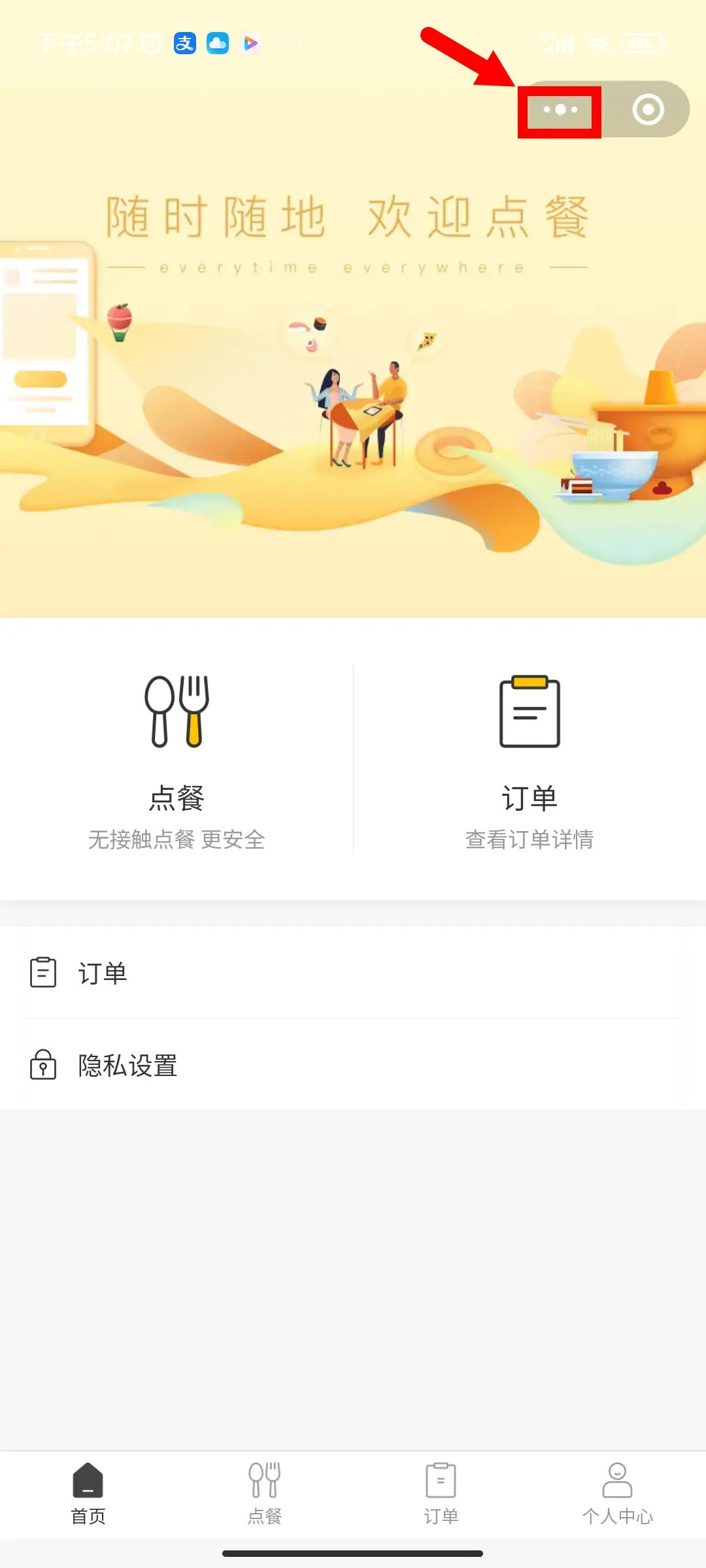
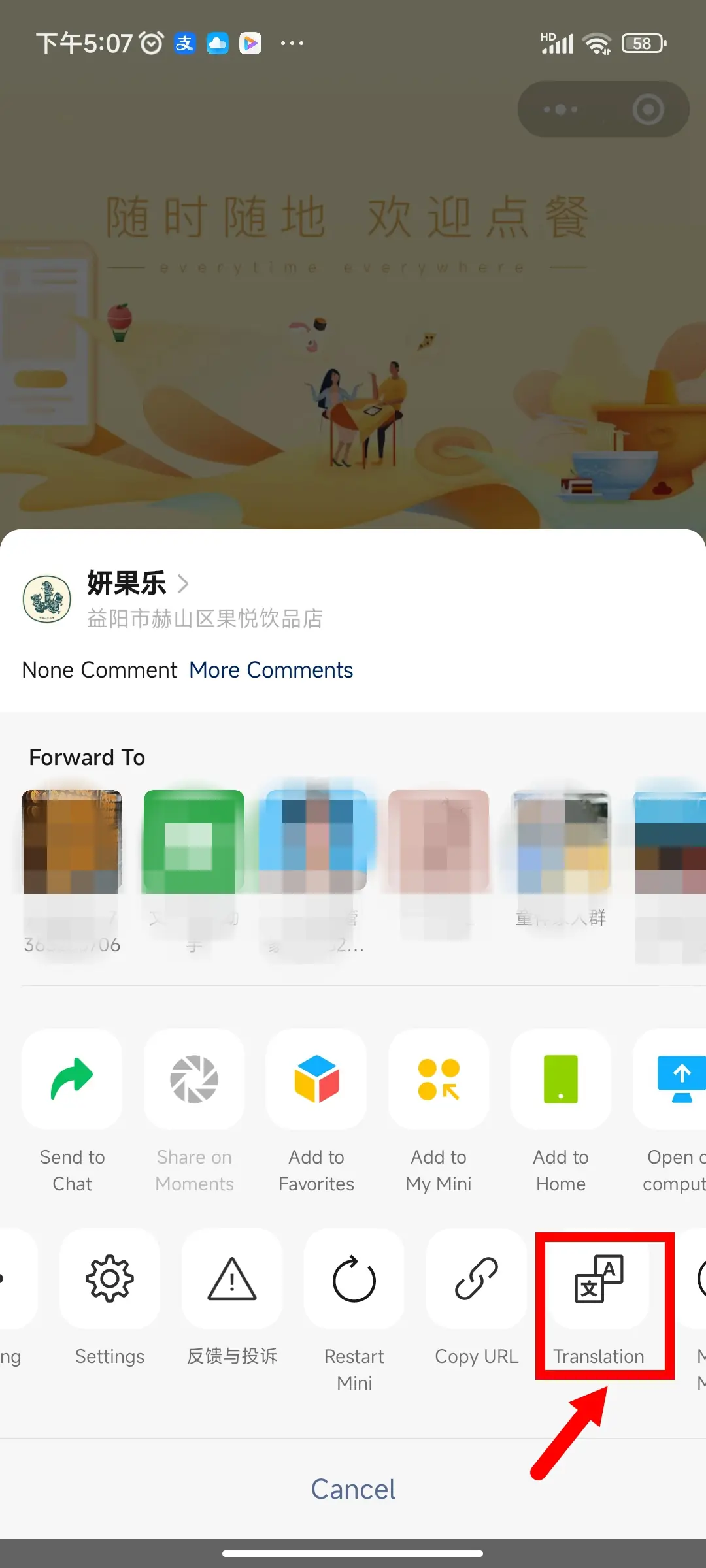
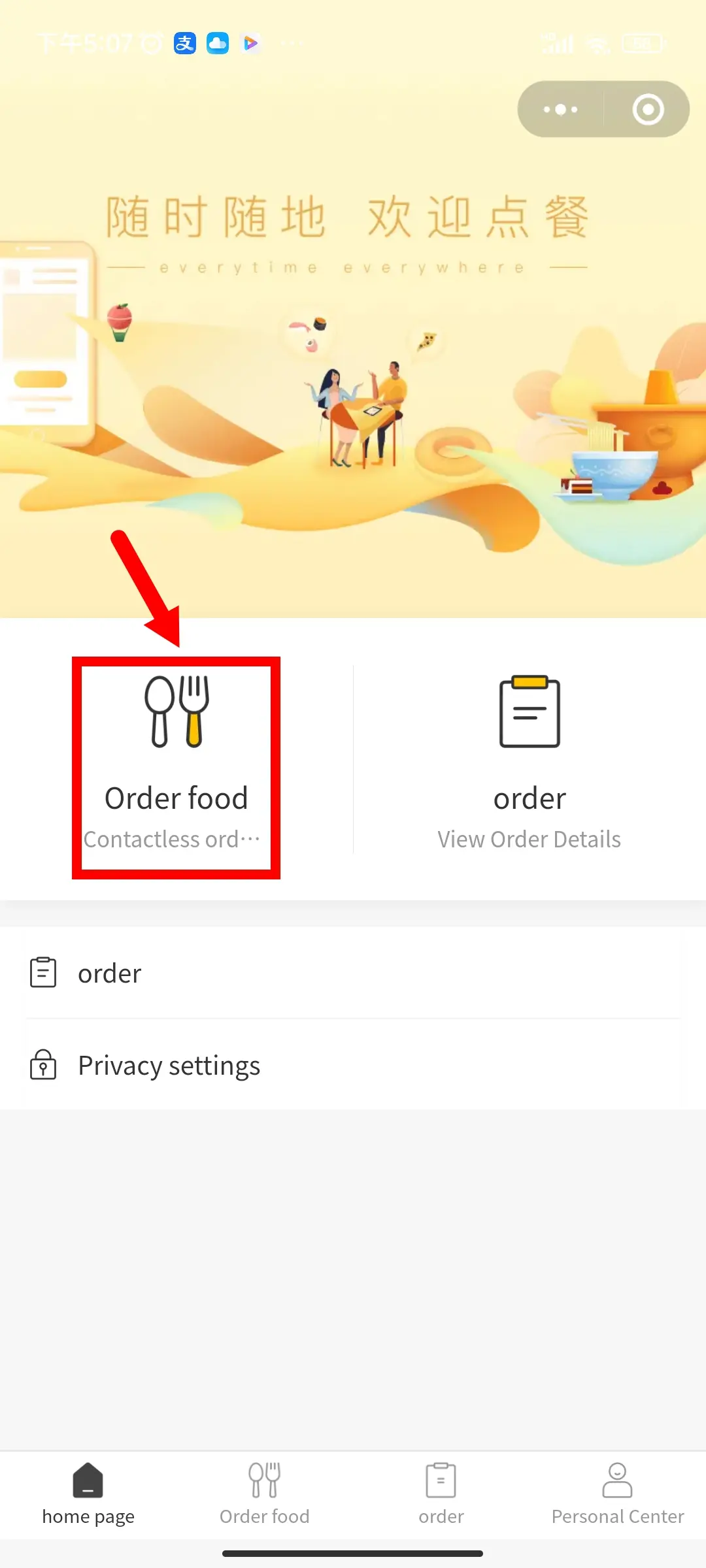
Long-press a Chinese message (or use the Translate tool in the chat menu, depending on build) to swap bubbles to English. For menus and mini programs, try Translate from the top ⋯ menu when it appears; otherwise use a screenshot / camera translator and double-check prices, quantities, dates, and time slots. Our China translation apps guide covers the stronger fallback tools.
Scan-to-Order at Restaurants
Table stickers usually open a restaurant mini program. Scan with WeChat, enter the restaurant menu, use Translate if available, add dishes, then checkout with WeChat Pay. For the wider restaurant flow—calling staff, tea, QR menus, and payment—use the China restaurant service guide.
WeChat Mini Programs for Travel
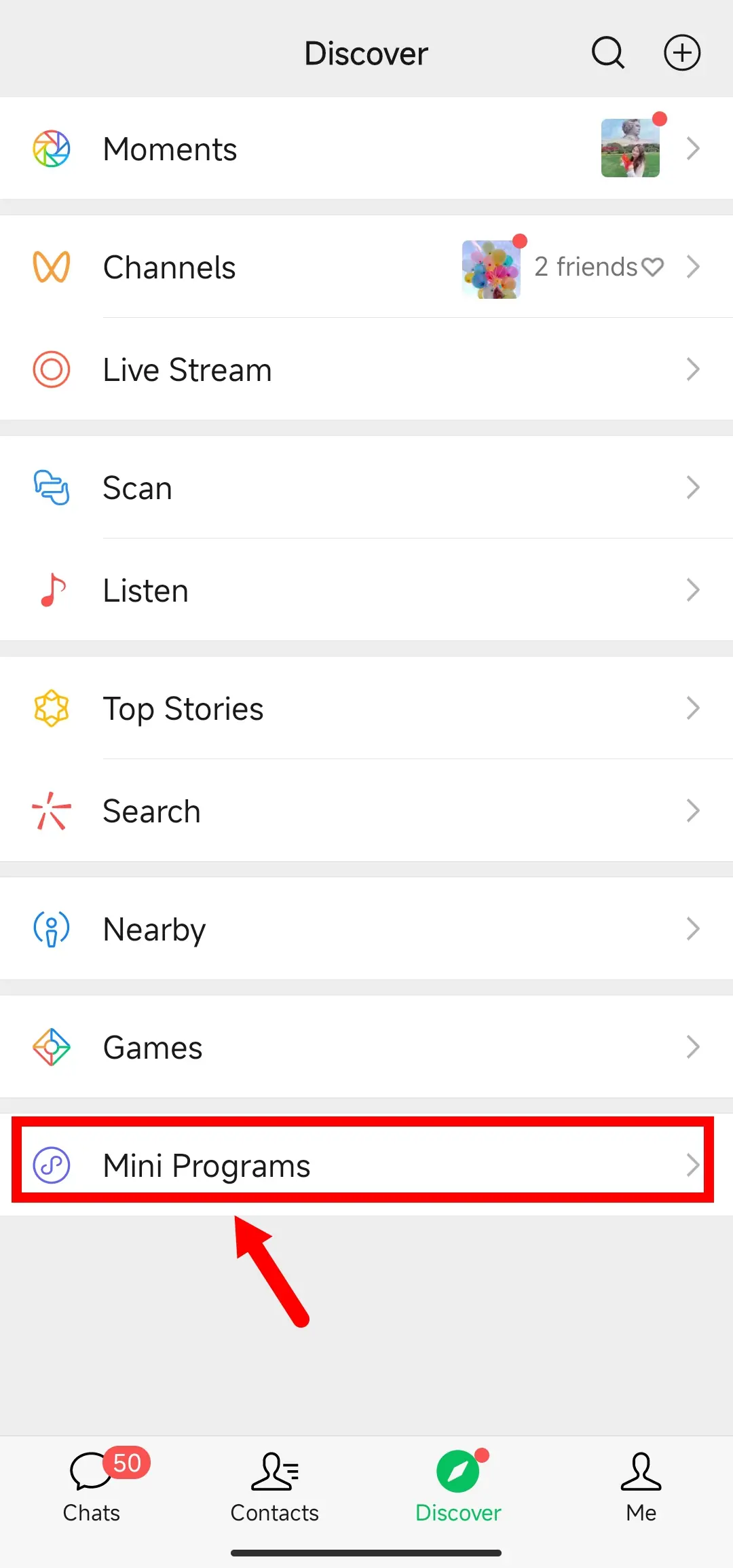
Mini programs are apps inside WeChat that do not need a separate download. For travelers, the practical ones are Meituan (美团) takeout, Didi (滴滴出行) ride hailing, attraction ticketing, and sometimes city transit codes.
| Mini program | Use it for | Traveler rule |
|---|---|---|
| Meituan takeout (美团外卖) | Food delivery, rider chat, saved address | Save the hotel address in Chinese once. |
| Didi (滴滴出行) | Ride hailing inside WeChat | Use Chinese names or map pins first; check vehicle type. |
| Official venue ticketing | Museum or park reservation, ticket purchase, QR vouchers | Use official accounts; reservation and payment rules differ by venue. |
| Transit QR codes (乘车码) | Subway or bus gates in some cities | City-by-city; compare Alipay, ticket machines, and bank-card gates. |
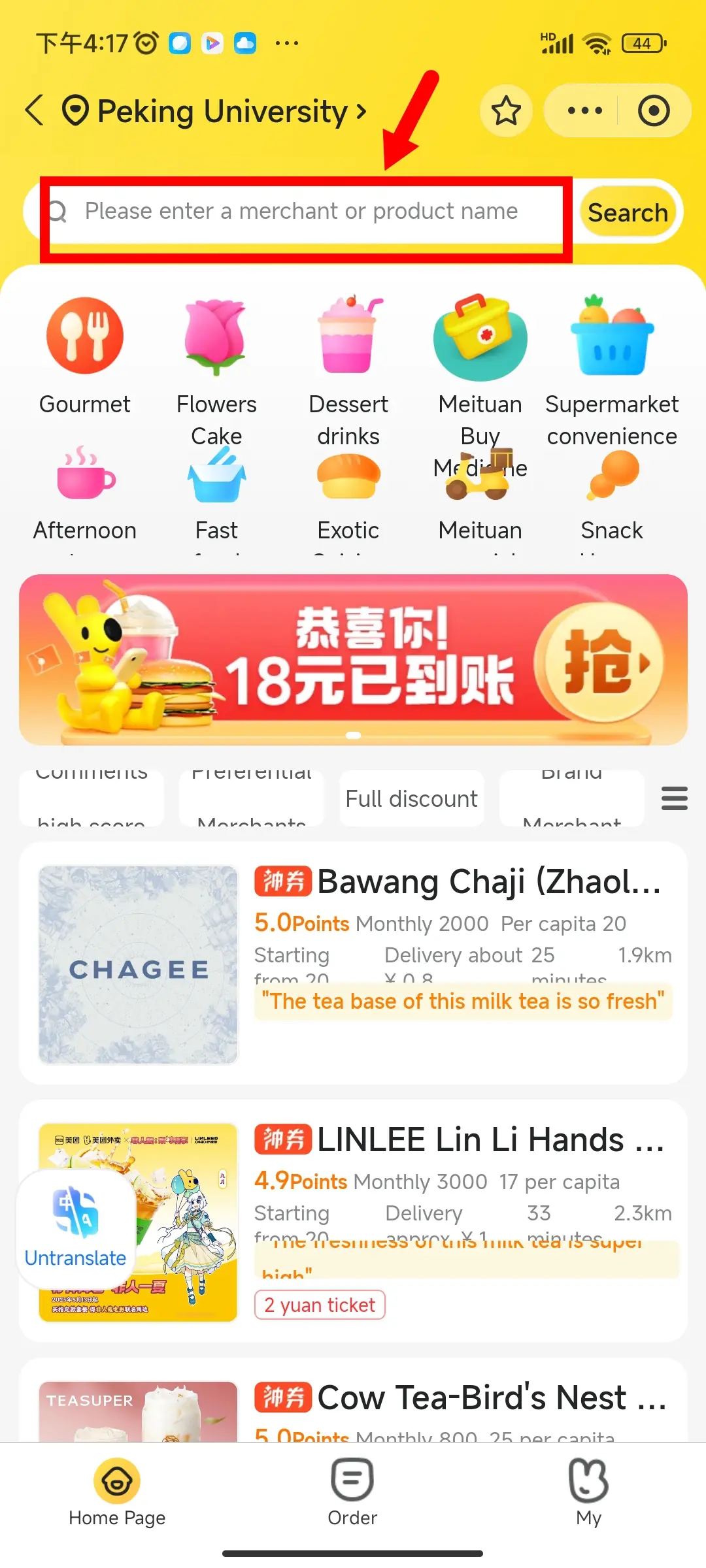
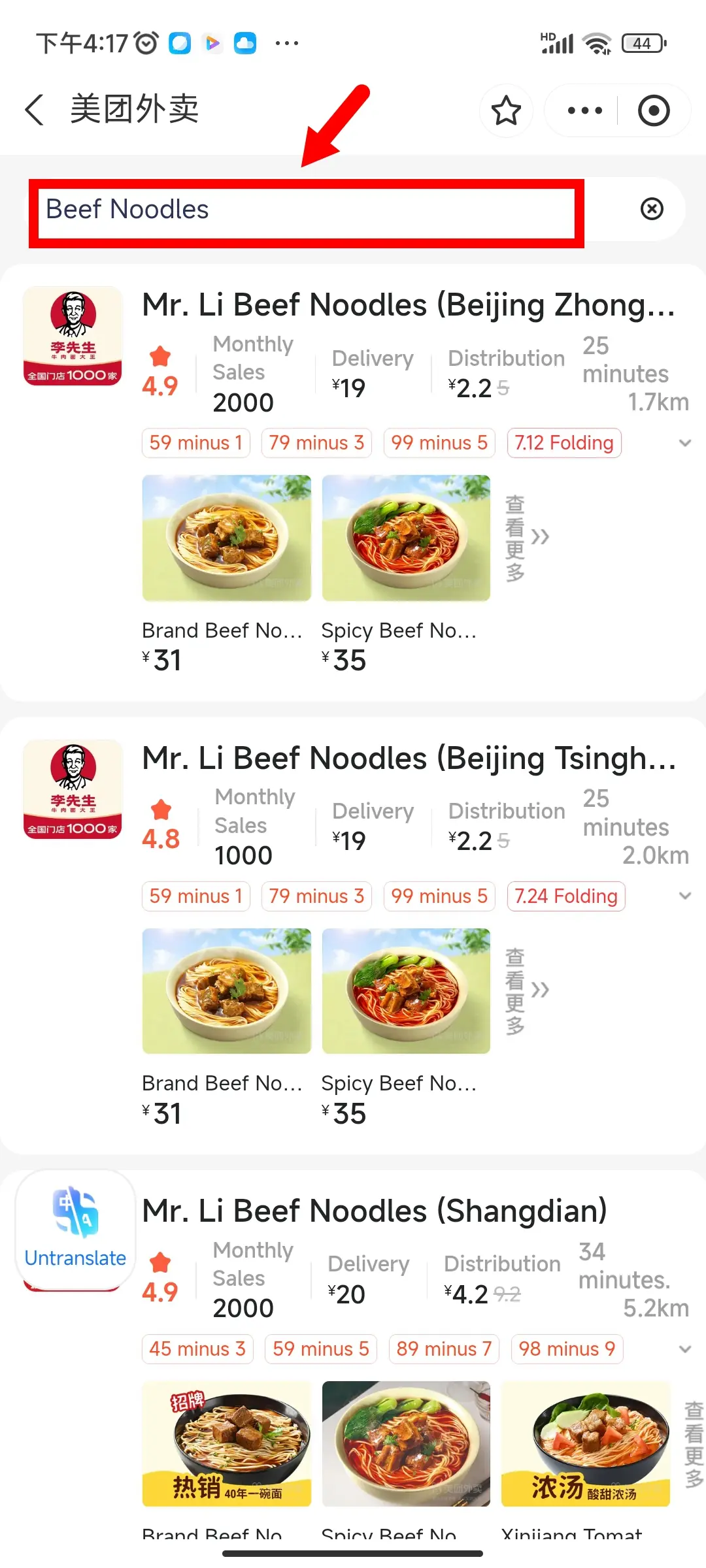
Meituan takeout
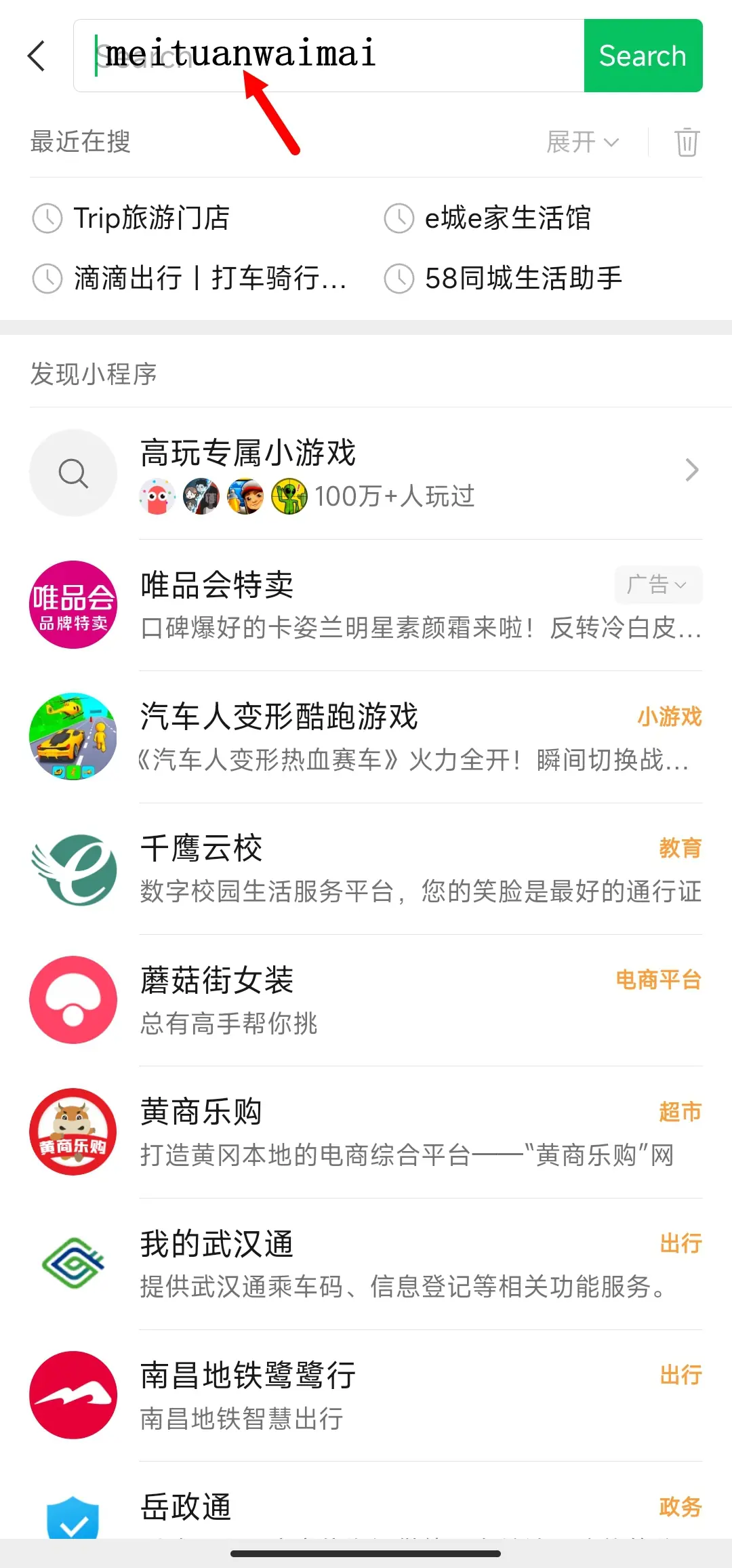
Search 美团外卖 or open it from Mini Programs / history.
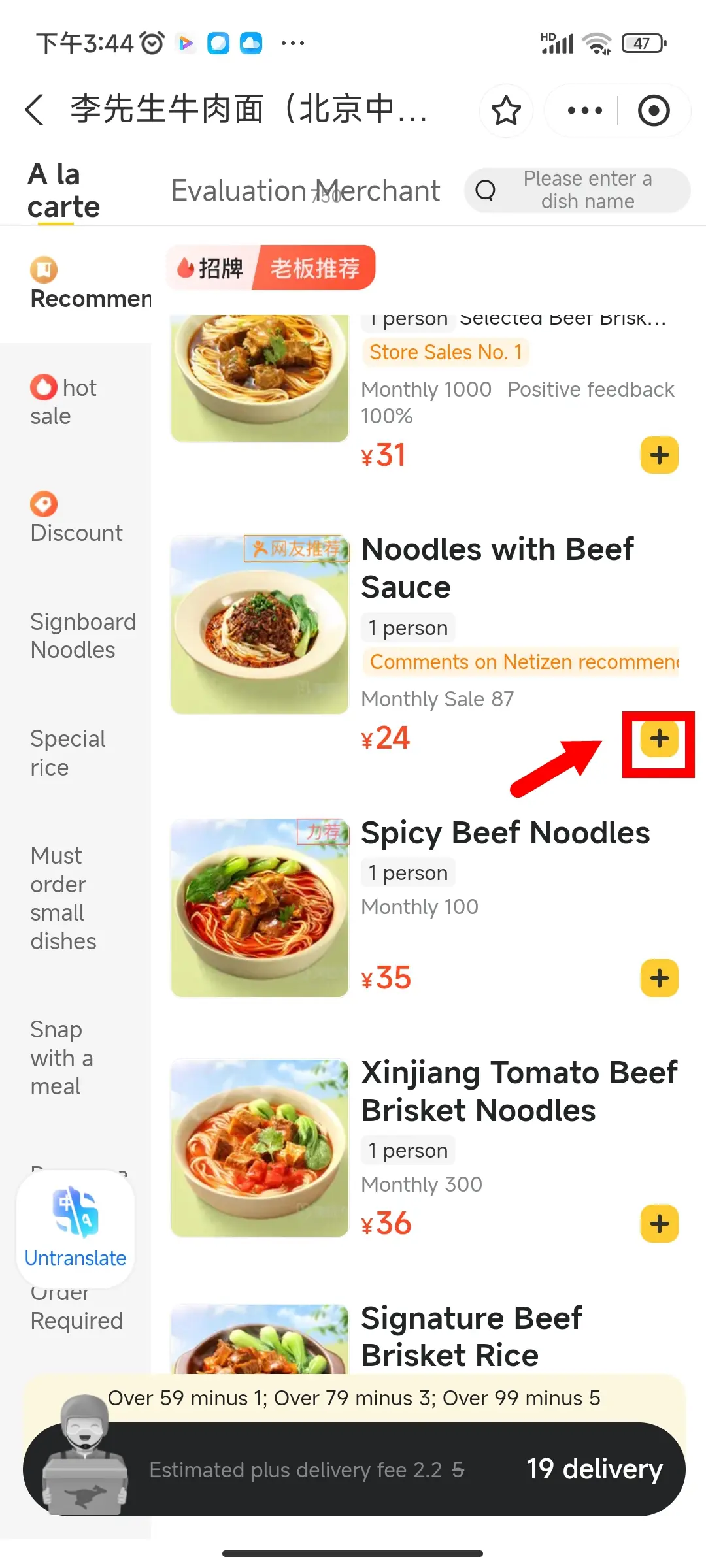
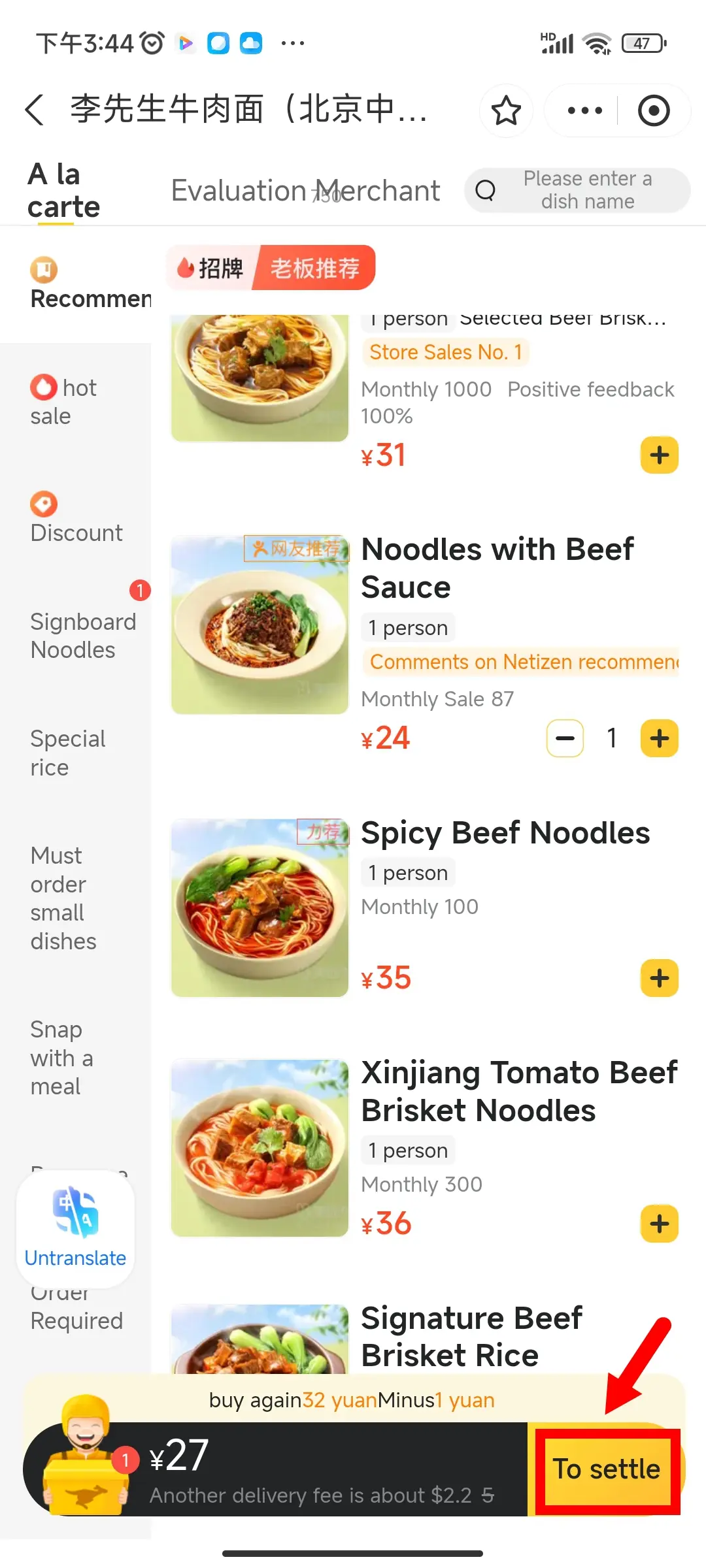
Walk the flow in this order
Open
Open the mini program.
Address
Pin a Chinese delivery address.
Store
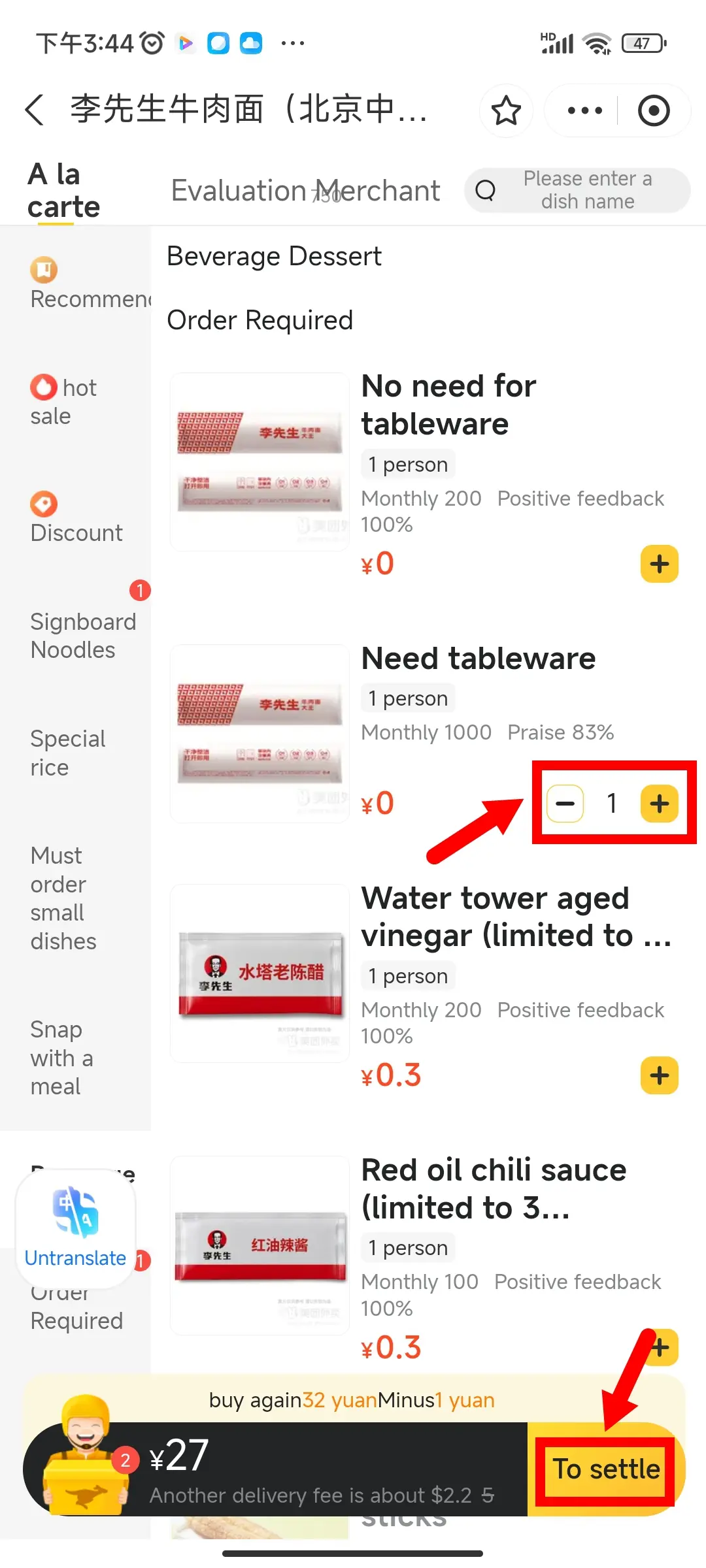
Pick a store and dishes; watch fees, ETA, and spice icons.
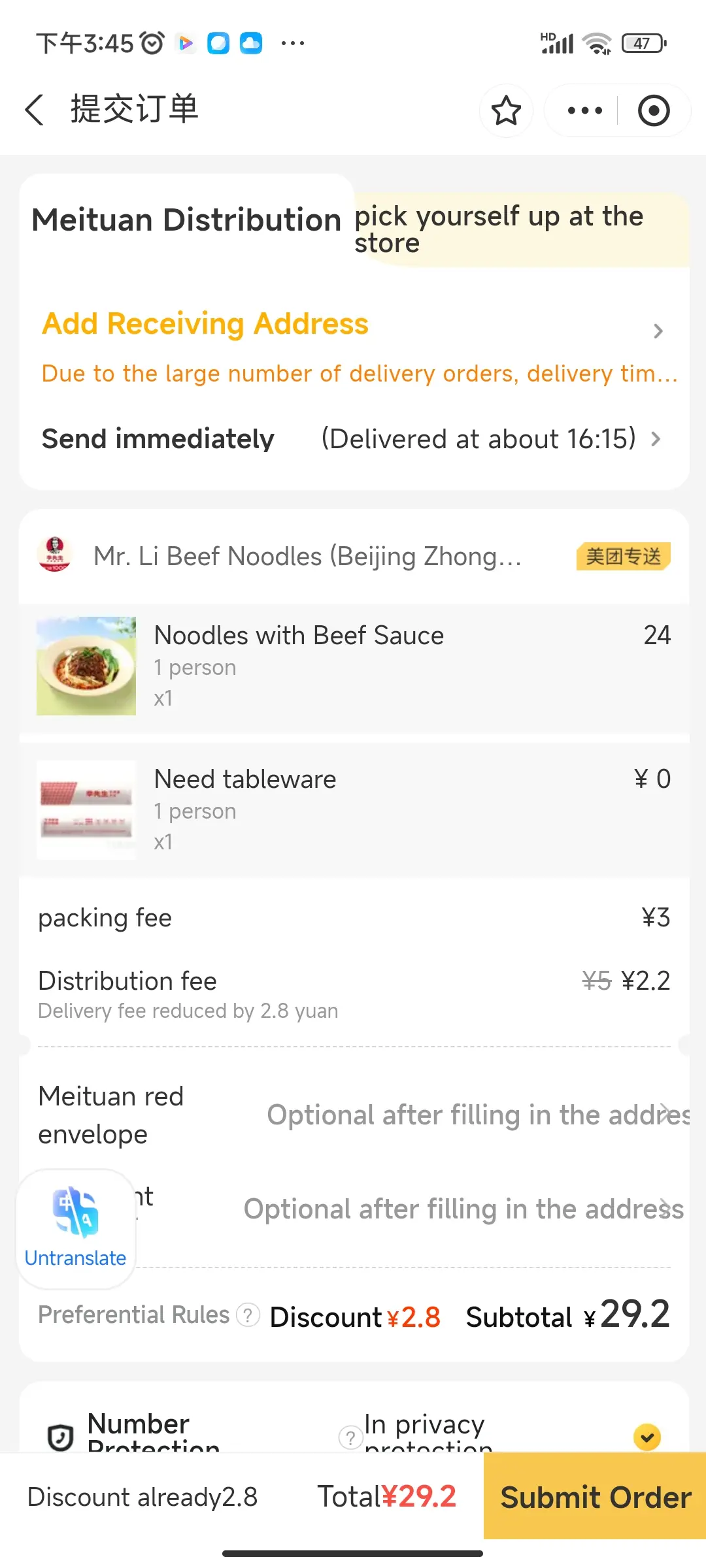
Pay
Pay with WeChat Pay.
Track
Track the rider; chat stays inside WeChat—keep notifications on during the window.
Setting a delivery address
The address step trips up most visitors because every field is in Chinese. A practical sequence:
1. Let GPS drop a pin
Meituan detects your nearby location when you first open it. If the pin is wrong, drag the map until the blue dot sits on your building.
2. Pick the nearest landmark
The list below the map shows nearby buildings; tap your hotel or residence name so the app fills the district and street automatically.
3. Add the room detail
Type floor, room, or building number in the free-text field (e.g. 3楼302房 for Floor 3, Room 302). Without this the rider cannot find you.
Let the front desk type it
If you are staying in a hotel, hand your phone to the front desk or your host and ask them to type the full Chinese address once—it saves to your address book for every future order. Screenshot the address as a backup.
Order notes that save confusion
The 备注 (notes) box at checkout lets you add short Chinese phrases the kitchen and rider actually read:
- Meaning
- no spice
- Meaning
- mild spice
- Meaning
- no cilantro
- Meaning
- please leave at the front desk
- Meaning
- please deliver to the room door
- Meaning
- no utensils needed
Copy-paste the ones you need—riders and restaurants see these instantly.
Contacting the store or rider
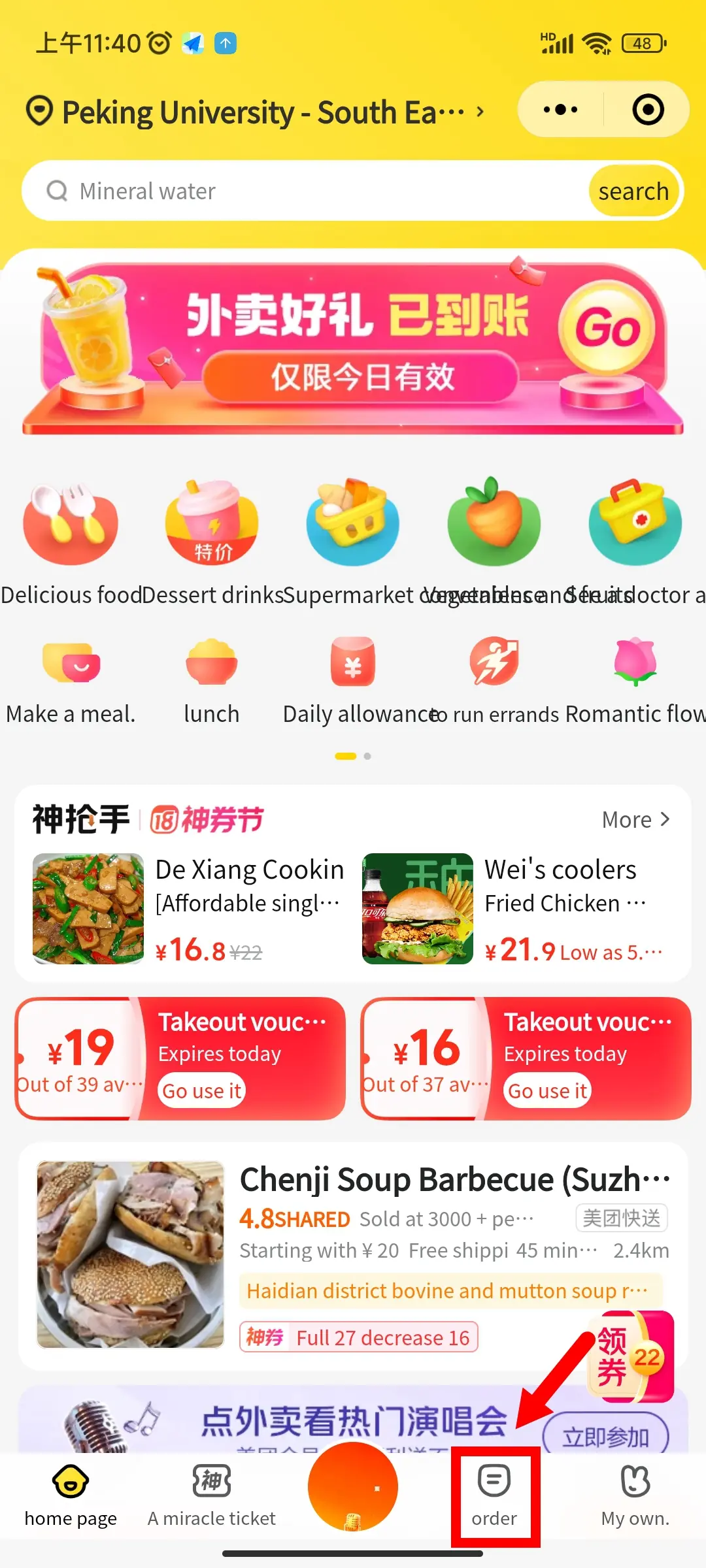
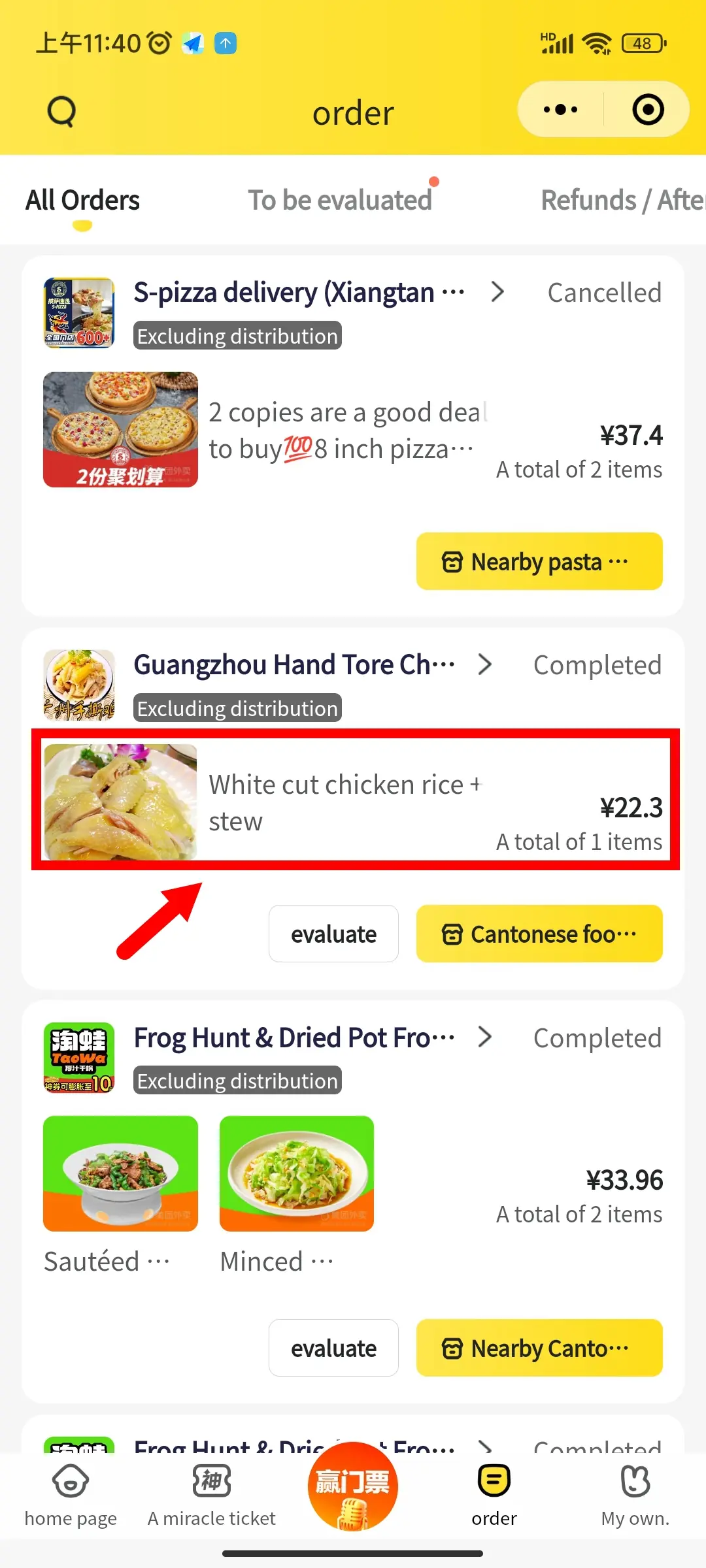
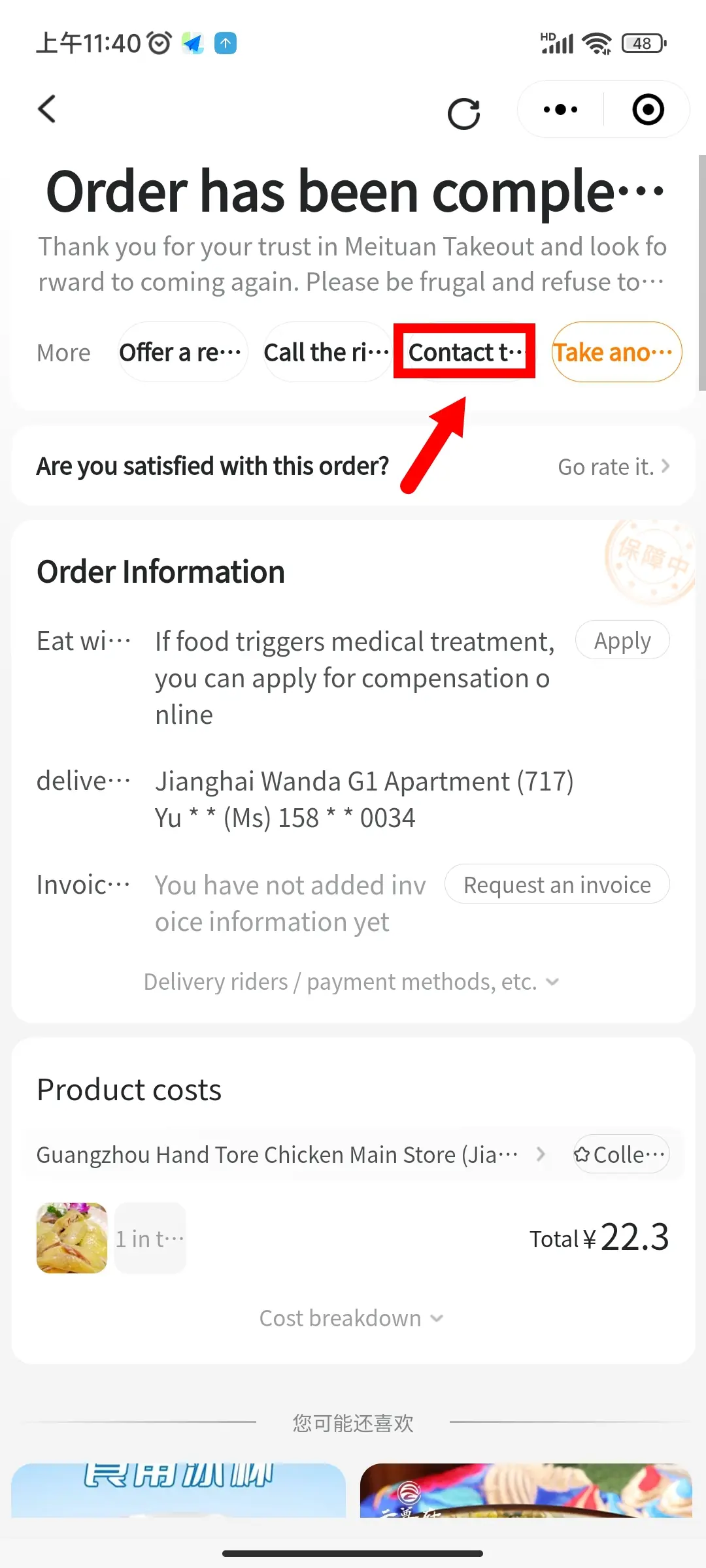
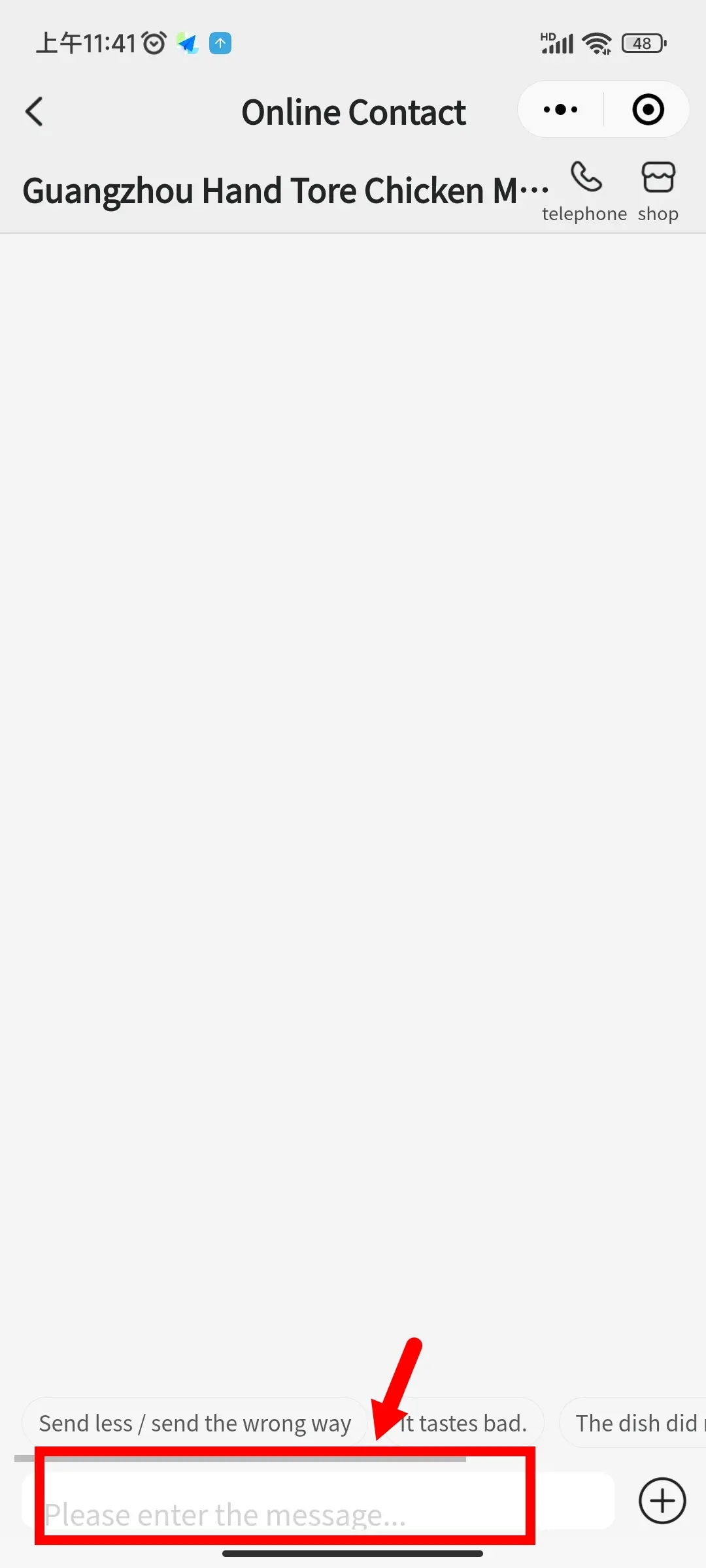
After payment, tap your active order on the orders page. Inside the order detail you will see a chat bubble or phone icon for both the restaurant and the rider.
Use short Chinese notes instead of long English messages. If the chat itself shows a translate button, use it to read incoming messages, but do not assume your English will auto-translate for the rider or restaurant.
If the rider calls and you cannot understand, send a short in-app message such as 我在酒店前台 (I am at the hotel front desk), 请放在前台 (please leave it at the front desk), or your hotel / building name in Chinese. Ask the front desk to help if the rider is stuck.
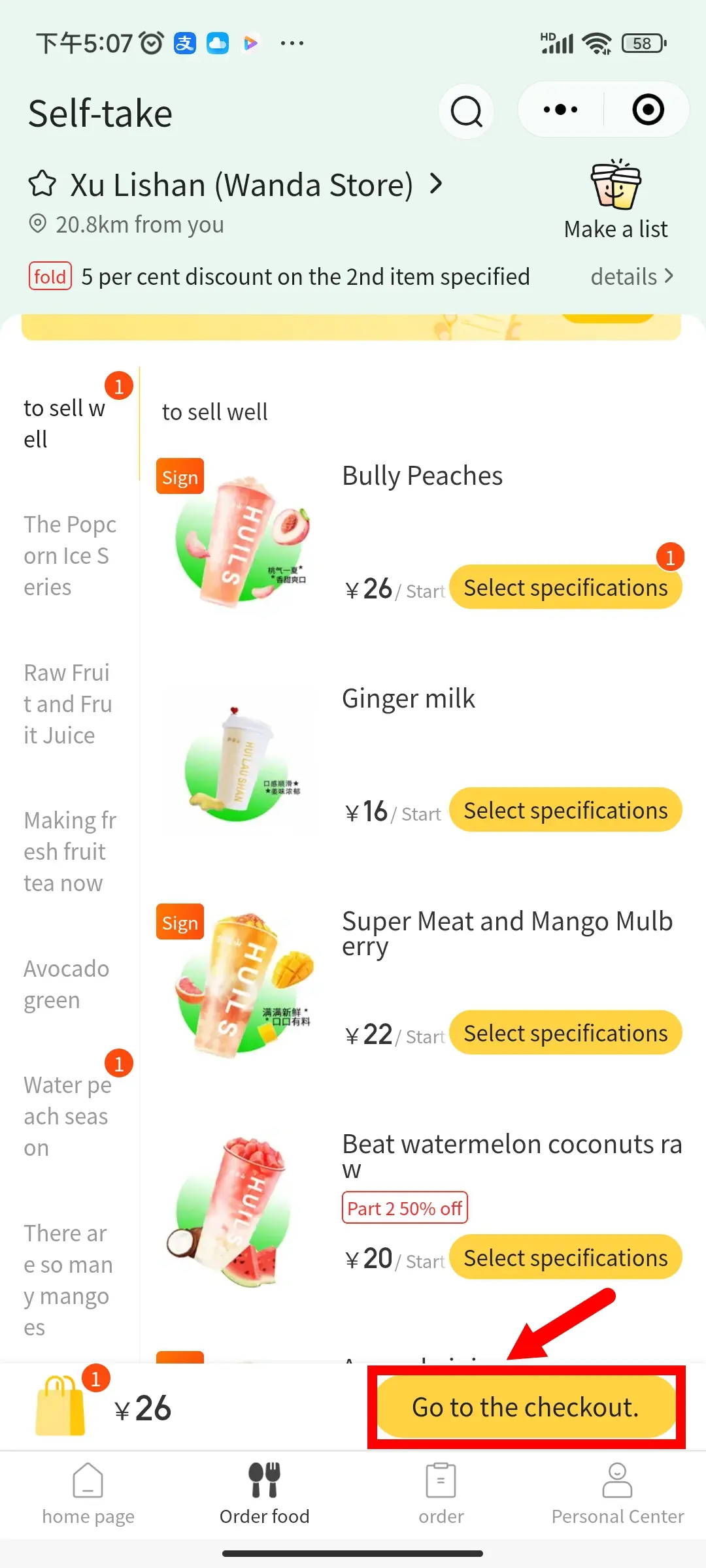
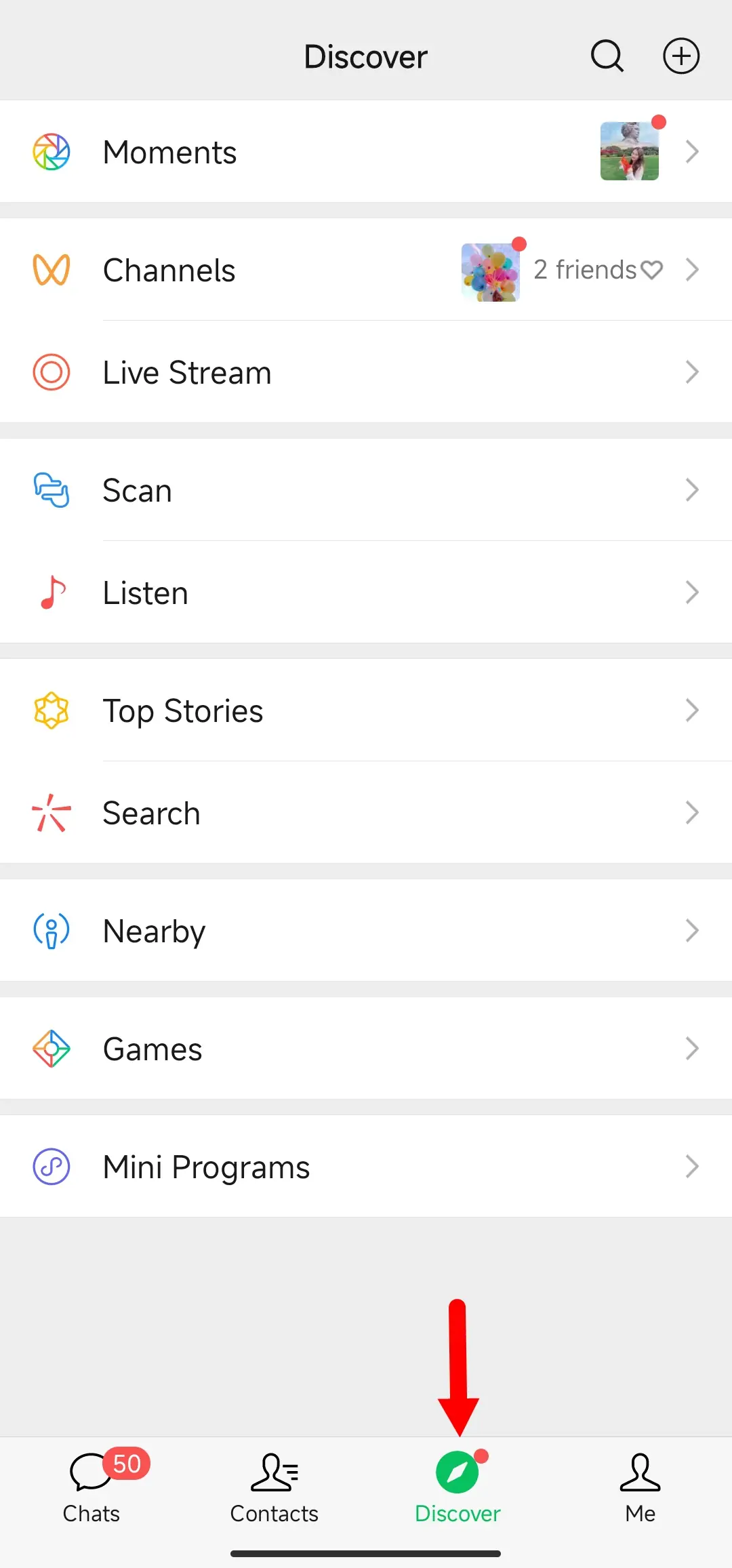
All 21 screenshots below stay in sequence—the green badges run 1–21 in the carousel. Treat this as a real Meituan example path, not a guarantee that every merchant shows the same coupons, filters, after-sale screens, or translation button.
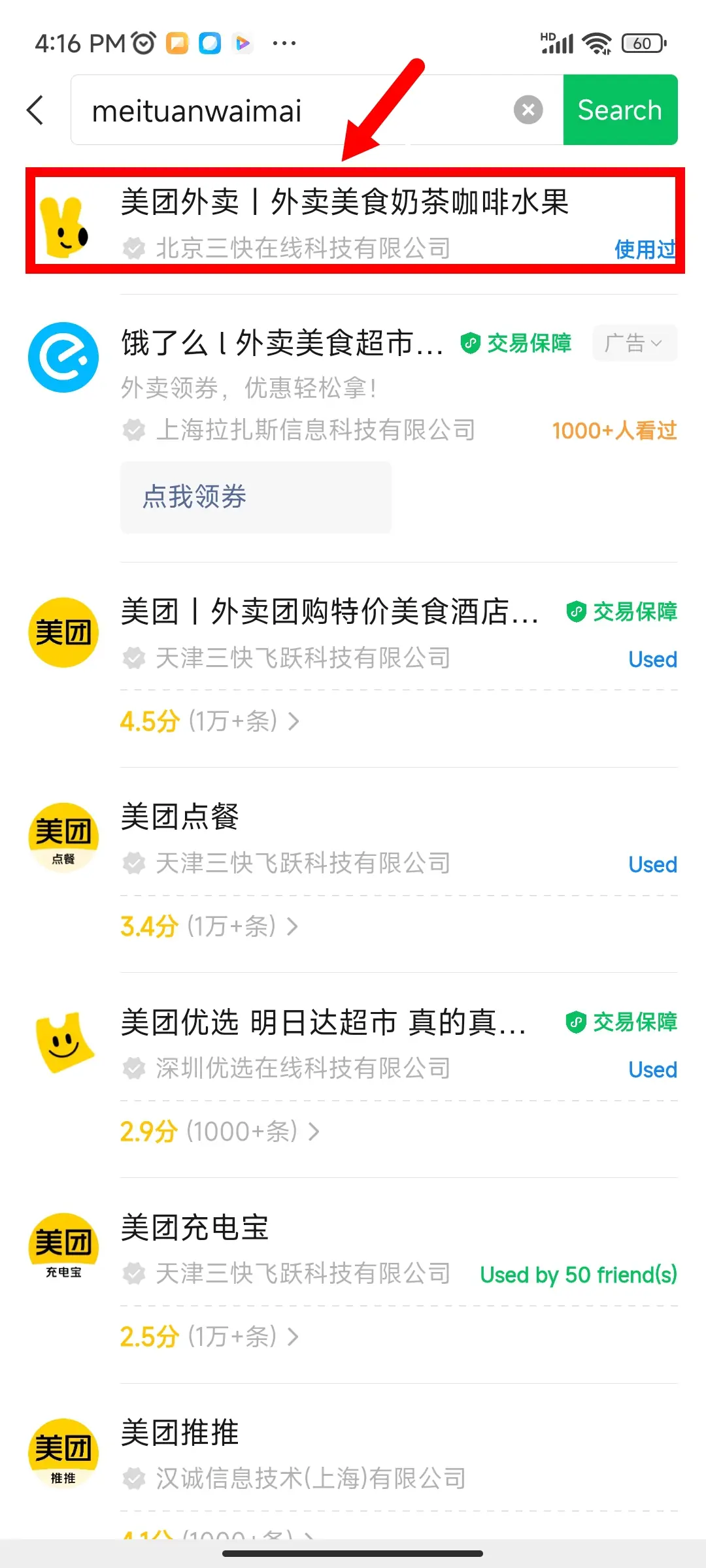
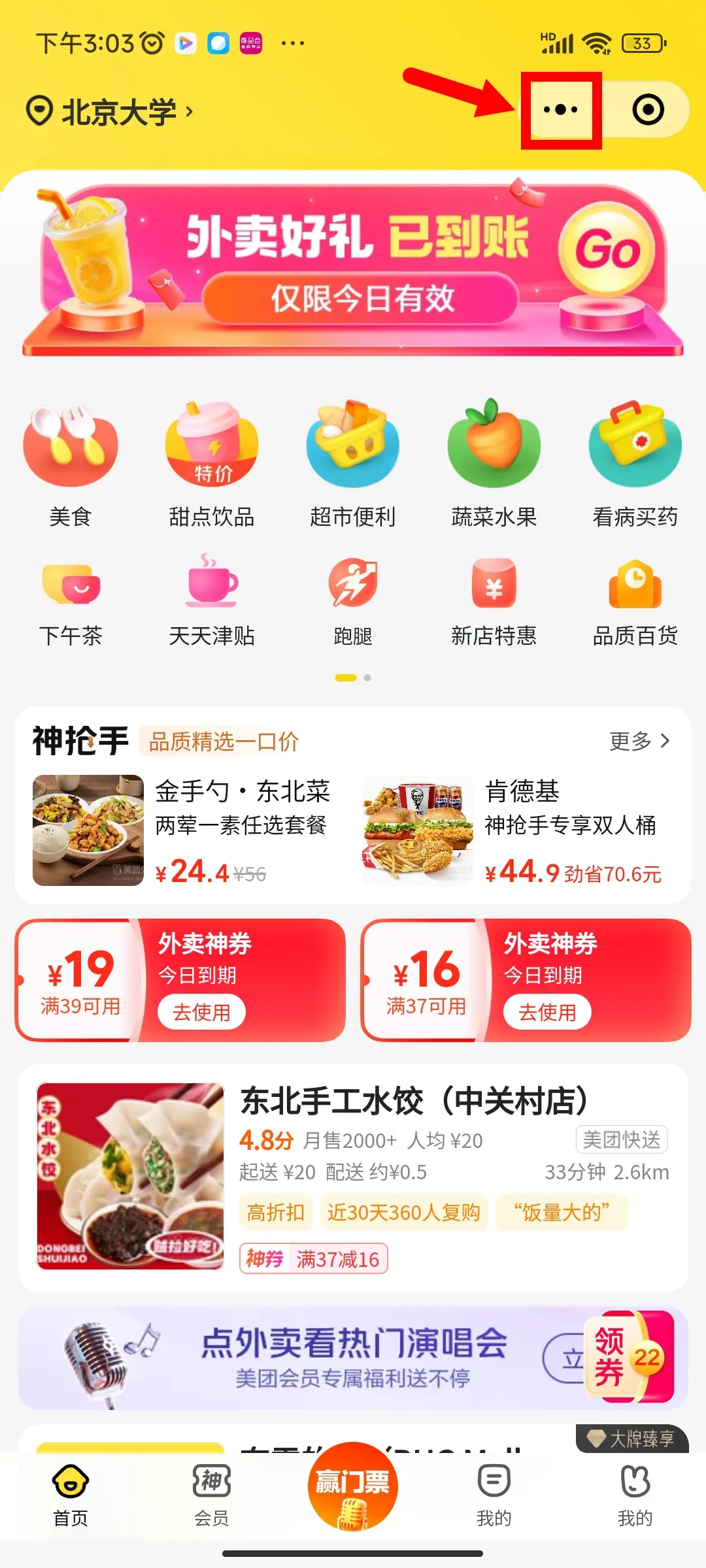
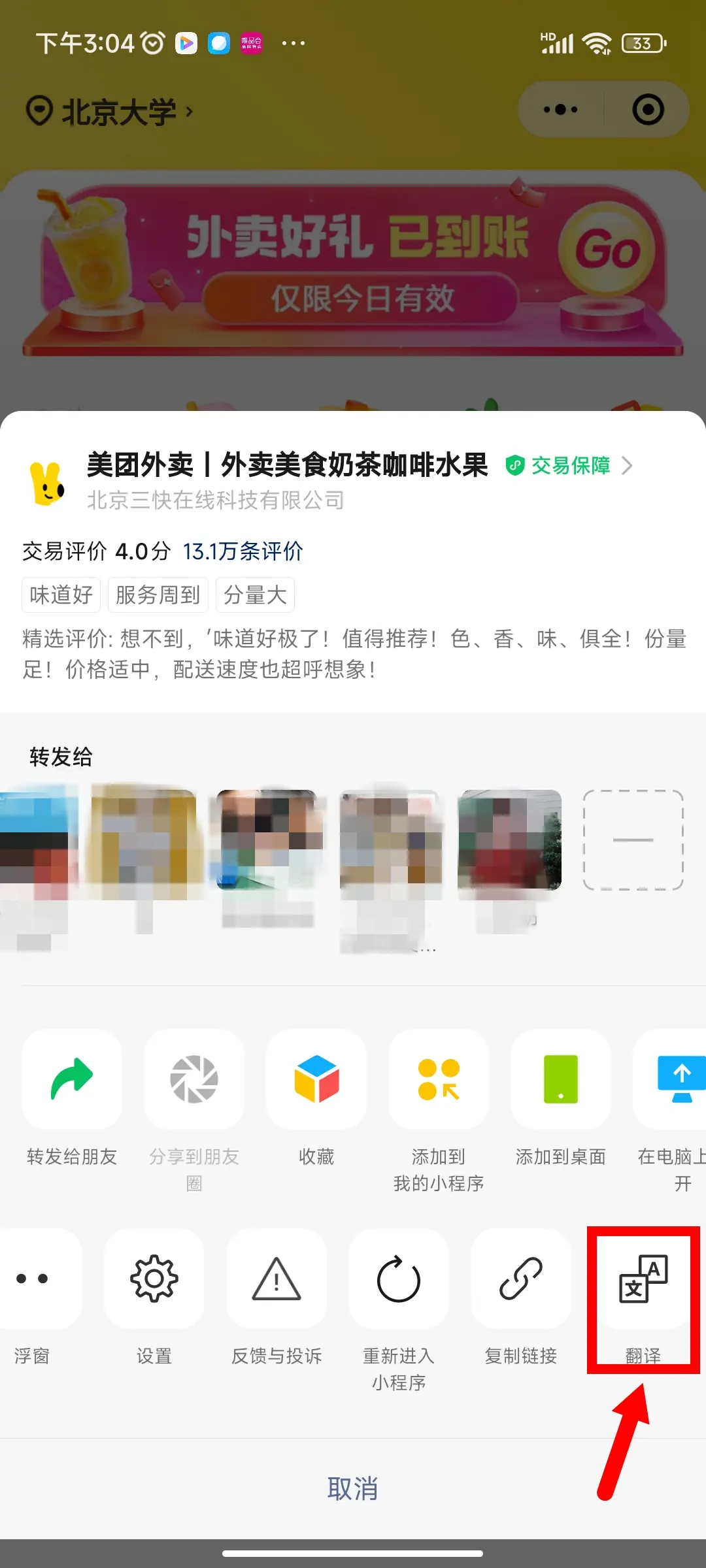
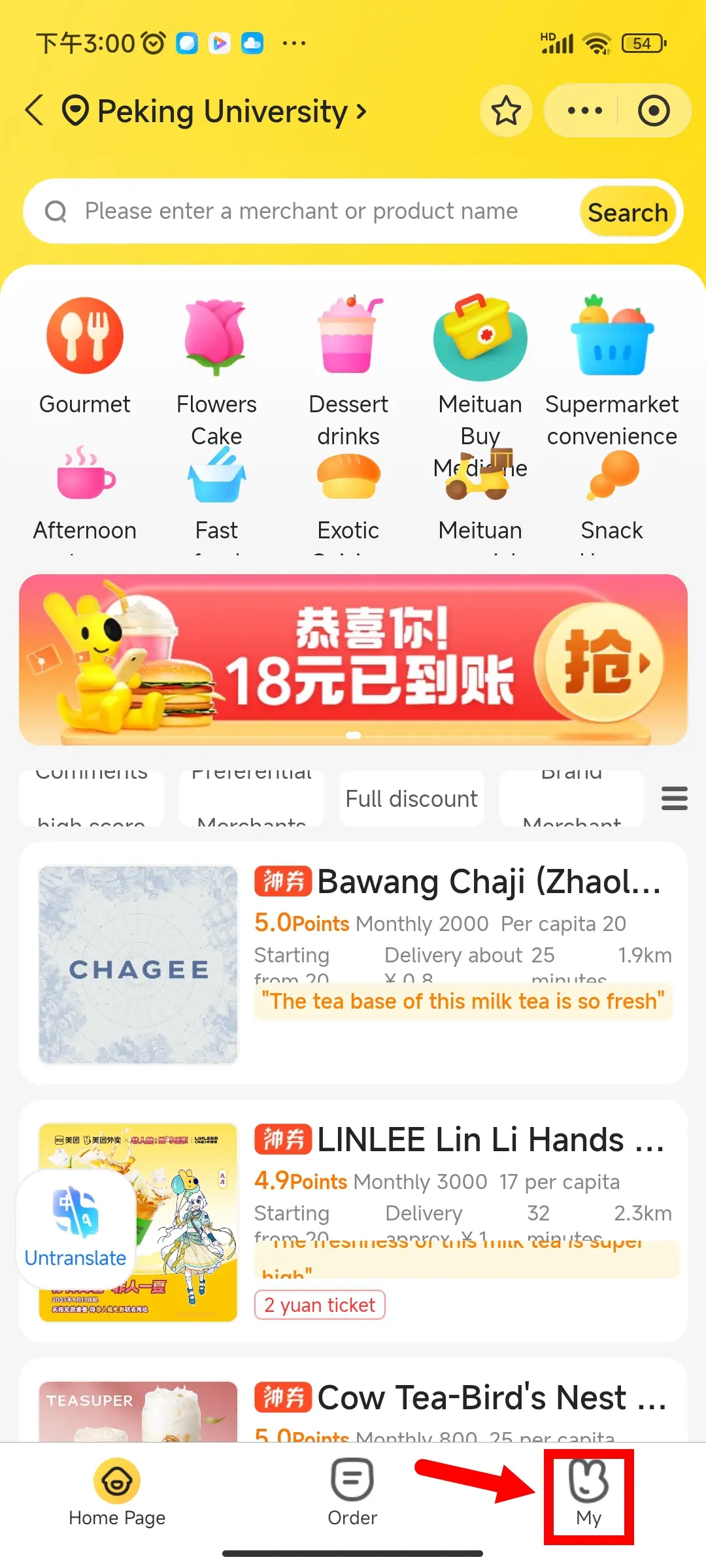
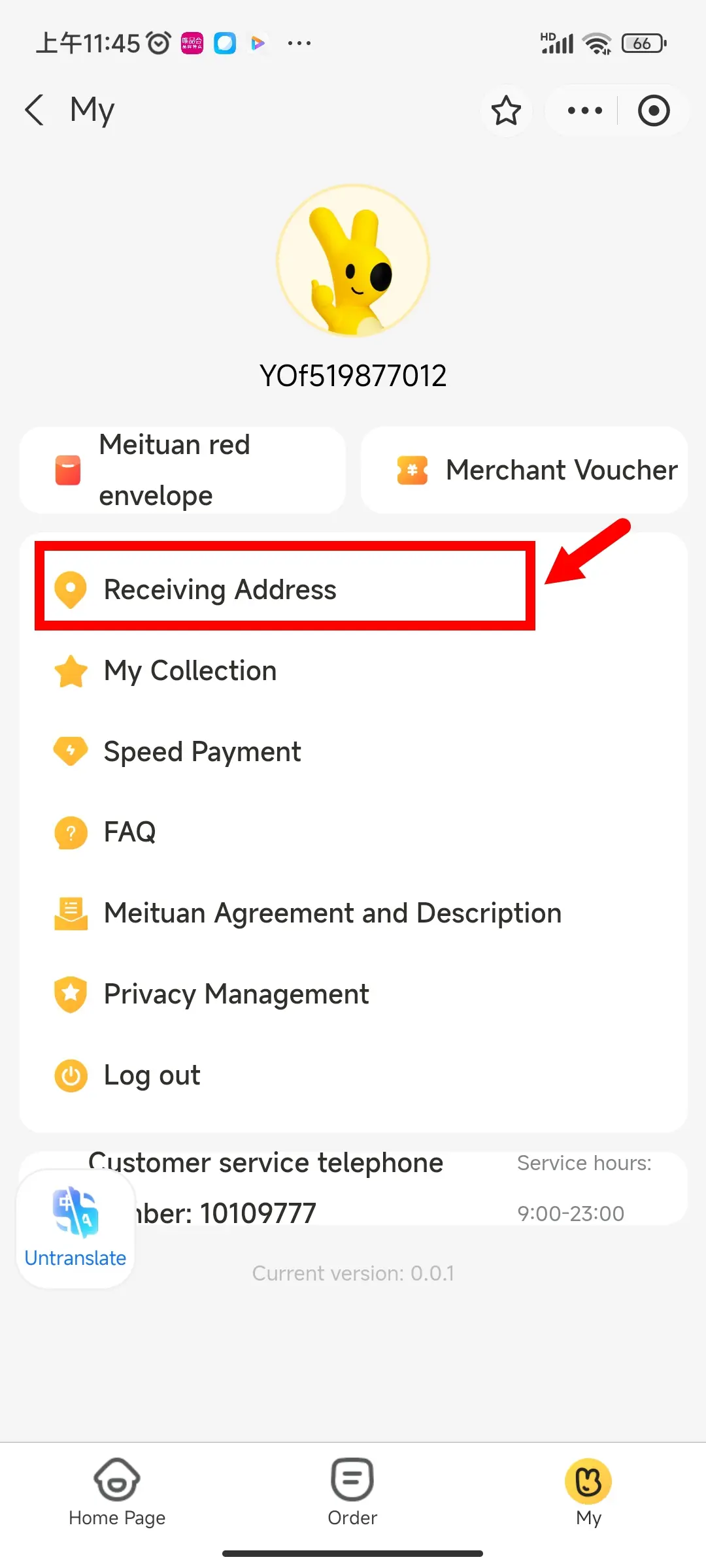
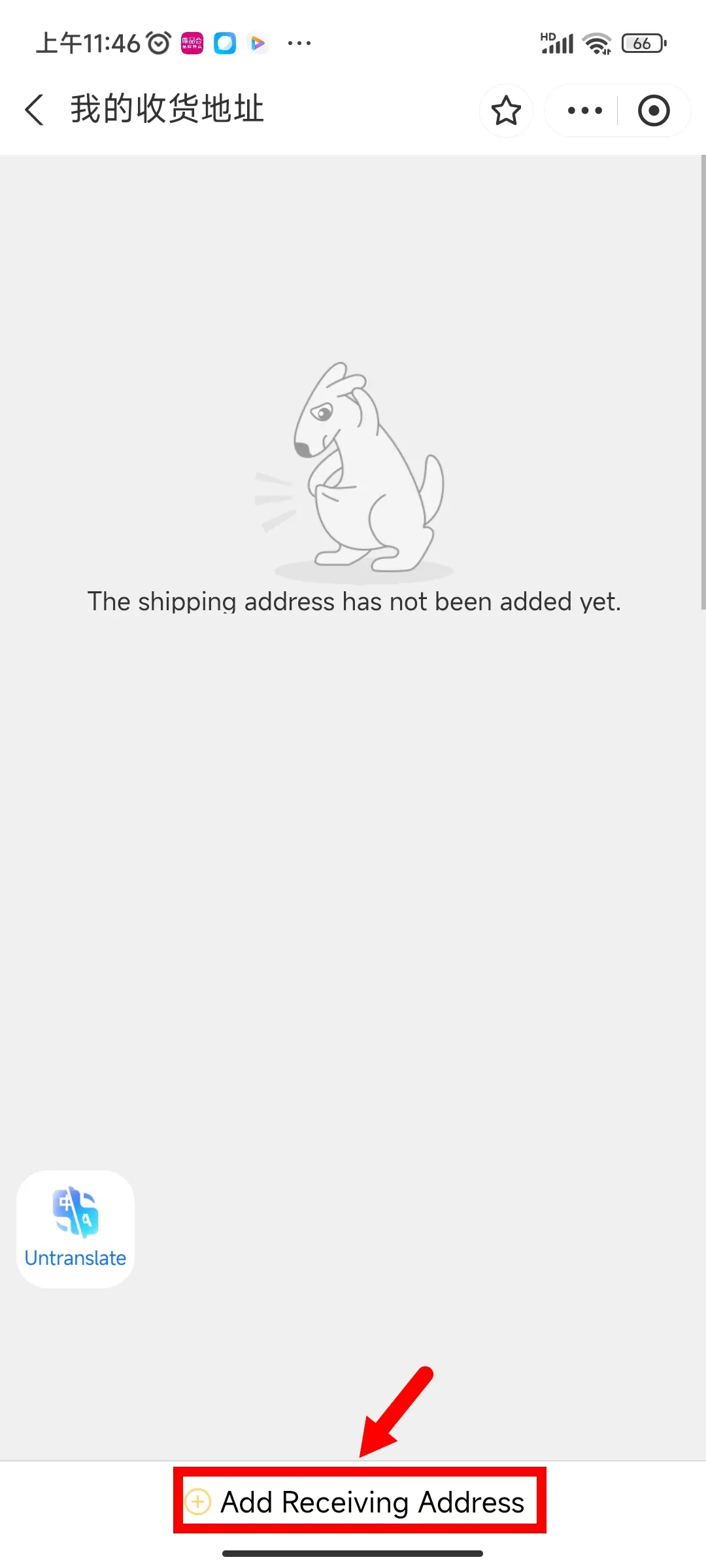
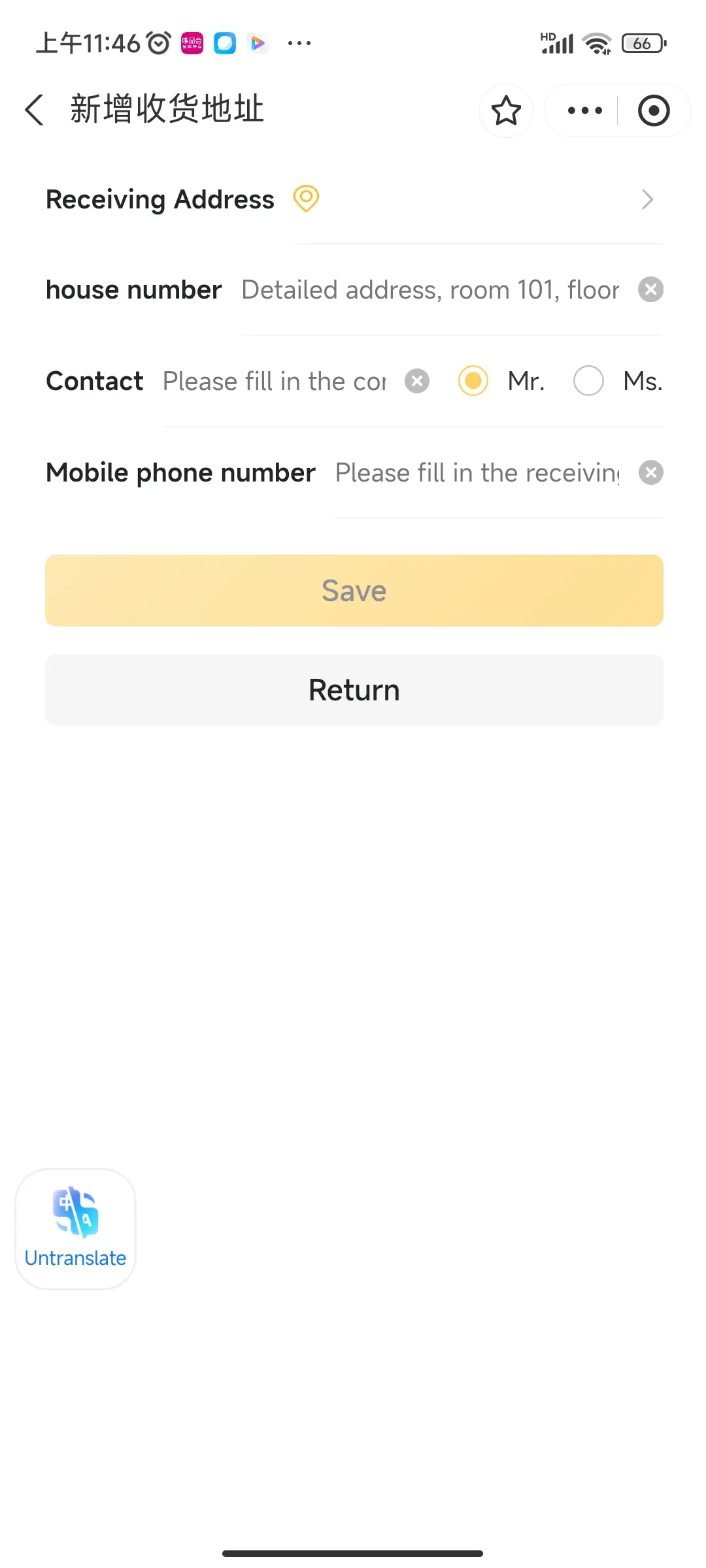
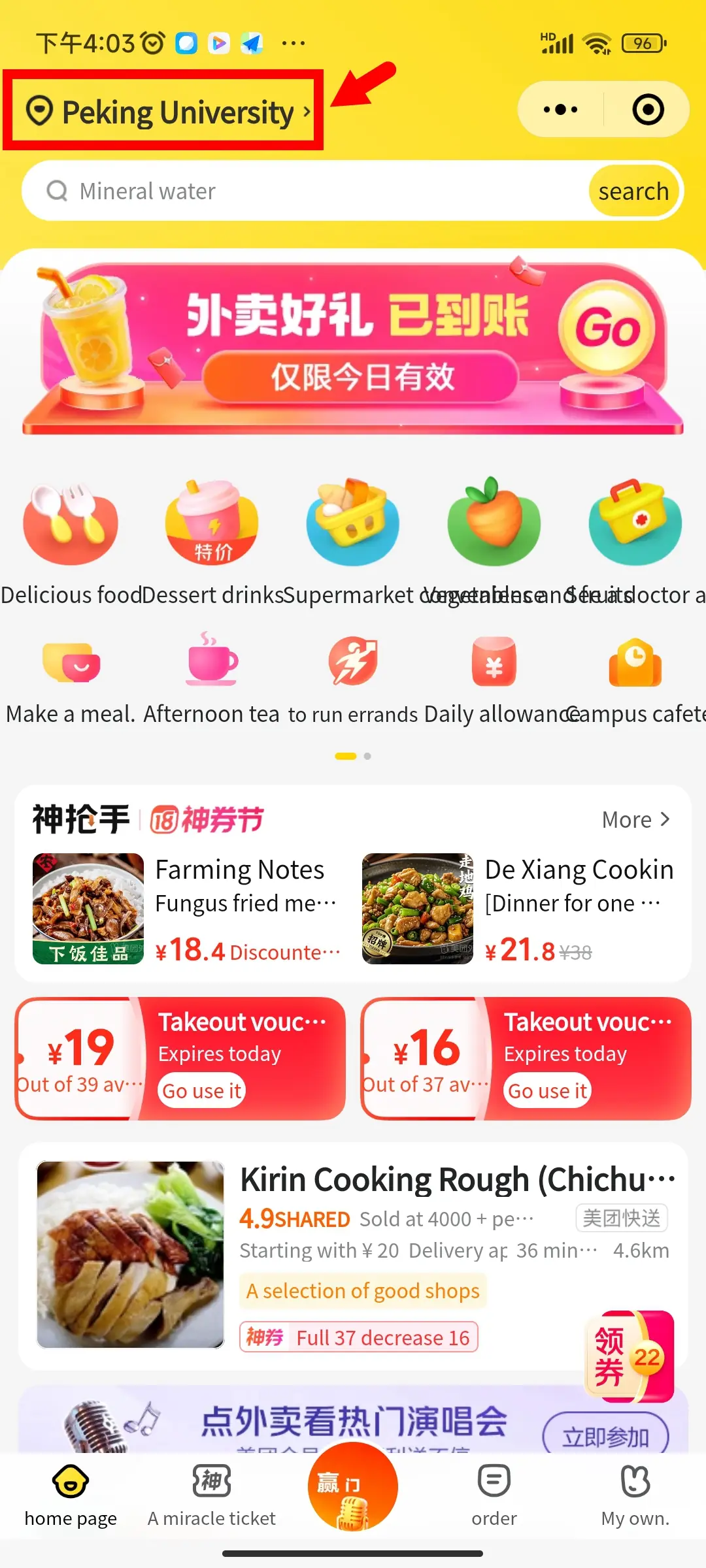
Didi ride hailing
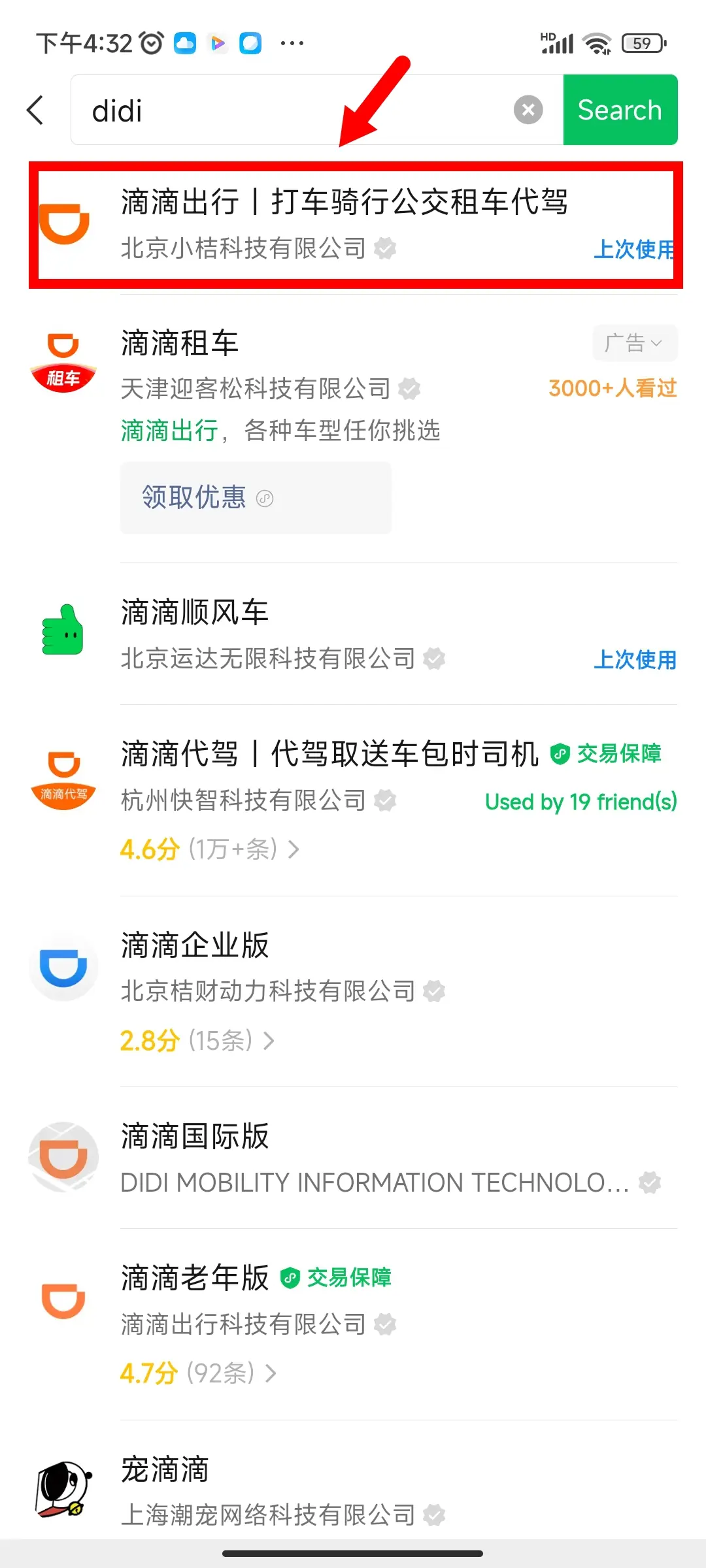
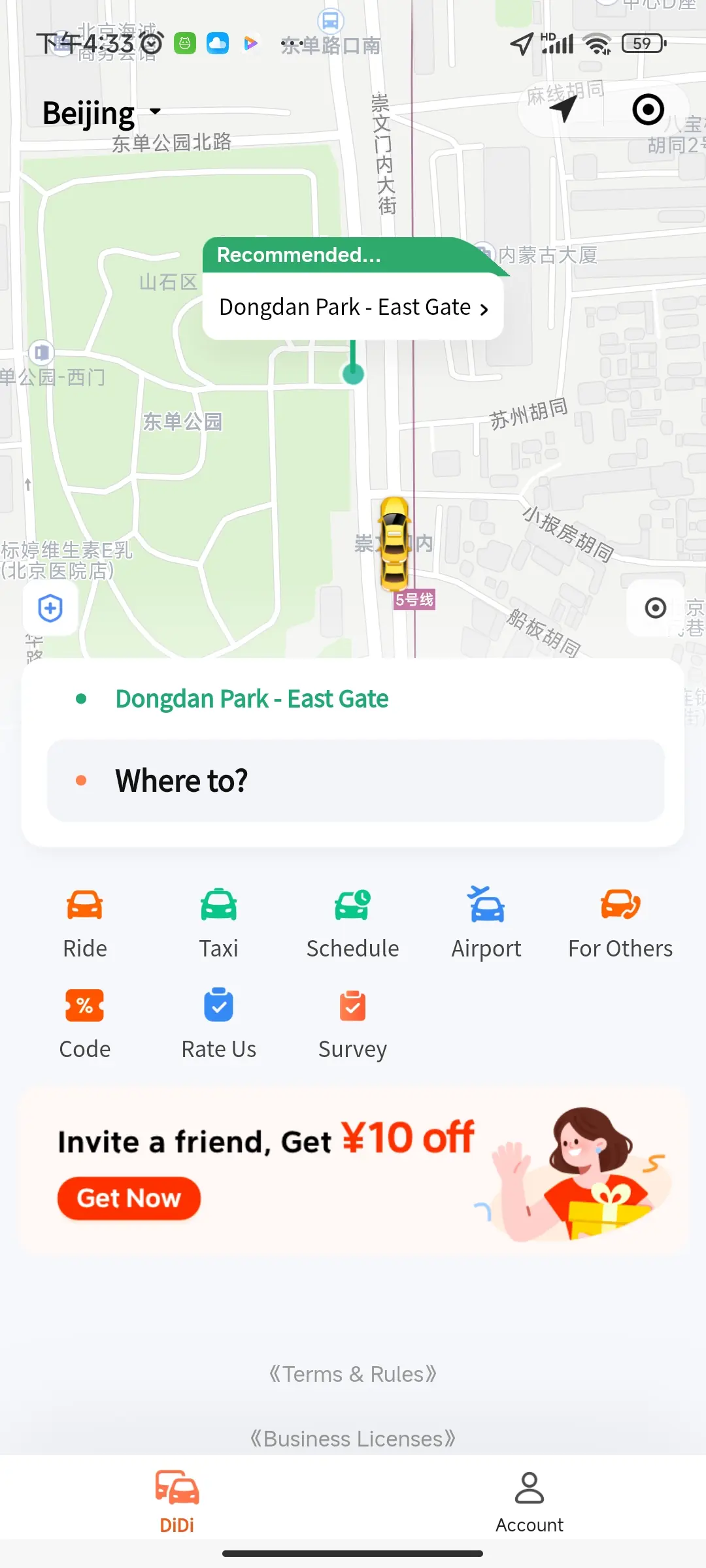
Search 滴滴出行 or open it from mini program history. Grant location, confirm pickup, then enter the destination with a Chinese place name, pasted Chinese address, or map pin first; English names work mainly for major hotels and landmarks. Match vehicle type, then track the driver. Prefer in-app messaging if your phone does not ring unknown numbers; our China city transport guide explains the wider subway, taxi, and Didi choices.
Also in Alipay
The same Didi mini program pattern exists inside Alipay—use whichever app is already open when it starts raining.
Attraction ticket booking
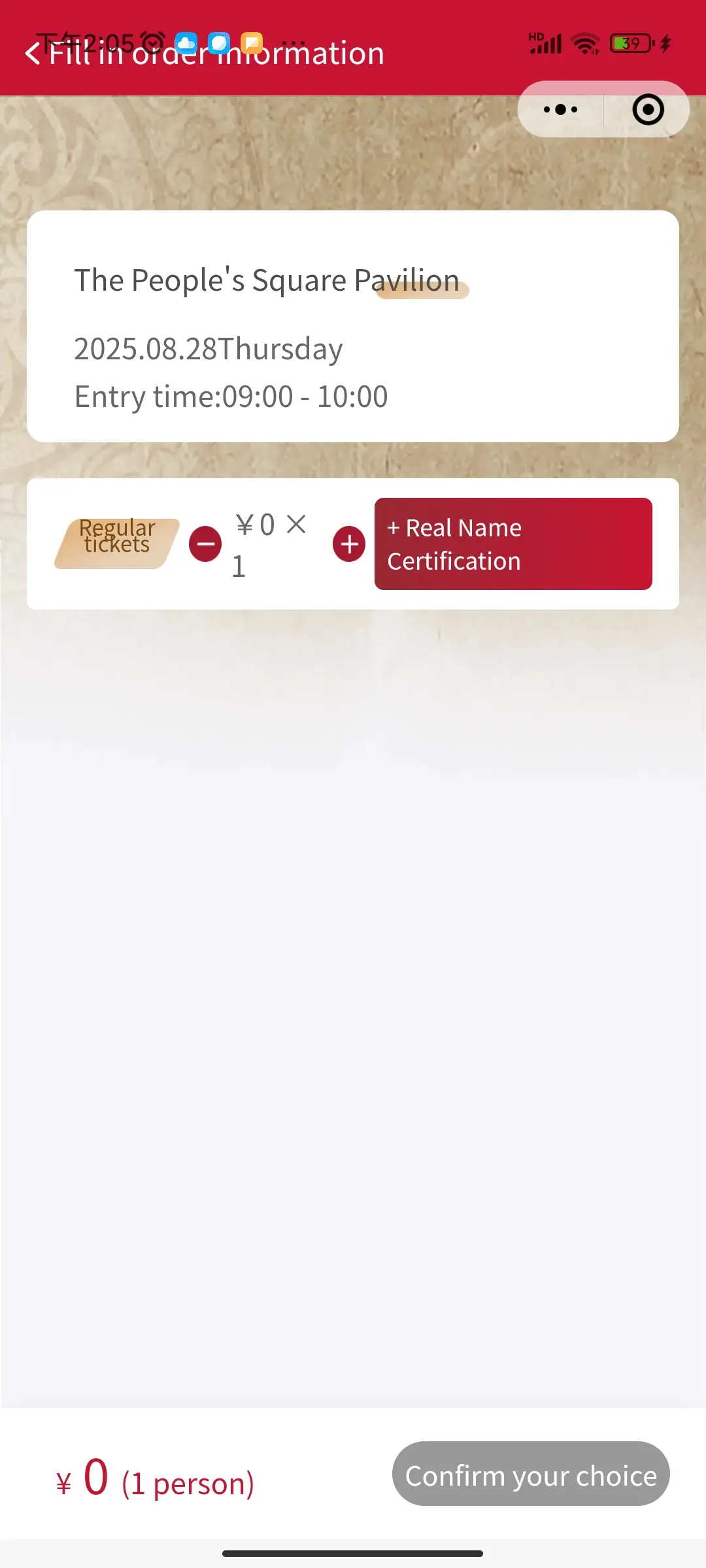
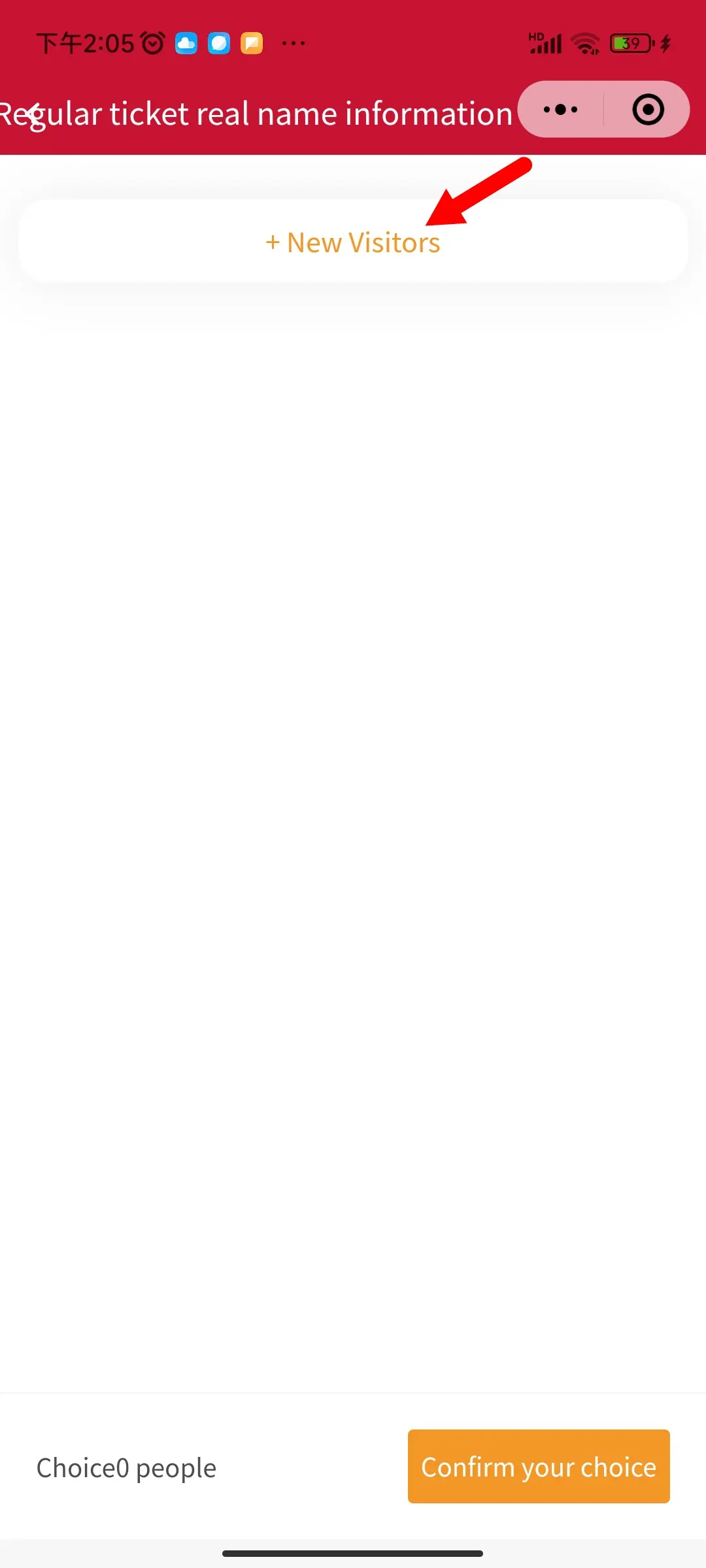
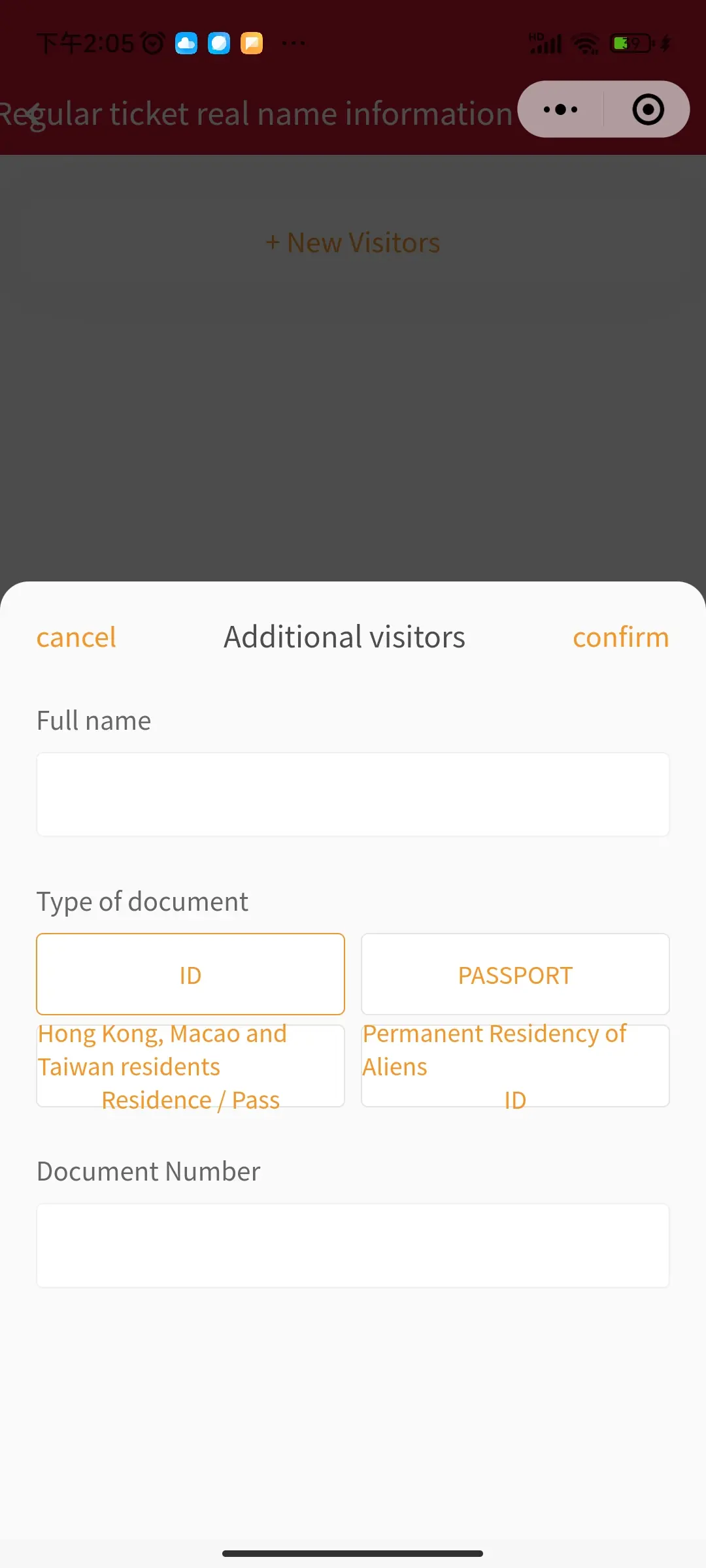
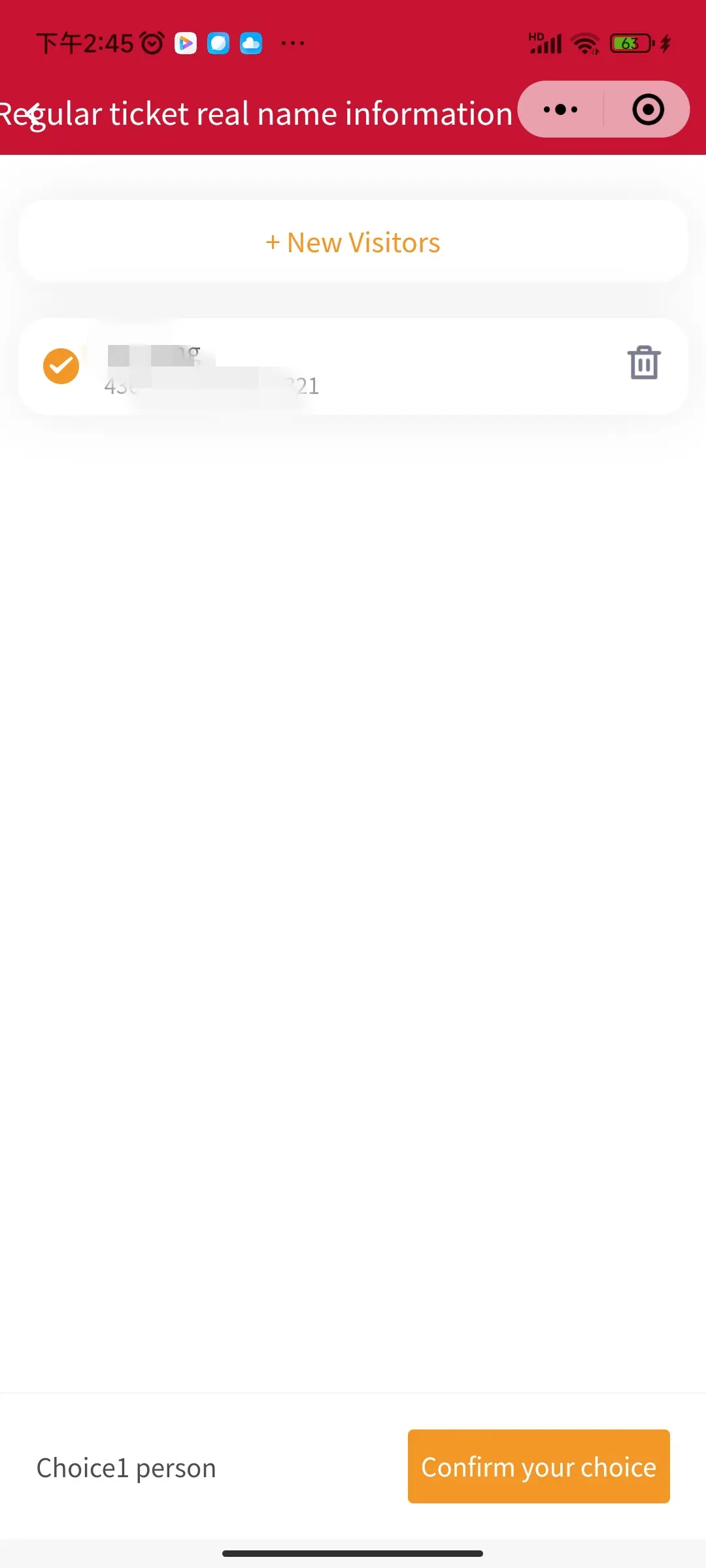
Attractions and parks increasingly use official WeChat accounts or mini programs for real-name reservations, paid tickets, and QR vouchers. Search the Chinese venue name someone gives you, enter passport / visitor details only on the official flow, and pay only if that venue actually charges for the visit or exhibition. Always screenshot the confirmation and QR voucher before you lose signal.
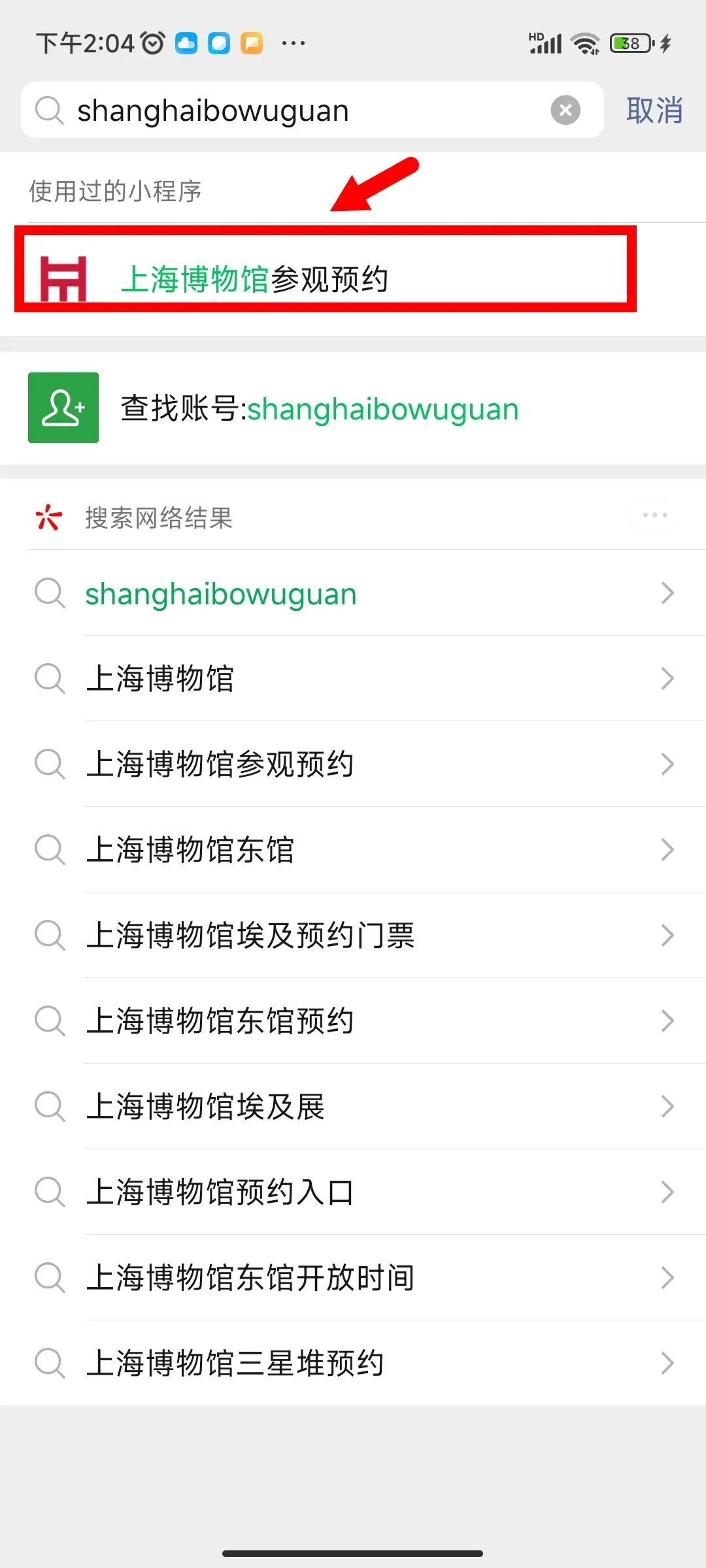
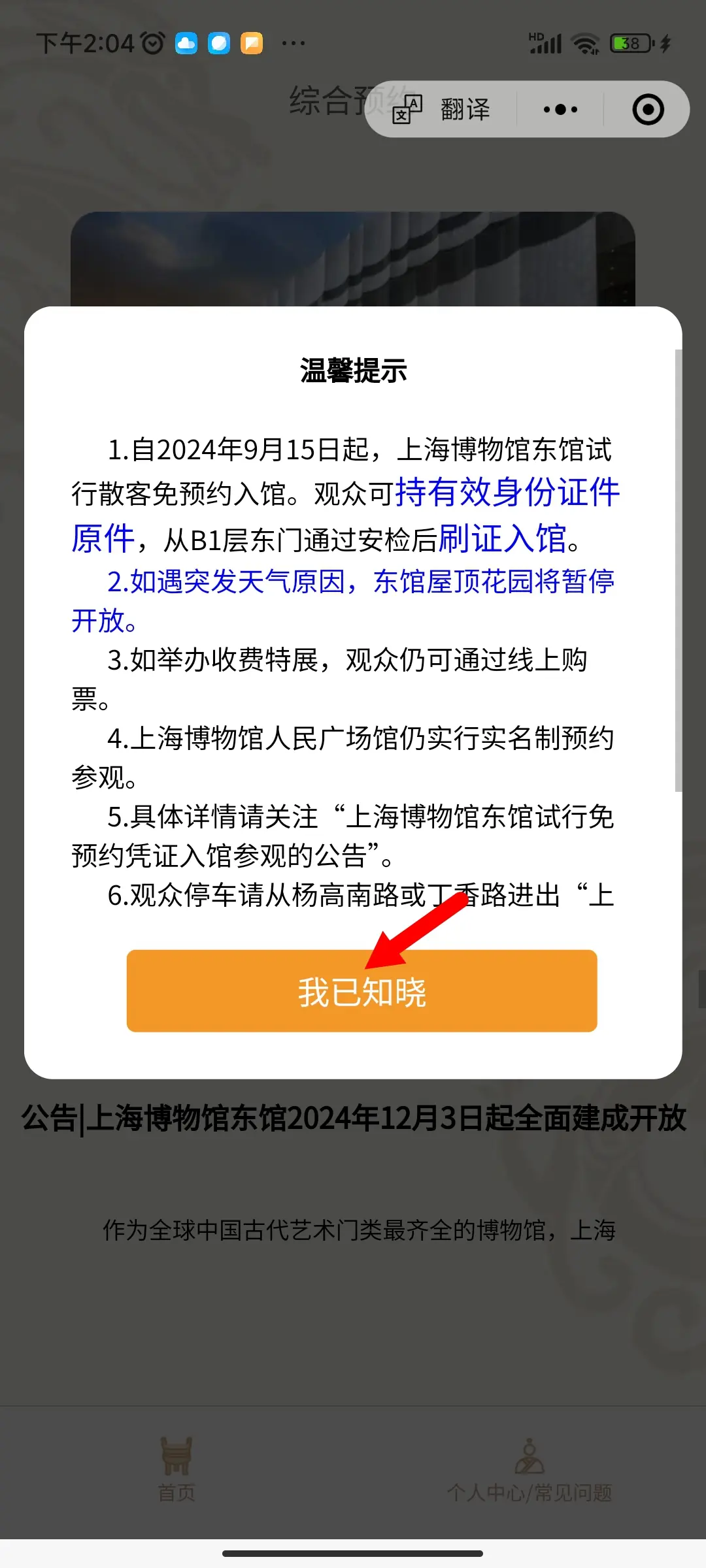
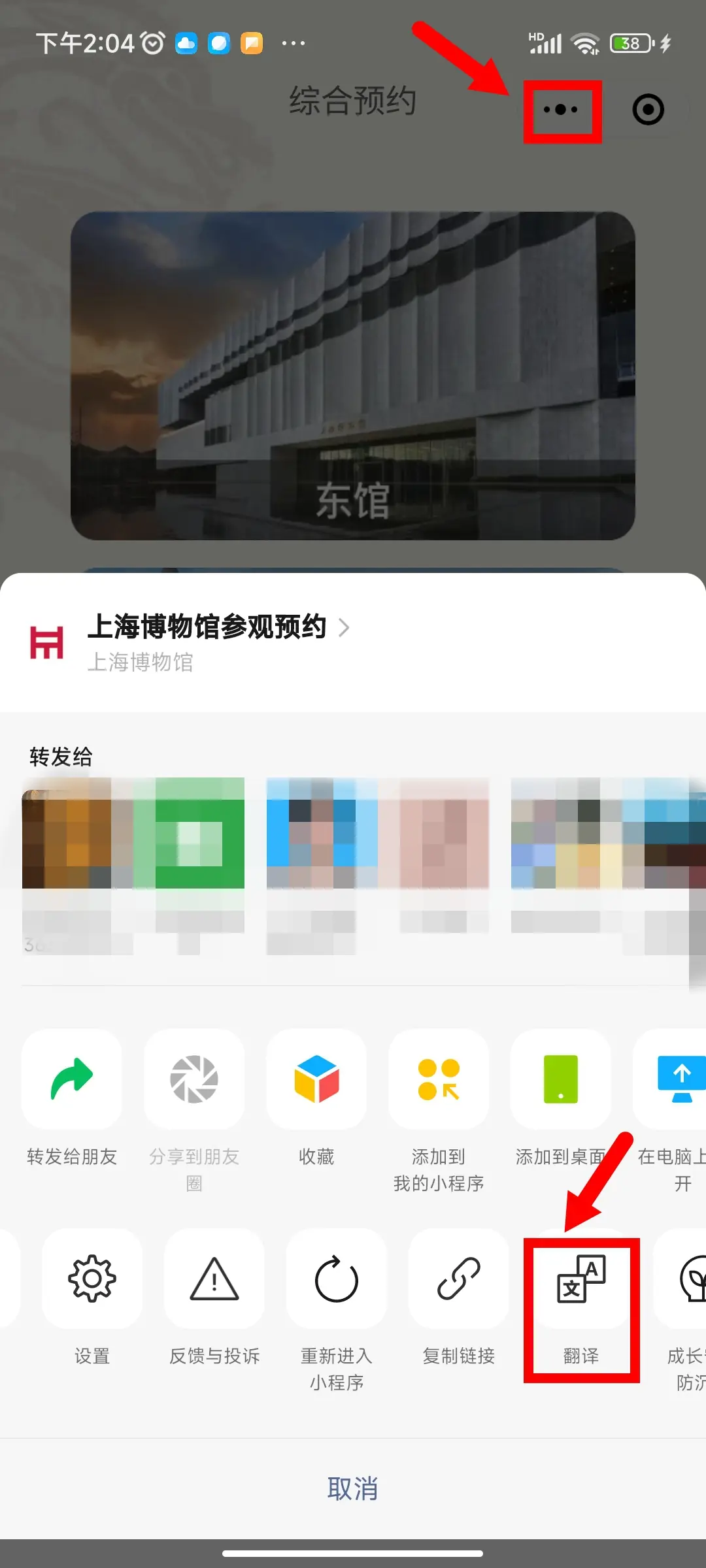
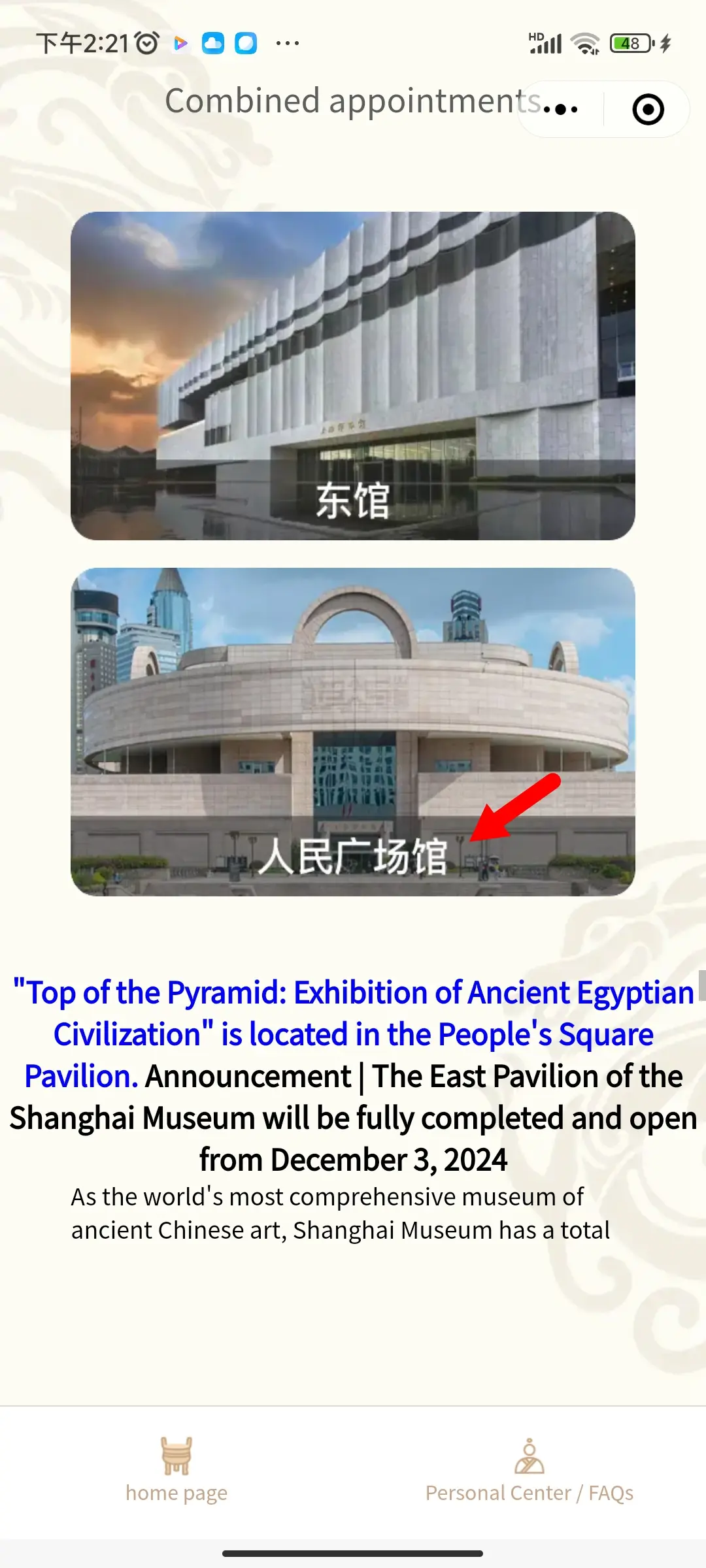
Example: Shanghai Museum
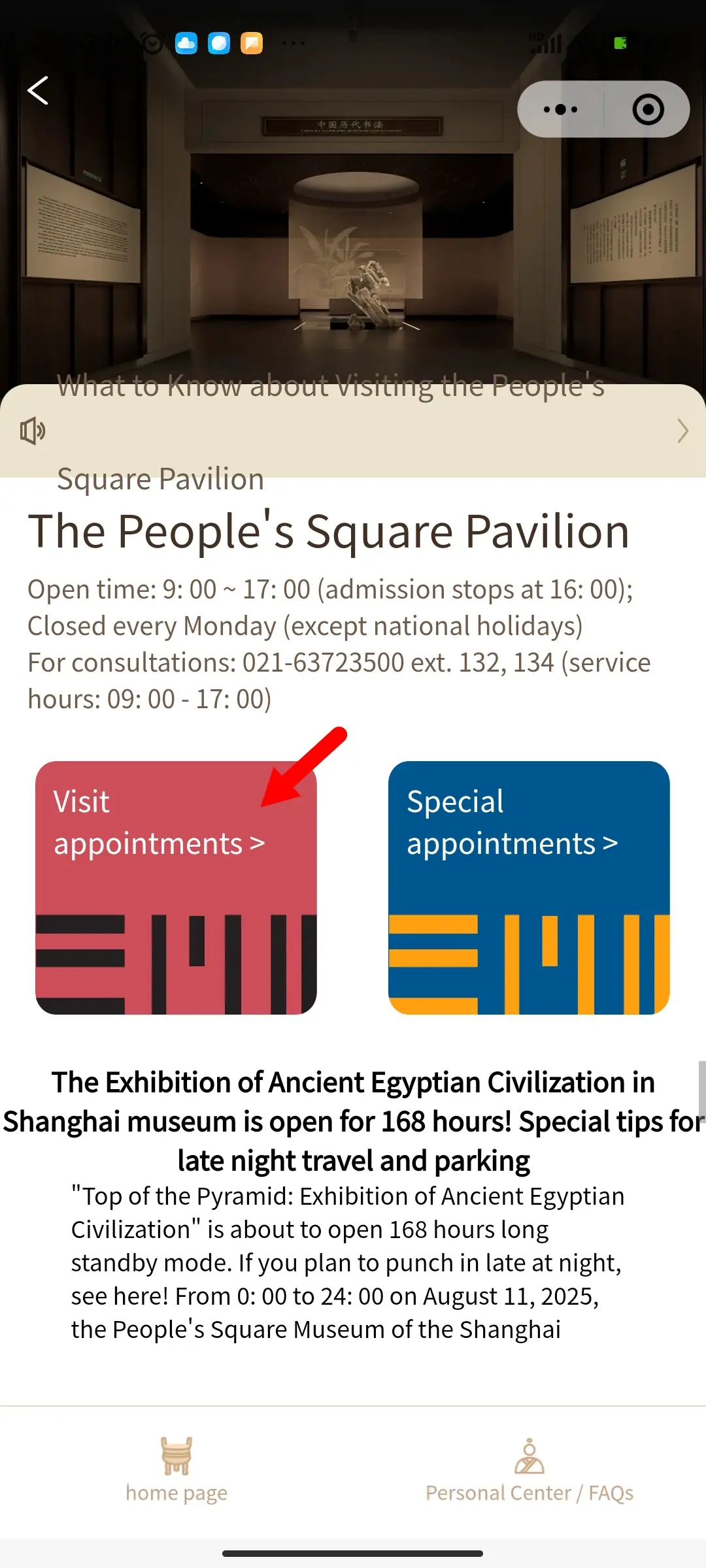
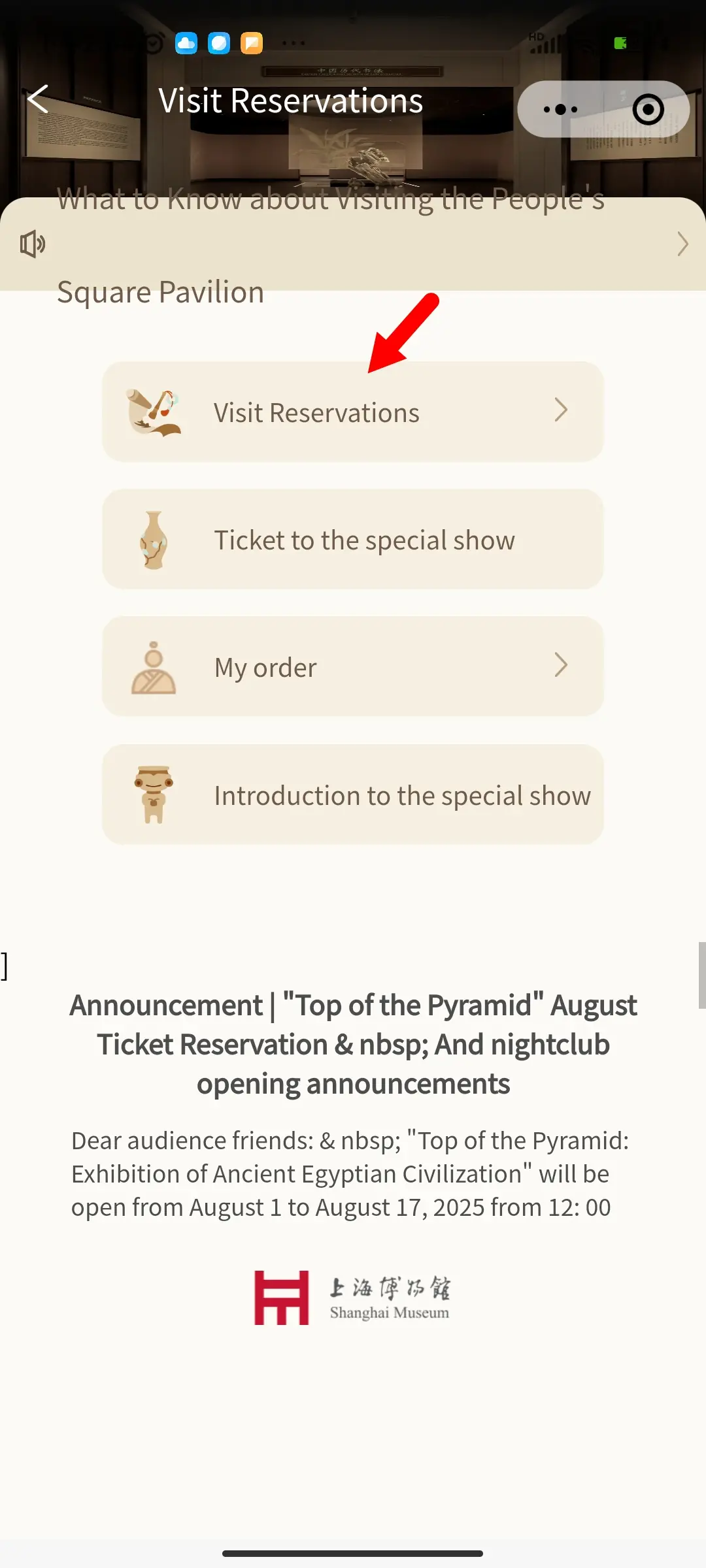
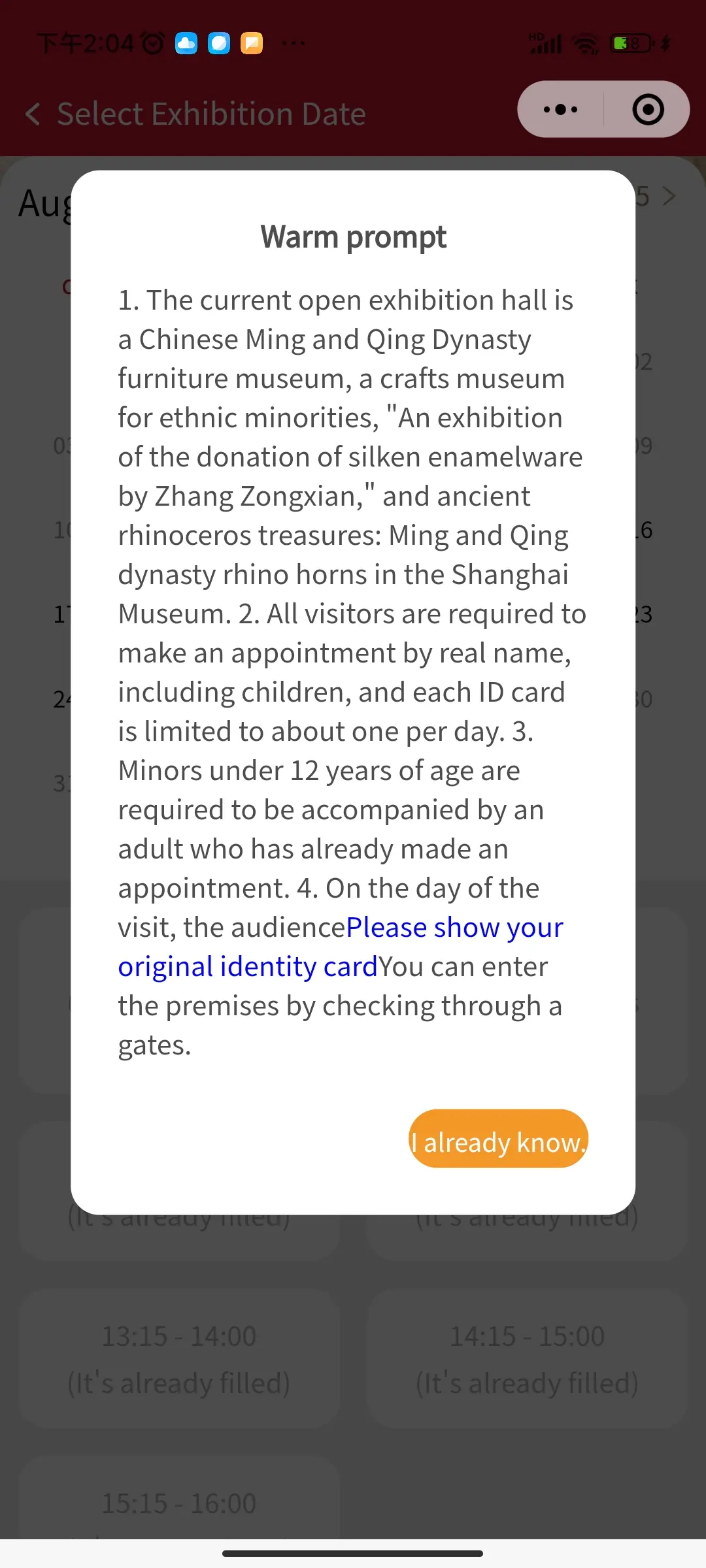
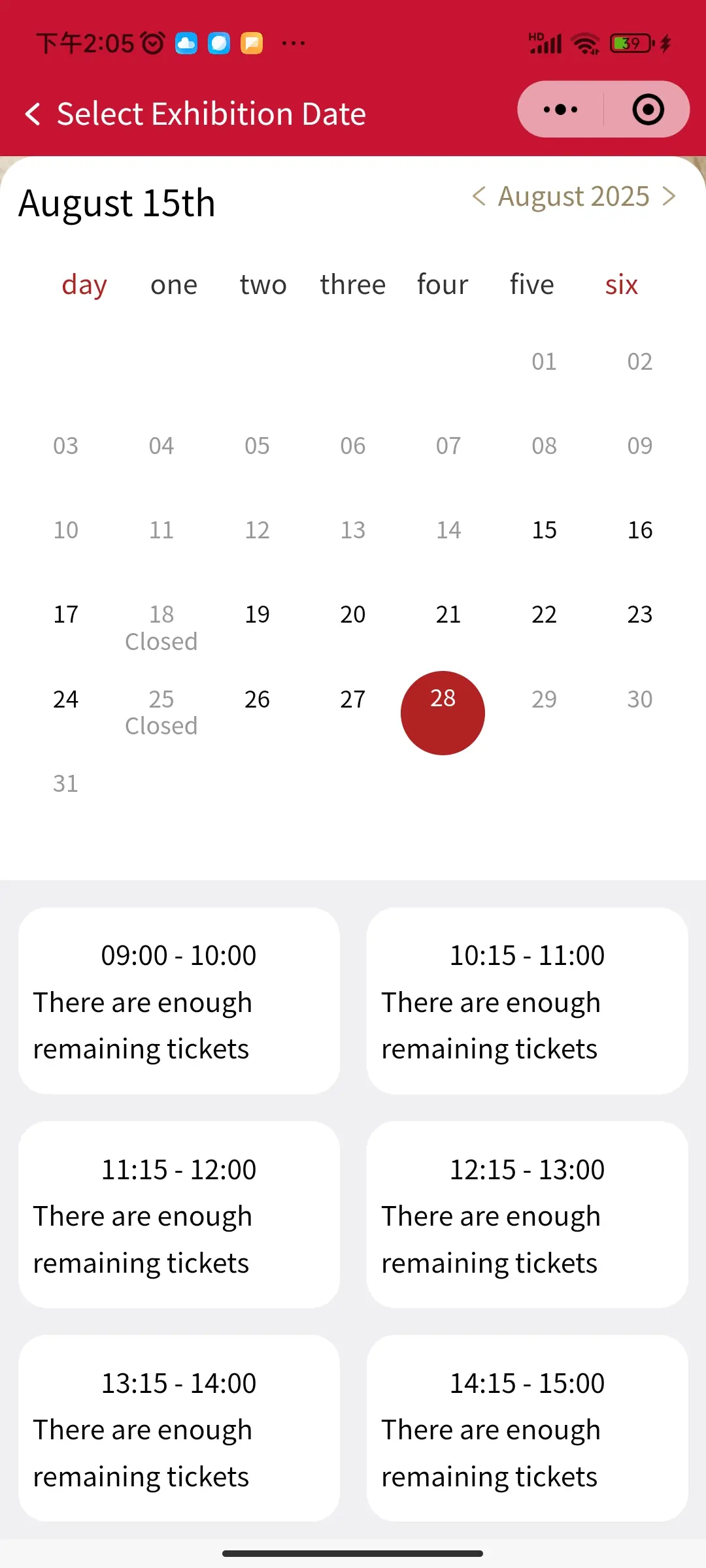
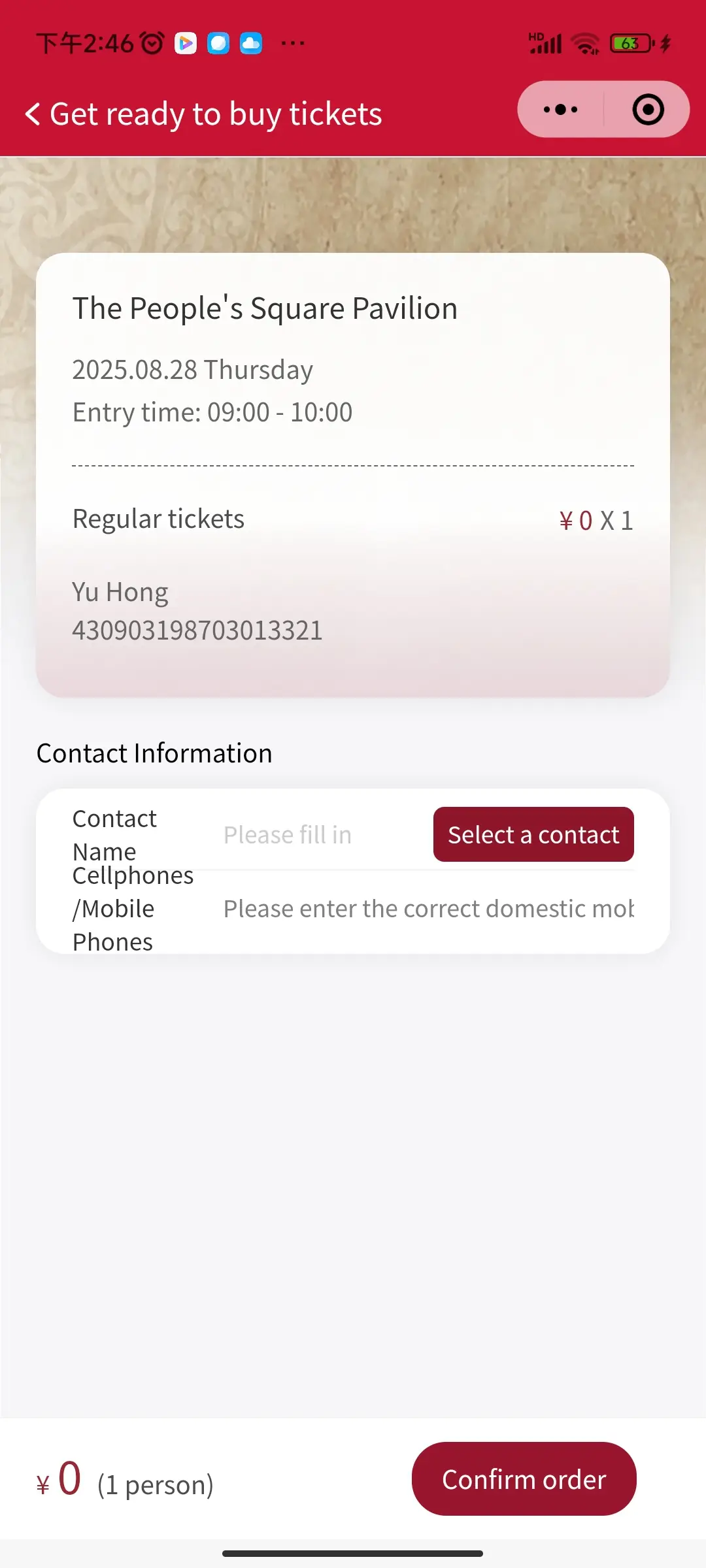
Mini program names change, but this screenshot set follows a real Shanghai Museum-style flow: search 上海博物馆参观预约 (Shanghai Museum visits), open the official booking mini program, acknowledge notices, choose 人民广场馆 (People’s Square venue) or another site, then walk through date → time slot → visitor count → real-name passport details → confirmation / payment if required. Regular admission can be reservation-only, while special exhibitions can add a paid step. If the UI is Chinese-only, try ⋯ → Translate, then double-check names and times before confirming.
Thirteen screens, one booking story—the green badges run 1–13 in the carousel in that order. Keep the sequence as a reference, but skip any panel your venue’s mini program does not show.
Transit QR codes
City transit QR mini programs inside WeChat are city-specific and can require extra real-name, phone, or wallet steps. Before spending time on WeChat transit setup, check whether that city offers overseas-card gate taps, single-journey tickets, tourist transport cards, or Alipay transit codes. Search 乘车码 if you want to try, but expect city-by-city rules.
Staying online
Keep mobile data or solid Wi-Fi during pay and mini-program steps—dropped sessions mid-verification are a common reason people repeat passport or face checks.
WeChat vs Mainland Weixin
The phone number you register with affects terms, wallet rules, and some service surfaces.
International WeChat track
A non-mainland phone number (US, UK, EU, Singapore, Hong Kong, etc.) normally follows the international WeChat terms and service path.
Mainland Weixin track
A +86 mainland SIM puts the account closer to the Weixin (微信 mainland) environment.
There is no simple tourist toggle that freely switches all terms, wallet rules, and mini-program behavior.
If you will not buy a Chinese SIM, finish download, login, and wallet steps on home Wi-Fi while SMS still works; some signup flows ask an existing WeChat user to scan a time-limited QR to vouch for you, which is easier when friends are awake in your home timezone. If SMS or verification still fails, a mainland SIM after arrival can help with messages, but it also changes the account environment. Check the China SIM and eSIM guide before choosing that path.
Fees, Limits, and Backup Plans
WeChat Pay’s fee lines, foreign-card rules, and caps are updated through official notices and the live app—always read the pay screen before you confirm.
Fee threshold to watch
Official visitor-facing notices checked in July 2026 say international-card transactions under ¥200 are normally exempt from the 3% fee.
Short-term fee campaigns
First-time international-card users can see a 60-day fee-waiver campaign for daily transactions under ¥1,000, with savings capped at ¥30 per transaction under the checked notice.
Limits and unsupported features
Tencent reports that verified international users can receive limits up to US$5,000 per transaction and US$50,000 per year. Your live cap can still be lower because it depends on account status, card issuer, and in-app verification.
The same help center notes international cards work for many daily purchases in mainland China but not for some features like red packets and money transfers.
Use our mobile payments guide for the wider Alipay vs WeChat picture. Keep Alipay and modest RMB cash as backups (RMB & ATM guide).
WeChat FAQ
Yes. Install from the App Store, Google Play, or your manufacturer store before you fly—then log in while SMS still works.
Sources checked for this guide
- Tencent Weixin / WeChat product page: general Weixin / WeChat ecosystem, core functions, mini programs, and Weixin Pay context
- Tencent visitor payment update: overseas-number registration, international-card linking, passport verification, and verified-user limit context
- Tencent Easy Pay with Weixin Pay: official visitor payment landing page and Weixin Pay customer-service contacts
- Beijing government 2026 WeChat Pay fee notice: international-card fee waivers, supported card brands, and visitor payment facilitation
- WeChat Help Center international card guide: card setup, fee, limit, and unsupported-feature wording that should still be checked in app
Beyond This Guide
WeChat is one layer of a smoother China setup. Use these next if you are building a payment, transport, language, and cash backup stack before arrival:
- Alipay vs WeChat Pay for tourists - choose which wallet to prioritize before you spend time on setup.
- China mobile payments: Alipay & WeChat Pay - compare fee patterns, limits, and QR-payment fallbacks.
- Alipay for foreigners in China - set up the payment app many visitors find easier as their first wallet.
- China city transport guide - compare subway, taxi, Didi, transit codes, ticket machines, and bank-card gate options.
- China translation apps guide - prepare stronger OCR, screenshot, and camera translation backups.
- RMB, ATMs & exchange - keep a cash backup for app failures, weak signal, and older vendors.
- Essential Chinese phrases - prepare short fallback lines for hotels, taxis, restaurants, and help requests.
We recommend how to combine WeChat, Alipay, and cash for your itinerary. We do not book rides, move money, buy tickets, or pay on your behalf.
© gochinafreely.com — Original guide by Go China Freely.